

U0184 on 2013-2020 Ford Escape: Lost Communication With Radio Fixes
On a 2013-2020 Ford Escape, code U0184 means the radio (ACM) has stopped communicating on the vehicle's network. The most common fix is a 'hard reset' by disconnecting the battery for 15-30 minutes. If that fails, a software update via a Ford dealer or a faulty Audio Control Module (ACM) is the next likely cause. A parasitic battery drain is also a common related symptom.
- First, try a simple reset. Disconnecting the battery for 15-30 minutes fixes this problem more often than not and costs nothing.
- U0184 is an electronic/communication issue, not a mechanical one. The vehicle is safe to drive while you troubleshoot the audio system.
- If a reset doesn't work, check the fuses for the radio and SYNC system before assuming a major component has failed.
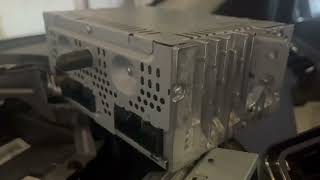
- If the Audio Control Module (ACM) does need replacement, consider a used or professionally repaired unit to save a significant amount of money compared to a new OEM part from a dealer.
What's Unique About the 2013-2020 Ford ESCAPE

For the Ford Escape in this year range, this code is frequently linked to software glitches in the audio system's modules, which can cause them to lock up. Ford has issued multiple Technical Service Bulletins (TSBs) for both the third (2013-2019) and fourth (2020) generations, pointing to software updates or module resets as the primary solution, rather than an immediate hardware failure. This issue is so common that a cottage industry of ACM repair services has emerged as a cost-effective alternative to expensive dealership replacements.
Diagnostic Flowchart
Tap your situation to follow the diagnostic path that matches what you're seeing on this vehicle.
Generation note: This range covers two Ford Escape generations: the 3rd Gen (2013-2019) and the 4th Gen (2020). While the U0184 code has the same meaning for both, the specific modules involved can differ. TSB SSM 46129 addresses radio issues in earlier models, while TSB SSM 51778 points to the Digital Signal Processor (DSP) module in 2020-2021 models, showing a slight evolution of the audio system architecture. The underlying cause of a software lockup or internal ACM failure remains consistent across both generations.
Symptoms You May Notice

- No sound from the radio or any audio source (Bluetooth, USB).
- Radio display is blank, frozen, or shows a flashing clock.
- Volume control does not work.
- Loud static or a sudden 'pop' from the speakers, sometimes right before the audio fails completely, or even when the vehicle is off.
- Inability to select different audio sources (AM/FM, Bluetooth).
- Warning chimes (for doors, seatbelts, etc.) come from the instrument cluster speakers with a 'tinny' sound instead of the main speakers.
- Parasitic battery drain that causes the battery to die overnight or after a few days of not being driven.
- Radio appears to be on and functioning, but no sound is produced.
- Replacing the infotainment screen (FDIM/APIM). The screen is usually just a display; the U0184 code points to the radio/audio module (ACM) which is a separate component that processes the sound and communicates with the car.
- Replacing the speakers. While no sound is a symptom, it's highly unlikely that all speakers would fail simultaneously. The lack of communication (U-code) points to a control module issue, not the speakers themselves.
- Assuming a bad amplifier. On systems with an external amplifier/DSP, the U0184 code specifically points to the main radio module (ACM), not the amp. A bad amp would typically set a different code like U0237, as noted in TSB SSM 51778.
Most Likely Causes

- Software Glitch in Audio Module (ACM/DSP) 🔴 High Probability Multiple Ford TSBs confirm that audio modules can lock up or enter a fault state, sometimes after a low voltage event like a battery change. TSB SSM 51778 specifically calls for a hard reset and reprogramming for 2020 models, while SSM 46129 suggests software updates for earlier models.
How to confirm: Perform a 'hard reset' by disconnecting the negative battery terminal for 15-30 minutes. If audio function returns, even temporarily, a software glitch was the cause. For a more thorough reset, some owners disconnect both terminals and touch the cable ends together for a minute to drain all residual power from the modules.
Typical fix: A hard reset is the first step. If the problem returns, the module (ACM or DSP) may need a software update from a Ford dealer or a capable independent shop using Ford's diagnostic software (IDS/FDRS). Some owners use tools like FORScan to attempt a module reset themselves.
Est. part cost: $0 - Failed Audio Control Module (ACM) 🟡 Medium Probability The ACM is the central computer for the radio system. Internal components like the main processor or amplifier circuit can fail due to heat and age, leading to a complete loss of communication. This is a well-documented failure point on this platform.
How to confirm: If a hard reset, soft reset, and fuse check do not resolve the issue, and the module is unresponsive to a diagnostic scan tool (like FORScan), the ACM itself is likely faulty.
Typical fix: Replace the Audio Control Module. An alternative is to send the original module to a specialized repair service, which can be significantly cheaper than a new part and doesn't require dealer programming.
Est. part cost: $150-$250 (Repair Service), $75-$300 (Used/Repaired), $400-$800 (New) - Blown Fuse ⚪ Low Probability While not a design flaw, a random power surge or a short in the ACM can blow a fuse, cutting power to the audio modules.
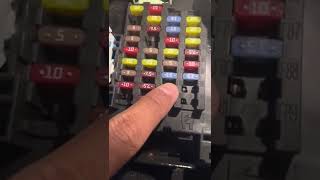
How to confirm: Check the fuses related to the audio system in the passenger compartment fuse panel (located under the glove box). On 2013-2016 Escapes, this is often fuse F67 (20A for Radio) and on 2017-2019 models, fuse F29 (20A for Audio Control Module). For 2020 models, check fuse F23 (20A) in the under-hood fuse box for the amplifier. Always consult your owner's manual for the correct fuse location and rating.
Typical fix: Replace the blown fuse with a new one of the exact same amperage. If the new fuse blows immediately, it indicates a short circuit in the ACM or wiring that needs to be diagnosed.
Est. part cost: $1-$5 - Wiring or Connector Issue ⚪ Low Probability
How to confirm: Visually inspect the main connector on the back of the ACM for loose connections, corrosion, or pushed-out pins. A wiggle test on the harness while the system is on may cause the audio to cut in and out.
Typical fix: Repair the damaged wiring or reseat the loose connector. Ensure the connector is fully latched.
Est. part cost: $5-$50 (for repair materials)
Rare But Worth Checking
- Failing Battery or Alternator:
Diagnosis Steps

- Perform a 'soft reset' of the SYNC system. Press and hold the power button and the 'next track' button simultaneously for about 10 seconds until the screen goes blank and reboots. This is the quickest and least invasive first step.
- If the soft reset fails, perform a 'hard reset'. Disconnect the negative terminal of the 12-volt battery for at least 30 minutes to fully discharge the modules. For a more complete discharge, some technicians recommend touching the disconnected negative cable to the positive terminal/cable. Reconnect the battery and test the audio system.
- Check the Fuses. Locate the passenger compartment fuse panel (under/behind the glove box) and inspect the fuse for the radio/ACM. For 2013-2016 models, check F67 (20A). For 2017-2019, check F29 (20A). For 2020 models, check F28 (20A) in the engine bay fuse box. Always verify with your owner's manual. Replace any that are blown.
- Scan for TSBs. A Ford dealer or a shop with access to Ford's service information can check for any new Technical Service Bulletins related to your vehicle's VIN and audio system, as a specific software update may be the required fix.
- Advanced Scan Tool Diagnosis. Use a tool like FORScan to perform a network test and attempt to communicate directly with the ACM. If the ACM is 'not found' or does not respond, it confirms a communication breakdown. This strongly suggests a power/ground issue to the module or an internal failure of the ACM itself.
- Inspect Connectors. If comfortable removing trim panels, access the rear of the Audio Control Module (typically behind the CD slot/HVAC controls) and check that all electrical connectors are secure and free of corrosion.
- Professional Diagnosis/Replacement. If the above steps do not work, the ACM has likely failed or requires reprogramming with a Ford-specific diagnostic tool. A professional technician can confirm if the module is truly bad before you purchase a replacement.
Parts You'll Likely Need

- Audio Control Module (ACM)
(OEM #CJ5T-19C107-xx, FJ7T-19C107-xx (Varies by year and trim))— This is the brain of the radio system and the most common hardware failure point for a persistent U0184 code after resets have been attempted.
Trusted brands: Motorcraft, Various Aftermarket/Remanufactured
OEM price range: $600-$1200
Aftermarket price range: $200-$500 (Used/Remanufactured), $150-$250 (Repair Service)
Related Codes That Often Appear With This One
- U0237 — This code means 'Lost Communication With Digital Signal Processor (DSP) Module'. It often appears with U0184 on newer Escapes with premium audio systems, as the ACM and DSP work together and the fault can cascade, as described in TSB SSM 51778.
- U0238 — Similar to U0237, this indicates a lost communication with a different audio-related module, often appearing as part of the same fault described in TSB SSM 51778.
- U0159 — 'Lost Communication With Parking Assist Control Module'. This can sometimes appear alongside U0184 if the ACM is improperly configured or failing, as it can disrupt network communication with other modules on the same bus.
Technical Service Bulletins (TSBs) & Recalls
- SSM 51778: Audio Inoperative, No Sound, No Communication With ACM Or DSP, with DTC U0184, U0237, U0238.
- SSM 46129: Various Radio Concerns Including Speaker Static, No Audio, DTC U0184.
- SSM 50739: A related TSB for other 2020-2021 Ford models with the same symptoms, also pointing to a DSP software issue requiring a hard reset and reprogramming.
Platform-Specific Known Issues
- TSB SSM 51778: Affects some 2020-2021 Escapes where the audio system is inoperative and sets codes U0184, U0237, or U0238. The official fix is to perform a hard reset by disconnecting the battery, then reprogramming the DSP module with an updated software version using Ford's diagnostic tool.
- TSB SSM 46129: Pertains to 2013 models (and others) exhibiting various radio concerns like static, no audio on startup, and code U0184. The bulletin advises technicians to check if the ACM has the latest software before beginning other diagnostics.
- Parasitic Battery Drain: A failing ACM can fail to go into 'sleep mode' when the car is off, causing a significant parasitic draw on the battery. Owners report a dead battery after the vehicle sits for a day or two, which is often traced back to the fuse for the audio system.
Mechanic-Grade Diagnostic Values
- MS-CAN Bus Resistance — expected: Approximately 60 Ohms. Failure: A reading of 120 Ohms indicates one of the two terminating resistors (often in the BCM or IPC) is offline. A reading near 0 Ohms indicates a short between the CAN High and CAN Low wires.
- MS-CAN Bus Voltage (Key On, Engine Off) — expected: CAN High (GY/OG wire): ~2.7V. CAN Low (VT/OG wire): ~2.3V. Voltages should be mirror images of each other during communication.. Failure: Voltages that are stuck high (e.g., near battery voltage) or low (near 0V) indicate a short to power or ground on the network.
- ACM Power Supply Voltage at Connector C240A — expected: 12.0 - 12.6V (Battery Voltage). Failure: Low or no voltage indicates an open circuit in the power supply wire (e.g., WH/RD wire) or a blown fuse, preventing the module from powering on.
Scan Tool Commands That Help
- FORScan: ACM Self-Test — To command the Audio Control Module to run an internal diagnostic routine. This can help confirm if the module is responsive on the network, even if it's not producing sound. Failure to run the test points to a hard failure or communication loss.
- FORScan: Reset ACM Module — This performs a software-based reset of the module, which can be quicker than a battery disconnect and can sometimes resolve software lock-ups.
- Ford IDS / FDRS: Programmable Module Installation (PMI) — This function is required when installing a new or used ACM to configure it to the vehicle's specific options (like speaker configuration, satellite radio, etc.) and VIN.
Wiring & Ground Locations
- ACM Main Ground Strap — A braided wire strap attached to the right-side frame of the ACM chassis with an 8mm screw, located behind the center dash console.. A loose or corroded main ground for the ACM can cause intermittent operation, no power, or communication faults like U0184. Ensuring this connection is clean and tight is a critical step if power-related issues are suspected.
- MS-CAN Bus Wires at ACM — Pins 12 (VT/OG, MS-CAN -) and 13 (GY/OG, MS-CAN +) on the main ACM connector (C240a).. These are the specific data wires the ACM uses to communicate with the rest of the vehicle. Technicians can probe these wires to check for correct voltage and resistance to diagnose network faults directly at the module.
Real Owner Repair Stories
- YouTube video by user 'pv' (2016 Ford Escape with SYNC radio) — No sound from the radio.
❌ Tried (didn't work) The user's research led them directly to the ACM.
✅ What actually fixed it The owner replaced the Audio Control Module (ACM) with a new unit. After installation and performing a Master Reset on the SYNC system, the sound was restored. - YouTube video by user 'Nathan Sink' (2014 Ford Escape) — Audio completely stopped working; no sound from speakers.
❌ Tried (didn't work) Checked all associated fuses under the glove box and in the rear of the vehicle; all were fine.
✅ What actually fixed it Purchased a used Audio Control Unit from eBay for $104 with the exact same model number as the original. After installing the replacement ACM, the audio worked immediately without needing dealer reprogramming. - Reddit user 'Objective_Form_2974' (2015 Ford Escape) — Intermittent crackling sounds followed by complete audio failure. Voice command prompts and phone audio still worked, but radio and button sounds did not.
❌ Tried (didn't work) System reset., Scanning with FORScan (which surprisingly did not show a U0184 code).
✅ What actually fixed it The consensus from other users, despite the lack of a U0184 code, was that the symptoms pointed directly to a failed ACM. The recommended fix was to replace the ACM, with the acknowledgment that sometimes the failure doesn't set the expected code.
OEM Part Supersession History
CJ5T-19C107-Bx→CJ5T-19C107-Cx, CJ5T-19C107-Dx, etc.— Internal revisions and software updates by the manufacturer to address reliability issues.
Heads up: While many part numbers ending in different letters are interchangeable (e.g., a -BH can often replace a -BG), it is critical to match the part number from the original unit as closely as possible to ensure compatibility with the vehicle's specific audio system (base, Sony, Nav, etc.) and avoid the need for dealer reprogramming.
Model Year Variations Within This Range
- 2013-2016: These models typically use the SYNC 2 system. The audio architecture consists of the ACM as the primary sound processor. Three levels were generally available: a base 6-speaker system, an upgraded 9-speaker system, and a 10-speaker Sony system with an external amplifier/DSP.
- 2017-2019: This facelift generation introduced the SYNC 3 system. While the fundamental architecture is similar, the ACM and APIM modules are different from the earlier generation and are not cross-compatible. The reliance on software updates becomes more pronounced with SYNC 3.
- 2020: The 4th generation Escape has a more integrated system. As noted in TSB SSM 51778, the Digital Signal Processor (DSP) becomes a more common point of failure mentioned alongside the ACM, particularly in models with premium audio. The fuse location for the audio system also moves to the under-hood fuse box.
Helpful Videos

We Have This Part in Stock



The information in this article is provided for general reference and educational purposes only. Vehicle specifications, procedures, and part compatibility can vary by production date, trim level, and region. Always consult your vehicle's factory service manual and verify part numbers before purchasing or performing repairs. Safety-critical components such as airbags, seat belts, and braking systems should be installed by a qualified professional.
- Ford ESCAPE:
- 🎬 Helpful Videos
- 🛍️ Shop This Part
- What's Unique About the 2013-2020 Ford ESCAPE
- Diagnostic Flowchart
- Symptoms You May Notice
- Most Likely Causes
- Rare But Worth Checking
- Diagnosis Steps
- Parts You'll Likely Need
- Related Codes That Often Appear With This One
- Technical Service Bulletins (TSBs) & Recalls
- Platform-Specific Known Issues
- Mechanic-Grade Diagnostic Values
- Scan Tool Commands That Help
- Wiring & Ground Locations
- Real Owner Repair Stories
- OEM Part Supersession History
- Model Year Variations Within This Range
- 🎟️ Get 5% Off