

U0184 on 2015-2020 Chevrolet Suburban: Radio Communication Loss Fixes
U0184 means your Suburban's control modules have lost communication with the radio (also known as the HMI module). This is frequently caused by a software glitch that can be fixed by a dealer reprogram per a TSB, or a temporary logic lock solved by pulling a fuse. It can also be caused by a faulty radio module or wiring issues, particularly at the Serial Data Gateway Module.
- U0184 means the radio has stopped communicating with the rest of the vehicle.
- The most common fix is a software update from a GM dealer, as specified in a Technical Service Bulletin.
- Before spending any money, try a simple reset by pulling the radio fuse for a few minutes.
- If a reset or software update doesn't work, the problem is likely a failed radio module or a wiring issue.
- This code does not affect vehicle safety and you can continue to drive the car.
What's Unique About the 2015-2020 Chevrolet SUBURBAN
The 2015-2020 Suburban is built on GM's K2XX platform, which heavily relies on a central computer called the Serial Data Gateway Module (SDGM) to manage communication between different vehicle systems. Multiple Technical Service Bulletins (TSBs) for this platform specifically mention that U0184 can be triggered not just by a faulty radio, but also by connection problems at this gateway module, which can cause a cascade of communication codes. The radio itself is a separate HMI module located behind the glove box, not integrated into the screen, making it a distinct point of failure.
Diagnostic Flowchart
Tap your situation to follow the diagnostic path that matches what you're seeing on this vehicle.
Symptoms You May Notice
- Radio is completely inoperative (no power, no sound).
- Infotainment display is black or shows a blue screen.
- Unable to communicate with the radio module using a scan tool.
- AM radio has a clipping noise.
- Steering wheel audio controls do not work.
- Bluetooth and phone integration are unavailable.
- Loss of audible chimes for turn signals, seat belts, or other warnings.
- Screen is frozen or stuck on a message like 'Waiting for Update Media'.
- GPS shows an incorrect location or a zoomed-out globe view.
- Replacing the radio module when only a software update was needed.
- Replacing other control modules that have stored the U0184 code, without realizing the radio is the source of the problem.
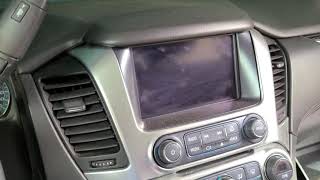
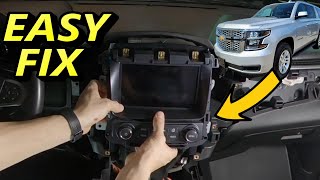
- Replacing the 8-inch display screen when the actual failure is the separate HMI module located behind the glove box. 🎬 See this walkthrough on how to remove the HMI module
Most Likely Causes
- Radio Software Glitch / Logic Lock 🔴 High Probability GM issued TSB #16-NA-107 to address this exact issue, indicating it was a widespread problem solvable with a software update. Additionally, TSB #PIT5401E notes that the module can enter a temporary 'logic lock' state that is resolved by simply cycling its power.
How to confirm: First, attempt a power cycle by pulling the radio fuse for several minutes. If function returns temporarily, it confirms a logic lock. A GM dealer or qualified shop can then check for available software updates for the radio module using the Service Programming System (SPS).
Typical fix: Reprogramming the radio module with the latest software calibration per TSB #16-NA-107. If the issue is intermittent, a simple fuse pull may restore function temporarily.
Est. part cost: $0 - Faulty Radio / HMI Module 🟡 Medium Probability The Bosch-made HMI modules used in this generation are a known common failure item. TSB #PIT5401E notes that if a power cycle doesn't restore function and wiring is good, the radio (HMI module) itself is the likely cause.
How to confirm: After confirming power, ground, and data lines to the radio are good, and a software update doesn't fix it (or can't be performed due to no communication), the module itself is condemned.
Typical fix: Replacing the Human Machine Interface (HMI) module. The new unit must be programmed to the vehicle's VIN.
Est. part cost: $400-$900 - Wiring/Connector Issue at Serial Data Gateway Module (SDGM) ⚪ Low Probability TSB #PIT5586G specifically instructs technicians to check the X1 and X2 connectors at the SDGM for terminal issues when U0184 is present with other communication codes. The SDGM is a central hub, and poor connections there can disrupt many systems.
How to confirm: Visually inspect the connectors and terminals at the SDGM for corrosion, damage, or poor pin tension. This may require a pin drag test.
Typical fix: Repairing the affected wiring or terminals in the SDGM connector.
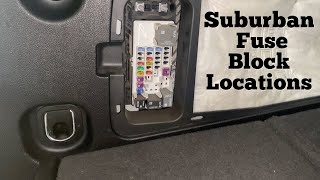
Est. part cost: $5-$50 - Blown Fuse or Power Supply Issue ⚪ Low Probability While not unique, it's a simple but crucial check. The main radio fuses are located in the passenger-side instrument panel fuse block.
How to confirm: Check fuses F26 (Radio) and F29 (Display) in the passenger side instrument panel fuse block. A video guide shows their location. 🎬 Watch: Find all fuse box locations on your Suburban Test for 12V at the fuse terminals.
Typical fix: Replace the blown fuse. If it blows again, further diagnosis is needed to find a short circuit.
Est. part cost: $1-$10
Rare But Worth Checking
- Faulty Serial Data Gateway Module (SDGM): While TSBs point to the SDGM's connectors, the module itself can fail. This is more likely if multiple, unrelated communication codes are present across different vehicle networks. Replacement requires programming.
- Aftermarket Device Interference: Improperly installed aftermarket devices, such as remote starters or radio interface modules (like a PAC), can disrupt the CAN bus and cause communication codes like U0184.
Diagnosis Steps
- Scan all vehicle modules and save a full code report. Note all other 'U' codes present, as multiple codes may point to the SDGM.
- Attempt a hard reset. Disconnect the negative battery terminal for at least 10-30 minutes to reset all modules. Many owners report this temporarily fixes the black screen.
- If the hard reset fails, try a more targeted power cycle. As suggested by TSB #PIT5401E, pull the specific radio fuses (F26 and F29 in the passenger-side fuse panel), wait a few minutes, and reinstall them.
- If function returns after a reset, the issue is likely a software glitch or logic lock. Check with a dealer for a radio software update as specified in TSB #16-NA-107.
- If there is still no communication, access the radio/HMI module behind the glove box. Test for proper power (12V+), ground (less than 200mV drop), and voltage on the low-speed data line (Circuit 5060) as per TSB #PIT5401E.
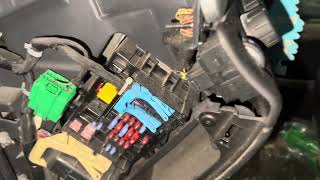
- If other communication codes are present, locate the Serial Data Gateway Module (often part of the dash fuse box) and inspect its connectors (X1 and X2) for any loose, corroded, or damaged pins as per TSB #PIT5586G.
- If all wiring, connections, and software are confirmed to be good, the radio/HMI module is the most likely failed component and requires replacement.
Parts You'll Likely Need
- Radio / Human Machine Interface (HMI) Module
(OEM #23415901, 84096815, 84131941 (numbers supersede often, confirm by VIN))— This is the central infotainment computer that is prone to internal failure or software corruption. If it fails, it must be replaced.
Trusted brands: ACDelco (OEM)
OEM price range: $500-$900 (New, VIN-programmed)
Aftermarket price range: $300-$600 (Used/Remanufactured, requires programming) - Serial Data Gateway Module
(OEM #13599318)— This module is a less common failure point, but TSBs point to its connectors as a source of trouble. If the module itself fails, it can cause widespread communication issues, including U0184.
Trusted brands: ACDelco (OEM)
OEM price range: $80-$150
Aftermarket price range: $60-$120
Related Codes That Often Appear With This One
- U0100, U0101, U0140, U0151, etc. — TSB #PIT5586G lists a large number of other 'U' codes that can appear alongside U0184. This often points to a central communication problem, such as a fault at the Serial Data Gateway Module, rather than individual module failures.
- U0214 — A user on a forum reported that after installing an aftermarket radio, they received U0184 along with U0214 (Lost Communication With Remote Control Door Lock Receiver), indicating a broader network issue caused by the new equipment.
Technical Service Bulletins (TSBs) & Recalls
- 16-NA-107: Advises reprogramming the radio for U0184, inoperative radio, or blue screen conditions.
- PIT5586G: Instructs dealers to check connectors at the Serial Data Gateway Module for terminal issues when U0184 and other communication codes are set.
- PIT5401E: Recommends cycling power to the radio via its fuse to resolve temporary lock-ups before considering replacement. Also provides diagnostic steps for testing power, ground, and data lines.
Platform-Specific Known Issues
- A software issue prompted GM to release TSB #16-NA-107, which instructs dealers to reprogram the radio to fix conditions like U0184, an inoperative radio, or a blue screen.
- A temporary logic lock can cause the radio to become unresponsive. TSB #PIT5401E advises technicians to first try cycling power to the radio by pulling its fuse before attempting replacement. Many owners confirm this temporary fix works.
- Wiring terminal issues at the Serial Data Gateway Module (SDGM) are a known cause for this and other communication codes, as documented in TSB #PIT5586G.
Mechanic-Grade Diagnostic Values
- Low-Speed GMLAN Data Line Voltage (Key On) — expected: Toggles between ~0.2V (recessive state) and >4.0V (dominant state).. Failure: A reading consistently above 4.5V suggests a short to voltage; a reading of 0V could be an open or short to ground.
- Low-Speed GMLAN Data Line Resistance to Ground (Key Off) — expected: Greater than 100 Ohms.. Failure: A reading less than 100 Ohms indicates a short to ground in the data circuit or a connected module.
- HMI Module Power Supply — expected: 12.0 - 12.6 Volts with key on.. Failure: Low or no voltage indicates a fuse or power wiring issue upstream of the module.
Scan Tool Commands That Help
- GM GDS2 / SPS: Radio Reprogramming — This is the specific fix called for in TSB #16-NA-107 to resolve software-related causes of U0184, such as a blue screen or total non-communication after a logic lock.
- GM GDS2: Module Communication Test — Used as a first step to see if the scan tool can communicate with the radio module at all. If it fails, it points to a hard failure (module, power, ground, data line) rather than just a parameter issue.
- Professional Scan Tool: Bidirectional Data Session — To actively command the radio to perform a function. If it responds to a command but doesn't operate normally, it suggests a software or configuration issue rather than a complete hardware failure.
Wiring & Ground Locations
- Serial Data Gateway Module (SDGM) — Located under the driver's side dashboard, often near the BCM and fuse box. It has distinctive black and gray connectors (X1 and X2).. The SDGM is the central hub for network traffic. TSB #PIT5586G directly points to checking its connectors for terminal issues when U0184 is set with other communication codes.
- Frame Grounds (G-series) — There are critical grounds located on the frame behind both front wheels.. These locations are highly susceptible to corrosion from road spray, which can cause intermittent and difficult-to-diagnose electrical issues, including communication faults.
- BCM / Interior Ground — A ground for the Body Control Module (BCM) is located inside the cab, next to the front left speaker, requiring removal of the A-pillar and dash trim to access.. The BCM is a key module on the communication network. A poor ground here can cause widespread network codes, including U0184.
- G302 (On related platforms) — On some GM platforms, G302 is located under the center console and serves as the ground for the radio amplifier.. While from a different platform, its existence highlights that audio components may have dedicated grounds under the console, which could be relevant if audio is lost.
Real Owner Repair Stories
- TahoeYukonForum.com user (2015 Tahoe LTZ) — Strange electrical problems, not specified if U0184 was present but consistent with network issues.
❌ Tried (didn't work) Initial diagnosis was inconclusive.
✅ What actually fixed it The owner cleaned the main ground strap on the driver's side firewall and, crucially, located and cleaned corroded grounds on the frame behind both front wheels. - YouTube video by 'Baugh N' Out' (2015 Chevrolet Silverado 1500 (K2XX Platform)) — Intermittent jerking steering, Stabilitrak message, dash going black, radio losing presets, clock losing time, and no-start conditions.
❌ Tried (didn't work) Initial diagnosis pointed towards multiple failing modules.
✅ What actually fixed it The final fix was replacing the main negative battery cable, which was corroded internally. The cable itself was the source of the widespread electrical faults. - Reddit user in r/volt (Chevrolet Volt (Gen 2, similar HMI architecture)) — Black screen, no CarPlay, no backup camera. Critically, chimes and OnStar audio still worked, and static could be heard from the radio after a battery disconnect.
❌ Tried (didn't work) Disconnecting the battery only resulted in radio static, with no control.
✅ What actually fixed it The confirmed cause was a failed HMI module, which required replacement. The fact that some audio (chimes, OnStar) still functioned is a key indicator of HMI failure vs. a total radio/amp failure.
"I Checked Everything" — The Actual Cause
- The electronic equivalent of a 'smoke test clean' scenario is when the radio is completely unresponsive and will not communicate with a scan tool, suggesting a 'dead' module or cut wire. However, per TSB #16-NA-107, the actual cause can be a software 'logic lock'. Cycling power to the radio (by pulling the fuse) can temporarily restore communication, allowing the technician to perform the required software update that provides the permanent fix.
When the Usual Fixes Don't Work
- While many cases of U0184 are fixed by reprogramming or replacing the HMI module, widespread and intermittent electrical problems (including a dead radio) on the K2XX platform can also be caused by a failing main battery ground cable. A 2015 Silverado with symptoms including a black dash and radio issues was ultimately fixed by replacing the negative battery cable, which had corroded internally, creating a poor ground for the entire vehicle. Before condemning the expensive HMI module, inspecting the main battery cables and vehicle grounds is a critical, and much cheaper, diagnostic step.
OEM Part Supersession History
Various (e.g., 23415901)→Various (e.g., 84096815, 84131941, 84296480)— GM frequently updates part numbers for hardware revisions and to consolidate inventory. These are all for the HMI 2.5 generation module.
Heads up: Physical fitment is generally the same, but the critical factor is software. A module from another vehicle, even with a compatible part number, will not work due to VIN locking. The replacement module must be either brand new and programmed to the vehicle's VIN using GM's SPS software, or a used unit that has been professionally 'unlocked' or 'cleared' to accept a new VIN.
Model Year Variations Within This Range
- 2016-2020: Starting in 2016, the MyLink system became compatible with Apple CarPlay, which involved a software update and potentially minor hardware changes in the HMI module.
- 2017-2020: The top-level 'LTZ' trim was renamed 'Premier'. While this changed the name and some option packages, it did not fundamentally alter the infotainment hardware or the diagnostic process for U0184.
Helpful Videos
We Have This Part in Stock



The information in this article is provided for general reference and educational purposes only. Vehicle specifications, procedures, and part compatibility can vary by production date, trim level, and region. Always consult your vehicle's factory service manual and verify part numbers before purchasing or performing repairs. Safety-critical components such as airbags, seat belts, and braking systems should be installed by a qualified professional.
- Chevrolet SUBURBAN:
- 🎬 Helpful Videos
- 🛍️ Shop This Part
- What's Unique About the 2015-2020 Chevrolet SUBURBAN
- Diagnostic Flowchart
- Symptoms You May Notice
- Most Likely Causes
- Rare But Worth Checking
- Diagnosis Steps
- Parts You'll Likely Need
- Related Codes That Often Appear With This One
- Technical Service Bulletins (TSBs) & Recalls
- Platform-Specific Known Issues
- Mechanic-Grade Diagnostic Values
- Scan Tool Commands That Help
- Wiring & Ground Locations
- Real Owner Repair Stories
- "I Checked Everything" — The Actual Cause
- When the Usual Fixes Don't Work
- OEM Part Supersession History
- Model Year Variations Within This Range
- 🎟️ Get 5% Off