

U0184 on 2014-2018 Chevrolet Silverado 2500: Radio Communication Loss Fixes
On a 2014-2018 Silverado 2500, code U0184 almost always means the radio has a software glitch or a bad connection. The most common fix is a radio software update from a dealer, as noted in multiple GM bulletins like 16-NA-107. The second most common cause is a poor connection at the X2 connector of the Serial Data Gateway Module (SDGM), a known issue documented in TSB PIT5586C. Before considering expensive hardware replacement, a power cycle (fuse pull or battery disconnect) should be attempted,
- U0184 on this truck is overwhelmingly likely to be a software issue, not a failed part.
- Always attempt a hard reset (battery disconnect) and check for software updates before replacing the expensive HMI module.
- If multiple communication codes are present, the Serial Data Gateway Module (SDGM) connector is a primary suspect.
- The repair is not DIY-friendly if it requires a software update, as this needs GM-specific tools.
- The issue is common across the entire 2014-2019 GM full-size truck and SUV lineup (K2XX platform).
What's Unique About the 2014-2018 Chevrolet SILVERADO 2500
This generation of Silverado 2500 and its K2XX platform mates are particularly known for this issue, and GM has released several Technical Service Bulletins (TSBs) to address it. The problem is so common that TSBs like 16-NA-107 outline specific software glitches that cause the radio to become inoperative, go to a blue screen, or lose communication, setting the U0184 code. Other bulletins, such as PIT5586C, point to a known wiring issue at the Serial Data Gateway Module, which acts as a central hub for network traffic, making this a well-documented pattern failure for this truck.
Diagnostic Flowchart
Tap your situation to follow the diagnostic path that matches what you're seeing on this vehicle.
Symptoms You May Notice
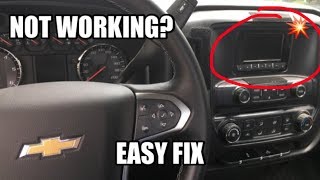
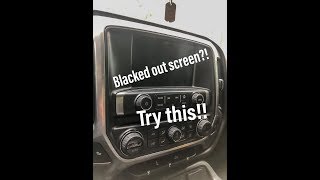
- Radio is inoperative, has a blank, black, or blue screen.
- Infotainment screen frozen on the Chevy MyLink logo.
- No sound from the audio system, including radio, Bluetooth, or USB.
- Loss of turn signal 'click' sound and other warning chimes (which are generated by the radio module).
- Rear View Camera display is black or unavailable.
- OnStar hands-free calling may not work.
- AM radio may have a clipping noise.
- Steering wheel audio controls are not illuminated or are inoperative.
- Instrument cluster display may show 'Audio Off'.
- Replacing the HMI module before attempting a software update. Many owners have spent hundreds or thousands on a new radio when a much cheaper software flash ($150-$250) would have solved the problem.
- Replacing the 8-inch infotainment screen. The screen is just a display; the 'brain' is the separate HMI module located behind the glovebox. A blank screen is rarely caused by the screen itself. 🎬 See this walkthrough for fixing a blacked out radio screen.
Most Likely Causes
- Radio Software/Firmware Glitch 🔴 High Probability GM has issued multiple TSBs (e.g., 16-NA-107, 16-NA-115, PIT5401E) specifically to address software issues in the HMI module that cause it to lock up and set this code. This is the most common cause by a wide margin.
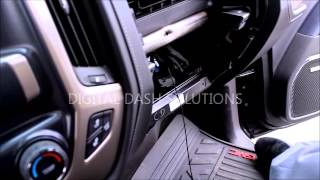
How to confirm: A temporary fix is to 'cycle power' by pulling the radio fuse (often F23 in the left I/P fuse block) or disconnecting the negative battery terminal for 15-30 minutes. 🎬 Watch: This quick video shows how to reset your radio. If the radio works again temporarily, it strongly indicates a software glitch that needs a permanent update. Many owners in forums and on Reddit confirm this temporary fix worked for them.
Typical fix: Reprogram the radio/HMI module with the latest software calibration using the GM Service Programming System (SPS). This must be done by a dealer or a qualified shop with the correct tools. Dealer cost for this service is typically 1-1.5 hours of labor, ranging from $150-$250.
Est. part cost: $0 - Poor Connection at Serial Data Gateway Module (SDGM) 🟡 Medium Probability TSB #PIT5586C specifically instructs dealers to check the X1 and X2 connectors at the Serial Data Gateway Module for terminal issues when U0184 is present along with other communication codes. The SDGM acts as a network router, and a bad connection here can take many modules offline.
How to confirm: The SDGM is a black module located high in the driver's side dashboard, typically to the left of the steering column and above the OBD-II port. Visually inspect the wiring and terminals at the SDGM's large X1 and X2 connectors for any signs of corrosion, looseness, or backed-out pins. This often requires removing the driver's knee bolster for access.
Typical fix: Repair or replace the affected terminals or wiring at the connector. Ensure the connector is fully seated and the locking tabs are engaged. Terminal repair may require special tools to de-pin the connector.
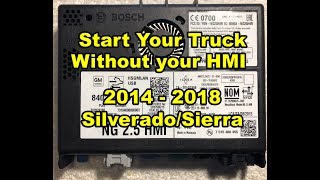
Est. part cost: $5-$50 - Failed Radio/Human Machine Interface (HMI) Module ⚪ Low Probability While less common than software issues, the HMI module (the 'brain' located behind the glovebox) can fail internally. 🎬 Watch: How to access and replace the HMI module. These modules are known to be sensitive.
How to confirm: If a software reprogram does not fix the issue and all wiring/connections are confirmed to be good, the module itself is suspect. A professional would use a scan tool to try and communicate directly with the module; a failure to communicate points to a bad module.
Typical fix: Replace the HMI module. The new module must be programmed to the vehicle's VIN to function. Dealers charge a premium for this, but services exist that sell pre-programmed modules or offer programming for user-supplied units.
Est. part cost: $400-$900 - Blown Fuse ⚪ Low Probability Not a platform-specific issue, but always a possibility. A blown fuse is often a symptom of a larger problem (like a shorted module) rather than the root cause.
How to confirm: Check the fuses labeled 'RADIO', 'DISP', or 'INFO' in the vehicle's fuse boxes. For this truck, key fuses are in the left (driver's side) instrument panel fuse block and the main under-hood fuse block.
Typical fix: Replace the blown fuse with one of the same amperage rating. If it blows again, further diagnosis of a short circuit is required.
Est. part cost: $1-$5
Rare But Worth Checking
- Aftermarket Electronics Interference:
Diagnosis Steps
- Check for other Diagnostic Trouble Codes (DTCs). The presence of multiple 'U' codes strongly points to a broader network issue, like the SDGM connector problem mentioned in TSB PIT5586C.
- Check fuses. Specifically check the 'RADIO' fuse (often a 15A fuse in position F23 of the left instrument panel fuse block) and the 'AMP' fuse in the underhood fuse block.
- Attempt a 'hard reset' by disconnecting the negative battery terminal for at least 30 minutes. If this temporarily restores radio function, it strongly suggests a software glitch is the root cause and a dealer reprogram is needed.
- If accessible, visually inspect the connectors and wiring at the back of the radio tuner (behind the glovebox) and at the Serial Data Gateway Module (SDGM), located above the OBD-II port behind the driver's knee bolster. Look for any loose pins or damaged wires.
- If simple steps fail, the vehicle must be diagnosed by a professional with a GM-compatible scan tool (like a GM MDI). They will check for available software updates for the radio module as recommended by TSBs like 16-NA-107.
- If a software update is performed and the problem persists, the technician will then test the GMLAN bus wiring for proper resistance and continuity between the HMI module and the SDGM.
- If all wiring and software are confirmed good, the HMI module itself is likely faulty and requires replacement and programming.
Parts You'll Likely Need
- Radio / Human Machine Interface (HMI) Module
(OEM #Varies (e.g., 23447595, 84081864, 84131924))— This is the part that needs to be replaced if software updates and wiring checks fail. It is the central computer for the infotainment system. Part number is highly dependent on vehicle options (RPO codes like IO5, IO6 for navigation, etc.) and must be matched to the VIN.
Trusted brands: ACDelco
OEM price range: $500-$900
Aftermarket price range: $300-$600 (often requires sending in old unit for programming)
Related Codes That Often Appear With This One
- U0140 — Lost Communication With Body Control Module
- U0155 — Lost Communication With Instrument Panel Cluster
- U0186 — Lost Communication With Audio Amplifier
- U0100, U0101, U0102 — Lost communication with various powertrain modules. If many 'U' codes are present with U0184, it strongly points to a systemic network problem, like the SDGM connector issue described in TSB PIT5586C.
Technical Service Bulletins (TSBs) & Recalls
- PIT5586C: Lists U0184 as a possible code when terminal issues exist at the Serial Data Gateway Module X1/X2 connector.
- PIT5401E: Specifically mentions 'Radio Inoperative with No Communication and DTC U0184' and recommends a fuse cycle as a temporary fix.
- 16-NA-107: Provides a fix by reprogramming the radio for conditions including 'DTC U0184 Set, Radio Inoperative, Blue Screen'.
- 16-NA-115: Recommends reprogramming the radio to correct a 'radio inoperative with no communication and DTC U0184' concern.
Platform-Specific Known Issues
- GM TSB #16-NA-107 directly addresses U0184 caused by a software bug, with the official fix being a radio software reprogram.
- GM TSB #PIT5586C points to loose terminals at the Serial Data Gateway Module (SDGM) X1 or X2 connectors as a cause for U0184 and a host of other communication codes.
Mechanic-Grade Diagnostic Values
- High-Speed GMLAN Bus Resistance — expected: 60 Ohms (± 5 Ohms). Failure: A reading of 120 Ohms indicates an open in the circuit or a faulty termination resistor. A reading significantly less than 60 Ohms indicates the CAN High and Low wires are shorted together.
- High-Speed GMLAN Bus Voltage (Key On) — expected: Approximately 2.5V on both CAN High (Pin 6 at DLC) and CAN Low (Pin 14 at DLC) when the bus is at rest (inactive).. Failure: During communication, CAN High should toggle to ~3.5V and CAN Low should toggle to ~1.5V. Voltages stuck high, low, or at 0V indicate a circuit fault.
Scan Tool Commands That Help
- GM GDS2 (Global Diagnostic System 2): Vehicle DTC Information — This is the initial step to scan all modules on the network. The presence of multiple 'U' codes alongside U0184 points towards a network-wide issue (like the SDGM connector) rather than an isolated radio failure.
- GM SPS2 (Service Programming System 2): Radio - Programming — This function is used to re-flash the HMI module with the latest software calibration, which is the specific fix recommended by GM TSBs like 16-NA-107 to resolve software-induced lock-ups.
- GM GDS2 (Global Diagnostic System 2): Clear All DTCs — After a repair (like a reprogram or connector fix), this command should be used to erase all stored fault codes. A subsequent key cycle and re-scan will confirm if the fix was successful.
Wiring & Ground Locations
- HMI Module — Located behind the upper and lower glove box assembly on the passenger side of the dashboard.. This is the radio's main computer. All power, ground, and network connections terminate here. Checking for secure connections at this module is a key diagnostic step.
- Serial Data Gateway Module (SDGM) — Located high in the driver's side dashboard, to the left of the steering column and above the OBD-II port.. The SDGM is the central router for the GMLAN network. TSB PIT5586C specifically identifies poor pin tension in the X1 and X2 connectors at this module as a primary cause for U0184 and other communication failures.
- RPO Code Label — A sticker located inside the glove box.. This label contains the three-character codes for all options on the truck. Finding IO5 (non-navigation) or IO6 (navigation) is critical for ordering the correct replacement HMI module, as they are programmed differently.
Real Owner Repair Stories
- Reddit user on r/Silverado (2017 Chevrolet Silverado 1500 LTZ) — Infotainment screen went black after a battery replacement. It would work temporarily after disconnecting the battery or pulling the fuse, but would go black again on the next startup. Backup camera still worked.
❌ Tried (didn't work) Repeatedly disconnecting the battery for 10 minutes., Pulling and re-inserting the radio fuse.
✅ What actually fixed it The user did not post a final, permanent fix, but the symptoms (temporary fix by power cycling) strongly align with the known software glitch requiring a dealer reprogram as per GM TSBs. The community confirmed this behavior is common.
Model Year Variations Within This Range
- 2014-2015: These models were equipped with the HMI 2.0 infotainment system. They do not support factory Apple CarPlay or Android Auto.
- 2016-2018: Following a mid-cycle refresh, these models received the updated HMI 2.5 system, which added support for Apple CarPlay and Android Auto as a key feature. While the hardware was updated, it is still susceptible to the same software glitches and communication failures that set code U0184.
Helpful Videos
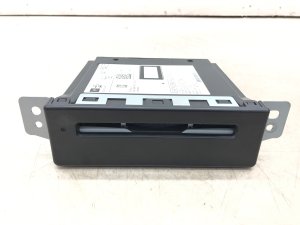
We Have This Part in Stock




The information in this article is provided for general reference and educational purposes only. Vehicle specifications, procedures, and part compatibility can vary by production date, trim level, and region. Always consult your vehicle's factory service manual and verify part numbers before purchasing or performing repairs. Safety-critical components such as airbags, seat belts, and braking systems should be installed by a qualified professional.
- Chevrolet SILVERADO 2500:
- 🎬 Helpful Videos
- 🛍️ Shop This Part
- What's Unique About the 2014-2018 Chevrolet SILVERADO 2500
- Diagnostic Flowchart
- Symptoms You May Notice
- Most Likely Causes
- Rare But Worth Checking
- Diagnosis Steps
- Parts You'll Likely Need
- Related Codes That Often Appear With This One
- Technical Service Bulletins (TSBs) & Recalls
- Platform-Specific Known Issues
- Mechanic-Grade Diagnostic Values
- Scan Tool Commands That Help
- Wiring & Ground Locations
- Real Owner Repair Stories
- Model Year Variations Within This Range
- 🎟️ Get 5% Off