

U0184 on 2017 Chevrolet Silverado: Lost Communication With Radio Fixes
On a 2017 Silverado, code U0184 means the radio has lost communication with the truck's other computers. This is frequently caused by a software glitch requiring a dealer reprogram, or a poor connection at the Serial Data Gateway Module (SDGM) as noted in GM TSB #PIT5586B. Before replacing the radio, a hard reset by disconnecting the battery for 15-30 minutes or checking radio fuses is highly recommended as a first step.
- U0184 means your Silverado's radio has stopped communicating on the vehicle's internal network.
- Before considering expensive part replacement, perform a 'hard reset' by disconnecting the battery for 30 minutes. This often temporarily restores function and points to a software glitch.
- The most common permanent fixes are a software update performed by a dealer or a repair of the wiring/terminals at the Serial Data Gateway Module (SDGM).
- This code does not affect the truck's engine or transmission and is safe to drive with, but infotainment and backup camera functions will be lost.
What's Unique About the 2017-2017 Chevrolet SILVERADO
The third-generation Silverado (K2XX platform, 2014-2019) is known for infotainment system glitches in its MyLink system (RPOs IO5, IO6). General Motors has issued multiple technical service bulletins acknowledging that software issues can cause the radio to lock up, go to a black or blue screen, and trigger a U0184 code. Furthermore, a specific TSB for this platform, #PIT5586B, points directly to checking the connector terminals at the Serial Data Gateway Module (SDGM) as a potential cause for a host of communication codes, including U0184. The system's complexity, with a separate HMI 'brain' module and a radio tuner module, also creates more potential failure points than a single-DIN radio.
Diagnostic Flowchart
Tap your situation to follow the diagnostic path that matches what you're seeing on this vehicle.
Symptoms You May Notice
- Radio is completely inoperative (black or blue screen, no sound).
- Infotainment system is frozen or unresponsive to touch.
- Loss of hands-free calling, navigation, and USB/Bluetooth functions.
- Steering wheel audio controls do not work.
- Warning chimes for turn signals, doors, or safety alerts are absent.
- Backup camera display may not appear, though sometimes it works when the rest of the radio is dead.
- Replacing the 8-inch touchscreen display when the fault is in the separate radio/HMI module. A bad screen usually has touch issues or physical damage, while a bad module causes a black screen and no communication.
- Replacing other modules (like the BCM) that are simply reporting the U0184 code. These modules are correctly identifying that the radio is offline.
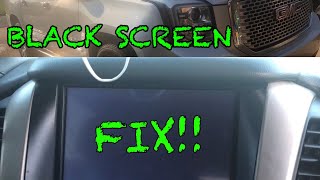
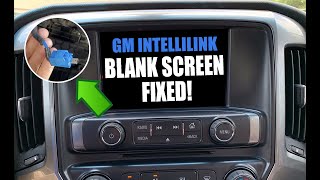
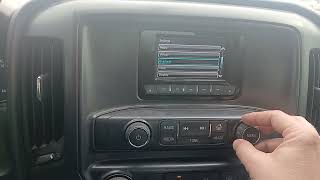
- Assuming the radio/HMI module is bad before performing a hard reset and checking for software updates. Many owners and shops have replaced hardware when only a simple reset or reprogram was needed. 🎬 See this quick guide on factory resetting your display.
Most Likely Causes
- Radio Software Glitch / Logic Lock 🔴 High Probability GM has issued TSBs (like #16-NA-107) for this generation acknowledging that a software calibration issue can cause the radio to become inoperative and set U0184. This is the most widely documented cause for a dead radio on these trucks.
How to confirm: A temporary fix is a 'hard reset' by disconnecting the negative battery terminal for 15-30 minutes. If radio function returns, it strongly suggests a software lock-up that needs a permanent fix via a dealer reprogram. If this works, it's a very strong indicator the HMI module itself is not faulty.
Typical fix: A GM dealer must reprogram the radio module (HMI) with the latest software calibrations using their Service Programming System (SPS). TSB #16-NA-107 specifically outlines this procedure.
Est. part cost: $0 - Poor Connection at Serial Data Gateway Module (SDGM) 🟡 Medium Probability TSB #PIT5586B specifically instructs technicians to check the X2 connector at the SDGM for terminal issues when U0184 and other communication codes are present. This module acts as a network router, and a bad connection can cut off the radio from the rest of the vehicle.
How to confirm: Visually inspect the wiring and terminals at the SDGM connectors for looseness, corrosion, or backed-out pins. The SDGM is a small box located in the driver's side footwell, high above the pedals. This check is most relevant when multiple different 'U' codes are present along with U0184.
Typical fix: Repairing the wiring or re-seating the connector terminals. GM sells terminated leads for connector repairs. This is often a labor-only repair.
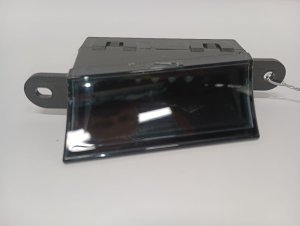
Est. part cost: $0 - Faulty Radio / Human Machine Interface (HMI) Module ⚪ Low Probability While less common than software issues, the internal electronics of the HMI module (the 'brain' located behind the glove box) can fail.
How to confirm: If software reprogramming and wiring checks do not resolve the issue, and the module has power and ground, the module itself is the likely culprit. A diagnostic scan tool will be unable to communicate with it. A definitive sign of HMI failure is a 'Waiting for Update Media' message on the screen.
Typical fix: Replace the HMI module. This new module must be programmed to the vehicle's VIN by a dealer or a specialist with J2534 passthrough tools to prevent a 'Theft Lock' condition. Third-party services can program new or used modules to your VIN for a lower cost than dealers.
Est. part cost: $400-$900
Rare But Worth Checking
- Blown Fuse: A blown fuse for the radio or infotainment system can cause this code. It's a simple check that should not be overlooked. On some Silverados, a single fuse labeled 'Radio' or 'Display' in the passenger side interior fuse panel powers the system.
- Low Battery Voltage: A weak or failing battery can cause random communication codes to be set by various modules during startup. If the code appears with other voltage-related issues, test the battery and charging system first.
- Aftermarket Radio or Interface Module: Installing an aftermarket head unit can cause a persistent U0184 code. The interface module (like a PAC RP5-GM31) used to retain factory features can sometimes be the source of the communication error, leading to other electrical issues like key fob or TPMS problems.
Diagnosis Steps
- Use a scan tool to confirm U0184 is active and check which other modules are logging the code.
- Attempt a 'hard reset' by disconnecting the negative battery terminal for at least 15-30 minutes to clear any module logic locks. This is the most common temporary fix reported by owners.
- Check the fuses for the radio and infotainment system in the interior (passenger side) and under-hood fuse boxes.
- If the radio remains inoperative, locate the Serial Data Gateway Module (SDGM) in the driver's footwell above the pedals and inspect its connectors (specifically the X1 and X2 connectors mentioned in TSB #PIT5586B) for any loose, corroded, or damaged terminals.
- If wiring and fuses are good, the next step is to have a dealer attempt to reprogram the radio (HMI) module with the latest software, as per GM service bulletin 16-NA-107.
- If reprogramming fails or is not possible, verify the HMI module is receiving power and ground at its connector behind the glove box.
- If power and ground are good and reprogramming fails, the radio/HMI module itself has likely failed and requires replacement and programming.
Parts You'll Likely Need
- Radio / Human Machine Interface (HMI) Module
(OEM #Varies by RPO (e.g., 84160394, 23163821))— This is the 'brain' of the infotainment system. It is replaced only after software and wiring issues have been ruled out. Part numbers vary significantly based on vehicle options (IO5, IO6, navigation, etc.). Do not order based on the number on the old unit, as it may be obsolete; order based on VIN and RPO codes.
Trusted brands: ACDelco, GM Genuine Parts
OEM price range: $400-$900
Aftermarket price range: $250-$600 - Serial Data Gateway Module (SDGM)
(OEM #13534928)— This module acts as a router for all vehicle network communication. It is only replaced if multiple 'U' codes are present and diagnostics point to it as the central failure point after checking its connectors per TSB #PIT5586B.
Trusted brands: ACDelco, GM Genuine Parts
OEM price range: $80-$150
Aftermarket price range: $50-$100
Related Codes That Often Appear With This One
- U0100, U0101, U0140, etc. — If multiple 'U' codes for lost communication with different modules are present, it points towards a broader network problem, making the Serial Data Gateway Module (SDGM) or its wiring a primary suspect, as outlined in TSB #PIT5586B.
Technical Service Bulletins (TSBs) & Recalls
- PIT5586B: Instructs technicians to check the Serial Data Gateway Module X2 connector for terminal
Platform-Specific Known Issues
- A known software glitch can cause the radio to lock up, requiring a dealer reprogram to fix permanently, as per TSB 16-NA-107.
- TSB #PIT5586B highlights that terminal issues at the Serial Data Gateway Module (SDGM) are a known cause for this and other communication codes on the 2017 Silverado.
- The HMI module is located behind the glove box and is a separate component from the screen. Access requires removing the lower and upper glove box assemblies.
- The SDGM is located in the driver's side footwell, high above the pedals, making access for inspection somewhat difficult.
Mechanic-Grade Diagnostic Values
- Low-Speed GMLAN Bus Voltage Activity — expected: The single-wire bus should toggle between approximately 0.2V (logic '1') and over 4.0V (logic '0') during active communication.. Failure: A bus that is stuck high (at 5V) or low (at 0V) indicates a short to power or ground, or a failed module pulling the bus down.
- High-Speed GMLAN Bus Resistance — expected: Approximately 60 ohms (± 5 ohms) when measured across pins 6 and 14 of the Data Link Connector (DLC) with the battery disconnected.. Failure: A reading of ~120 ohms indicates an open in the bus or a missing terminating resistor. A reading significantly less than 60 ohms indicates the bus wires are shorted together. While the radio is on the low-speed bus, this is a fundamental network health check.
Hidden / Shadow Codes Worth Checking
- U0184 (History): After a battery replacement or disconnection, U0184 may appear as a history code in multiple modules. This is often normal and should clear and stay clear once the radio 'wakes up' and re-establishes communication. (see via Standard OBD-II scanner capable of reading history codes.)
- E-4491 (SPS Error): This is a Service Programming System (SPS) error that can occur when trying to program the HMI module. It may be triggered if the technician attempts programming after a GDS2-induced communication loss without first power-cycling the HMI module fuse. (see via Appears on the screen of the GM Techline Connect / SPS programming software.)
Scan Tool Commands That Help
- GDS2 (GM Dealer Scan Tool): HMI Module Data List Viewing — BE CAUTIOUS: On some vehicles, simply viewing the HMI data list for 5-60 seconds can induce a temporary loss of communication, mimicking a failed module. If this happens, do not immediately replace the HMI. The official recovery procedure is to remove the HMI fuse for a few seconds and reinstall it to restore communication before attempting further diagnosis or programming.
- Techline Connect (SPS): A11 Radio - USB Copy/USB File Transfer — When performing a radio software update, this function must be performed FIRST to copy update files to a USB drive. After the USB update is done in the vehicle, you must close and reopen Techline Connect, then perform the 'A11 Radio – Programming' function. Performing these steps out of order can cause the radio to fail programming.
Wiring & Ground Locations
- G218 — Under the driver's side dashboard, near the A-pillar, behind the kick panel.. This is a major body and BCM ground point. GM TSB PIT5405C identifies a poor connection at G218 as a potential cause for the radio/ICS going blank and setting various communication codes. Factory foam insulation can sometimes get trapped under the ground terminal, causing a poor connection.
- HMI Module Ground Pin — Pin 1 (Black wire) on the main HMI module connector behind the glove box.. This is the primary ground for the Human Machine Interface module. A voltage drop test between this pin and a known good chassis ground should show less than 0.1V. High resistance here will cause the module to malfunction or fail to communicate.
- HMI GMLAN Passthrough (X1 Connector) — The main black connector (X1) on the HMI module behind the glove box.. The HMI module acts as a bridge for the GMLAN bus. If the module is unplugged, the network is broken and the truck may not start. To bypass a removed HMI for testing or while it's out for repair, you must jump Pin 11 to Pin 13 (Low Speed GMLAN) and Pin 12 to Pin 14 (Low Speed GMLAN) on the vehicle-side harness connector.
Real Owner Repair Stories
- Reddit user in r/Silverado (2017 Silverado 1500 LTZ) — Infotainment system went to a black screen after a battery replacement. Backup camera still worked. Hard resets or pulling the fuse would make it work for one startup, then it would fail again.
❌ Tried (didn't work) Hard reset by disconnecting battery (only a temporary fix), Pulling and reinserting the radio fuse (only a temporary fix)
✅ What actually fixed it Another user, a mechanic, confirmed the symptoms pointed to a failed HMI module. The fix was to replace the HMI module and program the new one to the vehicle using a factory scan tool. - Reddit user in r/Silverado (2017 Silverado 2500 Duramax) — Black radio screen, setting U0184.
❌ Tried (didn't work) Disconnecting/reconnecting HMI module connectors
✅ What actually fixed it The dealer discovered a water leak from the roof molding was dripping directly onto the HMI module (located behind the glove box). The final repair was replacing the HMI module's internal board and fixing the water leak, at a cost of $1600. - YouTube user comment (2014-2018 GM Truck (similar platform)) — Intermittent no-crank, Stabilitrak warnings, and other random electrical issues.
❌ Tried (didn't work) Replacing the negative battery cable ('unleashing the parts cannon').
✅ What actually fixed it The root cause was poor pin tension in the blue connector that plugs into the power distribution block on top of the battery. The fix was to remove the terminals from the connector, tweak them to increase contact force, and clean all connections at the distribution block.
"I Checked Everything" — The Actual Cause
- In cases with widespread, intermittent electrical faults including radio blackouts, the issue may not be a specific module but poor pin fitment at a central power distribution point. On a similar platform truck, the final fix was found to be loose terminal contacts inside the blue connector at the battery-top fuse block, a fault that standard diagnostic checks could easily miss.
- A technician may verify all wiring and find no faults, but the root cause could be external, such as a water leak. In one documented case, a roof leak was dripping onto the HMI module, causing intermittent shorting and eventual failure, which would not be found with standard electrical tests alone.
OEM Part Supersession History
23163821, 13592715, 23264109, and others→84160394— Standard part evolution for bug fixes, hardware revisions, and consolidating inventory.
Heads up: Part numbers are specific to vehicle options (RPO codes like IO5, IO6, with/without navigation). Always order a replacement HMI module based on the vehicle's VIN, not the number on the old part, as it may be obsolete. The new module requires VIN programming to function.
Helpful Videos

We Have This Part in Stock





The information in this article is provided for general reference and educational purposes only. Vehicle specifications, procedures, and part compatibility can vary by production date, trim level, and region. Always consult your vehicle's factory service manual and verify part numbers before purchasing or performing repairs. Safety-critical components such as airbags, seat belts, and braking systems should be installed by a qualified professional.
- Chevrolet SILVERADO:
- 🎬 Helpful Videos
- 🛍️ Shop This Part
- What's Unique About the 2017-2017 Chevrolet SILVERADO
- Diagnostic Flowchart
- Symptoms You May Notice
- Most Likely Causes
- Rare But Worth Checking
- Diagnosis Steps
- Parts You'll Likely Need
- Related Codes That Often Appear With This One
- Technical Service Bulletins (TSBs) & Recalls
- Platform-Specific Known Issues
- Mechanic-Grade Diagnostic Values
- Hidden / Shadow Codes Worth Checking
- Scan Tool Commands That Help
- Wiring & Ground Locations
- Real Owner Repair Stories
- "I Checked Everything" — The Actual Cause
- OEM Part Supersession History
- 🎟️ Get 5% Off