

U0184 on 2014-2019 Chevy Silverado: Lost Radio Communication Causes & Fixes
On a 2014-2019 Silverado, code U0184 means the radio has stopped communicating. This usually causes a black or frozen screen. The most common fix is a software reprogram by a dealer, as noted in GM TSBs #16-NA-115 and #16-NA-107. Before replacing the expensive radio unit (HMI module), a simple power cycle (disconnecting the battery or pulling the radio fuse) may temporarily restore function and indicates a software glitch is the likely cause, a procedure also suggested by GM in preliminary bulle
- U0184 means your Silverado's radio has lost network communication, usually resulting in a black or frozen screen.
- Before any expensive repairs, perform a hard reset by disconnecting the battery for 15 minutes.
- The most common cause is a software glitch that GM has issued service bulletins for.
- The official permanent fix is often a radio software update performed by a Chevrolet dealer.
- Only replace the radio/HMI module if the software update and wiring checks fail to solve the problem.
What's Unique About the 2014-2019 Chevrolet SILVERADO 1500

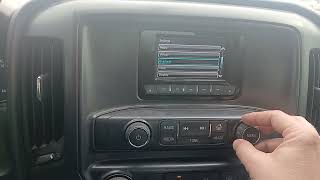
On the K2XX generation of Silverado, the radio (also called the Human Machine Interface or HMI module) is deeply integrated into the vehicle's functions. A number of Technical Service Bulletins (TSBs) from GM confirm that these units are prone to software glitches that cause them to lock up and become unresponsive, triggering the U0184 code. 🎬 Watch: A quick 1-minute fix for unresponsive Silverado radios. This is more common than a complete hardware failure, making a dealer software update a primary fix, rather than an immediate component replacement. The GM Low-Speed GMLAN network used in these trucks is a single-wire system, and a fault in the radio module can bring down communication for related features.
Diagnostic Flowchart
Tap your situation to follow the diagnostic path that matches what you're seeing on this vehicle.
Generation note: This guide covers the K2XX generation (2014-2018). The 2019 model year was a transition; this guide applies to the 2019 "Silverado 1500 LD" or "Limited" which was a continuation of the K2XX platform. The all-new T1XX generation was also introduced in 2019 and uses a different electrical architecture (GM VIP) with different diagnostic procedures.
Symptoms You May Notice

- Radio is inoperative (blank or black screen, no sound).
- Infotainment screen is frozen or unresponsive to touch.
- Loss of Bluetooth connectivity.
- Steering wheel audio controls do not work.
- Rearview camera display is unavailable or shows a blue screen.
- OnStar hands-free calling is inoperative.
- Intermittent loss of audio or screen functions.
- "Audio Off" message may appear on the instrument panel cluster display when trying to access audio functions.
- Loss of audible warning chimes (e.g., for open doors or key in ignition), as these sounds are often generated through the radio.
- Replacing the radio/HMI module without first attempting a software update. Given the numerous TSBs, a reprogram should always be the first professional step.
- Replacing the radio display screen when the HMI module is the actual point of failure. If there is no audio and a black screen, the HMI module is the more likely culprit.
Most Likely Causes

- Radio Software/Firmware Glitch 🔴 High Probability Multiple GM TSBs (#16-NA-115 for 2014 models, #16-NA-107 for 2015-2016 models) document this exact issue, where the radio module locks up due to a software bug, causing a blank screen and setting U0184.
How to confirm: Performing a power cycle (disconnecting the negative battery terminal for 30 minutes or pulling the radio/infotainment fuses F29 and F48) may temporarily restore function. If it does, a software issue is almost certain. TSB #PIT5401E specifically mentions this as a temporary fix.
Typical fix: Reprogramming the radio module with the latest software calibration using the GM Service Programming System (SPS). This must be done by a dealer or a qualified shop with a GM MDI tool.
Est. part cost: $0 - Failed Radio/HMI Module 🟡 Medium Probability The complex electronics of the infotainment unit can fail internally over time due to issues like failed memory chips or circuit board damage. A definitive sign of HMI failure is a "Waiting for Update Media" message on the screen.
How to confirm: If a power cycle and software reprogram do not resolve the issue, and power/ground tests at the module are good, the module itself has likely failed. A professional scan tool will be unable to communicate with the radio module.
Typical fix: Replacement of the Human Machine Interface (HMI) module, which is located behind the glove box. The new module will require programming to the vehicle's VIN.
Est. part cost: $400-$900 - Low Battery Voltage or Power Supply Issue ⚪ Low Probability Communication modules are sensitive to voltage drops. An aging or weak battery can cause various intermittent electronic gremlins, including communication codes like U0184.
How to confirm: Test the battery voltage with the engine off (should be >12.4V) and while running (should be 13.7-14.7V). A failing battery or alternator can cause this code.
Typical fix: Replace the vehicle's battery and clear any stored codes.
Est. part cost: $150-$300 - Wiring or Connector Issue at SDGM ⚪ Low Probability TSB #PIT5586G (updated to #20-NA-212) notes that poor connections (bent, backed out, or loose pins) at the Serial Data Gateway Module (SDGM) can cause widespread communication codes, including U0184. The SDGM is a central hub for network traffic.
How to confirm: Visually inspect the X1 and X2 connectors at the SDGM for looseness, corrosion, or pushed-out pins. The SDGM is often located behind the passenger side kick panel or near the HVAC unit. Test for power, ground, and data line continuity with a multimeter.
Typical fix: Repair the damaged wiring or clean and secure the connector. In some cases, the SDGM itself may need reprogramming or replacement if it has a logic lockup.
Est. part cost: $5-$50
Rare But Worth Checking
- Aftermarket Radio Installation: Improperly installed aftermarket head units or using the wrong wiring interface adapter (like a PAC module) can disrupt the GMLAN network, causing this code and other strange issues like TPMS and key fob problems.
- Failed Radio Display Screen: Less commonly, the screen itself can fail while the HMI module is still functional. A key symptom of this is a black screen, but with audio (radio, chimes) still working. If audio is also gone, the HMI module or a network issue is more likely.
Diagnosis Steps
- Scan for all DTCs in all modules. Note if U0184 is a current code and if other communication codes are present. A history code may be from a past glitch or low battery event.
- Perform a hard reset. Disconnect the negative battery terminal for at least 30 minutes to reset all vehicle modules. This can clear temporary software glitches.
- If the radio works after the reset, the issue is likely a software bug. The permanent fix is a dealer reprogram per TSB #16-NA-115 (for 2014) or #16-NA-107 (for 2015+).
- If the reset does not work, check fuses F29 and F48 in the passenger-side interior fuse box.
- Check the vehicle's battery health and charging system performance. Voltage should be above 12.4V with the engine off.
- If audio works but the screen is black, the display may be at fault. If no audio is present, suspect the HMI module. Check the instrument cluster for an "Audio Off" message.
- If multiple U-codes are present, inspect the connectors at the Serial Data Gateway Module (SDGM) per TSB #20-NA-212.
- If no issue is found, the vehicle needs professional diagnosis with a scan tool that can check for communication on the GMLAN network and attempt to communicate directly with the radio module.
- If the scan tool cannot communicate with the radio, and power/ground at the radio connector are verified with a multimeter, the radio/HMI module itself has likely failed and requires replacement and programming.
Parts You'll Likely Need

- Radio / Human Machine Interface (HMI) Module
(OEM #Varies by year and options (IO5/IO6). Part numbers are frequently superseded. Examples include 84203826, but VIN matching is required.)— This is the component that fails if a software update does not fix the problem. It is the central computer for the infotainment system.
Trusted brands: ACDelco (OEM)
OEM price range: $400-$900 (unprogrammed).
Aftermarket price range: $350-$800 (Remanufactured or pre-programmed from specialists).
Related Codes That Often Appear With This One
- U0100 — Lost Communication With ECM/PCM. If this code is present with U0184 and others, it may point to a broader network issue, possibly with the Serial Data Gateway Module (SDGM) as mentioned in TSB #PIT5586G / #20-NA-212.
- U0140 — Lost Communication With Body Control Module. This also suggests a wider network problem beyond just the radio, often pointing towards the SDGM or a main bus wiring fault.
- U0155 — Lost Communication with Instrument Panel Cluster (IPC). Seeing multiple U-codes together points away from a single module failure and towards a network bus or gateway problem.
Technical Service Bulletins (TSBs) & Recalls
- PIT5586G / 20-NA-212: Lists U0184 with other codes pointing to a Serial Data Gateway Module logic lock or connector issue.
- PIT5401E: Describes the radio being inoperative with DTC U0184 and suggests a power cycle as a temporary measure while a permanent software fix was being developed.
- 16-NA-115: Provides the procedure for 2014 models to reprogram the radio to correct for inoperability, no communication, and DTC U0184.
- 16-NA-107: Provides the procedure for 2015-2016 models to reprogram the radio to correct for inoperability, blank screens, and DTC U0184.
Platform-Specific Known Issues
- A known software glitch can cause the radio to become inoperative, setting a U0184 code. TSB #16-NA-115 and #16-NA-107 were released to fix this with a software update.
- A temporary fix for a locked-up radio is to perform a power cycle by pulling the radio fuse or disconnecting the battery, as noted in TSB #PIT5401E.
Mechanic-Grade Diagnostic Values
- GMLAN Bus Resistance — expected: Approximately 60 ohms. Failure: A reading of 120 ohms indicates an open termination resistor; 0 ohms indicates a short between the LAN circuits. This test is performed with the battery disconnected by measuring across pins 6 and 14 of the Data Link Connector (DLC).
- Low-Speed GMLAN Voltage — expected: Approximately 2.5V at rest (idle).. Failure: The single-wire low-speed bus should show voltage toggling during communication. A stuck high (5V) or low (0V) voltage indicates a short or open circuit.
Hidden / Shadow Codes Worth Checking
- U-code Symptom Bytes (e.g., 71, 72): GM uses symptom bytes to provide more detail on network communication faults. For example, a U-code with symptom byte 71 ('Invalid Serial Data Received') or 72 ('Alive Counter Incorrect') can point to specific types of data corruption on the bus. (see via A professional scan tool like the GM GDS2 will display these symptom bytes along with the main DTC. If a code like U0184 is set with symptom byte 71 or 72 and no other codes are present, GM service information often directs the technician to reprogram the module first.)
Scan Tool Commands That Help
- GDS2 (Global Diagnostic System 2): Vehicle DTC Information / Module Diagnostics — This is the initial step to perform a full vehicle scan. It polls all control modules on the network and displays which ones are communicating and which have set DTCs. For U0184, this command will quickly show that the Radio/HMI module is not responding ('No Comm').
- SPS (Service Programming System): Radio: Programming and Setup — This function, launched via Techline Connect, is the required procedure to fix the common software glitch that causes U0184. It reprograms the HMI module with the latest factory software calibration as specified in TSBs #16-NA-115 and #16-NA-107.
- GDS2 (Global Diagnostic System 2): Serial Data Gateway Module - Reset for Logic Lock — If multiple U-codes are present across different networks, it may indicate a 'logic lock' of the SDGM. While not a direct command, TSB #PIT5586G documents a procedure and a unique labor operation for resetting the SDGM, which may involve a power cycle or a specific reprogram to restore communication to all modules, including the radio.
Wiring & Ground Locations

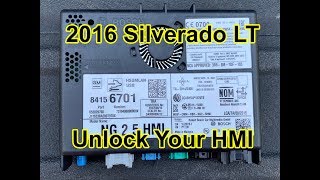
- Human Machine Interface (HMI) Module — Located behind the glove box assembly. Both the upper and lower glove box compartments must be removed for access. The module is typically mounted high up, behind a metal dash support bar.. This is the radio module itself. All power, ground, and data lines for the infotainment system connect here. Reseating connectors or performing voltage/ground tests requires accessing this location.
- Serial Data Gateway Module (SDGM) — Typically located behind the passenger side kick panel or near the HVAC module housing. TSB #PIT5586G instructs technicians to inspect connectors X1 and X2 at this module.. The SDGM is the central router for all vehicle network traffic. A poor connection or logic lock at this module can cut off communication to the radio, causing a U0184 code even if the radio itself is perfectly fine.
- DLC (Data Link Connector) Pins 6 & 14 — Under the driver's side dashboard.. These are the pins for the High-Speed GMLAN bus. Measuring resistance between these two pins (with the battery disconnected) is the primary diagnostic test for the health of the main communication bus. A correct reading of ~60 Ohms confirms the integrity of the two termination resistors and the wiring between them.
Real Owner Repair Stories
- YouTube user 'Billy at the Motor City Throwdown' (2016 GM Truck (Sierra/Silverado family)) — Intellilink display flickering, changing channels on its own, going to a blank screen, and XM/Bluetooth connection errors.
❌ Tried (didn't work) Owner was experiencing intermittent issues that would come and go.
✅ What actually fixed it The owner removed the glove box to access the HMI module and disconnected the main blue connector for a few moments before plugging it back in. This hard reset of the module resolved all the intermittent electronic glitches. - Reddit user in r/Silverado (2019 Chevrolet Silverado) — Infotainment screen went completely blank. Radio would not work, but the backup camera still functioned when in reverse.
❌ Tried (didn't work) Shutting the truck off and restarting it multiple times did not bring the screen back.
✅ What actually fixed it The owner disconnected the negative battery terminal for 5 minutes and then reconnected it. This hard reset restored full function to the infotainment screen and radio. The owner noted this is a common temporary fix for software lockups.
"I Checked Everything" — The Actual Cause
- A very common scenario for U0184 is that a technician will verify power at the HMI connector, check the ground, and test the GMLAN wiring, finding everything to be perfect. The scan tool simply shows 'No Communication' with the radio. The actual cause is not a wiring or power fault that can be physically traced, but rather an internal software crash or corruption within the HMI module itself. This condition is often triggered by a minor voltage fluctuation (like from a weak battery or a jump-start). The only resolution is a software-based fix: either a hard reset (by disconnecting power) or a complete re-flash of the module's firmware by a dealer per TSB #16-NA-107.
OEM Part Supersession History
Varies (e.g., HMI 2.0 modules)→Varies (e.g., HMI 2.5 modules like 84156699)— Hardware update to support new features like Android Auto and improve performance.
Heads up: HMI 2.5 modules are required for Android Auto. An early 2016 vehicle may have been built with a 2.0 module and can be updated, but it requires the correct HMI 2.5 hardware and a software update. Not all HMI 2.5 modules are identical; later versions have board-level differences (e.g., different CAN controllers) and may not be cross-compatible with software from older units.IO5 (Non-Navigation) HMI Module→IO6 (Navigation) HMI Module— Customer-paid upgrade.
Heads up: Upgrading from a non-nav (IO5) to a navigation (IO6) system is possible but requires more than just swapping the HMI module. GM bulletin PI1522 details the need for an additional GPS antenna splitter (P/N 20960972) and a specific software reconfiguration from the Techline Customer Support Center, which may incur a fee.
Model Year Variations Within This Range
- 2016: 2016 was a transition year for the HMI module. Early production 2016 models may have come with the older HMI 2.0 module, which only supported Apple CarPlay. A running change introduced the HMI 2.5 module, which was capable of supporting Android Auto after a subsequent software update. Verifying which module is in the vehicle is critical when diagnosing feature-specific complaints or planning an upgrade.
- 2014-2019: The base radio was a 4.2-inch screen, while most trucks were equipped with the 7-inch or 8-inch MyLink/IntelliLink touchscreen system. While the screens and faceplates differ, the underlying cause of a U0184 code is almost always related to the separate HMI module located behind the glovebox, which is common to all the touchscreen systems (IO5/IO6 RPOs).
Helpful Videos
We Have This Part in Stock



The information in this article is provided for general reference and educational purposes only. Vehicle specifications, procedures, and part compatibility can vary by production date, trim level, and region. Always consult your vehicle's factory service manual and verify part numbers before purchasing or performing repairs. Safety-critical components such as airbags, seat belts, and braking systems should be installed by a qualified professional.
- Chevrolet SILVERADO 1500:
- 🎬 Helpful Videos
- 🛍️ Shop This Part
- What's Unique About the 2014-2019 Chevrolet SILVERADO 1500
- Diagnostic Flowchart
- Symptoms You May Notice
- Most Likely Causes
- Rare But Worth Checking
- Diagnosis Steps
- Parts You'll Likely Need
- Related Codes That Often Appear With This One
- Technical Service Bulletins (TSBs) & Recalls
- Platform-Specific Known Issues
- Mechanic-Grade Diagnostic Values
- Hidden / Shadow Codes Worth Checking
- Scan Tool Commands That Help
- Wiring & Ground Locations
- Real Owner Repair Stories
- "I Checked Everything" — The Actual Cause
- OEM Part Supersession History
- Model Year Variations Within This Range
- 🎟️ Get 5% Off