

U0184 on 2015-2016 Chevrolet Colorado: Causes and Fixes for Radio Communication Loss
On a 2015-2016 Colorado, U0184 almost always indicates a radio software glitch affecting the IO3, IO5, or IO6 MyLink systems. The most common fix is a software update performed by a GM dealer, as specified in Technical Service Bulletin #16-NA-107. Before replacing any parts, try a 'hard reset' by disconnecting the battery for 30 minutes, which often temporarily restores function. This issue is also common on the platform-mate GMC Canyon.
- U0184 on a 2015-2016 Colorado is overwhelmingly caused by a known software glitch in the radio.
- The official, permanent fix is a software update from a GM dealer, per TSB #16-NA-107.
- Before paying for any repairs, perform a 'hard reset' by disconnecting the battery for 30 minutes; if this temporarily fixes it, you need the software update.
- Do not replace the radio module unless a software update has been attempted and has failed.
- The vehicle is safe to drive with this code, but infotainment features, including the backup camera, will be unavailable.
- The identical issue affects the 2015-2016 GMC Canyon.
What's Unique About the 2015-2016 Chevrolet COLORADO
The 2015-2016 second-generation Colorado and its twin, the GMC Canyon, are known for infotainment system glitches. General Motors issued multiple Technical Service Bulletins (TSBs) acknowledging that a software problem can cause the radio (RPOs IO3, IO5, or IO6) to lock up or become completely inoperative, which directly triggers the U0184 code. The issue is very frequently a software calibration problem that requires a dealer-level reflash, not a hardware failure requiring a new radio. The preliminary TSBs, like PIT5401E, even instructed dealers to simply power cycle the radio fuse 🎬 Watch: How to fix a blank screen with a reset as a temporary fix until the permanent software was released.
Diagnostic Flowchart
Tap your situation to follow the diagnostic path that matches what you're seeing on this vehicle.
Symptoms You May Notice
- Radio is inoperative (dead), has a blank or blue screen.
- No sound from speakers.
- Unable to communicate with the radio using a scan tool.
- Loss of Bluetooth or USB media playback.
- AM radio clipping noise.
- Time lag on screen transitions, especially from the backup camera.
- Backup camera display is lost or functions incorrectly.
- GPS compass points North only (on IO5 or IO6 systems).
- Replacing the radio/infotainment unit before attempting a software update. The software update is the most common and least expensive fix.
- Replacing the display screen. 🎬 Watch: How to replace the touchscreen if you have ghosting The screen is usually just a display; the communication fault lies within the radio module itself, which is a separate component.
Most Likely Causes
- Radio Software Glitch / Requires Update 🔴 High Probability GM has explicitly documented this issue in TSB #16-NA-107 for the Colorado, Canyon, and other vehicles with IO3, IO5, or IO6 radios, indicating a known software calibration problem that causes the module to lock up and stop communicating.
How to confirm: A GM dealer or qualified shop with access to GM's Service Programming System (SPS) can check the current software version and see if an update is available. A temporary fix (power cycling the radio or battery) restoring function also strongly 🎬 See how a simple battery disconnect can restore radio function points to a software issue. Many owners on forums report the dealer reflash permanently solved the problem.
Typical fix: Reprogram the radio module with the latest software calibration. This must be done by a dealer or a shop with the correct tools. The labor time is typically listed as 0.4 to 1.5 hours.
Est. part cost: $0 - Temporary Radio Module Lock-up 🟡 Medium Probability The software glitch can cause the module's processor to crash or 'lock up', making it unresponsive until its power is completely removed and restored. This was so common that early TSBs instructed technicians to just cycle power as a temporary measure.
How to confirm: Disconnecting the negative battery terminal for 15-30 minutes or pulling the specific fuse for the radio/tuner. If radio function returns after reconnecting power, a temporary lock-up was the cause. Forum users often report this works, but the problem may return days or weeks later.
Typical fix: This is a temporary fix. The underlying software issue will likely cause it to happen again. The permanent fix is the software update mentioned above.
Est. part cost: $0 - Faulty Radio Module Hardware ⚪ Low Probability While less common than the software issue, the internal electronics of the radio module (also called the tuner) can fail. This is more likely if the vehicle has experienced water intrusion or other electrical damage.
How to confirm: If a software reprogram fails or cannot be performed, and power/ground to the unit are confirmed to be good, the module itself is suspect. The technician would verify power, ground, and the Low-Speed GMLAN signal wire (circuit 5060) at the radio connector.
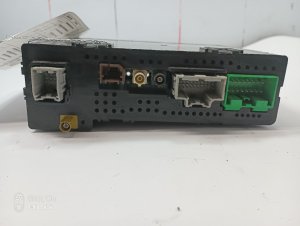
Typical fix: Replace the radio module. The replacement unit will also need to be programmed to the vehicle's VIN. Part numbers vary by option code, for example, 13598655 for an IO3 radio.
Est. part cost: $400-$800
Rare But Worth Checking
- Wiring or Connector Issue: While the TSBs point to software, never rule out a simple bad connection. Check the connectors on the back of the radio for looseness or corrosion, especially if any aftermarket equipment has been installed. Also check the associated fuse in the instrument panel fuse box.
- Weak or Failing Battery: Low system voltage during startup can sometimes cause modules to fail to initialize correctly, leading to communication codes. If the battery is old or the vehicle has been sitting, it's worth testing the battery before pursuing more complex diagnostics.
Diagnosis Steps
- Verify the symptoms: Check for an inoperative radio, blank/blue screen, or no audio.
- Scan all vehicle modules for codes. Confirm U0184 is stored, and note which other modules are reporting it (e.g., BCM, Instrument Panel Cluster).
- Attempt a 'hard reset': Disconnect the negative battery terminal for at least 30 minutes to power cycle all modules. Reconnect and test radio function.
- If the reset doesn't work, check the fuses for the radio/infotainment system. The instrument panel fuse box is located behind the passenger side cowl side trim panel. Check the fuse labeled 'Radio' or 'Tuner'.
- If function returns after a reset, it strongly indicates the software glitch. Contact a GM dealer to have TSB #16-NA-107 performed.
- If the radio remains inoperative, it must be diagnosed by a professional. They will check for 12V power, good ground, and data signals (Low-Speed GMLAN circuit 5060) at the radio module connector.
- If power, ground, and data lines are intact, the technician will attempt to reprogram the radio with the latest software using the GM Service Programming System (SPS).
- If the radio fails to accept programming or still won't communicate, the radio module itself has likely failed and will require replacement and VIN programming.
Parts You'll Likely Need
- Radio/Infotainment Module
(OEM #e.g., 13598655 (IO3), 23496335, 84039525 (Varies by RPO))— This part is only needed if a software update fails and the module's hardware is confirmed to be faulty. Part numbers are specific to the installed options (RPO codes IO3, IO5, IO6). Always verify the correct part number with a VIN.
Trusted brands: ACDelco, GM Genuine Parts
OEM price range: $500-$900
Aftermarket price range: $300-$600 - Radio Reprogramming Service
(OEM #2810335 (Labor Op Code))— This is the most common fix. It is a service performed by a dealer to update the radio's software per TSB 16-NA-107.
Trusted brands: GM Dealer Service
OEM price range: $150-$330
Aftermarket price range: N/A
Technical Service Bulletins (TSBs) & Recalls
- 16-NA-107: Provides a software update to fix conditions including 'DTC U0184 Set, Radio Inoperative, Blue Screen' for IO3, IO5, and IO6 radios. This is the primary fix.
- PIT5401E: Advised technicians on handling 'Radio Inoperative with No Communication and DTC U0184' by power cycling the radio as a temporary measure.
- PIT5401D: Similar to the above, recommended removing power from the radio if it was inoperative with U0184 set.
- PIT5401C: Early information about the inoperative radio and U0184, directing technicians to contact GM Technical Assistance.
Platform-Specific Known Issues
- A well-documented software issue causes the radio to become inoperative, setting DTC U0184. GM released TSB #16-NA-107 to address this with a software update for IO3, IO5, and IO6 radio systems.
- Preliminary bulletins like #PIT5401E advised technicians to simply power cycle the radio by pulling the fuse as a temporary fix until the updated software was released, confirming the non-hardware nature of the common fault.
Mechanic-Grade Diagnostic Values
- Low-Speed GMLAN Bus (Circuit 5060) Signal Voltage — expected: Toggling between 0V and 5V during normal communication.. Failure: A static, unchanging voltage (either high or low) indicates a bus or module fault.
- Low-Speed GMLAN Bus Wake-Up Pulse — expected: A brief pulse of ~10V to wake up modules on the bus.. Failure: Absence of a wake-up pulse can prevent modules from initializing communication.
- Radio Power Pin Voltage — expected: 12.0 - 12.6 VDC with key on.. Failure: Low or no voltage points to a fuse, wiring, or power supply issue before the module itself.
- Radio Ground Pin Resistance to Chassis — expected: Near 0 Ohms.. Failure: High resistance indicates a poor ground connection, which is a common cause of module communication issues.
- Low-Speed GMLAN Bus Resistance — expected: This is a single-wire bus and is not diagnosed by measuring resistance across two pins like a high-speed CAN bus.. Failure: Attempting to measure for 60 or 120 Ohms is an incorrect diagnostic procedure for this specific bus type.
Scan Tool Commands That Help
- GDS2 / Techline Connect: Service Programming System (SPS) -> A11 Radio - Programming — This is the primary function used to execute TSB #16-NA-107, which updates the radio's software to fix the communication lock-up issue.
- GDS2 / Techline Connect: Service Programming System (SPS) -> A11 Radio – USB Copy/USB File Transfer — For certain software updates, this step must be performed BEFORE the main programming function. It copies the update files to a USB drive for transfer to the vehicle. Performing these steps out of order can permanently damage the radio.
- Professional Scan Tool (e.g., Launch X431, Autel): Bidirectional Test / Active Test -> Request Data from Radio Module — Used during initial diagnosis to 'ping' the radio module. If the module responds, it confirms the wiring is likely intact but the module may have a software issue. If it times out, it indicates a hard failure or complete communication breakdown.
Wiring & Ground Locations
- F14 (Radio/HMI) — In the Instrument Panel Fuse Box, which is located behind the passenger side cowl side trim panel, under the glove box.. This fuse supplies power to the Human Machine Interface (HMI) module and radio. A blown fuse will cause a complete loss of power and communication, triggering U0184.
- Circuit 5060 — This is the Low-Speed GMLAN serial data wire, typically green. It runs from the BCM to various modules, including the radio, and connects to Pin 1 of the Data Link Connector (DLC).. This is the specific data line used for communication with the radio. A short or open on this circuit will directly cause code U0184.
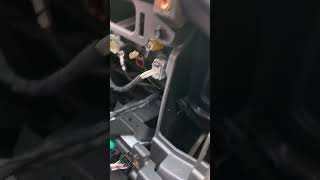
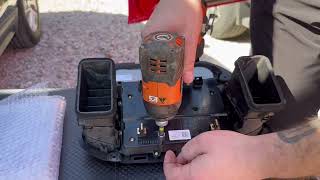
- Radio HMI Video Cables — Behind the main radio/HVAC control bezel, connecting the radio module to the display screen. They are often blue.. While not directly causing U0184 (which is a data network code), a loose connection here causes a black/blank screen, a primary symptom often seen with U0184. Checking these connectors is a valid step if the screen is dead but other radio functions (like audio via steering wheel controls) still work.
Real Owner Repair Stories
- YouTube video by user 'just a guy' (2016 Chevrolet Colorado) — MyLink screen was completely black. Touching the screen would produce a sound, indicating the touch function was working, but there was no display. The issue was intermittent.
❌ Tried (didn't work) Watching other YouTube videos with irrelevant advice like opening doors or rolling down windows.
✅ What actually fixed it The owner removed the radio bezel, unscrewed the main radio/HVAC control unit, and accessed the cables behind it. Reseating the two blue HMI video cables restored full function to the screen.
"I Checked Everything" — The Actual Cause
- For code U0184, the equivalent of a 'smoke test clean' scenario is when a technician verifies that the radio has good 12V power, a solid ground connection, and the data line (Circuit 5060) shows voltage activity, yet the radio remains unresponsive and will not communicate with a scan tool. In this common situation, the root cause is not the wiring or power supply, but an internal software lock-up within the radio module itself. The fix is not further wiring diagnosis, but a hard power cycle (fuse pull or battery disconnect) or the permanent software reflash per TSB #16-NA-107.
When the Usual Fixes Don't Work
- While the vast majority of U0184 incidents on this platform are resolved with a software update (TSB #16-NA-107), there are confirmed cases where the root cause is purely physical. One owner resolved a persistent black screen by accessing the rear of the radio unit and reseating the internal HMI video cables that had become loose. This serves as a reminder that even with a known software problem, basic physical connection checks should not be overlooked, especially when symptoms point to a display failure.
Model Year Variations Within This Range
- 2015 vs. 2016: The 2015 model year infotainment systems (IO5/IO6) do not support Apple CarPlay or Android Auto. The 2016 models introduced Apple CarPlay from the start of the model year. Android Auto was added for vehicles built after June 1, 2015, and may require a separate dealer software update (TSB 16-NA-042) to be enabled on early-build 2016 trucks.
Helpful Videos
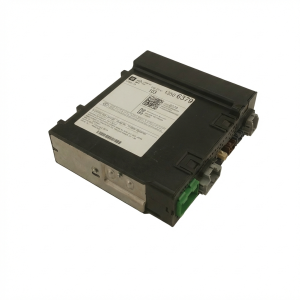
We Have This Part in Stock





The information in this article is provided for general reference and educational purposes only. Vehicle specifications, procedures, and part compatibility can vary by production date, trim level, and region. Always consult your vehicle's factory service manual and verify part numbers before purchasing or performing repairs. Safety-critical components such as airbags, seat belts, and braking systems should be installed by a qualified professional.
- Chevrolet COLORADO:
- 🎬 Helpful Videos
- 🛍️ Shop This Part
- What's Unique About the 2015-2016 Chevrolet COLORADO
- Diagnostic Flowchart
- Symptoms You May Notice
- Most Likely Causes
- Rare But Worth Checking
- Diagnosis Steps
- Parts You'll Likely Need
- Technical Service Bulletins (TSBs) & Recalls
- Platform-Specific Known Issues
- Mechanic-Grade Diagnostic Values
- Scan Tool Commands That Help
- Wiring & Ground Locations
- Real Owner Repair Stories
- "I Checked Everything" — The Actual Cause
- When the Usual Fixes Don't Work
- Model Year Variations Within This Range
- 🎟️ Get 5% Off