

U0184 on 2015-2016 Cadillac Escalade ESV: Causes and Fixes for Radio Communication Loss
On a 2015-2016 Cadillac Escalade ESV, code U0184 almost always indicates a software glitch in the CUE infotainment system. The most common fix is a temporary power cycle (pulling the radio fuse), but the permanent solution is a radio software reprogram performed by a dealer, as outlined in GM TSB #16-NA-107. If the screen displays 'Waiting for Update Media' or if the reprogram fails, the Human Machine Interface (HMI) module has failed and requires replacement.
- U0184 on this Escalade almost always points to a software problem with the CUE radio system, a known issue across many GM vehicles of this era.
- Before paying for any parts, perform a hard reset by pulling the radio fuse or disconnecting the battery. If this provides a temporary fix, the dealer software update (TSB 16-NA-107) is the required permanent solution.
- Do not confuse a black screen (likely a failed HMI module) with a malfunctioning touchscreen (which causes 'ghost touches'). Replacing the wrong part is a costly mistake.
- If the screen ever shows 'Waiting for Update Media', the HMI module has failed and needs to be replaced; a software update will not fix it.
What's Unique About the 2015-2016 Cadillac ESCALADE ESV
The fourth-generation Escalade (2015-2020) is part of the GM K2XX platform, which uses a CUE infotainment system known for software instability across many Chevrolet, GMC, and Cadillac models. The 2015 model uses the HMI 2.0 generation, while the 2016 model uses the HMI 2.5 generation (which added Apple CarPlay/Android Auto). General Motors issued multiple Technical Service Bulletins (TSBs) acknowledging that a software calibration issue could cause the radio to lock up, go to a blue or black screen, and fail to communicate, triggering the U0184 code. This makes the problem a well-documented software fault rather than a random hardware failure, with a clear, albeit dealer-dependent, solution.
Diagnostic Flowchart
Tap your situation to follow the diagnostic path that matches what you're seeing on this vehicle.
Symptoms You May Notice
- Radio is inoperative (no sound, won't turn on).
- Infotainment screen is black, blue, or frozen.
- CUE system is unresponsive to touch.
- Loss of audible safety alerts and turn signal 'click' sound.
- Steering wheel audio controls do not work.
- Backup camera display does not appear.
- System is stuck on a 'Waiting for Update Media' message (this is a definitive sign of HMI hardware failure).
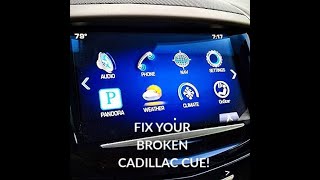
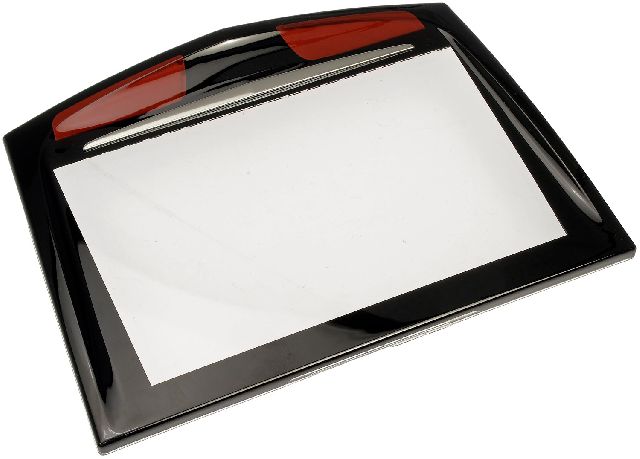
- Replacing the CUE touchscreen display. A faulty touchscreen typically causes unresponsive or erratic 'ghost' touches, bubbling, or delamination, but the audio and system will still be running. A black screen with no audio and a U0184 code points to the HMI module, not the screen itself. 🎬 Troubleshoot common CUE screen power and installation issues here
Most Likely Causes
- Radio Module Software Corruption 🔴 High Probability This is a widely documented issue for this platform, with GM issuing multiple TSBs (16-NA-107, PIT5401 series) to address it. The software can enter a 'lock-up' state, causing it to stop communicating on the GMLAN.
How to confirm: Attempt a hard reset by pulling the radio fuse 🎬 Watch: How to perform a hard reset on your CUE system for a few minutes or disconnecting the battery for 15-30 minutes. If radio function returns, even temporarily, it confirms a software glitch. TSB #16-NA-107 specifically instructs technicians to try this first if the module is unresponsive.
Typical fix: The permanent fix is to have a Cadillac dealer reprogram the radio/HMI module with the latest software calibrations as specified in TSB #16-NA-107. The GM labor operation code for this procedure is 2810335.
Est. part cost: $0 - Failed Human Machine Interface (HMI) Module 🟡 Medium Probability If software corruption becomes persistent, a voltage spike occurs, or the module simply fails internally, it will need replacement. These modules are known to fail after 6-8 years of service.
How to confirm: If a power cycle provides no response, a dealer is unable to reprogram the module, or the screen displays 'Waiting for Update Media', the module itself has suffered a hardware failure and is condemned.
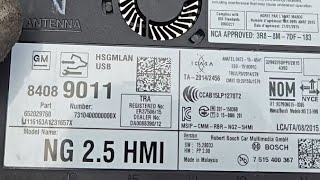
Typical fix: Replace the HMI module. The new module must be programmed by a dealer or specialist to the vehicle's VIN. The 2015 model uses HMI 2.0, while the 2016 uses HMI 2.5; some owners choose to upgrade an older 2.0 module to a 2.5 for added features.
Est. part cost: $400-$900 - Weak or Failing Battery ⚪ Low Probability These vehicles are sensitive to voltage. A weak battery or alternator can cause voltage drops during startup that corrupt the HMI module's software or cause it to enter a fault state, triggering the U0184 code.
How to confirm: Test the battery's health and the alternator's output. Voltage should be stable and above 12.4V with the engine off. Many auto parts stores will perform a battery load test for free.
Typical fix: Replace the vehicle's battery and clear the codes.
Est. part cost: $150-$350 - Blown Fuse or Wiring Issue ⚪ Low Probability While less common than software issues, a simple blown fuse for the radio or a loose connection behind the unit can cause a total loss of power and communication.
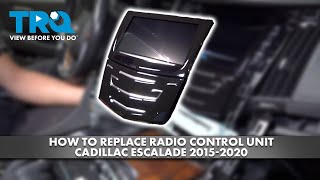
How to confirm: Visually inspect the radio/infotainment fuses in the vehicle's fuse boxes. Check for power and ground at the HMI module connector if the fuses are good. The HMI module is located behind the upper glove box. 🎬 See this walkthrough on how to access and remove the HMI
Typical fix: Replace the blown fuse or repair the damaged wiring.
Est. part cost: $1-$20
Rare But Worth Checking
- Poor Connection at Serial Data Gateway Module (SDGM):
Diagnosis Steps
- Check for other DTCs: Scan all modules to see if other communication codes are present. A flood of 'U' codes could point towards a broader network issue, possibly at the SDGM.
- Attempt a 'Hard Reset': The simplest first step is to try and reset the module. Pull the fuse labeled for the radio/infotainment system, wait for 5 minutes, then reinstall it.
- Perform a Capacitor Discharge Reset: For a more thorough reset, disconnect both positive and negative battery cables and hold the cable ends together for 2-5 minutes. This drains all residual power from the modules, forcing a complete reboot.
- Check Fuses: If a reset doesn't work, visually inspect all fuses related to the radio, display, and infotainment system.
- Check Battery Health: Have your vehicle's battery and charging system tested to ensure stable voltage. Low voltage is a known cause of module glitches.
- Seek Professional Reprogramming: If the radio works after a reset, it will likely fail again. The permanent fix is a software update. Visit a Cadillac dealer or a qualified shop to have them perform the radio reprogram outlined in TSB #16-NA-107.
- Diagnose HMI Module: If the module cannot be reprogrammed, displays 'Waiting for Update Media', and does not respond at all, it has likely failed and will require replacement. WARNING: If you remove the HMI module, the vehicle may not start as the communication network loop will be broken. A special GMLAN bypass jumper must be installed on the connector to allow the vehicle to run without the module.
Parts You'll Likely Need
- Human Machine Interface (HMI) Module
(OEM #23228496 (Example, part numbers are frequently superseded))— This is the 'brain' of the CUE infotainment system. It is the component that fails (either through software corruption or hardware failure) causing the U0184 code. It requires replacement if it cannot be fixed by a software reprogram. It is critical to order a replacement based on the vehicle's VIN, not the part number printed on the old unit, as the original part is likely obsolete.
Trusted brands: ACDelco
OEM price range: $600-$900
Aftermarket price range: $400-$700
Technical Service Bulletins (TSBs) & Recalls
- 16-NA-107: Provides the official software reprogramming fix for an inoperative radio, blue screen, and DTC U0184.
- PIT5401F: The final preliminary bulletin which supersedes all previous 'PIT5401' versions and directs technicians to use TSB 16-NA-107 as the permanent fix.
- PIT5401D: Advises technicians to power cycle the radio for an inoperative radio with U0184 set. [Bulletin #PIT5401D]
- PIT5401C: Notes that U0184 may be stored in multiple modules due to an inoperative radio and to contact GM Technical Assistance.
- PIT5401: The earliest version advising technicians to call GM Technical Assistance before diagnosing an inoperative radio with code U0184.
- PIT5586G: Details issues with poor connections at the Serial Data Gateway Module (SDGM) that can cause various communication codes, including U0184.
Platform-Specific Known Issues
- A known software calibration issue causes the radio to lock up or fail to wake on startup, setting code U0184. TSB #16-NA-107 provides a software update as the official fix.
- Early preliminary bulletins, like #PIT5401D, advised technicians to simply power-cycle the radio as a temporary fix while a permanent software solution was being developed, highlighting how common the issue was. [Bulletin #PIT5401D]
- Poor terminal connections at the Serial Data Gateway Module (SDGM) can also cause this code and other communication issues, as noted in TSB #PIT5586G.
Mechanic-Grade Diagnostic Values
- Low-Speed GMLAN Bus Voltage — expected: Toggling 0-5V signal. Failure: Signal stuck high, low, or no activity.
- HMI Module Power Pin Voltage — expected: 12.0V - 12.6V (Key On, Engine Off). Failure: Voltage significantly below 12.0V indicates a power supply issue.
- HMI Module Ground Circuit Resistance — expected: Less than 1.0 ohm to a clean chassis ground point.. Failure: Resistance greater than 1.0 ohm indicates a poor ground connection.
- High-Speed GMLAN Bus Resistance (for general network health check) — expected: 60 ohms (± 5 ohms) across DLC pins 6 and 14 with battery disconnected.. Failure: 120 ohms indicates an open in the bus or one missing termination resistor; 0 ohms indicates the CAN High and Low wires are shorted together.
Hidden / Shadow Codes Worth Checking
- U0184 set in multiple modules: This is not a unique code but a diagnostic pattern. When the HMI module locks up, it stops communicating on the network. As a result, multiple other modules that expect to hear from the radio (like the BCM, Instrument Panel Cluster, etc.) will all log a U0184 code. Seeing this pattern strongly points to the HMI module as the single point of failure. (see via A professional scan tool (like GM GDS2) capable of scanning all vehicle modules.)
Scan Tool Commands That Help
- GM GDS2 (Global Diagnostic System 2): Vehicle DTC Information (Full Scan) — Use as the first step to see which modules are reporting the U0184 code. If multiple modules report it, the HMI module is the likely source.
- GM GDS2 (Global Diagnostic System 2): Module Diagnostics -> Radio -> Bidirectional Data — To actively test if the scan tool can establish any communication with the radio module. If the radio does not respond, it confirms a communication breakdown at the module level.
- GM SPS (Service Programming System): K74 Human Machine Interface Control Module — Programming — This is the function used to perform the software update specified in TSB #16-NA-107. It is also required after installing a new or used HMI module to write the vehicle's VIN and correct configuration, resolving a 'variant not programmed' DTC.
Wiring & Ground Locations
- HMI Module — Located behind the upper glove box assembly. Access requires removing the lower glove box.. This is the physical location of the module that has lost communication. Technicians need to access it to check its connectors for power, ground, and data, or to replace it.
- Radio/Display Fuses — Fuses are located in three main panels: the left and right side instrument panel fuse blocks (accessible with doors open) and the rear compartment fuse block on the left side of the luggage area.. A blown fuse is a simple but possible cause for the HMI module losing power and communication. Checking these locations is a primary diagnostic step.
- G218 (Ground) — Under the driver's side dashboard, near the base of the A-pillar.. This is a major ground point for the Body Control Module (BCM). While not the direct ground for the radio, a poor connection here (a known issue on this platform) can disrupt the entire communication network that the BCM manages, causing a flood of 'U' codes, including U0184. It's a key location to check if multiple, seemingly unrelated communication codes are present.
Real Owner Repair Stories
- Reddit user in r/CarHacking (2016 GMC Sierra 2500 (same HMI 2.5 platform)) — After a DIY USB software update, the radio booted to a black screen saying 'calibrate device' or a 'Cadillac CUE' logo instead of the GMC logo.
❌ Tried (didn't work) The USB update itself caused the problem.
✅ What actually fixed it The fix required using the official GM SPS (Service Programming System) software with an MDI pass-through device to re-program and calibrate the HMI module. The USB update had wiped the module's vehicle-specific configuration, which could only be restored with dealer-level tools.
OEM Part Supersession History
23431262, 23493430→23228496— Part revision and update by the manufacturer.
Heads up: Part number 23228496 is an HMI 2.0 module. It is not directly compatible with 2016 models that require an HMI 2.5 module for features like Apple CarPlay/Android Auto. Replacement modules, new or used, are NOT plug-and-play; they require VIN programming with GM's SPS software to disable the anti-theft feature and configure them for the specific vehicle.
Model Year Variations Within This Range
- 2015: Uses the HMI 2.0 module. This version does NOT support Apple CarPlay or Android Auto and has a slower dual-core processor.
- 2016: Uses the HMI 2.5 module. This version is a significant hardware upgrade with a quad-core processor, more memory, and adds support for Apple CarPlay and Android Auto via the 'Projection' icon on the screen. An upgrade from a 2015's HMI 2.0 to a 2.5 requires replacing the HMI module, the radio tuner module, and the USB hub.
Helpful Videos
![[Cuescreens] Troubleshooting Cadillac CUE Screen Installation Issues | Black Screen | No power](https://img.youtube.com/vi/M5nqZwuCpfY/mqdefault.jpg)
Used OEM Parts in Stock




New Aftermarket Parts Available

The information in this article is provided for general reference and educational purposes only. Vehicle specifications, procedures, and part compatibility can vary by production date, trim level, and region. Always consult your vehicle's factory service manual and verify part numbers before purchasing or performing repairs. Safety-critical components such as airbags, seat belts, and braking systems should be installed by a qualified professional.
- Cadillac ESCALADE ESV:
- 🎬 Helpful Videos
- 🛍️ Shop This Part
- What's Unique About the 2015-2016 Cadillac ESCALADE ESV
- Diagnostic Flowchart
- Symptoms You May Notice
- Most Likely Causes
- Rare But Worth Checking
- Diagnosis Steps
- Parts You'll Likely Need
- Technical Service Bulletins (TSBs) & Recalls
- Platform-Specific Known Issues
- Mechanic-Grade Diagnostic Values
- Hidden / Shadow Codes Worth Checking
- Scan Tool Commands That Help
- Wiring & Ground Locations
- Real Owner Repair Stories
- OEM Part Supersession History
- Model Year Variations Within This Range
- 🎟️ Get 5% Off