

U0184 on 2014-2016 Cadillac ELR: CUE System Communication Loss Causes and Fixes
On a 2014-2016 Cadillac ELR, code U0184 almost always indicates a software glitch in the radio/infotainment module (Cadillac CUE system). The most common and effective fix is a software reprogram performed by a GM dealer, as outlined in multiple Technical Service Bulletins (TSBs). Before visiting a dealer, a temporary fix can often be achieved by performing a 'hard reset' by disconnecting the battery or pulling the radio fuse.
- U0184 on a 2014-2016 ELR means the CUE radio has stopped communicating on the vehicle's internal network.
- This is a known issue with a documented fix from GM; the cause is almost always a software glitch, not a failed part.
- The correct first step is to seek a software update (reprogram) from a GM dealer, referencing TSB #16-NA-107 or #16-NA-115.
- Do not replace the expensive radio/HMI module unless the software reprogram has been attempted and has failed.
- A simple 'hard reset' by disconnecting the battery or pulling the radio fuse might provide a temporary fix, confirming the software-based nature of the problem.
What's Unique About the 2014-2016 Cadillac ELR
The Cadillac ELR, as a technologically advanced plug-in hybrid for its era, featured an early version of the Cadillac CUE infotainment system. This specific system, shared across many 2013-2016 GM vehicles, was known to have software stability problems. General Motors acknowledged these issues by releasing several Technical Service Bulletins (TSBs) that identify the root cause of U0184 as a software calibration error, not a hardware failure. This makes a dealer-level reprogram the primary, official fix, a fact corroborated by countless owner experiences on platform-mate vehicles.
Diagnostic Flowchart
Tap your situation to follow the diagnostic path that matches what you're seeing on this vehicle.
Symptoms You May Notice
- Radio is inoperative (no sound, won't turn on).
- Infotainment screen is black or blue.
- Touchscreen is unresponsive or frozen.
- No audio from any source (AM, FM, XM, etc.).
- AM radio has a clipping or popping noise.
- Backup camera display does not appear or is distorted.
- OnStar and hands-free calling features are unavailable.
- XM radio is missing on startup.
- Loss of audible warning chimes or turn signal clicks.
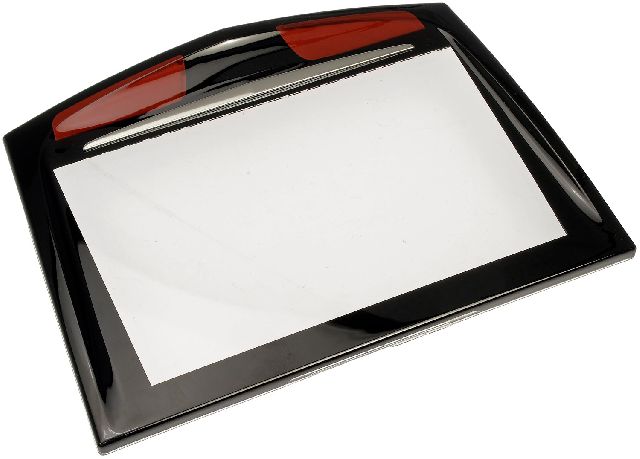
- Replacing the CUE touchscreen. A faulty touchscreen alone typically causes unresponsive touch or 'spiderwebbing' cracks, but does not cause a U0184 communication code.
- Replacing the 12V battery without testing it first.
- Replacing other control modules without confirming the U0184 code is isolated to the radio.
Most Likely Causes
- Radio Module Software Corruption 🔴 High Probability The early generation of the CUE system used in the ELR and its platform mates had documented software bugs that GM later fixed with updates. Voltage fluctuations during startup could trigger these bugs, causing the HMI module to lock up and stop communicating on the GMLAN.
How to confirm: A GM dealer or a shop with GM diagnostic tools (like a GDS2) can check the current software calibration of the radio against the latest version available on TIS2Web. If the software is outdated, the TSBs apply. A temporary return of function after a hard reset also strongly indicates a software issue.
Typical fix: Reprogram the radio module with the latest software calibration, as specified in TSB #16-NA-107 (for 2016 models) or #16-NA-115 (for 2014 models). This is a service performed at a dealership using the Service Programming System (SPS). The GM labor operation code for this procedure is 2810335.
Est. part cost: $0
Rare But Worth Checking
- Failed Radio/HMI Module: If a software reprogram fails or the module cannot be communicated with at all, even after a hard reset, the internal hardware of the radio unit itself has likely failed. This is much less common than the software issue but is the next logical step in diagnosis.
- Wiring or Connector Issue: A loose connector behind the radio unit or a damaged wire on the low-speed GMLAN data circuit (Circuit 5060) can interrupt communication. This is possible but unlikely compared to the known software flaws. TSB PIT5401E advised technicians to check power, ground, and the data line voltage if a power cycle didn't fix the issue.
- Weak or Failing 12V Battery: Low system voltage can cause unpredictable communication errors between modules. While not the root cause specified in the TSBs, a weak battery can exacerbate underlying software sensitivities and trigger the lock-up. If your battery is over 4-5 years old, it's worth testing.
Diagnosis Steps
- Confirm the symptoms, such as a blank radio screen and no audio.
- Use a professional-grade scan tool to verify that U0184 is the primary active code. Note if other modules (BCM, IPC, etc.) are also logging the same code, which is normal as they are all listening for the radio.
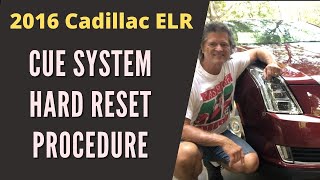
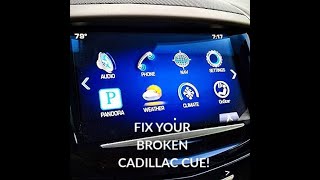
- As a simple first step, attempt a 'hard reset'. This was the initial temporary fix recommended by GM in early bulletins like PIT5401E. There are three common methods: 1. Battery Disconnect: Disconnect the negative terminal of the 12V battery for 15-30 minutes to power cycle all modules. 2. Fuse Pull: Locate the fuse for the radio ('RDO' or similar) in the interior fuse panel, pull it for 60 seconds, and reinstall it. 3. CUE Door Reset: An owner-discovered method involves opening the CUE storage door, turning the vehicle off, opening the driver's door for 30-60 seconds until the instrument cluster resets, 🎬 See this video for a walkthrough of the CUE reset process. then closing the door and restarting the vehicle.
- If a reset temporarily restores function, it strongly confirms a software lock-up issue.
- Contact a GM dealer or qualified independent shop, reference TSB #16-NA-107 (for 2016) or #16-NA-115 (for 2014), and request a radio reprogram for DTC U0184.
- If reprogramming is unsuccessful or the module cannot be communicated with, the wiring and connectors to the radio module should be inspected for power, ground, and data line integrity.
- If wiring is confirmed to be good and the module still does not respond, the radio/HMI module itself has failed and requires replacement. The new module will also need to be programmed to the vehicle's VIN.
Parts You'll Likely Need
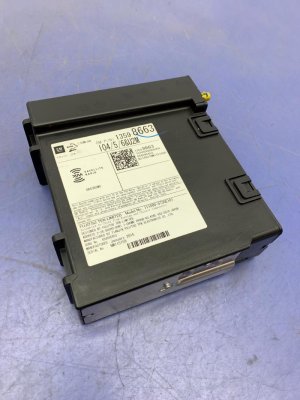
- Radio / Human Machine Interface (HMI) Module
(OEM #23427513 (for 2014 ELR, may supersede other numbers like 23174401, 23431663))— This part is only needed if the primary fix—a software reprogram—fails. A failed module cannot be repaired and must be replaced and programmed.
Trusted brands: ACDelco (OEM), Dorman
OEM price range: $600-$900
Aftermarket price range: $400-$700
Technical Service Bulletins (TSBs) & Recalls
- 16-NA-107: For 2015-2016 models. Provides a radio reprogram to fix U0184, radio inoperability, blue screens, and other audio/visual glitches. Lists the ELR specifically.
- 16-NA-115: For 2014 models. Outlines a procedure to reprogram the radio to correct U0184, as well as issues with XM radio, backup camera, and OnStar. Lists the ELR specifically.
- PIT5401E / PIT5401F: An early bulletin series identifying the link between an inoperative radio, no communication, and DTC U0184 across dozens of GM models. The early version advised dealers to simply cycle the radio fuse as a temporary measure until a permanent software fix was released. The final version (F) directs technicians to use TSBs 16-NA-107 and 16-NA-115.
Platform-Specific Known Issues
- The 2014-2016 Cadillac ELR is explicitly mentioned in GM Technical Service Bulletins for setting code U0184 due to software issues. The primary fix is a reprogram, not hardware replacement.
- Symptoms can include a blue screen, AM radio noise, and loss of the backup camera, all of which are addressed by the software update in TSB #16-NA-107 and #16-NA-115.
Mechanic-Grade Diagnostic Values
- Low-Speed GMLAN Data Circuit Voltage (Key On) — expected: Toggling between 0V and 5V, with an average around 2.5V. Should be less than 4.5V when measured.. Failure: A constant 0V indicates a short to ground. A constant voltage above 4.5V indicates a short to voltage. No activity indicates an open circuit or failed module.
- Low-Speed GMLAN Data Circuit Resistance to Ground (Ignition Off) — expected: Greater than 100 ohms.. Failure: A reading less than 100 ohms indicates a short to ground in the wiring or a connected module.
- Low-Speed GMLAN Bus State Voltage — expected: Approximately 0.2V at rest (logic '1'). Driven to ~4.0V or higher to transmit (logic '0').. Failure: Voltage that does not conform to these states indicates a bus problem or a module pulling the bus high or low.
Scan Tool Commands That Help
- GDS2 (Global Diagnostic System 2): Radio Reprogramming (SPS) — This is the primary fix for U0184 as per TSBs 16-NA-107 and 16-NA-115. It updates the HMI module's software to correct the bug causing the communication loss.
- GDS2 (Global Diagnostic System 2): View HMI Data List — Used to check module status before a reprogram. However, a known issue exists where viewing the HMI data list for 5-60 seconds can itself induce a temporary loss of communication (PIC6296). If this happens, a power cycle (fuse pull) is needed to restore communication before attempting to reprogram.
- GDS2 (Global Diagnostic System 2): Clear All DTCs — After a successful reprogram or repair, this function is used to clear the U0184 and any related codes from all modules on the network.
Wiring & Ground Locations
- HMI Module — Located behind the glove box area, often mounted to a bracket above the ventilation ducting.. This is the module that is failing to communicate. Physical access is required to check its connectors for tightness and integrity, or to replace the module if reprogramming fails.
- G103 — Located at the left rear of the engine compartment on the cowl, above the brake booster.. This is a major ground point that serves the Radio, Body Control Module (BCM), and Instrument Panel Cluster (IPC). A poor connection here can cause communication issues between these modules.
- G302 — Located under the center console, below the rear fuse block.. This ground point specifically serves the Radio Amplifier. While not the HMI module itself, an issue here could potentially introduce noise or instability to the infotainment system.
- Low-Speed GMLAN Circuit — This is a single wire (often Dark Green) that runs from the Data Link Connector (DLC) to various modules, including the HMI module, typically through splice packs like JX200 or JX300.. This is the physical data wire over which the HMI module communicates. A short or open on this circuit is a direct cause of a U0184 code if software is not the issue.
OEM Part Supersession History
23174401, 23431663, 23174393, 23150270→23427513— Standard part evolution to incorporate hardware and software fixes for reliability.23427513→23266008— Further revision and consolidation of the part number by GM.
Heads up: When replacing, the new module must be programmed to the vehicle's VIN. Aftermarket sellers note that dealerships may not perform this service on customer-supplied parts, requiring the use of third-party unlocking/programming services.
Model Year Variations Within This Range
- 2014: Vehicles in this model year are covered by TSB #16-NA-115. This bulletin addresses U0184 along with specific issues like 'No XM audio at startup' and 'Rear view camera DTC B127.08'.
- 2015-2016: Vehicles in these model years are covered by TSB #16-NA-107. This bulletin addresses U0184 along with slightly different symptoms like 'Blue screen', 'AM clipping noise', and 'GPS compass is pointed to North only', indicating a different software branch and fix.
Helpful Videos
Used OEM Parts in Stock


New Aftermarket Parts Available

The information in this article is provided for general reference and educational purposes only. Vehicle specifications, procedures, and part compatibility can vary by production date, trim level, and region. Always consult your vehicle's factory service manual and verify part numbers before purchasing or performing repairs. Safety-critical components such as airbags, seat belts, and braking systems should be installed by a qualified professional.
- Cadillac ELR:
- 🎬 Helpful Videos
- 🛍️ Shop This Part
- What's Unique About the 2014-2016 Cadillac ELR
- Diagnostic Flowchart
- Symptoms You May Notice
- Most Likely Causes
- Rare But Worth Checking
- Diagnosis Steps
- Parts You'll Likely Need
- Technical Service Bulletins (TSBs) & Recalls
- Platform-Specific Known Issues
- Mechanic-Grade Diagnostic Values
- Scan Tool Commands That Help
- Wiring & Ground Locations
- OEM Part Supersession History
- Model Year Variations Within This Range
- 🎟️ Get 5% Off