

U0184 on 2014-2016 Cadillac CTS: Radio Communication Loss Causes and Fixes
On a 2014-2016 Cadillac CTS, code U0184 almost always means the radio has a software glitch. The most common fix is a software reprogram performed by a dealer, as outlined in multiple Technical Service Bulletins. A simple power cycle (pulling the radio fuse) may temporarily fix it, but a software update is the long-term solution. If reprogramming fails, the HMI module has likely failed.
- U0184 on this Cadillac is a communication code, almost always pointing to a software issue in the radio (HMI module).
- The official GM fix is a software reprogram (TSB 16-NA-107 or 16-NA-115), which requires a dealer or specialized shop.
- A temporary fix is to pull the radio fuse (F23 in the driver's side dash fuse box) for a minute to power cycle the module.
- Do not replace the CUE touchscreen; it is not the cause of this code.
- If reprogramming does not work, the HMI module itself has failed and needs to be replaced and programmed.
What's Unique About the 2014-2016 Cadillac CTS
The third-generation Cadillac CTS (2014-2019) relies heavily on the CUE (Cadillac User Experience) infotainment system. This system communicates on a single-wire GM Low-Speed GMLAN network (~33.3 kbps). Early versions of the CUE system's HMI module were known for software instability, which led General Motors to issue several Technical Service Bulletins (TSBs) specifically to address communication loss (U0184). Unlike a simple wiring fault, the problem on these vehicles is most often a software bug or internal module corruption that requires a specific update from the manufacturer to resolve permanently. TSB 16-NA-107 and 16-NA-115 are the primary documented solutions.
Diagnostic Flowchart
Tap your situation to follow the diagnostic path that matches what you're seeing on this vehicle.
Symptoms You May Notice
- Radio is completely inoperative or intermittent
- Blank, black, or blue infotainment screen
- No audio from any speakers
- Rear View Camera display not working or showing incorrect park assist symbols
- OnStar and hands-free calling issues
- XM radio not available on startup
- Steering wheel audio controls do not work
- AM radio has a clipping noise on talk stations
- GPS compass is pointed to North only
- Radio resets every 40 seconds after startup
- Replacing the CUE touchscreen. The touchscreen is a separate component from the radio module (HMI). If the screen is black and the system is unresponsive, the problem is rarely the screen itself. A bad screen usually results in delamination, cracking, or response to touch in the wrong location ('ghost touch'), not a U0184 code.
Most Likely Causes
- Radio Software Glitch / Corruption 🔴 High Probability Multiple GM Technical Service Bulletins (e.g., 16-NA-107, 16-NA-115) were issued to correct software bugs in the radio module (HMI) for these specific model years, directly linking software issues to code U0184.
How to confirm: A GM-compatible scan tool can check the current software calibration of the radio module and see if an update is available. The symptoms listed in the TSBs are a strong indicator. Often, communication is lost entirely until the module is power-cycled.
Typical fix: Reprogram the radio module with the latest software calibration using GM's Service Programming System (SPS). This is typically performed by a dealer or a qualified independent shop with the correct tools.
Est. part cost: $0 - Temporary Module Lock-up 🟡 Medium Probability Like any complex computer, the CUE system can freeze. TSB PIT5401D/E/F explicitly recommends a power cycle as the first diagnostic step before further action.
How to confirm: The radio is completely unresponsive, but may begin working again after a power cycle. This confirms the module was in a locked state.
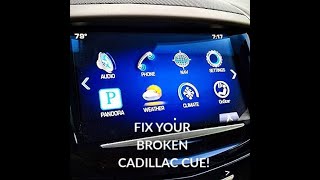
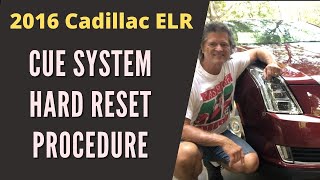
Typical fix: Perform a 'hard reset' by disconnecting the vehicle's battery for 15-30 minutes or, more directly, by removing the fuse for the radio 🎬 Watch: How to perform a hard reset on your CUE system to cut its power. The fuse for the 'Radio' is F23 in the Instrument Panel Fuse Block (driver's side of the dash). If the radio works again, the issue was a temporary glitch, but it will likely reoccur if the underlying software issue isn't addressed via reprogramming.
Est. part cost: $0 - Faulty Radio Module (HMI Module) ⚪ Low Probability While less common than software issues, internal hardware failure of the Human-Machine Interface (HMI) module can occur, often from component degradation or voltage spikes. The 2014-2015 HMI 2.0 modules have a noted high failure rate.
How to confirm: The module remains unresponsive and cannot be communicated with via a scan tool, even after a hard reset and confirming power/ground connections are good. Reprogramming attempts fail or are not possible. A message 'Waiting for Update Media' can also indicate a failed module.
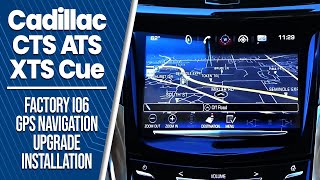
Typical fix: Replace the radio/HMI module. The replacement unit must be programmed 🎬 Watch this walkthrough for replacing and upgrading the HMI module to the vehicle's VIN by a dealer or specialist to disable the anti-theft feature and ensure proper function. Aftermarket suppliers may sell pre-programmed units.
Est. part cost: $250-$600
Rare But Worth Checking
- Blown Fuse or Wiring Issue: Always a possibility with any electrical component. Check fuse F23 ('Radio/DVD/Heater, Ventilation, and Air Conditioning') and F24 ('Display') in the Instrument Panel fuse box located on the driver's side of the instrument panel. A wiring issue could also cut power or the single-wire GMLAN communication to the module.
- Serial Data Gateway Module (SDGM) Fault: A less common cause, TSB PIT5586G (for other models, but relevant) indicates that a fault or logic lock in the SDGM can cause communication loss with multiple modules, including the radio, setting a U0184. This would typically be accompanied by other 'U' codes.
Diagnosis Steps
- Check for obvious symptoms: Is the radio screen black/blue? Is there no sound? Are steering wheel controls dead?
- Attempt a 'soft reset': Turn the vehicle off, open the driver's door for at least 60 seconds, close the door, and restart the vehicle.
- If the soft reset fails, perform a 'hard reset'. Locate the Instrument Panel fuse box on the driver's side of the dash and pull fuse F23 labeled 'Radio' for at least 60 seconds. Reinstall and check for operation. This is the method recommended by GM in preliminary bulletins.
- If the radio remains inoperative, connect a professional scan tool (GM GDS2 recommended) capable of communicating with GM modules.
- Attempt to communicate directly with the 'Radio' or 'Human Machine Interface' module. If there is no communication, verify power and ground at the module's electrical connector.
- If communication is restored after the fuse pull, check for available software updates for the radio module, referencing TSBs #16-NA-107 (for 2015-16 models) and #16-NA-115 (for 2014 models).
- If an update is available, perform the SPS reprogram procedure. Be aware the process may appear to hang at the end but must be allowed to finish.
- If reprogramming fails or the module will not communicate despite having good power and ground, the radio/HMI module itself is likely faulty and requires replacement.
Parts You'll Likely Need
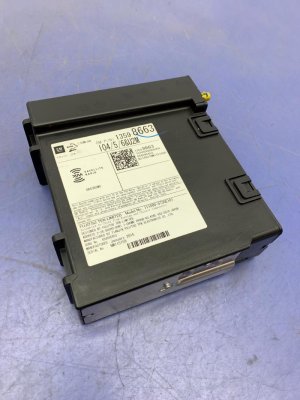
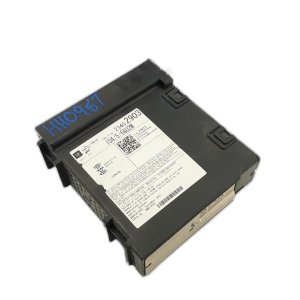
- Radio Receiver Control Module (HMI Module)
(OEM #84514243)— This is the central computer for the CUE system. It is the component that requires the software update or fails internally. GM frequently supersedes these part numbers, so it's critical to order based on VIN and vehicle options (e.g., with or without navigation). The original part may have been 23443746 or similar, and later superseded by numbers like 23228500.
Trusted brands: ACDelco (OEM)
OEM price range: $400-$600
Aftermarket price range: $250-$450 (Remanufactured/Used)
Technical Service Bulletins (TSBs) & Recalls
- 16-NA-107: Advises reprogramming the radio for U0184, blue screen, inoperative radio, and other audio glitches on 2015-2016 models.
- 16-NA-115: Recommends reprogramming the radio to fix U0184, no communication, and issues with XM, camera, and OnStar on 2014 models.
- PIT5401F: The final version of a preliminary bulletin, it directs technicians to the two main TSBs (107 and 115) as the permanent software fix for the U0184/inoperative radio issue.
- PIT5401D/E: Earlier versions suggesting removing power from the radio if it's inoperative and has set a U0184, as a preliminary diagnostic step before the final software fix was released.
Platform-Specific Known Issues
- The early Cadillac CUE systems are widely known for software glitches and screen delamination. The U0184 code is a very common symptom of the software problem, which GM directly addressed with multiple service bulletins. Owners often find that a simple fuse pull restores function temporarily, confirming the software lock-up, but the permanent fix is the dealer reprogram.
Mechanic-Grade Diagnostic Values
- Low-Speed GMLAN Bus Voltage (at DLC Pin 1) — expected: Toggling between ~0.2V (recessive/logic 1) and >4.0V (dominant/logic 0) during communication. A scope will show square wave packets.. Failure: Voltage stuck high (short to voltage), stuck low (short to ground), or showing a steady voltage above 0V but below 4V indicates a bus problem or a faulty module pulling the bus down. A reading over 4.5V suggests a short to voltage.
- Low-Speed GMLAN Wake-Up Pulse — expected: A brief pulse of 10-12 volts to wake up modules on the bus.. Failure: Absence of this pulse when opening a door or turning the key can indicate an issue with the BCM or gateway module initiating communication.
- Low-Speed GMLAN Circuit to Ground Resistance — expected: Greater than 100 ohms with the ignition off.. Failure: Resistance less than 100 ohms indicates a short to ground in the wiring or within a connected module.
Hidden / Shadow Codes Worth Checking
- U0184 with Symptom Byte: Professional scan tools like the GM GDS2 may display a 2-digit symptom byte after the main code (e.g., U0184 00). While not explicitly detailed for U0184 in the provided data, similar communication codes use bytes like '04' or '0D' to indicate high resistance, providing a more specific fault direction. '00' typically means 'No Additional Information'. (see via GM GDS2 (Global Diagnostic System 2) or equivalent high-end scan tool.)
Scan Tool Commands That Help
- GM GDS2 / Techline Connect: Radio Reprogramming (SPS) — This is the primary fix documented in TSBs 16-NA-107 and 16-NA-115. It is used to load updated factory software into the HMI module to correct the software glitches that cause the U0184 code and associated symptoms.
- GM GDS2 / Techline Connect: Radio – USB Copy/USB File Transfer — For certain software updates, a two-step process is required. First, files are copied to a USB drive via Techline Connect, then installed in the vehicle via the USB port. This must be done *before* the standard SPS programming. Performing this out of sequence can permanently damage the radio.
- GM GDS2: Module Programming and Setup — After a new HMI module is installed, this function is required to program the vehicle's VIN into the module, configure it for the specific options (RPO codes) of the vehicle, and disable the anti-theft lock.
Wiring & Ground Locations
- HMI Module — Located behind the glove box assembly. Access requires removing the glove box.. This is the module that loses communication. Technicians need to access its connectors to test for power, ground, and the GMLAN signal directly at the module.
- GMLAN Serial Data Circuit — A single Dark Green wire that can be accessed at Pin 1 of the Data Link Connector (DLC) under the driver's side dash.. This is the primary point for testing the overall health of the communication bus with a multimeter or oscilloscope without having to access individual modules.
- GMLAN Splice Pack — GM vehicles use splice packs to join the GMLAN wires from multiple modules. Locations vary but are typically found under the dash near the steering column or inside the A/B pillars.. A splice pack is a critical diagnostic point. A technician can disconnect the 'comb' to isolate each module's GMLAN branch individually to find a single module or wire that is shorting the entire network to ground or voltage.
- Fuse F23 (Instrument Panel) — In the fuse box on the driver's side of the instrument panel.. This fuse supplies power to the Radio/HMI module. It is the first place to check for a complete loss of power and is the fuse to pull for a hard reset.
Real Owner Repair Stories
- YouTube - Weber State University - Automotive (GM Vehicle (Chevy Volt) with GMLAN-based radio) — Radio inoperative, no communication with scan tool.
❌ Tried (didn't work) A simple scan showed 'no communication' but didn't identify the cause.
✅ What actually fixed it The technician used a wiring diagram to locate the radio module. He then tested for 12V power and good ground at the module's connector. Using an oscilloscope, he confirmed the GMLAN signal was present at the DLC but not being acknowledged by the module. With power, ground, and data signal all confirmed present at the module, the HMI module itself was diagnosed as faulty and replaced. The new module then required SPS programming to configure it for the vehicle.
OEM Part Supersession History
23431259, 23493427→23228500— Likely internal revisions to improve stability and fix hardware/software bugs found in earlier versions.
Heads up: It is critical to order HMI modules based on VIN and RPO codes (IO5 for non-nav, IO6 for nav), as a module for a different vehicle or option set will not program or function correctly.
Model Year Variations Within This Range
- 2014-2015: These model years were equipped with the HMI 2.0 module. This version is known for a higher failure rate, slower performance, and does not support Apple CarPlay or Android Auto. The primary fix is TSB 16-NA-115 (for 2014) and 16-NA-107 (for 2015).
- 2016: The 2016 model year introduced the HMI 2.5 module, which offered faster performance and added support for Apple CarPlay/Android Auto. While still susceptible to the software glitch fixed by TSB 16-NA-107, the underlying hardware is different. An upgrade from 2.0 to 2.5 is possible but requires replacing the HMI module, radio receiver, and USB port, plus dealer programming.
Helpful Videos

We Have This Part in Stock



The information in this article is provided for general reference and educational purposes only. Vehicle specifications, procedures, and part compatibility can vary by production date, trim level, and region. Always consult your vehicle's factory service manual and verify part numbers before purchasing or performing repairs. Safety-critical components such as airbags, seat belts, and braking systems should be installed by a qualified professional.
- Cadillac CTS:
- 🎬 Helpful Videos
- 🛍️ Shop This Part
- What's Unique About the 2014-2016 Cadillac CTS
- Diagnostic Flowchart
- Symptoms You May Notice
- Most Likely Causes
- Rare But Worth Checking
- Diagnosis Steps
- Parts You'll Likely Need
- Technical Service Bulletins (TSBs) & Recalls
- Platform-Specific Known Issues
- Mechanic-Grade Diagnostic Values
- Hidden / Shadow Codes Worth Checking
- Scan Tool Commands That Help
- Wiring & Ground Locations
- Real Owner Repair Stories
- OEM Part Supersession History
- Model Year Variations Within This Range
- 🎟️ Get 5% Off