

U0184 on 2014-2016 Cadillac ATS: Radio Communication Loss Causes and Fixes
On a 2014-2016 Cadillac ATS, code U0184 almost always means the radio/infotainment module (HMI) has frozen due to a software glitch in the Cadillac User Experience (CUE) system. The permanent fix is a software reprogram at a dealership per official service bulletins like #16-NA-107. A temporary fix is often to power cycle the radio by pulling its fuse or disconnecting the battery.
- U0184 on a 2014-2016 ATS is a very specific, known issue with the Cadillac CUE system's software.
- Before spending any money, perform a hard reset by pulling the radio fuse for 10-15 minutes. This is a free diagnostic step and may temporarily restore function, confirming a software glitch.
- The official, permanent fix is a software update performed by a GM dealer or a qualified shop with GM programming tools, as per TSB 16-NA-107 or 16-NA-115.
- Do not automatically replace the HMI module or the screen. Diagnosis is key. If a reset works temporarily, it needs software. If it never works, it may need hardware.
- The HMI module is the computer, located behind the glove box; the screen is just the display. U0184 points to the HMI module.
What's Unique About the 2014-2016 Cadillac ATS
For this generation of Cadillac ATS, the U0184 code is overwhelmingly linked to a well-documented software problem within the factory radio, also known as the Cadillac User Experience (CUE) system. The issue was so common that General Motors issued multiple Technical Service Bulletins (TSBs) advising dealers to reprogram the radio module with updated software rather than replace hardware. This is not a typical wiring or fuse problem, but a specific module lock-up that a simple power cycle can often temporarily resolve.
🎬 Watch: How to perform a hard reset on your CUE system.Diagnostic Flowchart
Tap your situation to follow the diagnostic path that matches what you're seeing on this vehicle.
Symptoms You May Notice
- Radio is completely inoperative (black or blue screen).
- No audio from any speakers.
- Loss of communication with the radio module when checked with a scan tool.
- Backup camera does not display or is otherwise faulty.
- OnStar and hands-free calling features are unavailable.
- Bluetooth and USB media functions do not work.
- AM radio has a clipping noise on talk stations.
- XM radio fails to start up.
- CUE system touchscreen is unresponsive.
- HVAC (climate control) functions may be unavailable or stuck.
- Steering wheel audio controls do not work.
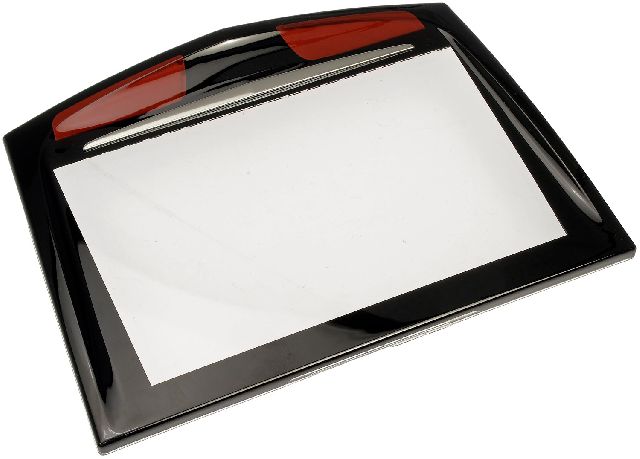
- Replacing the infotainment screen. The screen is often just a display, while the faulty computer (HMI module) is a separate part located behind the glove box. If the screen is black but you can still hear audio, 🎬 See this quick fix for a Cadillac CUE black screen. the problem is more likely the screen itself, but with U0184, the HMI module is the primary suspect as it controls all communication.
Most Likely Causes
- Radio Module Software Failure 🔴 High Probability A known software calibration issue within the radio module (part of the CUE system) causes it to freeze or lock up, a condition documented by GM in multiple TSBs like 16-NA-107 and PIT5401E.
How to confirm: Attempt a hard reset by pulling the radio fuse (often F23 or F24 in the cabin fuse box) for several minutes or disconnecting the car battery's negative terminal for 20-30 minutes. If radio function returns temporarily, it confirms a software lock-up.
Typical fix: Reprogram the radio (HMI) module with the latest software calibrations using the GM Service Programming System (SPS). This is typically performed by a dealer or a specialized repair shop.
Est. part cost: $0 (if only reprogramming is needed) - Failed Radio/HMI Module 🟡 Medium Probability If the software glitch occurs repeatedly or the internal hardware fails, the module itself can be permanently damaged. These modules are known to fail, sometimes presenting a 'Waiting for Update Media' message which indicates a definitive hardware failure.
How to confirm: The radio remains inoperative and cannot be communicated with even after a power cycle and fuse check. Reprogramming attempts fail to complete.
Typical fix: Replace the Human Machine Interface (HMI) module. The replacement module must be programmed to the vehicle's VIN. Several vendors sell pre-programmed units for DIY installation.
Est. part cost: $450-$800 for a new OEM module, $150-$400 for a used or refurbished one. - Power, Ground, or Network Wiring Issue ⚪ Low Probability While less common than the software issue, any vehicle can experience wiring faults from chafing, corrosion, or previous repairs. A user on Camaro5 forums traced a U0184 to a lack of power on the main 12v wire to the radio.
How to confirm: Use a digital multimeter to check for 12V power (Red/White wire at pin 44), good ground (Black wire at pin 38), and proper voltage signals on the low-speed GMLAN data wire (Dark Green wire, circuit 5060) at the radio module connector.
Typical fix: Repair the compromised section of the wiring harness or clean/tighten the faulty connection or ground point.
Est. part cost: $5-$50
Rare But Worth Checking
- Weak or Failing Vehicle Battery:
Diagnosis Steps
- Scan all vehicle modules with a professional scan tool. Confirm that multiple modules are reporting code U0184, indicating they cannot communicate with the radio.
- Attempt to communicate directly with the 'Radio' or 'Human Machine Interface' module. If communication fails, it confirms the radio is offline.
- Perform a hard reset. The easiest method is to locate the fuse for the radio/tuner in the instrument panel fuse box (driver's side of the dash), often labeled 'Display' or 'Radio', and pull it for at least 10 minutes. Alternatively, disconnect the negative battery terminal for 20-30 minutes.
- Check if radio functionality returns. If it does, the issue is confirmed to be a software lock-up. The permanent fix is to have a dealer perform the software update outlined in TSB #16-NA-107 (for 2015-2016 models) or #16-NA-115 (for 2014 models).
- If the radio does not power on after the reset, check the integrity of the fuse. If the fuse is good, proceed to check the module's wiring.
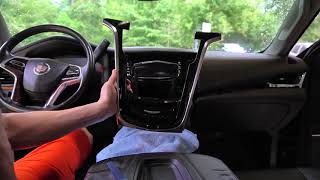
- Access the HMI module, which is located behind the glove box. This requires removing the glove box assembly. 🎬 Watch: Step-by-step guide to fixing your Cadillac CUE screen.
- Visually inspect the connectors at the back of the HMI module for damage, corrosion, or loose pins.
- Using a multimeter and wiring diagram, verify the module is receiving constant 12V power and has a solid ground connection. Check for activity on the low-speed GMLAN data wire (circuit 5060).
- If power and ground are good, but the module is still offline and a reprogram is not possible, the HMI module has likely failed internally and requires replacement and programming.
Parts You'll Likely Need
- Human Machine Interface (HMI) Module
(OEM #23150268 (example for 2013-2014, multiple revisions exist))— This is the computer that controls the CUE infotainment system. It is the part that fails, either due to a software glitch (requiring a reprogram) or internal hardware failure (requiring replacement).
Trusted brands: ACDelco (OEM)
OEM price range: $450-$800
Aftermarket price range: $150-$400 (Used/Salvage)
Technical Service Bulletins (TSBs) & Recalls
- 16-NA-107: Fix for U0184, inoperative radio, blue screen, and other audio glitches via radio reprogramming for 2015-2016 models.
- 16-NA-115: Procedure to reprogram the radio to fix U0184 and associated backup camera/OnStar issues for 2013-2014 models.
- PIT5401F: Supersedes previous versions (C, D, E) and points to TSBs 16-NA-107 and 16-NA-115 as the official repair. Confirms the widespread nature of the issue across many GM vehicles.
- PIT5401E: Preliminary information on handling U0184 by first power cycling the radio before considering replacement, acknowledging GM was working on a permanent software fix.
Platform-Specific Known Issues
- TSB #16-NA-107: Addresses DTC U0184 for 2015-2016 models with symptoms like an inoperative radio, blue screen, and AM clipping noise. The prescribed fix is to reprogram the radio with updated software.
- TSB #16-NA-115: Notes that U0184 can be accompanied by an inoperative radio, backup camera issues, and OnStar problems on 2013-2014 models. The fix is a radio reprogram.
- TSB #PIT5401F: The final version of a preliminary bulletin, this directs technicians to the software updates in 16-NA-107 and 16-NA-115 as the permanent fix for U0184 with a blank screen and no communication.
- CUE Screen Delamination: While not a direct cause of U0184, the touchscreens on these models are famous for failing (delaminating), causing unresponsive touch. This is a separate issue from the HMI module's communication failure but often happens on the same vehicles.
Mechanic-Grade Diagnostic Values
- Low-Speed GMLAN Voltage (Circuit 5060, Dark Green wire) — expected: Toggles between approximately 0.2V (rest) and 4.0V+ (active). A scope is best for viewing activity.. Failure: A constant 0V indicates a short to ground; constant high voltage (5V or 12V) indicates a short to power. No activity suggests a module or wiring fault.
- Low-Speed GMLAN Resistance to Ground — expected: Greater than 100 Ohms with the battery disconnected and the HMI module unplugged.. Failure: A reading below 100 Ohms suggests a short to ground in the wiring harness.
- HMI Module Battery Power — expected: 12V+ at Pin 44 (typically a Red/White wire) of the HMI module connector.. Failure: Low or no voltage indicates a blown fuse, or an open in the power supply wire.
- HMI Module Ground — expected: Less than 1 ohm of resistance between Pin 38 (typically a Black wire) of the HMI module connector and a known-good chassis ground.. Failure: High resistance indicates a poor ground connection, which can cause intermittent operation or failure.
Hidden / Shadow Codes Worth Checking
- U0184 00: This is the most common format for this DTC. The '00' symptom byte means 'No Additional Information'. Its presence confirms that other modules have simply lost all communication with the radio, which is consistent with the radio module freezing, losing power, or being disconnected. (see via A professional scan tool like the GM GDS2 (Global Diagnostic System 2) or a high-end aftermarket scanner that can read manufacturer-specific codes and symptom bytes.)
Scan Tool Commands That Help
- GM GDS2: Module Diagnostics > Radio — This is the first diagnostic step. Use this to attempt to establish a direct communication link with the HMI module. If it fails with a 'No Communication' message, it confirms the module is offline and is the source of the U0184 codes set in other modules.
- GM SPS (Service Programming System): Radio Reprogramming — This is the FIX, not a diagnostic command. It is used to load the updated software per TSB #16-NA-107 or #16-NA-115 after communication has been temporarily restored (e.g., by a fuse pull). This permanently resolves the software lock-up issue.
- GM GDS2: Radio Setup / HMI Setup — This function is required AFTER a new HMI module has been physically installed. It configures the new module to the vehicle's specific VIN and options (RPOs). Without this step, a new module will not function correctly.
Wiring & Ground Locations
- HMI Module — Located behind the glove box assembly. The glove box must be removed for access.. This is the physical location of the component that is failing. All power, ground, and data wiring must be checked at its connectors.
- G218 — An instrument panel ground located on the right front corner, near the A-pillar, typically behind the dash.. This is a critical ground point for the Body Control Module (BCM) and other interior electronics. A loose or corroded G218 can cause a wide range of communication issues, including U0184, as the BCM acts as a gateway for network traffic.
Real Owner Repair Stories
- CadillacForums user reports (2014 Cadillac ATS) — CUE screen went completely black, setting code U0184. No audio, no response.
❌ Tried (didn't work) Pulling the radio fuse temporarily restored function, but the problem would return within a day., Disconnecting the battery for 30 minutes worked for a few days, but the failure eventually came back.
✅ What actually fixed it The owner purchased a pre-programmed replacement HMI module from an online vendor and replaced it themselves. The physical swap behind the glove box took about one hour and permanently resolved the issue. - CadillacForums user reports (2015 Cadillac ATS) — Intermittent black screen and U0184 code.
❌ Tried (didn't work) Owner considered replacing the HMI module out-of-pocket.
✅ What actually fixed it Took the vehicle to a Cadillac dealer. The dealer performed the radio software update as specified in TSB #16-NA-107. The repair cost was one hour of labor and the problem was resolved.
OEM Part Supersession History
23150268 (and others)→Multiple, including 23243167, 23447596, 84096813— Service replacements and minor hardware/software revisions for the HMI 2.0 modules used in 2014-2015 models.
Heads up: A replacement module MUST be programmed with the vehicle's VIN to function. You cannot swap a used module from another car without reprogramming. Furthermore, HMI 2.5 modules from 2016+ models are not plug-and-play compatible with 2014-2015 vehicles and require special adapters for retrofitting.
Model Year Variations Within This Range
- 2014-2015: These model years use the HMI 2.0 module. This is the version most susceptible to the software lock-up that causes U0184 and is the primary target for TSBs #16-NA-115 and #16-NA-107. These units do not support Apple CarPlay or Android Auto.
- 2016: The 2016 model year introduced the significantly faster HMI 2.5 module, which added support for Apple CarPlay and Android Auto (indicated by a 'Projection' icon on the screen). While TSB #16-NA-107 includes 2016 models, the widespread software freeze is more characteristic of the earlier HMI 2.0 hardware. An early 2016 model may still have the older HMI 2.0 unit.
Helpful Videos
We Have This Part in Stock

The information in this article is provided for general reference and educational purposes only. Vehicle specifications, procedures, and part compatibility can vary by production date, trim level, and region. Always consult your vehicle's factory service manual and verify part numbers before purchasing or performing repairs. Safety-critical components such as airbags, seat belts, and braking systems should be installed by a qualified professional.
- Cadillac ATS:
- 🎬 Helpful Videos
- 🛍️ Shop This Part
- What's Unique About the 2014-2016 Cadillac ATS
- Diagnostic Flowchart
- Symptoms You May Notice
- Most Likely Causes
- Rare But Worth Checking
- Diagnosis Steps
- Parts You'll Likely Need
- Technical Service Bulletins (TSBs) & Recalls
- Platform-Specific Known Issues
- Mechanic-Grade Diagnostic Values
- Hidden / Shadow Codes Worth Checking
- Scan Tool Commands That Help
- Wiring & Ground Locations
- Real Owner Repair Stories
- OEM Part Supersession History
- Model Year Variations Within This Range
- 🎟️ Get 5% Off