

U0184 on 2014-2016 Buick Regal: Lost Communication With Radio Causes and Fixes
On a 2014-2016 Buick Regal, code U0184 almost always means the radio has a software glitch causing it to lose communication. The most common fix is a software update performed by a dealer, which can cost between $150 and $300. Sometimes, simply power-cycling the radio by pulling its fuse (Instrument Panel Fuse #4 or #35) can temporarily restore function.
- U0184 on your Regal means the radio has lost communication with the car's network, usually due to a software glitch.
- Before going to a shop, try a simple reset: pull the radio fuse (#4 or #35 in the dash fuse box) for a minute, then put it back in. This often restores function temporarily.
- The permanent fix is a software update for the radio, which must be done by a GM dealer or a properly equipped repair shop, as detailed in TSB 16-NA-107.
- Do not replace the radio or screen unless a professional has confirmed the software update fails and that power/ground connections are good.
What's Unique About the 2014-2016 Buick REGAL
For this generation of Buick Regal and many other contemporary GM vehicles, the radio (infotainment module) is deeply integrated into the car's network. It handles more than just audio, affecting settings, the backup camera, OnStar, and even audible chimes for turn signals and warnings. The high frequency of this code on these specific models led GM to issue multiple Technical Service Bulletins (TSBs), which point to software corruption as the primary culprit, rather than a typical hardware or wiring failure.
Diagnostic Flowchart
Tap your situation to follow the diagnostic path that matches what you're seeing on this vehicle.
Symptoms You May Notice
- Radio is inoperative, blank, or shows a blue screen.
- Complete loss of audio from all sources, including turn signal clicks and warning chimes. 🎬 Watch: Quick fix for GM vehicles with no audio
- Backup camera display does not appear or is intermittent.
- OnStar and hands-free calling features do not work.
- Touchscreen is unresponsive or frozen.
- System reboots or crashes intermittently.
- AM radio has a clipping noise or other audio quality issues.
- Clock resets, time lags, or GPS shows incorrect location.
- Loss of Bluetooth or USB media playback.
- Replacing the radio display screen when the issue is with the separate radio/HMI module, which is the actual 'brain'.
- Replacing the Body Control Module (BCM) because it is logging the U0184 code, when the BCM is simply reporting that it cannot hear the radio.
Most Likely Causes
- Radio Software Corruption 🔴 High Probability GM issued multiple TSBs specifically to address software glitches in the radio module for these model years. TSB 16-NA-107 and 16-NA-115 directly state that a software re-flash is the solution for U0184 and related symptoms.
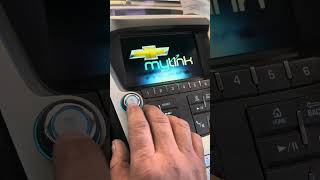
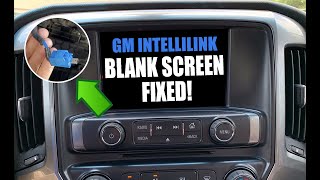
How to confirm: A temporary fix by power-cycling the radio (pulling the fuse) 🎬 See how to fix a blank or flickering screen strongly suggests a software lock-up. Permanent diagnosis requires a dealer scan tool to check the software calibration version and attempt reprogramming.
Typical fix: Reprogram the radio module with the latest software using GM's Service Programming System (SPS).
Est. part cost: $0 - Radio Module Lock-up 🟡 Medium Probability This is a common symptom of the underlying software issue. TSB PIT5401E specifically advises technicians to try power-cycling the radio as a first step before any other diagnostics.
How to confirm: Turn the vehicle off. Locate the fuse panel on the left side of the steering column. Remove fuse #4 (Radio) and/or #35 (Infotainment System) for 60 seconds, then reinstall. If the radio begins working again, the module was locked up.
Typical fix: This is a temporary fix. The permanent solution is to have the software updated per TSB 16-NA-107 or 16-NA-115 to prevent future lock-ups.
Est. part cost: $0 - Poor Power or Ground to Radio ⚪ Low Probability
How to confirm: Use a digital multimeter to check for stable 12V+ at the radio's power wire and for good continuity (<1 ohm) to ground on the ground wire. TSB PIT5401E instructs technicians to check these readings if a power cycle doesn't fix the issue.
Typical fix: Repair the affected wiring or clean the ground connection point.
Est. part cost: $5-$20
Rare But Worth Checking
- Failed Radio/HMI Module: While software is the most common issue, the hardware can fail. If reprogramming fails and power/ground connections are good, the module itself may need replacement. This is a last resort. A Reddit user with a 2017 Malibu confirmed their U0184 required a full radio replacement.
- CAN Bus Wiring Fault: A damaged, shorted, or corroded wire on the Low-Speed GMLAN circuit (Circuit 5060) can prevent communication. This is less likely than a module software issue but possible, especially if other modules on the same network are also setting communication codes.
- Low Battery Voltage: A weak or failing battery can cause various electronic modules to malfunction and drop off the network, potentially setting a U0184 code. If the code appeared after a dead battery or jump-start, it's wise to test the battery and charging system first.
Diagnosis Steps
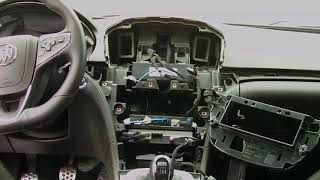
- Scan all modules for codes. Note which other modules are logging U0184, 🎬 Watch a diagnostic walkthrough of a dead radio with U0184 which confirms the radio is the source of the communication loss.
- Attempt a 'hard reset' of the radio. Locate the instrument panel fuse box to the left of the steering column and pull fuse #4 (Radio) and/or #35 (Infotainment System) for at least 60 seconds before reinstalling.
- If the radio powers on after the reset, the issue is almost certainly a software glitch. The permanent fix is a software update as described in TSB 16-NA-107 or 16-NA-115.
- If the radio remains inoperative, check that the fuses (#4 and #35) are not blown.
- If fuses are good, use a multimeter to verify the radio module is receiving proper battery voltage and has a solid ground connection.
- If power and ground are good, the next step is to have a professional check the software version and attempt to reprogram the radio module using GM's SPS.
- If reprogramming is unsuccessful or fails to start, the final step is to diagnose a potential hardware failure of the radio/HMI module itself or a fault in the GMLAN bus wiring.
Parts You'll Likely Need
- Radio Reprogramming Service — This is the most common, official fix from GM to resolve the software glitches that cause the U0184 code and associated symptoms. The diagnostic labor for this at a dealer is often reported to be between $150-$200.
Trusted brands: GM Dealer Service
OEM price range: $150-$300 - Radio / Human Machine Interface (HMI) Module
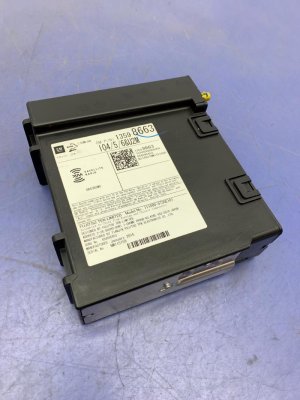
(OEM #Varies by options, e.g., 23415899, 84096817)— If reprogramming fails and all wiring is intact, the module hardware has likely failed and requires replacement. A replacement module, new or used, will require VIN programming to function. Part numbers are specific to the vehicle's options (RPO codes like IO5 vs IO6).
Trusted brands: ACDelco (Genuine GM)
OEM price range: $400-$600
Aftermarket price range: $150-$400 (Used/Remanufactured)
Technical Service Bulletins (TSBs) & Recalls
- 16-NA-107: Advises reprogramming the radio for conditions including U0184, blue screen, no audio, AM clipping noise, and GPS issues on 2015-2016 models.
- 16-NA-115: Recommends reprogramming the radio to fix U0184, inoperative radio, backup camera issues, and lost XM presets on 2014 models.
- PIT5401E: Instructs technicians to first try power-cycling the radio by pulling the fuse before further diagnostics for an inoperative radio with U0184. It lists a wide range of affected GM vehicles.
- PIT5401F: Supersedes PIT5401E and directs technicians to the newly released software updates in TSBs 16-NA-107 and 16-NA-115 as the official repair.
Platform-Specific Known Issues
- GM issued multiple Technical Service Bulletins for this exact issue, including #16-NA-107, #16-NA-115, and the PIT5401 series, all pointing towards a software update for the radio as the primary fix.
- TSB PIT5401F superseded previous versions and confirmed that new software was released via bulletins 16-NA-107 (for 2015-16 models) and 16-NA-115 (for 2014 models) as the permanent solution.
Mechanic-Grade Diagnostic Values
- Radio module power supply — expected: 12.0V - 12.6V. Failure: Low or no voltage indicates a wiring or fuse issue upstream of the module.
- Radio module ground circuit — expected: < 10 ohms continuity to chassis ground. Failure: High resistance indicates a corroded or loose ground connection.
- Low-Speed GMLAN data line voltage — expected: Variable voltage, typically fluctuating between 0V and 5V during communication. A static voltage (stuck high or low) indicates a bus fault.. Failure: Voltage stuck at 0V or a constant high voltage suggests a short or open in the data line.
Hidden / Shadow Codes Worth Checking
- U0184 with Symptom Byte 71 or 72: Indicates an 'Invalid Serial Data Received' condition. If this is set without other DTCs, the service manual suggests reprogramming the control module. If the code returns after reprogramming, the module itself is likely faulty. (see via A professional scan tool like the GM GDS2 can display symptom bytes associated with DTCs.)
Scan Tool Commands That Help
- GM GDS2 / Tech2Win with SPS: Service Programming System (SPS) - Radio Reprogramming — This is the primary, official fix recommended by GM TSBs 16-NA-107 and 16-NA-115 to resolve the software corruption that causes U0184. It should be performed after confirming power/ground and attempting a power cycle.
- GM GDS2: Vehicle DTC Information / View Network Topology — Used as the first step to confirm which modules are setting the U0184 code and to verify that the radio module is the one that is not communicating with the rest of the vehicle network.
- GM GDS2: Module Diagnostics -> Radio -> Data Display — If communication can be established (e.g., after a power cycle), this function allows a technician to view live data from the radio module to check its status and software calibration information before attempting a reprogram.
Wiring & Ground Locations
- Circuit 5060 — This is the single wire for the Low-Speed GMLAN data bus that connects to the radio module.. TSB PIT5401E specifically instructs technicians to check the voltage on this circuit if a power cycle doesn't restore radio function. A fault on this wire (open or short) will directly cause code U0184.
- G103 — Typically located on the cowl in the engine compartment, above the brake booster.. This is a major ground distribution point that provides the ground path for several interior modules, including the radio and Instrument Panel Cluster (IPC). A loose or corroded G103 can cause intermittent communication issues for the radio.
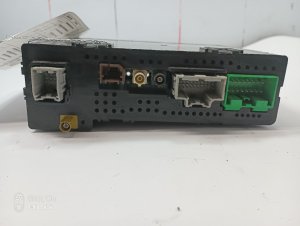
- Radio Connector Pin 44 — On the main 44-pin connector at the rear of the radio/HMI module.. This pin is the main 12V+ battery supply to the module. A forum user with a similar GM platform confirmed this pin location. Loss of power at this pin will cause the radio to be completely inoperative and set U0184 in other modules.
OEM Part Supersession History
23415899→84089011— Part revision/update. The original part is discontinued.
Heads up: While the new part is the official replacement, any replacement HMI module (new or used) must be programmed to the vehicle's VIN and specific RPO codes (like IO5 or IO6) to function correctly.
Model Year Variations Within This Range
- 2014 vs. 2015-2016: The software fix is different. TSB 16-NA-115 provides the reprogramming procedure for 2014 models, while TSB 16-NA-107 is for 2015-2016 models, indicating different software calibrations are required.
- 2014-2016: Symptoms can vary based on the radio option (RPO code). For example, TSB 16-NA-107 notes that a 'GPS compass is pointed to North only' symptom is specific to radios with RPO codes IO5 or IO6, while a 'blue screen' may be seen with RPO IO3.
Helpful Videos
We Have This Part in Stock



The information in this article is provided for general reference and educational purposes only. Vehicle specifications, procedures, and part compatibility can vary by production date, trim level, and region. Always consult your vehicle's factory service manual and verify part numbers before purchasing or performing repairs. Safety-critical components such as airbags, seat belts, and braking systems should be installed by a qualified professional.
- Buick REGAL:
- 🎬 Helpful Videos
- 🛍️ Shop This Part
- What's Unique About the 2014-2016 Buick REGAL
- Diagnostic Flowchart
- Symptoms You May Notice
- Most Likely Causes
- Rare But Worth Checking
- Diagnosis Steps
- Parts You'll Likely Need
- Technical Service Bulletins (TSBs) & Recalls
- Platform-Specific Known Issues
- Mechanic-Grade Diagnostic Values
- Hidden / Shadow Codes Worth Checking
- Scan Tool Commands That Help
- Wiring & Ground Locations
- OEM Part Supersession History
- Model Year Variations Within This Range
- 🎟️ Get 5% Off