

U0156 on 2020 Mazda CX-30: Lost Communication With Infotainment (CMU) Fixes
On a 2020 Mazda CX-30, code U0156 almost always indicates a failure of the Connectivity Master Unit (CMU), the brain of the infotainment system. This is a known issue covered by multiple Technical Service Bulletins. The fix is typically a replacement of the CMU by a dealer, which can be costly outside of warranty. Some owners have had success replacing the unit themselves with a used part from a salvage yard.
- U0156 on a 2020 CX-30 is a very specific code pointing to a loss of communication with the infotainment system's main computer (CMU).
- This is a known issue acknowledged by Mazda in service bulletins, often caused by a defective CMU from the factory.
- The most common symptoms are a black/frozen screen and an 'IN-VEHICLE NETWORK MALFUNCTION' warning.
- The fix is almost always a software update or a complete replacement of the CMU, both of which require a visit to a Mazda dealer or specialist.
- This is not a DIY-friendly repair due to the need for module programming.
What's Unique About the 2020-2020 Mazda CX-30

The 2020 Mazda CX-30 was an all-new model and, like many first-year vehicles, experienced some initial electronic issues. Mazda has issued multiple Technical Service Bulletins (TSBs) specifically for "MAZDA CONNECT concerns" on this model and its platform mates (like the 2019-2022 Mazda3), acknowledging problems with the CMU. These bulletins identify specific ranges of faulty CMU serial numbers, confirming this is a known hardware or software defect on early production models rather than a random wiring problem. Therefore, a U0156 code on this specific vehicle is highly likely to be related to this known CMU issue.
Diagnostic Flowchart

Tap your situation to follow the diagnostic path that matches what you're seeing on this vehicle.
Symptoms You May Notice

- "IN-VEHICLE NETWORK MALFUNCTION" warning message in the instrument cluster.
- Infotainment screen is black, frozen, or reboots randomly.
- No audio from the sound system, or static noise from speakers.
- Bluetooth and Apple CarPlay/Android Auto are non-functional.
- Navigation system fails or is unavailable.
- Loss of function in the commander knob and steering wheel audio controls.
- USB ports under the armrest may stop working or charging.
- A soft 'beep' or 'pop' sound may be heard from the speakers before the system fails.
- Replacing the infotainment screen. The screen is just a display; the CMU is the computer that controls it. A faulty CMU is the root cause, not the screen itself.
- Replacing the amplifier. While a CMU failure can cause no audio, the problem is the lack of a signal from the CMU, not a failure of the amplifier itself.
- Blaming a dead battery. While a weak battery can cause various electronic glitches, if the "IN-VEHICLE NETWORK MALFUNCTION" message persists with a known-good battery, the CMU is the more likely culprit.
Most Likely Causes

- Faulty Connectivity Master Unit (CMU) 🔴 High Probability Mazda has identified specific ranges of CMU serial numbers in early production 2020 CX-30s and other 7th-gen vehicles that are prone to internal failure, as documented in service bulletins like SA-027/21 and others. This is a known hardware defect.
How to confirm: A technician will use a diagnostic tool (MDARS) to try and communicate directly with the CMU. If the unit is unresponsive and its power/ground connections are intact, the CMU has failed. The unit's 6-digit serial number can also be checked against the affected range specified in TSBs. The diagnostic procedure may also involve swapping the CMU with a known good unit.
Typical fix: Replacement of the Connectivity Master Unit. The new unit must be programmed to the vehicle by a Mazda dealer. Some owners have successfully replaced the faulty CMU with a used unit from a salvage yard with a matching part number, which can sometimes avoid the need for dealer programming.
Est. part cost: $800-$1600 (New OEM), $100-$300 (Used from eBay/Salvage Yard). - CMU Software Corruption 🟡 Medium Probability Mazda has released numerous software updates for the MAZDA CONNECT system to address glitches, freezing, communication errors, and random reboots. An outdated or corrupt software version can cause the CMU to stop communicating properly, sometimes mimicking a hardware failure.
How to confirm: A dealer can check the current software version against the latest available version listed in Mazda's service database (MGSS). If an update is available, it is the first recommended step 🎬 See this walkthrough on how to upgrade Mazda Connect software. per TSB SA-027/21.
Typical fix: Reprogramming the CMU with the latest software version using the Mazda Diagnostic and Repair Software (MDARS). This is a dealer-level procedure. In some cases, a simple hard reset (holding Music + Nav + Volume buttons) or disconnecting the battery can temporarily restore function.
Est. part cost: $0 (if part of another service) - $200 - Wiring or Connector Issue ⚪ Low Probability A specific TSB (not numbered, but found on NHTSA) notes that for issues like intermittent audio loss or static, PIN 6F on the main CMU connector (0920-101F) can back out, causing a poor connection. This is a specific, known wiring issue for this platform.
How to confirm: Visually inspect the wiring harness and connectors going to the CMU. Specifically check for a backed-out pin at position 6F of connector 0920-101F. A multimeter can be used to check for proper power, ground, and CAN bus signal continuity.
Typical fix: Repairing the damaged section of the wiring harness or cleaning/re-seating the connector. For the specific issue with PIN 6F, the TSB advises untwisting the wire pair, re-seating the pin, and ensuring it is locked in place.
Est. part cost: $5-$50
Diagnosis Steps
- Perform a full vehicle scan with a professional OBD-II scanner capable of reading manufacturer-specific codes from all modules.
- Confirm that the U0156 code is being logged by the BCM and/or VCM, and look for the associated codes B1252, B119F, and U0198.
- Attempt a hard reset of the infotainment system by pressing and holding the music, navigation, and volume buttons simultaneously for 20-30 seconds. 🎬 Watch: How to reset and fix a frozen infotainment screen.
- If the reset fails, use a scan tool to attempt direct communication with the Connectivity Master Unit (CMU).
- If the CMU does not respond, access the unit behind the dashboard to test its power, ground, and CAN bus network connections with a multimeter. Pay close attention to the main connector 0920-101F and check if PIN 6F has backed out, as per a known TSB.
- If wiring and power are confirmed to be good, the CMU is likely internally faulty. Retrieve the 6-digit serial number from the unit and check it against Mazda TSB SA-027/21 to see if it's in the known affected range.
- If the CMU does respond, check its current software version. Compare it to the latest version available from Mazda and perform a software update if one is available.
- If a software update does not resolve the issue or the CMU is confirmed to be faulty, replace the CMU. A new unit must be programmed by a dealer. A used unit with a matching part number may be a plug-and-play alternative.
Parts You'll Likely Need
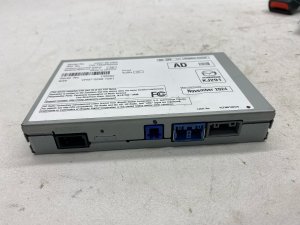
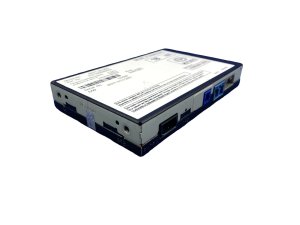
- Connectivity Master Unit (CMU)
(OEM #BDGF-66-9C0-V (and subsequent revisions))— This is the central computer for the infotainment system and is the subject of multiple TSBs for a high failure rate on this model year. Part numbers are frequently superseded; dealers should order by VIN.
Trusted brands: Mazda (OEM)
OEM price range: $800-$1600
Aftermarket price range: $100-$300 (Used/Salvage from sources like eBay).
Related Codes That Often Appear With This One
- B1252:87 — This code specifically indicates a 'Communication error with connectivity master unit (CMU)' logged by the Telematics Communication Unit (TCU), directly related to the U0156 fault. [SA-029-20g]
- B119F:01 / B119F:2B — These codes indicate antenna malfunctions for the Telematics or GPS systems, which are controlled by or communicate through the CMU. Their presence points to a wider system failure centered on the CMU. [SA-029-20g]
- U0198:00 — Indicates a communication error with the Telematics Communication Unit (TCU). Since the TCU and CMU are tightly integrated, a failure in one often causes communication codes for the other.
- U0186:08 — This code for 'Communication error with audio amplifier' can be triggered by a loose pin on the CMU connector, which is a known issue on these vehicles.
Technical Service Bulletins (TSBs) & Recalls
- SA-029-20g: Communication error with connectivity master unit (CMU)
- SA-029-20e: Communication error with connectivity master unit (CMU)
- SA-0290-20c: Communication error with connectivity master unit (CMU)
- SA-029-20: Communication error with connectivity master unit (CMU)
- SA-027/21: MAZDA CONNECT concerns, including affected CMU serial number ranges and software update procedures.
- NHTSA ID 10226798 (Unnumbered TSB): Details the issue of PIN 6
Platform-Specific Known Issues
- Mazda issued multiple service alerts and bulletins (e.g., SA-029/20, SA-027/21) for the 2020 CX-30 regarding an 'IN-VEHICLE NETWORK MALFUNCTION' message caused by communication errors with the CMU.
- A specific range of CMU serial numbers is known to be defective and requires replacement per Mazda's internal procedures.
- Software updates for the CMU and TCU have been released to address various glitches, including communication loss.
- A loose pin (6F) in the main CMU harness connector (0920-101F) is a known cause for intermittent audio issues and related communication codes.
Mechanic-Grade Diagnostic Values
- CAN Bus Network Resistance — expected: ~60 Ohms. Failure: A reading of 120 Ohms indicates a missing termination resistor or a break in one of the CAN lines. A reading significantly lower than 60 Ohms suggests a short between the CAN lines or a faulty module.
- CAN Bus Voltage (Key On, Engine Off) — expected: CAN High (Pin 6): ~2.5-3.5V; CAN Low (Pin 14): ~1.5-2.5V. Failure: Voltages that are stuck high, low, or at 0V on either line indicate a short to power, short to ground, or an open circuit. If both lines are at 2.5V with no activity, they may be shorted together.
Hidden / Shadow Codes Worth Checking
- U0156:00: The ':00' suffix is a standard Failure Type Code (FTC) indicating 'No Subtype Information'. While not a hidden code, it confirms the module is completely unresponsive, rather than providing an erroneous signal. This is what is logged when the CMU fails to communicate at all. (see via A professional scan tool, like the dealer-level Mazda MDARS, will display the DTC with its corresponding FTC.)
Scan Tool Commands That Help
- Mazda Diagnostic and Repair Software (MDARS): CMU Replacement / Programmable Module Installation (PMI) — This function is required when installing a new CMU. MDARS retrieves the vehicle's 'As-Built' data from Mazda's server based on the VIN and programs the new module to configure it for the specific options and features of the vehicle.
- Mazda Diagnostic and Repair Software (MDARS): Software Update — Used to flash the CMU with the latest firmware version. This is the first step in diagnosis if the CMU is responsive but glitchy, as per multiple TSBs. The update can be performed via USB stick loaded with the correct files.
Wiring & Ground Locations
- Connectivity Master Unit (CMU) — Located in the dashboard, directly behind the main 8.8-inch MAZDA CONNECT center display screen.. This is the module that has lost communication. Access is required to test its connectors for power, ground, and CAN signals, and to replace the unit if it is found to be faulty.
- Connector 0920-101F — This is the main instrument panel harness connector that plugs into the rear of the CMU.. This is the primary connection point for the CMU. TSBs specifically mention checking for backed-out pins (like Pin 6F for the MOST network) at this connector, which can cause communication-related DTCs.
Real Owner Repair Stories
- MHH AUTO forum user (2021 Mazda CX-30) — No AM/FM radio, no audio from Apple CarPlay. Warning sounds for backup sensors and seatbelts still worked.
❌ Tried (didn't work) Followed a TSB to check for loose pins in the harness, but the issue persisted.
✅ What actually fixed it The user suspected a faulty CMU and ordered a used unit from eBay. However, upon installing the used CMU, a 'MyMazda failure' message appeared and nothing worked. This highlights that simply swapping with a used unit is not always plug-and-play and may require dealer programming with MDARS to sync with the vehicle's other modules. - Reddit user on r/MazdaCX9 (2022 Mazda CX-9 (similar platform/CMU)) — Infotainment screen went completely blank, USB chargers under the armrest stopped working.
❌ Tried (didn't work) Dealer diagnosed a probable CMU failure but quoted $3800 CAD for replacement and was out of warranty.
✅ What actually fixed it The owner planned to purchase a used CMU from a 2023 CX-5 on eBay for $250. Another user confirmed that on their vehicle, the replacement was simple, located behind the glove box, and involved swapping just a few connectors, saving thousands. This suggests a DIY swap with a used part is a viable, cost-effective solution if the part numbers match and no programming is required.
OEM Part Supersession History
BDGF-66-9C0A through BDGF-66-9C0V→BDGF-66-9C0W— Multiple revisions were released to address hardware and software issues. The latest known part number in this series is BDGF-66-9C0W.
Heads up: While many revisions exist, using a part from a different model (e.g., a CX-5 CMU in a CX-30) or one that is not programmed for the vehicle's specific features can result in function loss or new error messages. It is critical to match part numbers or have a new unit programmed by a dealer.
Model Year Variations Within This Range
- 2020: The base 2020 CX-30 did not come standard with Apple CarPlay and Android Auto, whereas it became standard on all trims for 2021. This reflects software and potentially minor hardware differences in the CMU between the two model years.
Helpful Videos
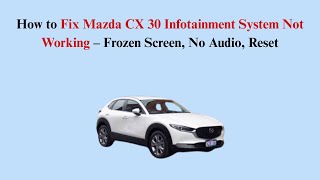

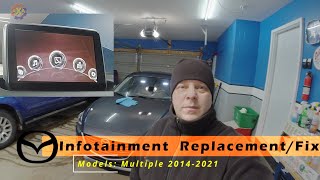
We Have This Part in Stock

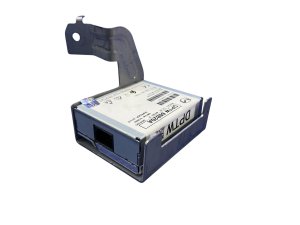


The information in this article is provided for general reference and educational purposes only. Vehicle specifications, procedures, and part compatibility can vary by production date, trim level, and region. Always consult your vehicle's factory service manual and verify part numbers before purchasing or performing repairs. Safety-critical components such as airbags, seat belts, and braking systems should be installed by a qualified professional.
- Mazda CX-30:
- 🎬 Helpful Videos
- 🛍️ Shop This Part
- What's Unique About the 2020-2020 Mazda CX-30
- Diagnostic Flowchart
- Symptoms You May Notice
- Most Likely Causes
- Diagnosis Steps
- Parts You'll Likely Need
- Related Codes That Often Appear With This One
- Technical Service Bulletins (TSBs) & Recalls
- Platform-Specific Known Issues
- Mechanic-Grade Diagnostic Values
- Hidden / Shadow Codes Worth Checking
- Scan Tool Commands That Help
- Wiring & Ground Locations
- Real Owner Repair Stories
- OEM Part Supersession History
- Model Year Variations Within This Range
- 🎟️ Get 5% Off