

U0140 on 2015-2022 GMC Yukon: Lost Communication With Body Control Module Fixes
On a 2015-2022 GMC Yukon, code U0140 is most often caused by a poor ground connection for the Body Control Module (BCM) or an issue with the Serial Data Gateway Module (SDGM). Checking and cleaning the BCM grounds (G304/G305) in the driver-side footwell and A-pillar is a common and inexpensive first step that resolves many cases.
- U0140 on a GMC Yukon is a network code, not a simple part failure. It means the Body Control Module has stopped communicating.
- Before suspecting expensive modules, check the simple things: battery voltage and, most importantly, the BCM ground connection.
- GM has issued multiple Technical Service Bulletins pointing to the BCM ground and the Serial Data Gateway Module (SDGM) as the most common culprits for this code on your Yukon.
- Symptoms are widespread and electrical, including blank screens, multiple warning lights, and failure of power windows or locks.
- Due to the complexity of network diagnostics, professional service with a high-end scan tool is recommended if a bad ground isn't the obvious cause.
What's Unique About the 2015-2022 Gmc YUKON

The GMC Yukon from this era, along with its GM siblings (Tahoe, Suburban, Silverado, Sierra), is known for specific electrical vulnerabilities that lead to code U0140. 🎬 Watch: How to resolve U0140 and CAN bus network errors. Manufacturer Technical Service Bulletins (TSBs) point directly to two main culprits: poor ground connections for the Body Control Module and logic or connection issues with the Serial Data Gateway Module (SDGM). The SDGM acts as a critical translator or bridge between the vehicle's different speed data networks (e.g., High-Speed GMLAN and Low-Speed GMLAN). Its failure or a BCM ground issue can bring down multiple, seemingly unrelated systems at once. These issues are so prevalent that GM has issued multiple bulletins guiding technicians to check these specific areas before replacing any modules. [Bulletin #PIT5405B, #PIT5586G]
Diagnostic Flowchart

Tap your situation to follow the diagnostic path that matches what you're seeing on this vehicle.
Generation note: This year range covers two generations of the GMC Yukon: the 4th generation (2015-2020, K2XX platform) and the 5th generation (2021-2022, T1XX platform). The underlying causes, particularly poor BCM grounds and issues with the Serial Data Gateway Module, are documented in TSBs that apply to vehicles in both generations, indicating a shared electrical architecture and similar vulnerabilities. The BCM is located in the driver's side footwell/dash area on the K2XX platform. The T1XX platform (2021+) integrates more functions into the BCM and it remains a critical network hub.
Symptoms You May Notice

- Multiple warning lights on the instrument cluster.
- Instrument panel gauges drop to zero or fluctuate wildly.
- Radio, infotainment, or climate control screen goes blank. [Bulletin #PIT5405B]
- "Service Stabilitrak" message appears.
- "Service Trailer Brake System" message appears.
- Power windows, door locks, or mirrors stop working.
- Exterior or interior lights malfunction.
- Turn signal audio or other chimes are absent.
- Vehicle may not start or crank.
- Replacing the Body Control Module (BCM) without first verifying its power, ground, and network connections. The problem is very often the wiring or a ground, not the module itself.
- Replacing the Serial Data Gateway Module (SDGM) without first checking for backed-out pins in its connectors, as specified in TSB PIT5586B.
Most Likely Causes
- Poor Body Control Module (BCM) Ground Connection 🔴 High Probability This is a well-documented issue on GM trucks and SUVs of this era, as cited in multiple TSBs. The ground connection can become loose or corroded over time, interrupting the BCM's power supply and causing it to drop off the network. [Bulletin #PIT5405B, #PIT5405C] TSB PIT5405 specifically notes that the dash insulator mat can get trapped between the ground eyelet and the body, preventing a solid connection at ground G218. 🎬 See this guide on cleaning and maintaining GM ground points.
How to confirm: Inspect ground points G218, G304 and G305. G218 is a common culprit mentioned in TSBs and is located in the driver's footwell. G304 is typically located on the left A-pillar, behind the trim panel near the speaker. G305 is located under the driver's side of the dashboard, often near the parking brake pedal assembly. 🎬 Watch: How to identify and locate common GM wiring grounds. Look for a black wire bolted to the chassis that is loose, has visible corrosion, or has insulation trapped under it.
Typical fix: Disconnect the negative battery terminal. Unbolt the ground wire(s) at G218/G304/G305. Cut away any interfering dash insulator mat. Clean the wire terminal and the chassis contact point with a wire brush or sandpaper until both are shiny bare metal. Re-secure the ground tightly, apply dielectric grease to prevent future corrosion, and reconnect the battery.
Est. part cost: $0-$10 - Serial Data Gateway Module (SDGM) Fault 🔴 High Probability TSBs specifically mention issues like 'logic lock' or poor terminal connections at the SDGM, which acts as a traffic controller for the vehicle's various data networks. [Bulletin #PIT5586G, #PIT5586B] The 'logic lock' is a software freeze in the module that can sometimes be cleared by a power cycle (disconnecting the battery for 30 minutes). TSB PIT5586 points to bent, backed out, or loose terminals in the SDGM's X1 and X2 connectors as a primary cause.
How to confirm: A technician can check for communication with the SDGM using a high-end scan tool. Per TSB #PIT5586B, a key step is to physically inspect the X1 and X2 connectors at the SDGM for terminals that have backed out or have poor tension. The SDGM is located behind the driver's side lower dash panel, near the OBD-II port.
Typical fix: Repairing connector terminals is the first step. In some cases, the SDGM may require reprogramming by a dealer. If the module has failed, it will need to be replaced and programmed. Common part numbers include GM 84525304, which supersedes older numbers like 84107989 and 84384739. Programming to the vehicle's VIN is required.
Est. part cost: $100-$300 - Damaged Wiring or Poor Connections 🟡 Medium Probability The CAN bus network wires run throughout the vehicle. Wires can be damaged from abrasion against the frame or other components, previous repairs, or water intrusion, especially in areas like door jambs, A-pillars, or near the fuse block. GM has also identified common chafe points for the engine wiring harness on the K2XX platform, such as against the ECM/TCM bracket, the upper control arm, and the shock tower, which can cause shorts and communication codes. One forum user found a chafed harness near the underhood fuse box where it crossed the frame.
How to confirm: A visual inspection of harnesses connected to the BCM and SDGM is a start. A multimeter is needed to check for continuity and shorts to ground on the CAN bus wires, which requires a wiring diagram. Inspect known chafe points in the driver's side wheel well area.
Typical fix: Repairing the damaged section of the wire with a sealed butt connector or cleaning and re-pinning a corroded connector. For known chafe points, repair the wires and secure the harness away from the sharp edge using sleeves and zip ties as outlined in service documents.
Est. part cost: $5-$50 - Low Battery Voltage or Failing Alternator ⚪ Low Probability Modern control modules are sensitive to voltage. A weak battery or failing alternator can cause voltage to drop below the BCM's operating threshold (around 9-10 volts), causing it to reset and lose communication.
How to confirm: Test the battery with a multimeter; it should read ~12.6V when off and ~13.7-14.7V when running. Most auto parts stores can perform a load test on the battery and charging system.
Typical fix: Replace the vehicle's battery or alternator.
Est. part cost: $150-$600
Rare But Worth Checking
- Failed Body Control Module (BCM): While often suspected, the BCM itself is less likely to fail than its wiring, ground, or the SDGM. All other causes, especially grounds and connections, should be ruled out before replacing the BCM. A replacement BCM requires programming to the vehicle's VIN.
Diagnosis Steps
- Check Battery Health: Ensure the battery is fully charged (>12.4V) and the terminals are clean and tight. A weak battery can cause numerous communication errors.
- Scan for All Codes: Use a professional scan tool to read codes from ALL modules (BCM, ECM, TCM, IPC, etc.). Note which modules are not communicating.
- Inspect BCM Grounds (G218/G304/G305): Locate and inspect the primary BCM ground connections. G218 is in the driver's footwell. G304 is on the driver's side A-pillar behind the trim, and G305 is under the dash near the parking brake pedal. Disconnect, thoroughly clean the terminal and chassis point with a wire brush, and re-tighten securely. This is the most common fix.
- Inspect SDGM Connections: Following TSB #PIT5586B, locate the SDGM (often behind the driver's side lower dash panel, near the OBD-II port) and carefully inspect its X1 and X2 connectors for any terminals that have backed out of the connector body. Reseat any loose terminals.
- Check Fuses: Check all fuses related to the BCM and SDGM in both the interior and under-hood fuse boxes.
- Perform Network Test: Using a multimeter, check the resistance of the High-Speed GMLAN bus at the OBD-II port (pins 6 and 14) with the battery disconnected. It should be approximately 60 ohms. A reading of 120 ohms indicates an open in the circuit or that one of the two terminating resistors is offline, while a reading significantly less than 60 ohms suggests a short between the CAN wires.
- Isolate the Fault: If the network wiring checks out, the final step is to isolate the faulty module. This is an advanced step typically requiring a technician to disconnect modules one by one to see when communication is restored.
Parts You'll Likely Need
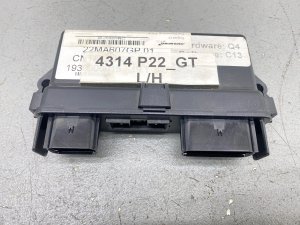
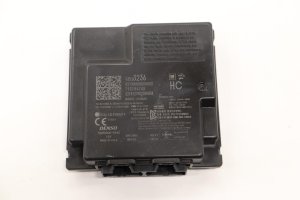
- Serial Data Gateway Module (SDGM)
(OEM #84525304 (supersedes 84107989, 84384739))— A common point of failure due to internal logic faults or connector issues. Replacement requires programming to the vehicle's VIN. - Body Control Module (BCM)
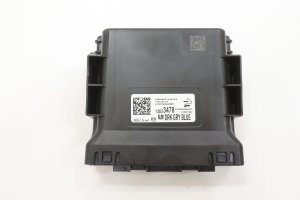
(OEM #Varies by VIN and options (e.g., 23483217 for some 2015-16 models))— Replaced only after all wiring, ground, and SDGM issues have been ruled out. A failed BCM can cause a total loss of communication and requires programming.
Related Codes That Often Appear With This One
- U0073 — Control Module Communication Bus 'A' Off. This is a general network failure code that often appears with more specific codes like U0140 when a major module like the BCM goes offline. [Bulletin #PIT5405B]
- U0100 — Lost Communication With ECM/PCM. This can be set in other modules when the BCM, acting as a gateway, fails and disrupts communication to the engine computer. [Bulletin #PIT5586G]
- U0101 — Lost Communication with TCM. Similar to U0100, this indicates the transmission control module has lost communication, often due to the same network failure that triggered U0140. [Bulletin #PIT5586G]
- U0155 — Lost Communication With Instrument Panel Cluster (IPC) Control Module. The instrument panel is highly dependent on data from the BCM, and a network fault will often set codes in both. [Bulletin #PIT5586G]
Technical Service Bulletins (TSBs) & Recalls
- PIT5405B / PIT5405C: Points to a poor BCM ground connection causing a host of communication DTCs, including U0140, and blank instrument/radio screens.
- PIT5586G / PIT5586B: Instructs technicians to check for a 'logic lock' condition in the Serial Data Gateway Module (SDGM) or for poor terminal connections in the SDGM's X1 and X2 connectors.
- PIT4730B: Warns technicians not to replace the BCM hastily, as intermittent shorts on the high-speed data lines can cause the BCM to appear offline for an entire ignition cycle.
Platform-Specific Known Issues
- BCM Ground Location and Fix: The most common and successful DIY repair involves cleaning the BCM ground points. Owners consistently report finding the G304 ground on the driver's A-pillar (behind the plastic trim, near the speaker) and G305 under the dash near the emergency brake. Loosening the bolt, sanding the contact surfaces to bare metal, and re-tightening has resolved a multitude of electrical gremlins associated with U0140 for many owners.
- SDGM 'Logic Lock' and Connector Pins: A condition GM calls 'logic lock' can freeze the SDGM. Owners and technicians report that disconnecting the battery for at least 30 minutes can sometimes reset the module and temporarily restore function. Before replacing the module, TSB PIT5586B specifically calls out checking the X1 and X2 connectors for pins that have pushed out or are loose, which is a known factory defect.
Mechanic-Grade Diagnostic Values
- High-Speed GMLAN Bus Resistance — expected: Approximately 60 Ω (Ohms) when measured between Pin 6 and Pin 14 of the DLC with the battery disconnected.. Failure: A reading of ~120 Ω indicates an open circuit or a missing termination resistor. A reading significantly below 60 Ω indicates a short between the CAN High and CAN Low wires.
- BCM Ground Resistance — expected: < 0.1 Ω (Ohms) from the ground pin at the BCM connector to a clean chassis point.. Failure: High resistance indicates a poor ground connection, which is a very common cause of this code.
- High-Speed GMLAN Voltage (Idle/Recessive State) — expected: Both CAN High (Pin 6) and CAN Low (Pin 14) should be at approximately 2.5V.. Failure: Voltages that are stuck high, low, or do not switch indicate a bus fault.
- High-Speed GMLAN Voltage (Active/Dominant State) — expected: CAN High (Pin 6) rises to ~3.5V while CAN Low (Pin 14) drops to ~1.5V.. Failure: Failure to reach these approximate voltage levels during communication indicates a problem on the bus or with a module.
Scan Tool Commands That Help
- GDS2 (GM Dealer Tool): Module Status / Network Topology — This function is used to see which modules are actively communicating on the network and which are offline. If the BCM is not listed or shows 'Not Communicating', it confirms the loss of communication and helps focus diagnosis on the BCM's power, ground, and wiring.
- GDS2 (GM Dealer Tool): BCM Programming/Setup — This is required after replacing the Body Control Module. The new module must be programmed with the vehicle's specific VIN and configuration data to function correctly.
Wiring & Ground Locations

- G218 — In the driver's side footwell, on the body. TSB PIT5405 indicates the dash insulator mat can get trapped under this ground's eyelet.. This is a primary ground for the Body Control Module. A poor connection here is a well-documented cause for U0140 and a host of other electrical issues.
- G304 / G305 — G304 is on the driver's side A-pillar, behind the trim. G305 is under the driver's side dash, near the parking brake assembly.. These are additional ground points for the BCM and related dash components. A poor connection at either can cause the BCM to lose power and drop off the network.
- Serial Data Gateway Module (SDGM) — Located behind the driver's side lower dash panel, often near the OBD-II port and steering column.. This module is the central hub for network traffic. TSBs point to poor terminal connections at its X1 and X2 connectors as a direct cause of network-wide communication loss, including code U0140.
- Engine Harness Chafe Points (K2XX) — Driver's side wheel well area. Specific points of contact are the ECM/TCM bracket, the top of the upper control arm, and the shock tower.. Vibration can cause the engine harness to rub through at these points, shorting CAN bus wires and causing a multitude of communication codes, including U0140.
Real Owner Repair Stories
- tahoeyukonforum.com user (2015 GMC Yukon) — Radio screen going blank, no blinker sounds, multiple warning messages, gauges dropping to zero.
❌ Tried (didn't work) Replacing the battery., Checking all fuses.
✅ What actually fixed it The problem was a poor BCM ground connection. The owner found a GM bulletin (PIT5405) describing the exact issue, located the ground point G218 in the driver's footwell, found the dash insulation was interfering with the connection, cleaned the ground, and re-secured it. This completely resolved all symptoms. - gm-trucks.com user (2015 Chevrolet Silverado (sister platform)) — Radio, climate controls, and blinker sounds would all quit simultaneously. Sometimes would work fine, other times would fail for the entire drive.
❌ Tried (didn't work) Dealer replaced the HMI module, which did not fix the issue.
✅ What actually fixed it The owner found TSB PIT5405A and checked ground G218. They discovered the dash insulation mat was caught under the ground lug. After removing the nut, cutting the insulation away, and re-tightening the ground, the problem was permanently fixed.
Model Year Variations Within This Range
- 2015-2020 (K2XX Platform): These models are specifically cited in TSBs PIT5405 and others related to the G218 ground issue where dash insulation interferes with the connection. They are also subject to the engine harness chafe points near the driver's side wheel well.
- 2021-2022 (T1XX Platform): These models use GM's newer Vehicle Intelligence Platform (VIP) electrical architecture. While still susceptible to general network issues like module or connector failures, the specific ground and harness chafe points from the K2XX platform may not be present in the same locations. The Serial Data Gateway Module remains a critical component for network security and communication routing.
Helpful Videos
We Have This Part in Stock




The information in this article is provided for general reference and educational purposes only. Vehicle specifications, procedures, and part compatibility can vary by production date, trim level, and region. Always consult your vehicle's factory service manual and verify part numbers before purchasing or performing repairs. Safety-critical components such as airbags, seat belts, and braking systems should be installed by a qualified professional.
- Gmc YUKON:
- 🎬 Helpful Videos
- 🛍️ Shop This Part
- What's Unique About the 2015-2022 Gmc YUKON
- Diagnostic Flowchart
- Symptoms You May Notice
- Most Likely Causes
- Rare But Worth Checking
- Diagnosis Steps
- Parts You'll Likely Need
- Related Codes That Often Appear With This One
- Technical Service Bulletins (TSBs) & Recalls
- Platform-Specific Known Issues
- Mechanic-Grade Diagnostic Values
- Scan Tool Commands That Help
- Wiring & Ground Locations
- Real Owner Repair Stories
- Model Year Variations Within This Range
- 🎟️ Get 5% Off