

U0140 on 2015-2017 GMC Sierra: Lost Communication With Body Control Module Fixes
On a 2015-2017 GMC Sierra, code U0140 means the Body Control Module (BCM) is offline. This is most often caused by a poor ground connection at G218 or a wiring/connector issue at the Serial Data Gateway Module (SDGM), both known issues cited in GM TSBs. Expect a shop to diagnose this, as module replacement requires programming.
- U0140 means the Body Control Module (BCM) has stopped communicating with other modules on your truck.
- Before suspecting an expensive BCM failure, thoroughly inspect the connectors at the Serial Data Gateway Module (SDGM) and the main BCM ground, as these are known weak points.
- This is not a simple DIY fix. Diagnosis requires advanced tools, and replacing the BCM requires professional programming.
- Do not be surprised to see other 'U' codes (like U0073, U0100, U0101) along with U0140; they all point to a central network communication problem.
What's Unique About the 2015-2017 Gmc SIERRA

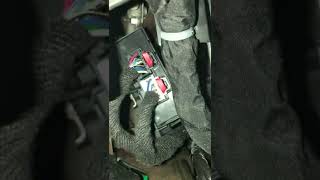
For this generation of GMC Sierra (K2XX platform), network communication issues involving the BCM are well-documented. GM has issued multiple Technical Service Bulletins that point directly to specific weak points. Unlike generic advice, TSBs for these trucks often guide technicians to check connectors at the Serial Data Gateway Module (SDGM) or specific ground locations which are known to cause intermittent communication loss and trigger code U0140. 🎬 Watch: Common causes and fixes for the U0140 code. TSB PIT5405C specifically notes that the dash insulator mat can get trapped under the G218 ground lug from the factory, causing a poor connection.
Diagnostic Flowchart

Tap your situation to follow the diagnostic path that matches what you're seeing on this vehicle.
Symptoms You May Notice
- Malfunctioning power windows, door locks, or mirrors
- Interior or exterior lights not working correctly or flickering
- Radio or infotainment screen is blank or behaving erratically
- Instrument panel gauges fluctuating or inoperative
- Warning lights for Airbag (SIR), Suspension, or Stabilitrak may illuminate
- Remote keyless entry or remote start failure
- Vehicle may not start or may stall, sometimes during low-speed turns
- Service Park Assist or Power Steering messages on dash
- Replacing the Body Control Module (BCM) without first thoroughly inspecting all related wiring, connectors, and grounds. The TSBs strongly suggest that connection issues (G218 ground, SDGM connectors) are a more frequent cause than outright module failure.
- Mistaking an intermittent wiring short for a failed BCM. TSB #PIT4730B warns that if a data line shorts twice in under a second, the BCM will go offline until the next ignition cycle, which can lead to a misdiagnosis of a bad BCM.
Most Likely Causes

- Poor Body Control Module (BCM) Ground Connection at G218 🔴 High Probability TSB #PIT5405C specifically identifies a poor connection at ground G218 as a primary cause for U0140 and other electrical issues. The bulletin explains that the dash insulator mat can get trapped under the ground terminal from the factory, preventing a solid connection. This is a widely reported issue in owner forums for K2XX platform trucks.
How to confirm: Locate ground G218 under the driver's side dashboard, behind the A-pillar lower trim panel. Disassemble the ground connection and check if the dash insulation material is trapped underneath the eyelet. The connection may also be loose or corroded.
Typical fix: Remove the 10mm nut, trim away the interfering insulation mat, clean the contact surfaces of the eyelet and the stud to bare metal, and securely re-fasten the ground connection.
Est. part cost: $0-$10 - Wiring/Connector Issue at Serial Data Gateway Module (SDGM) 🔴 High Probability TSB #PIT5586B (and later versions like PIT5586G) specifically calls out checking the SDGM X1 (black) and X2 (gray) connectors for terminal issues on these trucks. This indicates a known weakness in the connection that can cause the BCM and other modules to drop off the network.
How to confirm: Visually inspect the X1 and X2 connectors at the SDGM, located under the driver's side of the dashboard near the OBD-II port. Check for any bent, loose, backed-out, or corroded terminals. A professional may use a terminal tension tool to verify pin grip.
Typical fix: Repair the affected terminals or replace the connector pigtail. Ensure the connector is fully seated. In some cases, the SDGM itself may have a 'logic lock' and require a reset by disconnecting its power feed fuse or reprogramming.
Est. part cost: $5-$50 for terminals/pigtail, $90-$250 for a replacement SDGM. - Faulty Body Control Module (BCM) 🟡 Medium Probability While less common than wiring faults, the BCM can fail internally due to age, vibration, or moisture intrusion. However, TSB #PIT4730B specifically warns technicians not to replace the BCM hastily, as intermittent shorts on the data lines can make a good BCM appear offline.
How to confirm: After confirming all power, ground (especially G218), and network wiring to the BCM is intact and functioning, the BCM itself becomes the likely culprit. This requires a professional diagnosis with a high-end scan tool to verify it's truly unresponsive.
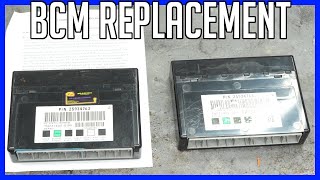
Typical fix: Replace the BCM and have it programmed to the vehicle by a dealer or qualified shop using GM's Service Programming System (SPS).
Est. part cost: $250-$550 - Low Battery Voltage or Failing Battery ⚪ Low Probability Modern control modules are highly sensitive to voltage. A weak battery or poor battery cable connections can cause modules to drop off the network and set communication codes. TSB #PIT5405C also lists a discharged or faulty battery as a possible cause for these symptoms.
How to confirm: Test the battery with a multimeter and a load tester. Voltage should be above 12.4V with the engine off. Inspect battery terminals and cable ends for tightness and corrosion.
Typical fix: Charge or replace the vehicle's battery. Clean and tighten all battery connections.
Est. part cost: $150-$300
Rare But Worth Checking
- Faulty Serial Data Gateway Module (SDGM): While the TSBs point to the SDGM's connectors, the module itself can fail. A condition known as 'logic lock' can freeze the module, sometimes requiring a software update or replacement. Replacement requires programming.
- Shorted CAN Bus Wiring: TSB #PIT4730B mentions that intermittent shorts in the High Speed GMLAN data circuits can cause the BCM to go offline for an entire ignition cycle, mimicking a failed module. This can be caused by wiring chafing against a metal bracket.
Diagnosis Steps
- Check the battery. Ensure it is fully charged and passes a load test. A healthy, stable voltage is critical for all modules. Check battery cable connections for tightness and corrosion.
- Scan for all codes in all modules using a professional-grade scan tool. Note all 'U' codes and which modules are reporting them. See if the scan tool can communicate with the BCM.
- CRITICAL STEP: Following TSB #PIT5405C, inspect the BCM ground point G218. It is located under the driver's side dash, behind the A-pillar kick panel. Remove the nut and check for trapped dash insulation matting between the terminal and the body. Trim away any insulation, clean all contact surfaces to bare metal, and re-secure.
- Following TSB #PIT5586B, locate the Serial Data Gateway Module (SDGM) under the driver's side dash. Carefully disconnect and inspect the X1 and X2 connectors for any bent, loose, backed-out, or corroded terminals.
- If a scan tool shows no communication with the BCM, use a multimeter to test for proper power and ground at the BCM connector.
- Test the CAN bus wiring for proper resistance (typically around 60 ohms between CAN High and CAN Low with the battery disconnected), checking for shorts to power or ground.
- If all wiring, connections, and grounds are confirmed good, the Body Control Module is the most likely failed component. Replacement requires programming.
Parts You'll Likely Need

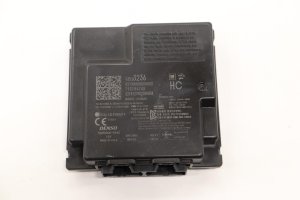
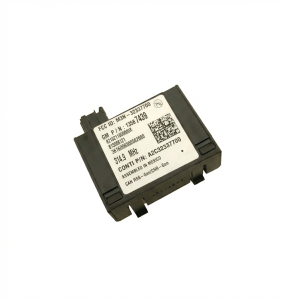
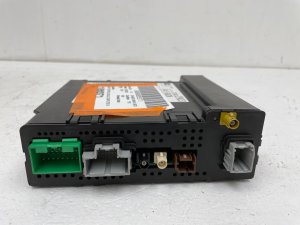
- Body Control Module (BCM)
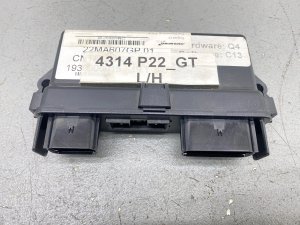
(OEM #13587700, 23483217 (Varies significantly by VIN and options))— This is the part that has lost communication. If wiring and grounds are good, the module itself has likely failed. Replacement is a common fix after diagnosis.
Trusted brands: ACDelco (GM Genuine Parts)
OEM price range: $300-$550
Aftermarket price range: $200-$400 - Connector Terminals / Pigtail — As cited in TSB #PIT5586B, faulty terminals in the SDGM connector are a primary cause. Repairing the terminal is a much cheaper fix than replacing a module.
Trusted brands: ACDelco
Related Codes That Often Appear With This One
- U0073 — This code for 'Control Module Communication Bus A Off' often appears with U0140, indicating a general network failure that is causing the BCM-specific code.
- U0100 — Lost Communication with ECM/PCM. This can be set in other modules when the entire network is disrupted by the same fault causing the U0140.
- U0101 — Lost Communication with TCM (Transmission Control Module). Like U0100, this indicates a wider network problem stemming from the same root cause.
- U0155 — Lost Communication with Instrument Panel Cluster (IPC). The IPC is on the same network and its loss of communication is often seen with BCM issues. [Bulletin #PIT5586B, 14]
Technical Service Bulletins (TSBs) & Recalls
- PIT5586B: Mentions U0140 and instructs dealers to check the Serial Data Gateway Module X1 and X2 connectors for terminal concerns.
- PIT5405C: Lists U0140 with a group of other DTCs and points technicians to check the body control module ground G218 for looseness or trapped insulation.
- PIT4730B: Warns against replacing the BCM for intermittent U0140, explaining that a temporary short on the data bus can make the BCM appear offline until the next full power-down cycle.
Platform-Specific Known Issues
- TSB #PIT5586B specifically identifies terminal concerns in the Serial Data Gateway Module (SDGM) X2 connector as a cause for U0140 and a host of other communication codes.
- TSB #PIT5405C lists U0140 and instructs technicians to check the Body Control Module ground G218, noting that dash insulation can get trapped under the terminal, causing a poor connection.
- TSB #PIT4730B warns that intermittent shorts on the GMLAN wiring can cause the BCM to appear 'offline' for an entire ignition cycle, leading to misdiagnosis.
Mechanic-Grade Diagnostic Values
- High-Speed GMLAN Bus Resistance — expected: Approximately 60 Ohms (with battery disconnected, measured between Pin 6 and Pin 14 of the OBD-II port).. Failure: A reading of 120 Ohms indicates an open circuit or a missing terminating resistor (often in the ECM or EBCM). A reading near 0 Ohms indicates a short between the CAN High and Low wires.
- High-Speed GMLAN Bus Voltage (Key On, Engine Off) — expected: CAN High (Pin 6 to Ground): ~2.6V. CAN Low (Pin 14 to Ground): ~2.3V. Both should be close to a 2.5V mirror image.. Failure: Voltages stuck high (5V or 12V) or low (0V), or that do not toggle during communication, indicate a short to power/ground or a faulty module transceiver.
- BCM Power Supply Voltage — expected: 12.2V - 12.8V with ignition on.. Failure: Low or no voltage indicates a problem with the fuse, wiring, or power source for the BCM.
- BCM Ground Resistance — expected: < 0.1 Ω (measured from BCM ground pin to chassis ground).. Failure: High resistance indicates a poor ground connection, such as the known issue at G218.
Hidden / Shadow Codes Worth Checking
- U0140 sym00 or U0073 sym71: These are GM-specific symptom bytes that provide more detail about the communication fault. TSB PIT4730B references these and advises diagnosing an intermittent electrical fault rather than immediately replacing the BCM. (see via A GM dealer-level scan tool like GDS2 (Global Diagnostic System 2) is required to view these specific symptom bytes.)
Scan Tool Commands That Help
- GDS2 (Global Diagnostic System 2): Module Reset for Logic Lock — As per TSB PIT5586G, if the Serial Data Gateway Module (SDGM) becomes unresponsive ('logic lock'), a technician can use this function to reset it before attempting a software update or replacement.
- GDS2 (Global Diagnostic System 2): Bidirectional Controls / Output Controls — To test if the BCM is truly offline. A technician can command the BCM to perform functions like locking the doors or turning on lights. If the BCM responds to these commands but is not communicating with other modules, it points to a network issue rather than a complete BCM failure.
- GDS2 (Global Diagnostic System 2): SPS (Service Programming System) — This is required after replacing the BCM or SDGM. The new module must be programmed with the vehicle's VIN and specific configuration data to function correctly.
Wiring & Ground Locations

- G218 — Under the driver's side dashboard, behind the A-pillar kick panel, attached to a body stud.. This is the primary ground for the Body Control Module. TSB #PIT5405C identifies that the dash insulator mat often gets trapped under this ground from the factory, causing a poor connection and leading to U0140 and numerous other electrical faults.
- SDGM Connectors X1 & X2 — Under the driver's side of the dashboard, near the OBD-II port. The Serial Data Gateway Module has multiple connectors, with X1 (black) and X2 (gray) being specifically mentioned in TSBs.. TSB #PIT5586B and its successors point to loose, bent, or corroded terminals in these connectors as a direct cause of widespread communication failures, including U0140.
- High-Speed GMLAN Pins (DLC) — Pins 6 (CAN High) and 14 (CAN Low) at the OBD-II Data Link Connector.. These are the primary test points for a technician to measure the overall health (resistance and voltage) of the main communication bus that the BCM and other critical modules use.
Real Owner Repair Stories
- YouTube user comment on 'G218 Ground Issue Fix' (2014-2018 Chevrolet Silverado / GMC Sierra (specific year not mentioned)) — Unspecified electrical issues, likely related to those caused by a bad ground.
❌ Tried (didn't work) Hours of searching online for a solution.
✅ What actually fixed it Following a video guide, the owner located the G218 ground, confirmed the dash insulation was interfering, cleaned the connection, and tightened it. The entire process took about 30 minutes and completely fixed the truck's issues. - YouTube video '2014-2018 Sierra/Silverado Flickering or Shutting Off...Ground Issue SOLVED!' (2014-2018 GMC Sierra/Chevy Silverado) — Radio flickering, dash lights flickering, entire truck shutting off.
✅ What actually fixed it The owner performed two ground repairs. First, they cleaned the G218 ground behind the driver's side A-pillar trim. Second, they located a secondary ground connection under the truck where a cable from the battery grounds to the body/frame, which was dirty. They cleaned both contact points to bare metal and re-secured them, which resolved the flickering and shutdown problems.
OEM Part Supersession History
Varies→13587700— Part consolidation and updates by GM.
Heads up: Part number 13587700 is listed for many 2016 and 2017 GM trucks and SUVs, but VIN verification is critical. This part always requires programming by a dealer or a shop with GM's SPS software after installation.
Model Year Variations Within This Range
- 2016-2017: For 2016, the Sierra received a mid-cycle refresh which included new front fascia, lighting (including LED options), and updated MyLink/IntelliLink infotainment systems that supported Apple CarPlay and Android Auto. While the core electrical architecture and known issues like G218 remained, these changes introduced new software and lighting components that communicate with the BCM. A 2016-specific radio software recall (GM #15808) was issued to fix an issue with missing audio warnings.
Helpful Videos




We Have This Part in Stock



The information in this article is provided for general reference and educational purposes only. Vehicle specifications, procedures, and part compatibility can vary by production date, trim level, and region. Always consult your vehicle's factory service manual and verify part numbers before purchasing or performing repairs. Safety-critical components such as airbags, seat belts, and braking systems should be installed by a qualified professional.
- Gmc SIERRA:
- 🎬 Helpful Videos
- 🛍️ Shop This Part
- What's Unique About the 2015-2017 Gmc SIERRA
- Diagnostic Flowchart
- Symptoms You May Notice
- Most Likely Causes
- Rare But Worth Checking
- Diagnosis Steps
- Parts You'll Likely Need
- Related Codes That Often Appear With This One
- Technical Service Bulletins (TSBs) & Recalls
- Platform-Specific Known Issues
- Mechanic-Grade Diagnostic Values
- Hidden / Shadow Codes Worth Checking
- Scan Tool Commands That Help
- Wiring & Ground Locations
- Real Owner Repair Stories
- OEM Part Supersession History
- Model Year Variations Within This Range
- 🎟️ Get 5% Off