

U0125 on 2011-2015 Chevrolet Volt: Lost Communication With Multi-axis Acceleration Sensor Fixes
This code means the Electronic Brake Control Module (EBCM) has lost communication with the Multi-axis Acceleration Sensor, disabling StabiliTrak. The most common causes are a weak 12V battery, a faulty sensor located under the center console, or a wiring issue. A weak 12V battery is a very common cause for multiple electronic issues on the Volt and should be the first item checked.
- Code U0125 on a 2011-2015 Volt means the StabiliTrak system is disabled due to a communication loss with the yaw rate/multi-axis sensor.
- The most common cause by far is a weak or old 12V AGM battery in the trunk. Always test and, if necessary, replace this battery first.
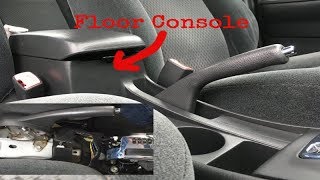
- The sensor itself can fail and is located under the center console.
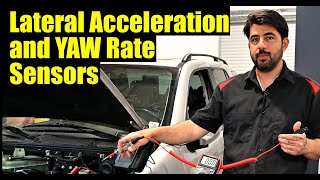
- If the sensor is replaced, it MUST be calibrated with a GM-specific scan tool (GDS2) using the 'Yaw Rate Sensor Learn' function.
- Wiring issues, while less common, can occur and should be investigated if a new battery and sensor do not resolve the issue.
What's Unique About the 2011-2015 Chevrolet VOLT
The Chevrolet Volt, as an early-generation plug-in hybrid, has a complex electrical architecture. Many seemingly unrelated electronic issues, including communication codes like U0125 that trigger 'Service StabiliTrak' warnings, are often traced back to a weak or failing 12V auxiliary battery. The system's sensitivity to stable voltage is paramount. Before diving into complex wiring or module diagnostics, checking the health of the 12V battery is a critical first step specific to this platform.
Diagnostic Flowchart
Tap your situation to follow the diagnostic path that matches what you're seeing on this vehicle.
Symptoms You May Notice
- "Service StabiliTrak" message on the driver information center
- "Service Brake Assist" message on the driver information center
- ABS warning light illuminated
- Traction Control/StabiliTrak warning light illuminated (may be solid or flashing)
- Check Engine Light may be on
- Regenerative braking may be disabled or limited
- Loss of sound from radio or turn signal chimes (in cases of wider network issues)
- Replacing the Multi-axis Acceleration Sensor when the actual problem is a weak 12V battery.
- Replacing the EBCM when the fault lies in the wiring or the sensor itself.
Most Likely Causes
- Weak or Failing 12V Auxiliary Battery 🔴 High Probability The Volt's complex electronics are sensitive to voltage fluctuations. A weak 12V battery is a well-documented cause of random communication codes and module errors on this platform, often presenting as a U0125 code.
How to confirm: Test the 12V battery's voltage and capacity. A simple voltage check might not be enough; a professional load test is more accurate. Many Volt owners report that if the original AGM battery is over 4-5 years old, it's a likely suspect for any electronic gremlins.
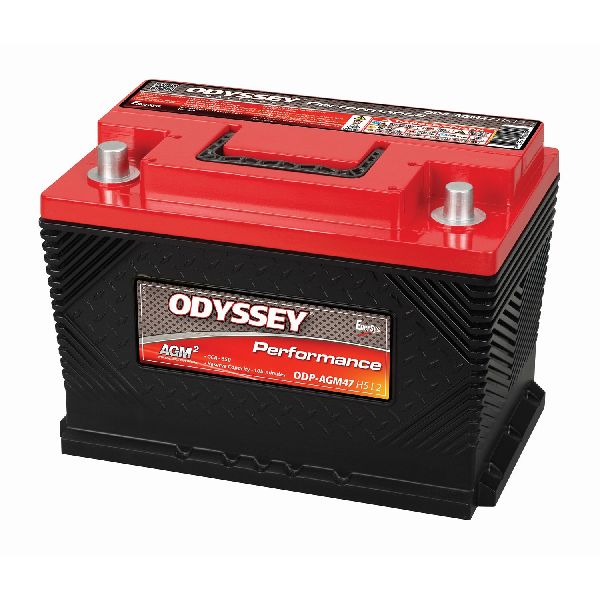
Typical fix: Replace the 12V AGM battery (Group 47 / H5 size) located in the trunk.
Est. part cost: $180-$250 - Faulty Multi-axis Acceleration Sensor 🟡 Medium Probability The sensor can fail internally due to age, vibration, or manufacturing defects. Its location under the center console makes it generally safe from physical damage but not immune to internal failure.
How to confirm: After confirming the 12V battery and wiring are good, the sensor itself becomes the primary suspect. This is typically confirmed when a high-end scan tool shows the module is offline and not communicating.
Typical fix: Replace the Multi-axis Acceleration Sensor located under the center console. After installation, the new sensor must be calibrated using a GM-specific scan tool (GDS2) function, often called 'Yaw Rate Sensor Learn' or 'Multi-axis Acceleration Sensor Module Configuration'.
Est. part cost: $40-$150 - Wiring or Connector Issue ⚪ Low Probability TSB PIT5076E mentions diagnosing the 'Chassis bus' when this and other codes are present, indicating wiring is a known potential failure point. Connectors can become loose or corroded, and wires can chafe or break, disrupting communication.
How to confirm: Visually inspect the wiring harness and connectors leading to the Multi-axis Acceleration Sensor under the center console. Check for any signs of damage, corrosion, or looseness. A multimeter can be used to check for proper power (approx. 5V reference), ground, and continuity on the communication circuits. A real-world example on a similar GM platform involved a large connector (X207) near the driver's side kick panel that was not properly seated, causing this code and multiple other electrical failures.
Typical fix: Repair the damaged section of the wiring harness or clean/replace the corroded connector. Ensure all large harness pass-through connectors are fully seated.
Est. part cost: $10-$100
Rare But Worth Checking
- Faulty Electronic Brake Control Module (EBCM): While less common, the EBCM is the module that receives the signal from the sensor. An internal fault in the EBCM could prevent it from communicating correctly. The provided TSB PIT5076E also points towards diagnosing the EBCM.
- EBCM Software Glitch: On other GM vehicles like the Equinox, a similar U0125 code has been addressed by a TSB that instructs dealers to reprogram the EBCM with updated software if no physical fault is found. This could potentially apply to the Volt as well.
Diagnosis Steps
- Check the 12V Battery: Before any other steps, have the 12V auxiliary AGM battery professionally load tested. Do not rely on a simple voltage reading. Replace it if it is weak or older than 4-5 years, as this is the most common fix.
- Scan for All Codes: Use a professional-grade scan tool (like a VCX Nano with GDS2 software) capable of reading codes from all modules, including the EBCM and BCM. Note all current and history codes to understand the scope of the communication failure.
- Check Module Communication: Using the scan tool, attempt to communicate directly with the 'Multi-axis Acceleration Sensor Module'. If it's offline, this points toward a power, ground, or sensor failure. If it's online but setting codes, the problem may be intermittent.
- Inspect Sensor and Connector: Remove the center console trim to access the Multi-axis Acceleration Sensor. Visually inspect the wiring and connector for any visible damage, corrosion, or loose connections. Wiggle the connector and harness to see if communication is restored.
- Test Sensor Circuits: Using a multimeter and a wiring diagram, back-probe the sensor connector to verify it is receiving the correct voltage (typically a 5V reference) and has a solid ground connection. Check the CAN bus wires for continuity back to the EBCM.
- Check Communication Bus: If wiring to the sensor is good, check the resistance of the chassis CAN bus at the OBD-II port (between pins 12 and 13 for the chassis expansion bus) to ensure it's within specification (typically around 60 ohms). This checks the integrity of the overall network.
- Replace Sensor and Calibrate: If all other steps check out, the Multi-axis Acceleration Sensor is the likely cause. Replace the sensor, then use a GM-compatible scan tool to perform the 'Yaw Rate Sensor Learn' or 'Reset' procedure to calibrate the new part. This step is mandatory for the system to function.
Parts You'll Likely Need
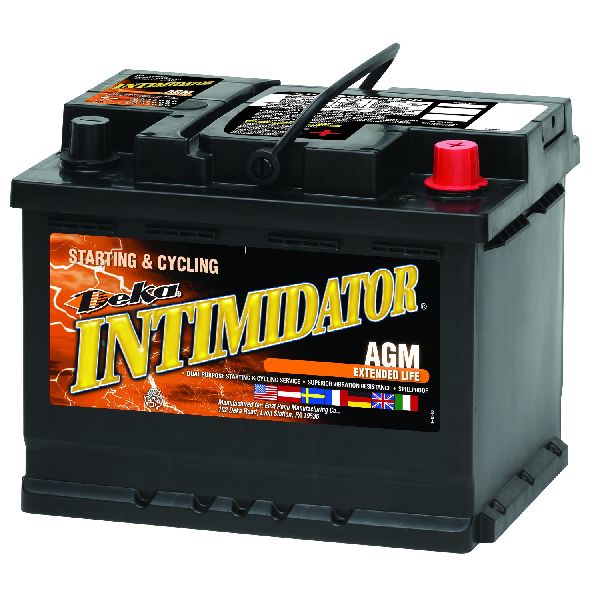
- 12V AGM Battery — A weak 12V battery is a very common cause of various electronic faults and communication codes on the Chevrolet Volt.
Trusted brands: ACDelco (Group 47 AGM), Optima (YellowTop H6), Odyssey
OEM price range: $200-$275
Aftermarket price range: $180-$250 - Multi-axis Acceleration Sensor (Yaw Rate Sensor)
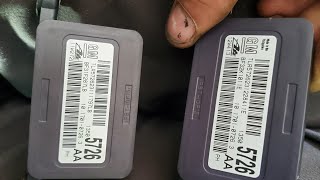
(OEM #22919433)— This sensor is the module that the EBCM has lost communication with. If the battery and wiring are good, the sensor itself has likely failed internally.
Trusted brands: ACDelco, GM Genuine
OEM price range: $60-$120
Aftermarket price range: $40-$80
Related Codes That Often Appear With This One
- U0074 — As cited in TSB #PIT5076E, this is another communication bus code ('Control Module Communication Bus B Off') that can appear when there are issues on the chassis network.
- U0126 — Lost Communication With Steering Angle Sensor Module. This sensor also communicates on the chassis bus, and network-wide issues can cause multiple codes to set, as noted in TSB #PIT5076E.
- C0186 — Lateral Accelerometer Circuit. This code is directly related to the function of the Multi-axis sensor and can be set along with the communication code, as mentioned in TSB #PIT5076E.
- C0196 — Yaw Rate Circuit. This code is also directly related to the Multi-axis sensor's function and is listed as a related code in TSB #PIT5076E.
Technical Service Bulletins (TSBs) & Recalls
- PIT5076E: Mentions U0125 in a list of chassis communication codes that, when present, should prompt a diagnosis of the chassis bus.
Platform-Specific Known Issues
- TSB #PIT5076E - Chassis Bus Diagnosis: TSB #PIT5076E mentions that code U0125, along with several other communication codes (U0074, U0126, etc.), can be set. It advises diagnosing the 'Chassis bus' if these codes are present and will not clear, pointing to a potential network wiring issue or a fault with a module on that bus, such as the EBCM or power steering control module.
- 12V Battery Sensitivity: The Gen 1 Volt is notoriously sensitive to the state of its 12V AGM battery. Numerous owner forums, including gm-volt.com and r/volt, are filled with threads where a 'Service StabiliTrak' message and associated codes like U0125 were resolved simply by replacing an aging 12V battery, even if it still seemed to start the car.
Mechanic-Grade Diagnostic Values
- Chassis Expansion CAN Bus Resistance — expected: ~60 Ω. Failure: A reading of ~120 Ω indicates a missing terminating resistor or a break in the bus. A reading of ~0 Ω indicates a short between the CAN lines.
- Multi-axis Sensor Power Supply Voltage — expected: 4.9 V ± 0.2 V. Failure: Low or no voltage points to a wiring issue between the EBCM and the sensor, or a faulty EBCM.
- Multi-axis Sensor Ground Pin Resistance — expected: < 1 Ω to chassis ground. Failure: High resistance or an open loop (OL) indicates a corroded or broken ground wire.
Scan Tool Commands That Help
- GM GDS2 (Global Diagnostic System 2): Yaw Rate Sensor Reset — This function is used to zero out the sensor's readings. It should be performed before the 'Learn' procedure on a level surface.
- GM GDS2 (Global Diagnostic System 2): Yaw Rate Sensor Learn — This is a mandatory calibration procedure required after replacing the Multi-axis Acceleration Sensor. The EBCM will not recognize or use the new sensor until this procedure is successfully completed.
Wiring & Ground Locations
- OBD-II DLC (Pins 12 & 13) — The primary Data Link Connector is located under the driver's side dashboard, to the left of the steering column.. The Volt has multiple CAN buses. The Multi-axis Acceleration Sensor communicates on the Chassis Expansion Bus, which is accessible at pins 12 and 13 of the DLC for network-level diagnosis.
- G303 / G304 — Located on the left (G303) and right (G304) side B-pillars, behind the trim panels.. These are major interior ground points. While not directly tied to the sensor in all schematics, a poor ground in this area can introduce electrical noise and communication issues for modules located inside the cabin, like the yaw rate sensor.
- Multi-axis Acceleration Sensor Connector — Under the center console, typically near the shifter assembly.. This is the direct connection point for the sensor. All power, ground, and communication lines must be intact here. It is the primary location for checking for corrosion, damage, or testing circuit integrity.
Real Owner Repair Stories
- Reddit user u/bikeguy1959 on r/volt (2015 Chevrolet Volt, 48,876 miles) — After the car sat for two weeks, received "Service Power Steering" and "Service Stabilitrak" messages. Cruise control would disengage shortly after being set. Check Engine Light was on.
❌ Tried (didn't work) The owner had replaced the 12V battery three months prior, but the car had been sitting for over two weeks.
✅ What actually fixed it Another user suggested charging the 12V battery, as a low state of charge (even on a relatively new battery) can cause the power steering and ABS/StabiliTrak systems to go offline. The strong implication is that the extended period of sitting drained the 12V battery enough to cause communication faults.
OEM Part Supersession History
20967462→22919433— Part number consolidation and potential design update. A video of a technician diagnosing a similar GM vehicle noted that the replacement part had an updated part number.
Model Year Variations Within This Range
- 2013-2015: The 2013 model year introduced MyLink infotainment, which allows Bluetooth music streaming (earlier models were voice-only). While not directly related to U0125, this highlights software and module differences in later Gen 1 Volts.
Helpful Videos

We Have This Part in Stock


The information in this article is provided for general reference and educational purposes only. Vehicle specifications, procedures, and part compatibility can vary by production date, trim level, and region. Always consult your vehicle's factory service manual and verify part numbers before purchasing or performing repairs. Safety-critical components such as airbags, seat belts, and braking systems should be installed by a qualified professional.
- Chevrolet VOLT:
- 🎬 Helpful Videos
- 🛍️ Shop This Part
- What's Unique About the 2011-2015 Chevrolet VOLT
- Diagnostic Flowchart
- Symptoms You May Notice
- Most Likely Causes
- Rare But Worth Checking
- Diagnosis Steps
- Parts You'll Likely Need
- Related Codes That Often Appear With This One
- Technical Service Bulletins (TSBs) & Recalls
- Platform-Specific Known Issues
- Mechanic-Grade Diagnostic Values
- Scan Tool Commands That Help
- Wiring & Ground Locations
- Real Owner Repair Stories
- OEM Part Supersession History
- Model Year Variations Within This Range
- 🎟️ Get 5% Off