

U0029 on 2015-2017 Chevrolet Silverado: Causes and Fixes for Communication Faults
On a 2015-2017 Silverado, code U0029 almost always points to a problem with the infotainment network. The most common cause is a pinched wiring harness behind the left side of the dashboard, a known issue covered in GM TSB #PIT5288H. The second most likely cause is a failed CD player module taking down the network, which can be diagnosed with a fiber optic bypass loop.
- U0029 on a 2015-2017 Silverado is a network code for the infotainment (MOST bus) system.
- DO NOT replace expensive modules like the radio or HMI until you have performed two key checks.
- First, inspect the wiring harness behind the left side of the dashboard for pinching, as per TSB #PIT5288H.
- Second, if wiring is good, use a fiber-optic bypass loop to test the CD player, which is the next most likely failure point.
- Diagnosis is complex and professional help is recommended to avoid causing further damage to the fiber-optic network.
What's Unique About the 2015-2017 Chevrolet SILVERADO
The K2XX platform (which includes the 2014-2019 Silverado/Sierra and 2015-2020 SUVs) is uniquely prone to this code due to a specific manufacturing flaw. GM Technical Service Bulletin PIT5288H identifies that the main dash harness is often pinched between a metal mounting bracket and the body behind the left side of the instrument panel, near the parking brake pedal. 🎬 Watch: See how a pinched harness causes these communication codes. This makes a wiring inspection in that specific spot the number one diagnostic step, which is different from many other vehicles where causes are more varied.
Diagnostic Flowchart
Tap your situation to follow the diagnostic path that matches what you're seeing on this vehicle.
Symptoms You May Notice
- Blank or inoperative radio/infotainment screen
- No audio from speakers, including radio, chimes, and turn signal sounds
- Steering wheel controls inoperative
- Instrument cluster gauges drop to zero or go blank intermittently
- Dead battery or no/slow crank condition
- Multiple warning lights on the dash, such as 'Service Stabilitrak'
- Backup camera works, but nothing else on the screen does
- Replacing the infotainment screen. The screen is usually just a display and is not the cause of a communication code. Owners often report the backup camera still works, which proves the screen is functional.
- Replacing the Body Control Module (BCM). While other communication codes may be stored in the BCM, the root cause for U0029 on this truck is almost always on the MOST bus (wiring or a module on that specific network).
- Assuming a simple battery disconnect will fix it. While a battery disconnect may temporarily reset modules and restore function, the U0029 code will return if the underlying physical fault (pinched wire, failed module) is not corrected.
Most Likely Causes
- Pinched or Damaged Dash Wiring Harness 🔴 High Probability A known manufacturing issue where the harness gets pinched between the left instrument panel mounting bracket and the body, as documented in TSB #PIT5288H. The bulletin shows the harness can be chafed at either the upper or lower portion of the bracket.
How to confirm: Loosen the left side of the instrument panel and physically inspect the main harness for signs of being crushed, chafed, or pinched against the body. The harness should move freely; if it is tight against the bracket, damage is likely.
Typical fix: Free the harness, open the loom, and repair any damaged wires using approved splicing methods. Reroute the harness to prevent it from being pinched again. TSB #14-08-47-002A also details a procedure to secure the harness away from the park brake bracket with a zip tie.
Est. part cost: $10-$25 - Failed CD Player (Media Disc Player) 🟡 Medium Probability The MOST bus is a fiber-optic 'ring'. If any single module on the ring fails internally, it can corrupt the data for the entire network. The CD player is a very common failure point on this platform, sometimes failing after a jump-start.
How to confirm: Use a fiber-optic bypass loop (GM tool EL-51578). Unplug the fiber-optic connector from the CD player and install the loop to complete the circuit. If the radio and screen turn back on, the CD player is faulty.
Typical fix: Replace the CD player module (a common part number is 84016435). Some owners who don't use CDs opt to leave the diagnostic bypass loop installed permanently or splice the MOST bus wires (gray and green) to bypass the module.
Est. part cost: $150-$400
Rare But Worth Checking
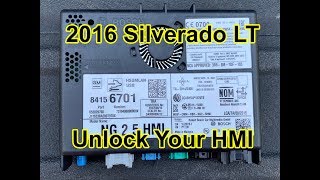
- Failed Human Machine Interface (HMI) Module: The HMI module is the 'brain' of the infotainment system and another node on the MOST bus, typically located behind the glove box. While less common than the CD player, its internal failure can also bring down the network and cause a U0029 code. Diagnosis is the same: use a bypass loop. Replacement modules must be programmed to the vehicle's VIN.
- Failed Radio Module: The radio acts as the master for the MOST bus. A failure here can disrupt all communication. A common part number is 42422244. If the radio is suspected, it would be the last module to bypass in the diagnostic sequence.
- Poor Ground at G218: A less common but documented issue on K2XX trucks is a poor ground connection at location G218, located under the dash on the driver's side near the A-pillar. This can cause erratic behavior in nearby modules like the Instrument Panel Cluster (IPC), leading to various network codes. TSB #PIT5405C notes that sound deadening material can get trapped under the ground lug, causing a poor connection.
Diagnosis Steps
- Scan all vehicle modules for codes. Note all U-codes present and in which modules they are stored. A GM GDS2 scan tool can show the 'Number of MOST Communication Breaks'.
- Based on TSB #PIT5288H, the first physical check should be the wiring harness behind the left side of the instrument panel, near the parking brake assembly. Check for pinching, chafing, or damage.
- If wiring appears okay, move to diagnosing the MOST bus ring. The modules are connected in a specific order, typically Radio -> CD Player -> HMI -> Instrument Cluster -> Radio.
- The most common method is to use a fiber-optic bypass loop (GM Tool EL-51578). Start by bypassing the CD player module, as it is the most frequent point of failure.
- Unplug the electrical connector from the CD player and install the bypass loop on the fiber-optic lines. Turn the key on and see if the radio/screen function returns.
- If the system works with the CD player bypassed, the CD player is faulty and needs replacement or permanent bypass.
- If bypassing the CD player does not solve the issue, reconnect it and proceed to bypass the next module in the ring (typically the HMI module, located behind the glove box) until the faulty component is isolated.
- If all modules are bypassed and the fault persists, re-inspect the wiring harness more closely for damage that may have been missed, and also check ground G218.
Parts You'll Likely Need
- Wiring Repair Supplies — Needed to fix the chafed or broken wires in the dash harness, which is the most common cause of U0029.
Trusted brands: 3M
OEM price range: $10-$25
Aftermarket price range: $5-$20 - CD Player / Media Disc Player
(OEM #84016435 (supersedes 13590601, 13594481))— This module is a common internal failure point on the MOST bus, causing it to take down the entire infotainment network.
Trusted brands: ACDelco
OEM price range: $250-$400
Aftermarket price range: $150-$300 - Fiber Optic Bypass Loop
(OEM #EL-51578)— This is an essential diagnostic tool for isolating the failed module on the MOST bus. It can also be used as a semi-permanent fix to eliminate a faulty CD player.
Trusted brands: GM Genuine Tools, Various aftermarket
OEM price range: $25-$40
Aftermarket price range: $10-$20 - Human Machine Interface (HMI) Module
(OEM #23415901 (Non-Nav); 84546904 (Nav) - check VIN)— The second most common module to fail on the MOST bus after the CD player. Requires programming to the vehicle's VIN upon replacement.
Trusted brands: ACDelco
OEM price range: $300-$700
Aftermarket price range: $250-$500
Related Codes That Often Appear With This One
- U0028 — U0028 indicates a full communication break on the same bus. They often appear together, with U0028 in one module (like the radio) and U0029 in another (like the HMI), pointing to a MOST bus fault.
- U0140 — Loss of Communication with Body Control Module (BCM). This is a common secondary code when the main communication bus fault prevents other modules from communicating.
- U0151 — Loss of Communication with Restraints Control Module (Airbag). This critical code can appear when the pinched harness issue compromises network integrity.
- U0155 — Loss of Communication With Instrument Panel Cluster (IPC) Control Module. The IPC is a key module on the MOST bus, and this code is common when the network goes down.
Technical Service Bulletins (TSBs) & Recalls
- PIT5288H: Details the pinched wire harness behind the left instrument panel causing U0029 and other communication codes.
- PIT5586B: Mentions U0029 in a list of DTCs related to inoperative HVAC and loss of audible feedback due to serial data issues.
- PIT5405C: Lists U0029 among many other communication codes that can set due to widespread network failure.
- PI1149A: Provides diagnostic steps for MOST bus faults (U0028/U0029), recommending the use of bypass loop tool EL-51578.
- 14-08-47-002A: Provides a service procedure to secure the body harness away from the park brake bracket using a tie strap to prevent chafing.
Platform-Specific Known Issues
- TSB #PIT5288H: This bulletin is the most critical document for this code. It explicitly calls out a pinched dash harness behind the left instrument panel as the cause for U0029 and a host of related electrical symptoms.
- TSB #PI1149A: This bulletin provides diagnostic aid for an intermittent blank radio display with U0028/U0029 codes, specifically mentioning the use of a bypass loop (EL-51578) to isolate the faulty module on the MOST bus.
- MOST Bus Ring Failure:
Mechanic-Grade Diagnostic Values
- GDS2 Scan Tool: 'Number of MOST Communication Breaks' — expected: A stable number, ideally 0.. Failure: A rapidly increasing count (e.g., once or twice per second) indicates a performance issue on the bus, consistent with U0029.
- GDS2 Scan Tool: 'Surrogate MOST Master Node Upstream Position' — expected: Normally 0 or not set.. Failure: If a number (e.g., '2') is displayed, it indicates the network has detected a fault. Counting backwards that many nodes from the master (Radio) on the ring diagram (Radio->CD->HMI->IPC) points to the likely faulty module.
- U0029 with 'Number of MOST Communication Breaks' at zero — expected: A break (U0028) should increment the break counter.. Failure: If U0029 is present but the break counter is zero, it strongly suggests the fiber optic ring has integrity, but a specific module is failing to process data correctly, rather than a physical break in the loop.
Scan Tool Commands That Help
- GDS2 (GM Global Diagnostic System 2): Data Bus Diagnostic Tool — Used to get an overall health check of the vehicle's communication networks and see which modules are actively communicating before diving into MOST-specific diagnostics.
- GDS2 (GM Global Diagnostic System 2): Module Communication Test / View 'Device Control' List — Allows a technician to individually 'ping' or check the status of each module on the MOST bus (Radio, CD, HMI, IPC). A non-responsive module in this list points directly to the source of the fault.
- GDS2 (GM Global Diagnostic System 2): Radio Data Display — This screen displays critical MOST bus parameters like 'Number of MOST Communication Breaks' and 'Surrogate MOST Master Node Upstream Position', which are essential for diagnosing a U0029.
Wiring & Ground Locations
- G218 — Under the driver's side dash, near the A-pillar and speaker. Access requires removing the A-pillar trim and side dash panel.. This is a primary ground point for the BCM and other dash components. TSB #PIT5405C notes that the dash insulator mat can get trapped under the ground nut, causing a poor connection that leads to widespread communication codes, including U0029.
- MOST Bus Ring — A fiber-optic loop connecting modules in the dash.. This is the network where the U0029 fault occurs. The typical signal path is: Radio (master, center dash) -> CD Player (below radio) -> HMI module (behind glove box) -> Instrument Panel Cluster (IPC) -> back to Radio. Knowing this order is critical for using a bypass loop effectively.
- CD Player MOST Connector — Connector at the back of the CD player module, below the main radio unit.. This is the most common point to use a diagnostic bypass loop. For a permanent bypass without a loop tool, the gray and green fiber optic wires can be spliced together to complete the ring.
Real Owner Repair Stories
- iATN (International Automotive Technicians Network) (2015 Chevrolet Silverado 1500) — MyLink display is dark, radio would not play, all control buttons were non-functional. Codes U0028 in radio and U0029 in HMI module were present.
❌ Tried (didn't work) The technician skipped checking individual powers and grounds because the multiple simultaneous failures strongly indicated a network problem.
✅ What actually fixed it The technician used a GDS2 scan tool and observed the 'Surrogate MOST Master Node Upstream Position' was '2'. Knowing the ring order (Radio->CD->HMI->IPC), counting back two positions from the HMI pointed directly to the CD player. He confirmed he could not communicate with the CD player. Installing a fiber optic bypass loop at the CD player connector restored all infotainment functions. The CD player had failed internally. - YouTube video (2015 Chevrolet Silverado) — Blank screen (but backup camera worked), no radio sound, no response from controls. Codes U0028 and U0029 were present.
❌ Tried (didn't work) The owner had already replaced the infotainment screen, which did not fix the problem.
✅ What actually fixed it The technician identified the MOST bus was down. He pulled the CD player and bridged the green and gray wires in the fiber optic connector. This completed the network circuit, and the radio and screen began working immediately. The customer opted to permanently eliminate the faulty CD player.
OEM Part Supersession History
13590601, 13594481→84016435— Standard part revision and consolidation by the manufacturer.
Heads up: This CD Player module fits a wide range of GM vehicles with IO3, IO4, IO5, and IO6 radio systems. While a direct fit, some vehicles may require dealer programming or a 'theft unlock' procedure to function after installation.
Model Year Variations Within This Range
- 2015-2017: The specific infotainment system (RPO codes IO3, IO4, IO5, IO6) can affect which modules are present on the MOST bus. For example, a base model with an IO3 system may not have a separate amplifier module in the ring, while a higher trim with an IO6 system might. However, the core components (Radio, HMI, IPC, and optional CD player) and the primary failure points (pinched harness, CD player) remain consistent across these years and infotainment levels.
Helpful Videos


We Have This Part in Stock





The information in this article is provided for general reference and educational purposes only. Vehicle specifications, procedures, and part compatibility can vary by production date, trim level, and region. Always consult your vehicle's factory service manual and verify part numbers before purchasing or performing repairs. Safety-critical components such as airbags, seat belts, and braking systems should be installed by a qualified professional.
- Chevrolet SILVERADO:
- 🎬 Helpful Videos
- 🛍️ Shop This Part
- What's Unique About the 2015-2017 Chevrolet SILVERADO
- Diagnostic Flowchart
- Symptoms You May Notice
- Most Likely Causes
- Rare But Worth Checking
- Diagnosis Steps
- Parts You'll Likely Need
- Related Codes That Often Appear With This One
- Technical Service Bulletins (TSBs) & Recalls
- Platform-Specific Known Issues
- Mechanic-Grade Diagnostic Values
- Scan Tool Commands That Help
- Wiring & Ground Locations
- Real Owner Repair Stories
- OEM Part Supersession History
- Model Year Variations Within This Range
- 🎟️ Get 5% Off