

U0028 on 2013-2017 Gmc SAVANA: MOST Bus Communication Fault Guide
On a 2013-2017 GMC Savana, code U0028 indicates a communication failure on the infotainment network (MOST bus), usually causing a blank radio screen and no audio. The problem is typically a faulty module like the radio or HMI, or a wiring issue. Diagnosis is complex, requiring a special MOST bypass loop tool (EL-51578), and professional help is recommended.
- U0028 on a 2013-2017 Savana means a failure in the infotainment communication network (MOST bus).
- Symptoms are almost always a blank screen and no audio.
- The cause is a break in the 'ring' of modules, most often a failed radio or HMI module.
- Diagnosis requires a special 'bypass loop' tool to find the faulty component; this is not a simple DIY fix.
- The vehicle remains safe to drive, but the issue should be addressed to prevent potential battery drain.
What's Unique About the 2013-2017 Gmc SAVANA
While many GM trucks and SUVs like the Silverado and Sierra are known for U0028 being caused by a pinched wiring harness behind the dashboard (per TSB PIT5288H), this specific failure mode is not commonly reported for the GMC Savana, which has a different dash and interior layout. On the Savana, the fault is more likely to be an internal failure of a module within the MOST ring itself, such as the radio or Human Machine Interface (HMI) module. TSB PIC6073E, which covers this vehicle, points technicians toward specific diagnostic tools for the MOST bus, highlighting the complexity of diagnosing this network fault on all GM platforms.
Diagnostic Flowchart
Tap your situation to follow the diagnostic path that matches what you're seeing on this vehicle.
Symptoms You May Notice
- Blank radio or infotainment display screen, especially on startup
- No audio from the stereo system, including chimes
- Radio controls (on the unit and steering wheel) are unresponsive
- Loss of navigation or other HMI (Human Machine Interface) functions
- Instrument panel cluster (IPC) audio display page is blank
- Inability to hear turn signal clicks, as they are often generated through the audio system 🎬 See how to fix blank screens and audio loss symptoms
- Replacing the display screen when the HMI module is the actual cause. The screen is usually just a display; the HMI is the computer behind it.
- Replacing a working module without performing a proper loop diagnosis first, leading to wasted time and money.
- Replacing the battery without addressing the root cause of the parasitic drain, which is the MOST bus fault preventing modules from sleeping.
Most Likely Causes
- Failed Radio or CD Player Module 🔴 High Probability The radio often acts as the 'master' module for the MOST bus, and the CD player is another critical node in the ring. An internal electronic failure in either of these components can bring down the entire network. These modules can fail from age, heat, or internal electronic faults.
How to confirm: Using a MOST bypass loop tool (like GM tool EL-51578) to bypass the radio or CD player module. If the rest of the system (e.g., the HMI screen) comes back online when a module is bypassed, that module is the faulty component. A professional scan tool may also show the CD player as non-communicative.
Typical fix: Replace the faulty radio or CD player module. The new module will require programming by a dealer or a qualified shop with GM software (SPS).
Est. part cost: $200-$700 - Failed Human Machine Interface (HMI) Module 🟡 Medium Probability The HMI module controls the display screen and processes inputs. Like the radio, it's a critical node in the MOST ring and is prone to electronic failure over time. A definitive sign of HMI failure can be a 'Waiting for Update Media' message on the screen.
How to confirm: Use a MOST bypass loop to isolate the HMI module. If bypassing it restores communication (e.g., audio returns), the HMI is at fault. Visual inspection of the board after removal may sometimes show corrosion or burnt components. The HMI module is typically located behind the glove box.
Typical fix: Replace the HMI module. This part must be programmed to the vehicle's VIN. Several vendors offer pre-programmed replacement modules.
Est. part cost: $250-$900 - Damaged MOST Bus Wiring or Connectors ⚪ Low Probability Unlike other GM trucks where a pinched dash harness is common, the Savana is less prone to this specific issue. However, wiring can still be damaged from previous repairs, aftermarket equipment installation, or physical impact. Corrosion at a connector can also break the ring.
How to confirm: Visually inspect the MOST bus wiring (often twisted-pair cables) between the infotainment modules. Check for loose connections, kinks, or damage. If all modules are bypassed with a loop tool and the U0028 code remains current, the fault is likely in the wiring harness itself.
Typical fix: Repair the damaged section of the wiring harness or replace the connector. This can be a delicate repair.
Est. part cost: $10-$150
Rare But Worth Checking
- Failed Instrument Panel Cluster (IPC):
Diagnosis Steps
- Perform a full vehicle diagnostic scan to confirm the presence of U0028 🎬 Watch this diagnostic walkthrough for a 2017 Savana communication breakdown and note any other communication codes, such as U0029, U0184, or U0155.
- Confirm the symptoms. A blank display and no audio at vehicle startup strongly suggest a MOST bus failure. If the failure occurs while driving, the display may show but with missing info.
- As a simple first step, try disconnecting the negative battery terminal for 5-10 minutes to reset all modules. This can sometimes temporarily resolve software glitches but is not a permanent fix.
- Visually inspect the wiring and connectors at the primary MOST bus modules (Radio, HMI, CD Player). The HMI module is often located behind the glove box, while the radio is in the center dash.
- If a visual inspection reveals no obvious faults, the most effective diagnostic step is to use a MOST bus bypass loop tool (GM tool EL-51578).
- Start by bypassing the first accessible module in the ring (e.g., the CD player or HMI). After connecting the loop, cycle the ignition and see if the system powers on (e.g., audio returns).
- Continue bypassing one module at a time. When the faulty module is bypassed, the communication ring will be completed, and the remaining modules should power on. The bypassed module is the one that needs to be replaced.
- Once the faulty module is identified, replace it. The new module (Radio, HMI, IPC) will require VIN programming using GM's Service Programming System (SPS) to function correctly.
Parts You'll Likely Need
- Human Machine Interface (HMI) Module
(OEM #23493425, 84156699 (Part numbers are frequently superseded; verify by VIN))— This module controls the display and is a common point of failure in the MOST bus ring, causing a total communication breakdown.
Trusted brands: ACDelco, GM Genuine Parts
OEM price range: $400-$900
Aftermarket price range: $250-$450 - Radio/Tuner Module — The radio is often the master of the MOST bus. An internal electronic failure will break the communication ring and trigger a U0028 code.
Trusted brands: ACDelco
OEM price range: $400-$700
Aftermarket price range: $200-$500 - MOST Bus Diagnostic Loop Connector
(OEM #EL-51578)— This is not a replacement part, but an essential diagnostic tool required to properly identify the failed module in the MOST bus ring without guesswork.
Trusted brands: Bosch/GM Tools
OEM price range: $50-$100
Aftermarket price range: $20-$40
Related Codes That Often Appear With This One
- U0029 — This code often appears with U0028 and indicates a communication error where the ring integrity is still present. This can help a technician narrow the fault down to a specific module's internal error rather than a complete wiring break.
- U0184 — This code means 'Lost Communication With Radio'. Since the radio is a key module on the MOST bus, a U0028 fault will almost always be accompanied by a U0184 code, as the rest of the vehicle can no longer communicate with the radio.
- U0155 — This code means 'Lost Communication with Instrument Panel Cluster (IPC)'. If the IPC is the module that fails and breaks the MOST ring, it will log this code along with U0028.
Technical Service Bulletins (TSBs) & Recalls
- PIC6073E: Announces the release of th
Platform-Specific Known Issues
- Chevrolet Express as Platform Mate: The Chevrolet Express van from 2013-2017 is the direct platform mate to the GMC Savana. It shares the same chassis, electrical architecture, and infotainment options. Therefore, it is susceptible to the exact same U0028 MOST bus failures with identical causes and diagnostic procedures.
Hidden / Shadow Codes Worth Checking
- U0028 sym00: This symptom byte indicates the MOST bus is in a 'Bus Off' state. Its presence is specifically called out in GM diagnostic procedures for MOST bus issues and confirms a complete communication breakdown. (see via GM GDS2 (Global Diagnostic System 2) or an equivalent professional scan tool capable of reading manufacturer-specific symptom bytes.)
Scan Tool Commands That Help
- GDS2 (GM Global Diagnostic System 2): Radio > MOST Data > 'Number of MOST Communication Breaks' — Use this data PID to see if the master radio module is detecting a break in the ring. A high or incrementing number confirms a physical break or non-responsive module. A count of '0' when U0029 is also present points to an internal module fault rather than a wiring break.
- GDS2 (GM Global Diagnostic System 2): Radio > MOST Data > 'Surrogate MOST Master Node Upstream Position' — This parameter helps pinpoint the location of the fault. For example, if the value is '2', it means the break is occurring before the second module upstream from the radio in the ring sequence (e.g., the HMI module). This helps narrow down which module or wiring section to test first.
- GDS2 (GM Global Diagnostic System 2): Data Bus Diagnostic Tool — This function within GDS2 actively polls all modules on the bus to create a list of which ones are communicating. By comparing the list of responding modules to a vehicle schematic, a technician can quickly identify which module is not responding and is likely the source of the ring break.
Wiring & Ground Locations
- G303 — Located behind the left kick panel, near the floor.. This is a major body ground point for various interior electronics. While not exclusive to the infotainment system, a poor connection at G303 can cause intermittent and difficult-to-diagnose issues with modules on the MOST bus. Verifying this ground is clean and tight is a valid step when chasing intermittent communication faults.
- Engine to Chassis/Cab Ground Strap — There is a primary ground strap from the cab/firewall to the rear of the driver's side cylinder head on the engine block.. While less likely to be the primary cause for a MOST bus-specific code, a corroded or loose main ground between the engine and body can introduce electrical noise and voltage discrepancies that affect sensitive modules. It's a foundational check for any widespread electrical issue.
Real Owner Repair Stories
- iATN (International Automotive Technicians Network) technical forum post (2015 Chevrolet Silverado (similar platform)) — MyLink display was dark, radio would not play, and all control buttons were non-functional.
❌ Tried (didn't work) Initially considered checking powers and grounds, but ruled it out as a first step due to the multiple, related failures (radio and HMI).
✅ What actually fixed it The technician scanned the vehicle and found U0028 and U0029. Using GDS2, they noted the 'Number of MOST Communication Breaks' was zero, and the 'Surrogate MOST Master Node Upstream Position' was 2. This data indicated the ring was intact but a module was failing internally. The position '2' pointed to the CD player. The tech could not communicate with the CD player via the scan tool. They removed the CD player and used a bypass loop on its connector, which immediately restored radio and display function. The root cause was an internal failure of the CD player module.
OEM Part Supersession History
HMI Module Gen 2.0 (Various PNs)→HMI Module Gen 2.5 (Various PNs)— Hardware update to support new features, most notably Apple CarPlay and Android Auto.
Heads up: HMI 2.0 modules used in 2013-2015 models do not support smartphone projection (Apple CarPlay/Android Auto). The updated HMI 2.5 module, found in 2016+ models, is required for this functionality. While it's often possible to upgrade an older vehicle to the 2.5 module, it requires the correct part and specific programming to work.
Model Year Variations Within This Range
- 2013-2015: These model years were typically equipped with the 'HMI 2.0' generation of infotainment modules, which do not support Apple CarPlay or Android Auto.
- 2016-2017: These model years used the updated 'HMI 2.5' module, which added support for Apple CarPlay and Android Auto. The modules have different internal processors and software capabilities.
Helpful Videos
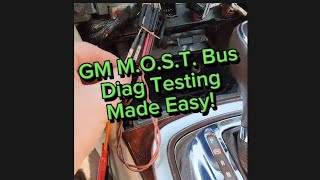
We Have This Part in Stock


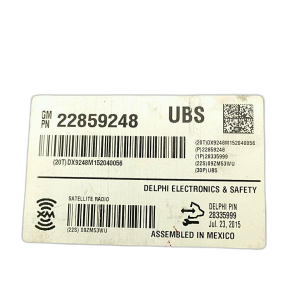

The information in this article is provided for general reference and educational purposes only. Vehicle specifications, procedures, and part compatibility can vary by production date, trim level, and region. Always consult your vehicle's factory service manual and verify part numbers before purchasing or performing repairs. Safety-critical components such as airbags, seat belts, and braking systems should be installed by a qualified professional.
- Gmc SAVANA:
- 🎬 Helpful Videos
- 🛍️ Shop This Part
- What's Unique About the 2013-2017 Gmc SAVANA
- Diagnostic Flowchart
- Symptoms You May Notice
- Most Likely Causes
- Rare But Worth Checking
- Diagnosis Steps
- Parts You'll Likely Need
- Related Codes That Often Appear With This One
- Technical Service Bulletins (TSBs) & Recalls
- Platform-Specific Known Issues
- Hidden / Shadow Codes Worth Checking
- Scan Tool Commands That Help
- Wiring & Ground Locations
- Real Owner Repair Stories
- OEM Part Supersession History
- Model Year Variations Within This Range
- 🎟️ Get 5% Off