

U0028 on 2015-2018 GMC Canyon: MOST Bus Communication Fault Guide
On a 2015-2018 GMC Canyon, code U0028 indicates a communication failure on the MOST bus, which controls the infotainment system. This often results in a blank radio screen and no audio. The cause is typically a faulty Human Machine Interface (HMI) module, a failed radio/CD player, or a wiring issue. Diagnosis is complex, requiring special tools like a MOST bypass loop to isolate the failed component in the network ring.
- U0028 on your GMC Canyon means the infotainment communication network (MOST bus) has failed.
- The most common symptom is a black radio screen with no sound.
- The problem is usually a failed module, most often the HMI module behind the glove box or the radio itself.
- Diagnosis is difficult without a special 'MOST bypass loop' tool to isolate the bad component.
- This is not a safety-critical issue, and the truck remains safe to drive.
What's Unique About the 2015-2018 Gmc CANYON
This generation of the GMC Canyon and its platform-mate, the Chevrolet Colorado, relies on the MOST network for all infotainment functions. The system is designed as a 'ring,' where data passes from one module to the next in a continuous loop. A failure in any single module or its wiring can bring down the entire network, leading to the common symptoms of a blank screen and no audio. The provided NHTSA Technical Service Bulletin (PIC6073E) specifically directs technicians to investigate the MOST bus for this code, highlighting its relevance to this platform and confirming the need for special diagnostic tools.
Diagnostic Flowchart
Tap your situation to follow the diagnostic path that matches what you're seeing on this vehicle.
Symptoms You May Notice
- Blank infotainment or radio display screen.
- No audio from the radio or other media sources, though safety chimes may still work.
- Radio and steering wheel controls are inoperative.
- Backup camera may still function when in reverse, even if the rest of the screen is black.
- Intermittent loss of radio presets and clock display.
- On startup, the screen may show the GMC logo and then go blank or freeze.
- System may work intermittently, failing after the truck has been running for 30-40 minutes.
- Replacing the infotainment screen (Integrated Control Screen - ICS) when the issue is actually the HMI module. A blank screen is usually caused by a communication failure, not a bad display panel itself.
- Replacing the radio without testing the other modules in the MOST ring first. The fault could be in the CD player or HMI module, but the symptoms (no audio) can incorrectly point solely to the radio.
Most Likely Causes
- Failed Human Machine Interface (HMI) Module 🔴 High Probability The HMI module, located behind the glove box, is the 'brain' of the infotainment system and a central node in the MOST network. It is a widely reported common point of failure due to internal electronics or software corruption, causing a total communication breakdown.
How to confirm: A technician can use a MOST bypass loop to jump the connection at the HMI module. If the rest of the infotainment system begins working (e.g., audio returns), the HMI module is faulty. Checking for power on the red/violet wire and ground at the module connector is also a key step.
Typical fix: Replacement of the HMI module, which then requires programming to the vehicle's VIN by a dealer or a specialized service.
Est. part cost: $250-$500 - Failed Radio or CD Player Module 🟡 Medium Probability Like the HMI module, the radio (tuner) and CD player are nodes in the MOST ring. An internal failure in either of these components will break the communication loop. The CD player is a common point of failure.
How to confirm: Use a MOST bypass loop on the module's connector. If communication is restored to other modules (e.g., the screen lights up), the bypassed component has failed.
Typical fix: Replace the faulty radio or CD player unit. In many cases, owners simply bypass a faulty CD player to restore radio and screen function, sacrificing CD playback.
Est. part cost: $200-$600 - MOST Bus Wiring or Connector Issue ⚪ Low Probability Wiring for the MOST bus runs through the dashboard and can be susceptible to damage, corrosion, or loose connections, particularly at the back of the modules. On the larger GM truck platforms, a pinched harness near the parking brake pedal is a known issue, though less commonly reported on the Canyon/Colorado. Some owners report that simply unplugging and firmly reseating the main blue connector on the HMI module can temporarily or permanently fix the issue.
How to confirm: Visually inspect the wiring harnesses connected to the HMI, radio, and other MOST modules for any signs of damage, chafing, or corrosion. A technician may perform a continuity or resistance test on the bus wires.
Typical fix: Repair the damaged section of the wiring harness or clean/re-seat the affected connector.
Est. part cost: $10-$100
Rare But Worth Checking
- Failed Instrument Panel Cluster (IPC): The IPC is a node on the MOST bus in some configurations. While less common, an internal failure can cause a U0028 code and bring down the network.
- Software Glitch: In some instances, a software update for the HMI module or radio may resolve communication issues. A GM dealer or qualified shop can check for available updates. TSB PI1149A mentions that an HMI software update may correct some blank screen issues. A simple 'hard reset' by disconnecting the negative battery terminal for 10-15 minutes can sometimes resolve temporary glitches.
Diagnosis Steps
- Perform a full vehicle scan to see which modules are logging communication codes. U0028 is the primary indicator of a MOST bus failure.
- Confirm symptoms like a blank screen and no audio. Note if the failure happened at startup or while driving, as this can be a diagnostic clue per TSB PI1149A.
- Access the modules on the MOST ring. The HMI module is behind the glove box (requires removing ~6 screws). 🎬 Watch this walkthrough to access and replace the HMI module. The radio/tuner and CD player are in the center dash stack.
- Visually inspect the wiring and connectors at each module for damage or corrosion. Pay close attention to the large blue connector on the HMI module.
- Using a MOST bypass loop (special tool EL-51578), bypass each module one at a time, starting with the most likely culprits like the CD player or HMI module.
- After connecting the loop to a module's harness connector, cycle the ignition and see if the radio and display function returns. For example, if you bypass the HMI, the screen will remain blank, but you may hear audio return.
- If the system works with a module bypassed, that module is the source of the fault and needs to be replaced.
- If bypassing all accessible modules does not solve the issue, the problem lies within the wiring harness itself, requiring more in-depth circuit testing for opens or shorts.
Parts You'll Likely Need
- Human Machine Interface (HMI) Module
(OEM #23493425, 84156701 (VIN specific, verify before ordering))— This is the most common failure point in the GM MOST bus system for this platform, causing a total loss of infotainment.
Trusted brands: ACDelco
OEM price range: $300-$500
Aftermarket price range: $250-$400 - Radio Control Module — The radio acts as the master module for the MOST bus. An internal failure will break the communication ring.
Trusted brands: ACDelco
OEM price range: $300-$600
Aftermarket price range: $200-$450 - MOST Bus Bypass Loop
(OEM #EL-51578)— This is an essential diagnostic tool for identifying which module on the ring has failed. It connects the input and output of a connector to complete the circuit.
OEM price range: $20-$50
Aftermarket price range: $15-$30
Related Codes That Often Appear With This One
- U0029 — This code often appears with U0028. While U0028 indicates a general communication error (bus off), U0029 can sometimes provide more specific information, such as the ring integrity still being present but a module is not communicating correctly, which can help pinpoint the fault.
- U0184 — This code means 'Lost Communication With Radio'. If the radio module itself fails and breaks the MOST ring, other modules will log this code, pointing directly to the radio as the source of the problem.
Technical Service Bulletins (TSBs) & Recalls
- PIC6073E: Directs technicians to review MOST bus description and operation for DTC U0028 and use the EL-51578 diagnostic tool kit.
- PI1149A: Provides diagnostic aids for intermittent blank radio displays and MOST bus issues, mentioning U0028 as a key indicator of a bus failure and differentiating between a failure at startup versus while driving.
Platform-Specific Known Issues
- Per TSB PIC6073E, a U0028 code on a 2015 GMC Canyon specifically warrants an investigation of the Media Oriented Systems Transport (MOST) bus using the EL-51578 tool kit.
- TSB PI1149A provides detailed diagnostic aids for a blank display and no audio, noting that if U0028 is stored, the root cause is likely an ECU, wiring, or connector bringing the MOST bus down. It also notes a key difference: if the bus fails while driving, the display stays on but loses presets/clock. If it fails at startup, the display is blank.
- Many owners on forums report the HMI module behind the glovebox as the primary culprit for these exact symptoms, far more often than other components.
Mechanic-Grade Diagnostic Values
- MOST Bus Wake-Up Signal — expected: The radio (master module) pulls the 12V MOST control circuit to 0V for 100 milliseconds to wake up other modules.. Failure: An open or high resistance in the control circuit can prevent the pull-down to 0V, stopping modules from waking up and setting a U0028.
- HMI Module Power/Ground Check — expected: Battery voltage (approx. 12.6V KOEO, 14V+ engine running) on the Red/Violet wire at the HMI connector. Good ground continuity on the corresponding ground pin.. Failure: Low or no voltage indicates a power supply issue, not necessarily a failed HMI module.
- DLC Resistance Check (Indirect) — expected: Approximately 60 ohms between pins 7 and 14 of the Data Link Connector (DLC).. Failure: If resistance is correct, it suggests the main communication lines are likely intact, and the fault may be with a module like the HMI.
Hidden / Shadow Codes Worth Checking
- U0029: Indicates a communication error is occurring, but the MOST ring still has integrity (is not broken). This strongly points towards an internal module failure rather than a wiring break. It is a critical companion code to U0028. (see via GM GDS2 or equivalent professional scan tool.)
Scan Tool Commands That Help
- GDS2 (GM Global Diagnostic System 2): Radio > MOST Data > 'Number of MOST Communication Breaks' — Use this PID to see how many times the master (radio) has failed to get a response from the ring. A high or incrementing number confirms an active ring break.
- GDS2 (GM Global Diagnostic System 2): Radio > MOST Data > 'Surrogate MOST Master Node Upstream Position' — When a break occurs, this PID identifies the last module that successfully communicated before the break. This is the most effective way to pinpoint the location of the fault in the ring without physical testing. For example, a value of '2' points to a fault at or after module #2 (often the CD player).
- GDS2 (GM Global Diagnostic System 2): Data Bus Diagnostic Tool — This function actively polls all modules on the bus to see which ones are responding. It's used to confirm which specific module is offline and not communicating.
Wiring & Ground Locations
- G303 — Exact location on Canyon not specified, but GM Upfitter documents confirm its existence in the 2016 model's electrical system. On similar platforms, dash grounds are located behind kick panels or on cowl studs.. The Radio, IPC, and BCM rely on clean grounds. A corroded or loose ground at a primary dash location like G103 (on the cowl) or G303 can cause intermittent communication issues and trigger a U0028 code.
- HMI Module Connector (X1) — Behind the glove box, connected to the HMI module.. This is the primary connection for the HMI module. The Red/Violet wire should have constant battery voltage to power the module. Loss of this power is a common cause of failure.
- Radio Connector (X1) — In the center dash stack, connected to the radio/tuner module.. Pin 1 (RD/VT) provides battery voltage, and Pin 3 (BK/WH) is the signal ground. Verifying power and ground here is essential before condemning the radio, which is the MOST bus master.
Real Owner Repair Stories
- iATN (International Automotive Technicians Network) (2015 Chevrolet Silverado (same K2XX platform)) — MyLink display was dark, radio would not play, and all control buttons were non-functional. Codes U0028 (in radio) and U0029 (in HMI) were present.
❌ Tried (didn't work) The technician avoided randomly checking powers and grounds first due to the multiple-module failure.
✅ What actually fixed it The technician used a GDS2 scan tool and observed the 'SURROGATE MOST MASTER NODE UPSTREAM POSITION' was '2'. On this vehicle, the ring order was Radio (1), CD Player (2), HMI (3), IPC (4). The data pointed to a fault at the CD player. The technician could not communicate with the CD player. They removed the CD player and installed a MOST bypass loop on its connector. The display and radio immediately began working correctly. The root cause was a failed CD player module breaking the MOST ring.
OEM Part Supersession History
84156701→84296482— Standard part revision and update by the manufacturer.
Heads up: These parts are generally interchangeable when programmed for the correct VIN and vehicle options.HMI 2.0 Module (e.g., 23493425)→HMI 2.5 Module (e.g., 84156701)— Technology upgrade to support features like Apple CarPlay and Android Auto.
Heads up: For 2015 models with the older HMI 2.0, it is often recommended to purchase a complete HMI 2.5 upgrade kit (which includes the new HMI and radio module) rather than a direct replacement, as the cost can be similar while providing more features.
Model Year Variations Within This Range
- 2015: These models were equipped with the HMI 2.0 infotainment system, which does not support Apple CarPlay or Android Auto.
- 2016-2018: These models were equipped with the updated HMI 2.5 system, which introduced support for Apple CarPlay and Android Auto. The HMI module itself is a different generation, though the diagnostic process for a U0028 code remains the same (MOST bus diagnosis).
Helpful Videos
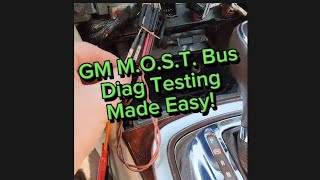
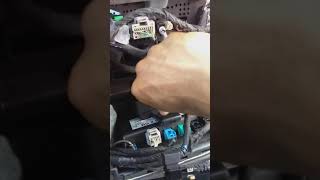
We Have This Part in Stock



The information in this article is provided for general reference and educational purposes only. Vehicle specifications, procedures, and part compatibility can vary by production date, trim level, and region. Always consult your vehicle's factory service manual and verify part numbers before purchasing or performing repairs. Safety-critical components such as airbags, seat belts, and braking systems should be installed by a qualified professional.
- Gmc CANYON:
- 🎬 Helpful Videos
- 🛍️ Shop This Part
- What's Unique About the 2015-2018 Gmc CANYON
- Diagnostic Flowchart
- Symptoms You May Notice
- Most Likely Causes
- Rare But Worth Checking
- Diagnosis Steps
- Parts You'll Likely Need
- Related Codes That Often Appear With This One
- Technical Service Bulletins (TSBs) & Recalls
- Platform-Specific Known Issues
- Mechanic-Grade Diagnostic Values
- Hidden / Shadow Codes Worth Checking
- Scan Tool Commands That Help
- Wiring & Ground Locations
- Real Owner Repair Stories
- OEM Part Supersession History
- Model Year Variations Within This Range
- 🎟️ Get 5% Off