

U0028 on 2013-2018 GMC Acadia: Infotainment Black Screen and MOST Bus Failure Explained
On a 2013-2018 GMC Acadia, U0028 almost always means a black radio screen and no sound. This is caused by a failure in the infotainment communication network (MOST bus), typically a faulty HMI module, radio, or amplifier. Diagnosis requires a special 'bypass loop' tool and professional service is recommended as module replacement requires programming.
- U0028 means your Acadia's infotainment network has failed, resulting in a black screen and no audio.
- The problem is a break in the 'ring' network. The most likely causes are a failed HMI module (behind the glove box), a bad radio tuner, or a faulty amplifier.
- This is not a DIY-friendly repair. Proper diagnosis requires a special MOST bypass loop tool to find the broken link in the chain.
- Do not replace any parts without performing a bypass test first, as it is the only way to be certain which module has failed.
- Replacement HMI or Radio modules must be professionally programmed to your vehicle's VIN to function.
What's Unique About the 2013-2018 Gmc ACADIA
The 2013-2018 Acadia range spans two generations (1st Gen: 2013-2016, 2nd Gen: 2017-2018), but both use a MOST bus architecture for infotainment. The key issue is the 'ring' design; unlike other systems where one bad part might not affect others, on the MOST bus, a single failed module (like the often-unused CD player) can take down the entire radio and display screen. While no specific TSB for the Acadia points to a pinched harness, related GM platforms like the Sierra and Yukon are known for this issue, making a wiring inspection a worthwhile step.
Diagnostic Flowchart
Tap your situation to follow the diagnostic path that matches what you're seeing on this vehicle.
Generation note: This range covers the first generation facelift (2013-2016, on the Lambda platform) and the redesigned second generation (2017-2018, on the C1XX platform). Both generations use a MOST bus for infotainment and can experience this code. The diagnostic process of using a bypass loop to find the faulty module is the same for both. However, module part numbers and locations may differ. For example, on 2017+ models, fuse boxes related to these modules are located in the passenger side of the center console, the engine compartment, and the rear cargo area.
Symptoms You May Notice
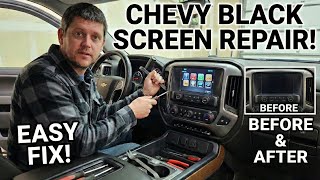
- Completely blank or black infotainment display screen. 🎬 Watch: How to fix a black or frozen GMC screen.
- No sound from the radio, navigation, or vehicle warning chimes.
- Infotainment system buttons and steering wheel controls are unresponsive.
- Loss of the backup camera display (though some owners report the camera still works).
- Bluetooth and hands-free calling do not work.
- The system may fail at startup, or it may go blank while driving.
- Replacing the infotainment screen itself when the fault is in the HMI module, radio, or wiring.
- Replacing the vehicle's battery to fix a no-start condition without diagnosing the underlying parasitic draw caused by the U0028 fault.
- Replacing a module without first checking for the known pinched harness issue on related GM platforms.
Most Likely Causes
- Failed Human Machine Interface (HMI) Module 🔴 High Probability The HMI module, located behind the glove box, acts as the central processor for the display and user inputs. It is a complex electronic component prone to internal failure over time, which breaks the MOST ring.
How to confirm: Using a MOST bypass loop (like EL-51578), disconnect the HMI module and install the loop in its place. If the radio sound returns and the code changes from 'current' to 'history', the HMI module is bad. Before replacement, verify the module has power and ground.
Typical fix: Replace the HMI module. The new module must be professionally programmed to your vehicle's VIN and options.
Est. part cost: $250-$600 - Failed Radio/Tuner Module or Amplifier 🟡 Medium Probability The radio (tuner) is the 'master' of the MOST bus, and the amplifier is another critical node. An internal failure in either component will break the communication ring. Water intrusion from clogged sunroof drains or a leaking Center High Mounted Stop Lamp (CHMSL) is a known cause of amplifier failure on these platforms.
How to confirm: Similar to the HMI, use a MOST bypass loop on the radio or amplifier connector. If bypassing the component restores communication to the other modules, it has failed. The radio itself cannot be bypassed with the standard tool kit because it is the master.
Typical fix: Replace the faulty module. Radio replacement also requires VIN programming.
Est. part cost: $200-$700 - Damaged Wiring or Fiber Optic Cable 🟡 Medium Probability On other GM platforms like the Sierra/Yukon, a common issue is the main dash harness getting pinched or chafed by a metal bracket behind the driver's side lower dash, near the parking brake. This can cause an open or short in the MOST bus wires, leading to a U0028 code.
How to confirm: Visually inspect the wiring harnesses, particularly behind the glove box (for the HMI) and under the driver's side dash. Look for any signs of chafing, pinching, or corrosion on connectors.
Typical fix: Repair the damaged section of the wire or fiber optic cable. Reroute the harness to prevent future damage.
Est. part cost: $10-$50 - Failed CD/Media Disc Player ⚪ Low Probability As another module in the ring, an internal failure of the CD player will bring the network down. Since it is often unused, it can be a frustrating point of failure.
How to confirm: Use a MOST bypass loop on the CD player's connector. If the radio and screen function return, the CD player is the fault.
Typical fix: Replace the CD player or, more commonly, leave the bypass loop installed permanently to eliminate the faulty module from the network.
Est. part cost: $150-$400
Rare But Worth Checking
- Poor Ground Connection (G218):
Diagnosis Steps
- Connect a high-end scan tool capable of reading manufacturer-specific codes from all modules.
- Confirm U0028 is present and note any other communication codes (like U0029, U0184, etc.) and which modules are setting them.
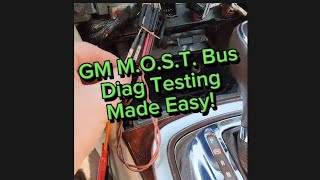
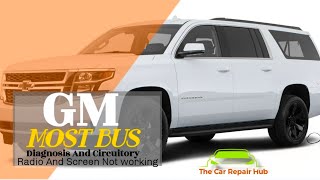
- Access the MOST bus. Depending on the vehicle's equipment, this may be a fiber optic or a twisted-pair electrical circuit. 🎬 See this deep dive into MOST bus circuitry and testing.
- Start with the easiest-to-access module in the ring (e.g., the CD player or amplifier). Disconnect it and install a MOST bypass loop adapter (GM tool EL-51578 or equivalent).
- Cycle the ignition and check if the infotainment system powers on. If it does, the module you just bypassed is the faulty component.
- If the system does not power on, reconnect the module and move to the next one in the ring (e.g., HMI module), repeating the bypass process.
- If bypassing all modules does not solve the issue, perform a thorough visual inspection of the wiring harnesses between the modules for any signs of pinching, chafing, or damage, paying close attention to the area under the driver's dash near the parking brake assembly.
- Before ordering a replacement, verify the suspected faulty module has proper power and ground at its connector using a multimeter.
Parts You'll Likely Need
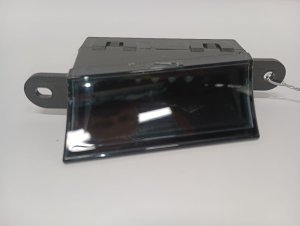
- Human Machine Interface (HMI) Module
(OEM #84156699 (example for 2015-2017 models, part numbers are VIN specific))— This is one of the most common points of failure in the MOST bus ring that will cause a U0028 code.
Trusted brands: ACDelco
OEM price range: $400-$700
Aftermarket price range: $250-$500 - MOST Bus Bypass Loop Adapter
(OEM #EL-51578 (Official GM Kit))— This is an essential diagnostic tool for isolating the failed module in the ring. It can also be used as a permanent fix to remove a non-essential component like a CD player.
Trusted brands: ACDelco, Dorman, Generic aftermarket versions
OEM price range: $50-$100 (for individual loops, kit is more)
Aftermarket price range: $15-$30 - Radio/Tuner Module — The radio is the master of the MOST network, and its internal failure will cause a total system blackout.
Trusted brands: ACDelco
OEM price range: $300-$600
Aftermarket price range: $200-$450
Related Codes That Often Appear With This One
- U0029 — This code also indicates a MOST bus performance issue. It often appears with U0028. While U0028 can mean a total ring break, U0029 can indicate the ring has integrity but data is corrupt, often pointing to an internal module fault rather than a wiring break.
- U0184 — This code means 'Lost Communication With Radio'. It is frequently set alongside U0028 because the radio is a primary module on the MOST bus, and a network failure prevents communication with it.
Technical Service Bulletins (TSBs) & Recalls
- PIC6073E: A Manufacturer TSB that directly mentions U0028 on the 2013 Acadia and instructs technicians to review the Media Oriented Systems Transport (MOST) bus operation, confirming the code's meaning. It recommends using the EL-51578 tool kit for diagnosis.
- PI1149A: A broader GM bulletin covering blank infotainment displays and MOST bus diagnostics for 2014-2018 models. It explains that a blank display with no audio at startup points to a MOST bus failure and DTC U0028.
Platform-Specific Known Issues
- Owner Experience: CD Player Bypass: An owner of a related GM vehicle with U0028 and a black screen reported on a professional forum that they were unable to communicate with the CD player. After removing the CD player and jumping the data lines in the connector (the same function as a bypass loop), the display and radio immediately began working normally. The root cause was an internal failure of the CD player module.
Mechanic-Grade Diagnostic Values
- MOST Control Circuit (Wake-up Signal) Voltage — expected: Each module on the network supplies 12V B+ to the control circuit. The radio (master) pulls this voltage to 0V for 100ms to signal all modules to wake up.. Failure: An open or high resistance in this circuit can prevent the wake-up signal from reaching a module, causing it to stay offline and set a U0028.
Hidden / Shadow Codes Worth Checking
- U0028 71: Invalid Serial Data Received. This symptom code indicates the MOST ring has integrity (it's not a complete break), but a module is sending corrupted or unexpected data. (see via GM GDS2 (Global Diagnostic System 2) or an equivalent high-end scan tool.)
- U0028 00: A general MOST bus communication fault symptom byte. Its presence confirms the code is being set by the radio, which acts as the bus master. (see via GM GDS2 (Global Diagnostic System 2) or an equivalent high-end scan tool.)
Scan Tool Commands That Help
- GDS2 (Global Diagnostic System 2): View 'Surrogate MOST Master Node Upstream Position' data PID in the radio module data. — This is a powerful diagnostic aid when U0028 is set. The displayed number indicates the position of the ring break relative to the master (radio), allowing a technician to identify which module (or the wiring before it) has failed without having to bypass every single module.
Wiring & Ground Locations
- G218 — Driver's side kick panel area, under the dash.. Mentioned in TSBs for related platforms as a potential cause for various communication codes due to a poor connection. While not specific to the MOST bus, a bad ground here can affect module stability.
- G304 — Below the floor console.. This is a central ground point for several interior modules. A loose or corroded connection here could interrupt power to an infotainment module, causing it to drop off the MOST network and trigger a U0028 code.
- HMI Module Connector — Behind the glove box.. This is the main connection point for the HMI module. Besides the MOST bus wires, it contains the power, ground, and wake-up signal pins that must be verified with a multimeter before condemning the module.
Real Owner Repair Stories
- iATN (International Automotive Technicians Network) Forum Post (2015 Chevrolet Silverado (platform with similar MOST bus architecture)) — MyLink display was dark, radio would not play, and control buttons were non-functional. Codes U0028 and U0029 were present.
❌ Tried (didn't work) Initial checks of powers and grounds were considered, but the presence of network-wide communication codes pointed away from a simple power issue.
✅ What actually fixed it The technician used a GDS2 scan tool and observed the 'Surrogate MOST Master Node Upstream Position' data parameter, which read '2'. Knowing the ring order (Radio -> CD Player -> HMI -> Instrument Cluster), they identified the module before the HMI (the CD Player) as the likely fault. Bypassing the CD player with a MOST loop jumper immediately restored radio and screen function. The faulty CD player was the cause.
OEM Part Supersession History
84156699 (HMI Module)→84296480— GM Service Bulletin 17-NA-382 notes that for 2017 models, HMI modules with part numbers starting with 8429 or greater include improvements to address infotainment concerns like losing settings on restart.
Heads up: Using an older part number may re-introduce known bugs. It is critical to use the latest part number specified for the vehicle's VIN. Also, any replacement HMI module must be programmed by a dealer or specialist.
Model Year Variations Within This Range
- 2017-2018: These second-generation Acadias may require an updated HMI module to fix certain software-related issues, per TSB 17-NA-382. The bulletin advises using HMI part numbers starting with 8429 or greater.
- 2013-2016 vs 2017-2018: The vehicle architecture changed from the Lambda platform to the C1XX platform in 2017. While both use a MOST bus, module locations, wiring harness routing, and fuse box locations are different. For 2017+ models, fuses are in three locations: passenger side of the center console, the engine bay, and the rear cargo area.
Helpful Videos
We Have This Part in Stock



The information in this article is provided for general reference and educational purposes only. Vehicle specifications, procedures, and part compatibility can vary by production date, trim level, and region. Always consult your vehicle's factory service manual and verify part numbers before purchasing or performing repairs. Safety-critical components such as airbags, seat belts, and braking systems should be installed by a qualified professional.
- Gmc ACADIA:
- 🎬 Helpful Videos
- 🛍️ Shop This Part
- What's Unique About the 2013-2018 Gmc ACADIA
- Diagnostic Flowchart
- Symptoms You May Notice
- Most Likely Causes
- Rare But Worth Checking
- Diagnosis Steps
- Parts You'll Likely Need
- Related Codes That Often Appear With This One
- Technical Service Bulletins (TSBs) & Recalls
- Platform-Specific Known Issues
- Mechanic-Grade Diagnostic Values
- Hidden / Shadow Codes Worth Checking
- Scan Tool Commands That Help
- Wiring & Ground Locations
- Real Owner Repair Stories
- OEM Part Supersession History
- Model Year Variations Within This Range
- 🎟️ Get 5% Off