

U0028 on 2013-2020 Chevrolet Tahoe: MOST Bus Communication Fault Guide
Code U0028 on a 2013-2020 Tahoe indicates a fault on the MOST (Media Oriented Systems Transport) network, which controls the infotainment system. This often causes a blank screen, no audio, and can lead to a dead battery. The most common causes are a pinched wiring harness behind the driver's side dash (especially on 2015+ models) or a failed module on the network, like the HMI module or CD player.
- U0028 means the infotainment network (MOST bus) has failed.
- Symptoms are typically a blank screen and no audio.
- For 2015-2020 models, the first check should be the wiring harness behind the driver's side dash for pinching, as per TSB #PIT5288H.
- If wiring is okay, the fault is likely a failed module on the network (like the CD player or HMI module), which requires a bypass loop tool to diagnose.
- Driving is possible, but the fault can drain the battery.
What's Unique About the 2013-2020 Chevrolet TAHOE
The 2013-2020 Tahoe, particularly the 2015-2020 K2XX generation, relies heavily on the MOST bus for all infotainment functions. GM has issued several Technical Service Bulletins (TSBs) for this platform related to U0028. One of the most prominent issues is a wiring harness that gets pinched between the left instrument panel mounting bracket and the vehicle body, causing shorts or open circuits that bring down the entire network. [Bulletin #PIT5288H] Another common failure is an internal fault within one of the modules on the ring, such as the CD player or HMI module, which requires a specific diagnostic process of elimination to identify.
Diagnostic Flowchart
Tap your situation to follow the diagnostic path that matches what you're seeing on this vehicle.
Generation note: This range covers two Tahoe generations: the end of the 3rd Gen (GMT900, 2013-2014) and the 4th Gen (K2XX, 2015-2020). While both use a communication bus for infotainment, the K2XX platform has a more complex system. TSB #PIT5288H, which points to a pinched dash harness, specifically applies to the 2015 🎬 See how a 2016 Tahoe MOST bus fault is diagnosed and newer models, making it a well-documented issue for the 4th generation. [Bulletin #PIT5288H]
Symptoms You May Notice
- Blank radio or infotainment display (total blackout).
- No audio from speakers, but chimes may still work (if the amp is not the failed part).
- Steering wheel audio controls are inoperative.
- Radio controls are unresponsive.
- Dead battery, especially overnight, due to modules not going to sleep. [Bulletin #PIT5288H, 1]
- Multiple other communication codes stored in various modules (e.g., U0184, U0151). [Bulletin #PIT5405C]
- Audio Off message on the Driver Information Center (DIC).
- Replacing the infotainment screen when the actual fault is in the HMI module, radio, or wiring. The screen itself is often just a display.
- Replacing the radio (tuner) first, when a less expensive module like the CD player is the actual cause of the ring break.
- Replacing the battery without diagnosing the underlying parasitic draw caused by the network fault, leading to repeated dead batteries.
Most Likely Causes
- Pinched or Damaged Wiring Harness 🔴 High Probability A known issue documented in TSB #PIT5288H where the dash harness gets pinched between the left instrument panel mounting bracket and the vehicle body on 2015+ models. The harness can be trapped at the upper or lower portion of the bracket. [Bulletin #PIT5288H]
How to confirm: Visually inspect the wiring harness on the driver's side of the dashboard, near the mounting bracket by the parking brake pedal. Check if the harness is trapped or can be moved freely. Loosen the bracket bolts to inspect for crushed, chafed, or broken wires. [Bulletin #PIT5288H]
Typical fix: Free the harness, open the loom, and repair any cut, shorted, or damaged wires. Reroute the harness to prevent future pinching. TSB #PIT5288H provides visual guides for this inspection and repair. [Bulletin #PIT5288H]
Est. part cost: $5-$25 for wire repair supplies. - Failed Module on MOST Bus (e.g., CD Player, HMI) 🟡 Medium Probability The MOST bus is a ring network; if any single module fails internally, it breaks the entire ring and communication stops. The CD player and HMI (Human Machine Interface) modules are common points of failure. The CD player is often cited as a failure point even when it's not in use.
How to confirm: Use a MOST bus bypass loop (GM tool EL-51578 or equivalent) to systematically bypass each module on the network (CD player, HMI, amplifier, etc.). When the faulty module is bypassed, the rest of the system will start working again, and the U0028 code will change from 'current' to 'history'.
Typical fix: Replace the identified faulty module. The new module will require programming by a dealer or qualified shop to link it to the vehicle's VIN.
Est. part cost: $200-$800 depending on the module. - Poor Connection or Terminal Fretting ⚪ Low Probability Vibrations and time can cause microscopic movements in electrical connectors, leading to poor connections (fretting corrosion). This can affect any of the modules on the MOST ring.
How to confirm: Disconnect and reconnect the connectors for all modules on the MOST bus (Radio, HMI, CD player, Amplifier, Instrument Cluster). Inspect terminals for corrosion, spread pins, or damage.
Typical fix: Clean the terminals and apply a small amount of dielectric grease before reconnecting. In severe cases, the connector or terminals may need to be replaced.
Est. part cost: $10-$50 for cleaner and connector repair kits.
Rare But Worth Checking
- Failed Radio (Tuner) Module: The radio acts as the 'master' for the MOST bus. While it can fail, it's often diagnosed after all other modules and wiring have been checked, as it's a more expensive component. The bypass loop kit (EL-51578) does not include a bypass for the radio itself.
- Failed Instrument Panel Cluster (IPC): The IPC is also a node on the MOST bus ring. An internal failure can break the ring just like any other module, causing a U0028 code. This would be diagnosed using the same bypass loop procedure.
- Corrupted Module Software: An interrupted programming event or voltage spike can corrupt a module's software, causing it to stop communicating. Sometimes a software reflash using GM's SPS software can fix the issue without replacing hardware.
Diagnosis Steps
- Perform a full vehicle scan to identify all modules that are setting communication codes.
- Check for Technical Service Bulletins (TSBs) related to your vehicle's symptoms and codes. Specifically, investigate TSB #PIT5288H for the 2015+ Tahoe. [Bulletin #PIT5288H]
- Inspect the driver's side dash harness for pinching near the mounting bracket, as detailed in TSB #PIT5288H. This is a high-probability cause and should be checked early. [Bulletin #PIT5288H]
- If no wiring damage is found, begin diagnosing the MOST bus ring. A scan tool can show the 'Number of MOST Communication Breaks' and 'Surrogate MOST Master Node Upstream Position' which can help identify the failing node.
- The typical MOST ring order is: Radio -> CD Player -> HMI Module -> Amplifier (if equipped) -> Instrument Cluster (IPC) -> back to Radio.
- Using a MOST bus bypass loop (like GM tool EL-51578), start by bypassing the most accessible module in the ring (often the CD player located behind the radio/screen assembly).
- After bypassing a module, cycle the ignition and see if infotainment functions return and the U0028 code changes from 'current' to 'history'.
- Continue bypassing modules one by one (HMI, Amplifier, etc.) until the faulty one is isolated. When the HMI is bypassed, the screen will remain blank, but audio may return. When the amplifier is bypassed, the screen may work but you'll have no audio.
- Once the faulty module is found, verify it has proper power and ground before condemning it.
- If all modules are bypassed and the fault persists, there is a break in the wiring between the modules that must be traced and repaired.
Parts You'll Likely Need
- Human Machine Interface (HMI) Module
(OEM #23443746 (2015, Non-Nav), 23228498 (2015-2017), 84156699 (2015-2017, Nav))— This module is the 'brain' for the display and user inputs. It's a common failure point on the MOST bus ring, causing a blank screen and the U0028 code.
Trusted brands: ACDelco
OEM price range: $300-$600
Aftermarket price range: $200-$450 - Media Disc Player (CD Player) — An internal failure in the CD player will break the MOST ring. Since many owners no longer use CDs, a common fix is to simply bypass it permanently with a MOST loop.
Trusted brands: ACDelco
OEM price range: $250-$500
Aftermarket price range: $150-$300 - MOST Bus Bypass Loop
(OEM #EL-51578)— This is a diagnostic tool, not a repair part, but it is essential for correctly diagnosing a U0028 code by isolating the failing module on the ring network.
Trusted brands: ACDelco, Aftermarket alternatives available
OEM price range: $50-$100
Aftermarket price range: $15-$30
Related Codes That Often Appear With This One
- U0029 — This code often appears with U0028. While U0028 indicates a general MOST bus fault, U0029 can sometimes help pinpoint the nature of the error, such as the ring having integrity but a module not communicating correctly.
- B3101 — This Body Control Module (BCM) code is listed alongside U0028 in TSB #PIT5288H, indicating the pinched harness can affect multiple systems simultaneously. [Bulletin #PIT5288H]
- U0184, U0151, U0126, etc. — These are 'Loss of Communication' codes with specific modules (Radio, Instrument Panel Cluster, Steering Angle Sensor, etc.). They are often a symptom of the main U0028 network failure. [Bulletin #PIT5405C, 35]
Technical Service Bulletins (TSBs) & Recalls
- PIT5288H: Details a pinched wire harness in the left instrument panel area causing U0028, U0029, B3101 and other symptoms like a dead battery.
- PIC6073E: Recommends reviewing MOST bus operation and using specific diagnostic procedures for DTC U0028.
- PIT5405C: Lists U0028 among many communication codes that can set due to modules not powering down correctly, leading to battery drain.
Platform-Specific Known Issues
- TSB #PIT5288H: This is the most critical document for 2015-2020 models. It details the exact location where the main dash harness gets crushed by a metal bracket, causing a host of electrical issues including U0028, blank screens, and dead batteries.
- Parasitic Battery Drain: The U0028 fault is a known cause of significant parasitic battery drain. The communication failure prevents modules on the network from entering sleep mode, draining the battery overnight or in a few days.
- Mid-Year Changes (2015): For 2015 models, GM made a mid-year change to some infotainment components. It is critical to check the RPO codes (in the glove box) like 'AVF' to ensure a replacement part is compatible.
Mechanic-Grade Diagnostic Values
- High-Speed CAN Bus Resistance at DLC — expected: Approximately 60 Ω (with battery disconnected). Failure: A reading of ~120 Ω indicates a break in the wiring to one of the two terminating resistors on the bus.
- CAN Bus Terminating Resistor Resistance — expected: 120 Ω. Failure: A reading significantly higher or lower than 120 Ω indicates the resistor itself has failed.
- Module Power Supply Voltage — expected: 12.0 - 14.5 V (Key On). Failure: Voltage below 12.0V may indicate a power supply or ground issue to the module, preventing it from communicating.
Hidden / Shadow Codes Worth Checking
- Surrogate MOST Master Node Upstream Position: This is not a DTC, but a data parameter within the Radio module's data list on the GDS2 scan tool. When a MOST ring fault occurs, the first module downstream of the break becomes the 'Surrogate Master'. This parameter displays the ring position of that surrogate master, allowing a technician to identify the fault location by counting backward on the ring diagram. For example, a value of '2' points to the module two positions upstream from the surrogate master (which is often the HMI), correctly identifying the CD player as the source of the break. (see via GM GDS2 scan tool, navigate to Radio > Data Display. Note: TSB PI1149A states some 2013-2014 models may require a radio software update via SPS to make this parameter visible.)
- Number of MOST Communication Breaks: Another GDS2 data parameter in the Radio module. A value of '0' when U0028 is present suggests the ring has electrical integrity but a module is not communicating properly (often setting U0029). A value of '1' or more indicates a physical break in the ring. (see via GM GDS2 scan tool, navigate to Radio > Data Display.)
Scan Tool Commands That Help
- GDS2 (Global Diagnostic System 2): Module Diagnostics > Radio > Data Display — This is the primary function for diagnosing U0028. Use it to view the 'Surrogate MOST Master Node Upstream Position' and 'Number of MOST Communication Breaks' to pinpoint the location and type of fault on the MOST ring.
- GDS2: Data Bus Diagnostic Tool — This utility, which installs with GDS2, can be used to get a quick overview of which modules on the various networks are and are not communicating. It helps confirm which modules are offline due to the MOST bus failure.
- TIS2Web / SPS (Service Programming System): Module Programming and Setup — This is required after replacing a network module like the HMI or Radio. The new module must be programmed to the vehicle's VIN and configuration to function. It is also used to apply software updates that can fix bugs or, in some cases, enable better diagnostic parameters.
Wiring & Ground Locations
- High-Speed CAN Bus Terminating Resistor — On 2015+ models, it is a small plug-in resistor often taped to the wiring harness located above the rear axle/muffler area, near the fuel pump control module.. While U0028 is a MOST bus code, other communication faults can occur simultaneously. If general CAN bus issues are present, this resistor is a critical failure point. A failure here will not cause U0028 directly but can cause a host of other 'U' codes.
- BCM / Dash Ground — Inside the cab, beside the front left A-pillar speaker. Access requires removing the A-pillar trim and pulling up the front dash trim panel.. A poor ground for the Body Control Module (BCM) or Instrument Panel Cluster (IPC) can cause a wide range of communication issues, including faults on the MOST bus which the IPC is a part of.
- Frame Grounds (Behind Front Wheels) — On the frame rails, located directly behind both front wheels.. These grounds are in a terrible location prone to corrosion from tire splash. A poor main chassis ground can introduce electrical noise and voltage stability problems that can disrupt sensitive module communications.
- G103 (Cowl Ground) — Located on the firewall/cowl in the engine compartment, typically above the brake booster.. On prior GM truck generations, this ground point was responsible for grounding the Instrument Panel Cluster (IPC) and the Radio, both of which are critical nodes on the MOST bus. Its location and function are likely similar on the 2013-2020 platform.
Real Owner Repair Stories
- iATN (International Automotive Technicians Network) Diagnostic Case Study (2015 Chevrolet Silverado (same K2XX platform)) — MyLink display was completely dark/black. Radio and all control buttons were non-functional.
❌ Tried (didn't work) The technician avoided guessing and went straight to scan tool data instead of swapping parts.
✅ What actually fixed it The technician used a GDS2 scan tool and read the 'Surrogate MOST Master Node Upstream Position' data from the radio module, which showed a value of '2'. Knowing the ring order (Radio -> CD -> HMI -> IPC), this pointed directly to the CD player being the faulty module. The CD player was replaced, which restored all infotainment functions and cleared the U0028/U0029 codes. - Reddit user post in r/MechanicAdvice (2015 Chevrolet Tahoe) — After a transmission replacement, the truck would crank but not start. Later, it developed a no-crank, no-power-to-dash issue when turning the key.
❌ Tried (didn't work) Replaced fuel pump., Replaced negative battery terminal., Replaced mega fuse., Replaced ignition switch.
✅ What actually fixed it The user found a main ground cable going to the frame rail by the driver's side door was loose and barely attached. Properly re-securing this ground connection fixed the no-crank / no-power issue. While not a direct fix for U0028, it highlights a critical ground point in that specific area that can cause major electrical failures.
OEM Part Supersession History
HMI 2.0 Modules (e.g., 23443746)→HMI 2.5 Modules (e.g., 84156699)— Hardware update to support Apple CarPlay and Android Auto.
Heads up: CRITICAL: You cannot install an HMI 2.5 module into a 2015 or older vehicle (which used HMI 2.0) and expect it to work. This 'upgrade' requires also replacing the separate Radio (tuner) module and the center console USB port hub to be compatible. A direct replacement HMI must be the same hardware version (2.0 or 2.5) as the original.Various HMI Part Numbers→Latest applicable part number for model year— Rolling hardware and software revisions from GM.
Heads up: According to suppliers, GM superseded HMI part numbers frequently. When sourcing a replacement, it is more reliable to match the vehicle's model year and original RPO code (IO5 for non-nav, IO6 for nav) than to find an exact part number match. The replacement module must be programmed to the vehicle's VIN.
Model Year Variations Within This Range
- 2015 vs 2016-2020: The infotainment system changed from the HMI 2.0 architecture to HMI 2.5. The 2.5 system, introduced for the 2016 model year, added support for Apple CarPlay and Android Auto. The modules are not directly interchangeable without also swapping the radio tuner and USB hub.
- 2013-2014: These earlier models may require a radio (tuner) module software update via SPS to display the 'Surrogate MOST Master Node Upstream Position' data parameter in GDS2. This parameter is a key diagnostic aid that is standard on later models.
- 2015+: These K2XX platform vehicles are specifically called out in TSB #PIT5288H regarding the high-probability issue of a pinched wiring harness behind the left side of the instrument panel causing a U0028 fault. [Bulletin #PIT5288H]
Helpful Videos
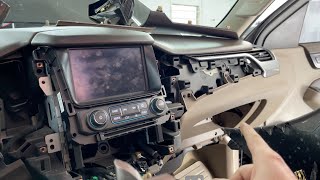
We Have This Part in Stock



The information in this article is provided for general reference and educational purposes only. Vehicle specifications, procedures, and part compatibility can vary by production date, trim level, and region. Always consult your vehicle's factory service manual and verify part numbers before purchasing or performing repairs. Safety-critical components such as airbags, seat belts, and braking systems should be installed by a qualified professional.
- Chevrolet TAHOE:
- 🎬 Helpful Videos
- 🛍️ Shop This Part
- What's Unique About the 2013-2020 Chevrolet TAHOE
- Diagnostic Flowchart
- Symptoms You May Notice
- Most Likely Causes
- Rare But Worth Checking
- Diagnosis Steps
- Parts You'll Likely Need
- Related Codes That Often Appear With This One
- Technical Service Bulletins (TSBs) & Recalls
- Platform-Specific Known Issues
- Mechanic-Grade Diagnostic Values
- Hidden / Shadow Codes Worth Checking
- Scan Tool Commands That Help
- Wiring & Ground Locations
- Real Owner Repair Stories
- OEM Part Supersession History
- Model Year Variations Within This Range
- 🎟️ Get 5% Off