

U0028 on 2013-2019 Chevrolet Silverado 3500: Vehicle Communication Bus Fault Guide
On a 2013-2019 Silverado 3500, code U0028 almost always indicates a fault on the infotainment communication network (MOST bus). The most common cause is a pinched wiring harness behind the driver's side of the dashboard near the parking brake pedal, a known issue documented in GM TSB #PIT5288H. The fix is to repair the damaged wires, which is low-cost for parts but requires several hours of labor. If wiring is intact, a failed module on the network (often the CD player or HMI module) is the next
- U0028 on this Silverado means the infotainment communication network (MOST bus) has failed.
- Before replacing any parts, you MUST inspect the wiring harness under the driver's side dash for pinching, as this is the most common cause and is documented in a GM TSB.
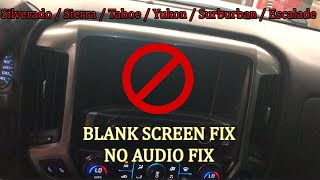
- Symptoms are typically a blank screen, no audio, and a potential dead battery.
- If the wiring is good, the fault is likely a failed module on the network (like the CD player or HMI module), which requires a special bypass tool for diagnosis.
What's Unique About the 2013-2019 Chevrolet SILVERADO 3500
This generation of Silverado (K2XX platform) is particularly susceptible to this code due to a specific design and assembly flaw. GM has issued multiple Technical Service Bulletins, most notably PIT5288G and its successor PIT5288H, documenting that the main dash wiring harness is frequently pinched by a sharp metal mounting bracket on the left side of the instrument panel during factory assembly. This known issue is the leading cause of U0028 and its related symptoms on these trucks, making a wiring inspection the mandatory first step before considering any module replacements.
Diagnostic Flowchart
Tap your situation to follow the diagnostic path that matches what you're seeing on this vehicle.
Generation note: This range covers the end of the second generation (GMT900, 2013-2014) and the third generation (K2XX, 2014-2019). The pinched wiring harness issue documented in TSB PIT5288 is applicable across this entire range but is most prevalent on the 2014-2019 K2XX platform trucks.
Symptoms You May Notice
- Blank infotainment or radio screen
- No audio from the radio or other sources
- Dead battery due to parasitic drain
- Steering wheel controls inoperative
- Other warning lights, such as 'Service Stabilitrak'
- Loss of audible chimes and alerts
- Infotainment system stuck rebooting or on the logo screen
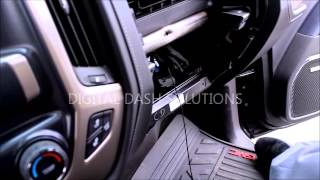
- Radio or HMI controls are completely unresponsive 🎬 Watch: See these common symptoms and the wiring fix in action.
- Replacing the battery. A dead battery is a symptom of the parasitic drain caused by the U0028 fault, not the cause of the fault itself.
- Replacing the radio or HMI module without first inspecting the wiring harness. The pinched harness is the most common cause and should always be checked first per TSB #PIT5288H.
- Replacing the infotainment screen. The screen is just a display; a blank screen with code U0028 is almost always caused by a network failure, not a bad screen. 'Ghost touches' or delamination indicate a bad screen, while a black screen points to a network or module issue.
Most Likely Causes
- Pinched or Damaged Dash Wiring Harness 🔴 High Probability A known issue where the harness is pinched by the left instrument panel mounting bracket, as documented in TSB #PIT5288H. The TSB notes the harness can be crushed between the sharp metal bracket and the body, severing or shorting the MOST bus wires.
How to confirm: Visually and physically inspect the wiring harness under the driver's side dashboard, near the I/P fuse block and parking brake pedal assembly. The TSB advises that the damage may not be obvious and to check if the harness can be moved freely away from the bracket; if it is trapped, damage is likely.
Typical fix: Loosen the bracket bolts, free the harness, open the loom, and repair any cut or damaged wires using proper splicing techniques. Protect the repair with anti-abrasion tape and reroute the harness to prevent future damage.
Est. part cost: $5-$25 - Failed Control Module on MOST Bus 🟡 Medium Probability Modules in the MOST ring (HMI, CD Player, Radio) can fail internally, breaking the communication loop. The CD player and HMI module are frequently cited as failure points in technician forums and repair videos.
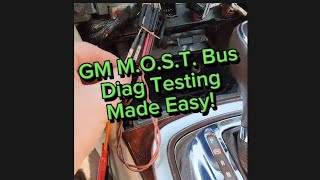
How to confirm: After confirming the wiring is intact, use a MOST bus bypass loop (GM tool EL-51578 or equivalent) to systematically bypass each module on the network, starting with the most accessible (often the CD player). When bypassing a specific module restores communication to the rest of the system, that module is identified as the fault. 🎬 Watch: A simple guide to testing the MOST bus network.
Typical fix: Replace the faulty module. Note that the HMI and Radio modules require VIN-specific programming after installation. Alternatively, if the module is non-essential (like the CD player), the bypass loop or a wire splice can be left in place as a permanent fix.
Est. part cost: $100-$800
Rare But Worth Checking
- Corroded or Loose Connector: While less common than the pinched harness, a loose or corroded connector at the back of the radio, HMI module, or another module on the ring can cause an identical failure. Water intrusion from a leaking windshield or cowl can sometimes be a factor.
- Poor Ground Connection (G218): Some GM trucks have issues with ground G218, located under the driver's side A-pillar trim. Factory-installed sound deadening material can get trapped under the ground nut, causing a poor connection for the BCM and other modules, leading to various communication faults including U0028.
Diagnosis Steps
- Perform a full vehicle scan to identify all stored DTCs. Note all 'U' (communication) codes, especially U0028 and U0029.
- Confirm symptoms like a blank screen and no audio. If these occur at startup, it strongly suggests a MOST bus down condition.
- Crucial First Step: Based on TSB #PIT5288H, remove the driver's side lower dash panels to gain access to the main wiring harness.
- Thoroughly inspect the wiring harness where it passes the metal instrument panel mounting bracket, near the parking brake assembly. Check for any signs of pinching, chafing, or crushing. Physically confirm the harness can move freely.
- If damage is found, disconnect the battery, repair the affected wires (solder and heat shrink recommended), wrap the harness in protective Tesa tape, and reroute it to prevent it from being pinched again. Reconnect the battery and test.
- If no wiring damage is found, the next step is to isolate the faulty module. Using a MOST bus bypass loop (such as GM tool EL-51578), start by bypassing the most accessible or most common failure point (e.g., the CD player).
- The MOST bus ring order is typically: Radio -> CD Player -> HMI Module -> Instrument Cluster -> back to Radio. Start bypassing modules one by one.
- After bypassing a module, clear the codes and cycle the ignition. If the infotainment system starts working, the bypassed module is the source of the fault.
- If the system remains inoperative, reconnect the previous module and move the bypass loop to the next module in the ring and repeat the test until the faulty module is found.
- Once the faulty module is identified, replace it. Note that some modules, like the HMI or Radio, must be programmed to the vehicle's VIN by a dealer or qualified shop using GM's Service Programming System (SPS).
Parts You'll Likely Need
- Wiring Repair Supplies — Needed to fix the most common cause: the pinched dash harness. Includes wire, solder, heat shrink, and Tesa tape.
OEM price range: $10-$25
Aftermarket price range: $5-$20 - Human Machine Interface (HMI) Module
(OEM #23228498, 23493424 (for 2015 models, check VIN for exact match))— This module controls the infotainment display and is a common point of failure on the MOST bus after wiring issues are ruled out. Requires programming upon replacement.
Trusted brands: ACDelco
OEM price range: $400-$800
Aftermarket price range: $250-$500 - CD/Media Disc Player — Another common module to fail internally, breaking the MOST communication ring. Often cheaper to bypass than replace.
Trusted brands: ACDelco
OEM price range: $150-$350
Aftermarket price range: $100-$250 - MOST Bus Bypass Loop
(OEM #EL-51578)— This is an essential diagnostic tool for isolating the failed module in the MOST ring. It can also be used as a permanent bypass for non-essential modules like the CD player.
Related Codes That Often Appear With This One
- U0029 — This code also indicates a MOST bus communication fault. U0028 often points to a complete ring break, while U0029 can mean the ring is intact but a module is sending invalid data. They are frequently set together and detailed in TSB #PIT5288H.
- U0151 — Loss of Communication with the Restraints Control Module (Airbag). This code is listed in TSB #PIT5288H as a common companion code when the dash harness is pinched, likely due to damage to adjacent wires in the same bundle.
- U0077 — Loss of Communication with Chassis Control Module. This is another code listed in TSB #PIT5288H that can occur when the main dash harness is damaged.
- U0140 — Loss of Communication with Body Control Module (BCM). This can occur if the pinched harness affects BCM communication lines or if a bad ground (like G218) is the root cause.
Technical Service Bulletins (TSBs) & Recalls
- PIT5288H: Details numerous electrical issues, including U0028 and U0029, caused by a pinched wire harness in the left instrument panel. It lists a wide array of symptoms from 'No Audio' to 'Service Stabilitrak' and 'Dead Battery'.
- PIC6073E: Mentions the use of a special diagnostic tool kit for MOST bus diagnosis and refers technicians to the diagnostic procedures for code U0028.
- Bulletin #21-NA-149: While not specific to U0028, this bulletin details other known wire harness chafing locations on 2019+ Silverado/Sierra models, showing a pattern of potential wiring issues on GM trucks.
Platform-Specific Known Issues
- TSB #PIT5288H (superseding G, D, etc.) explicitly calls out the dash harness being pinched by the left I/P mounting bracket as a primary cause for U0028. The bulletin states the harness may not look obviously crushed but to confirm it can move freely away from the bracket.
Mechanic-Grade Diagnostic Values
- Module Power Supply Load Test — expected: The circuit should power a test light bulb rated for ~10% of the circuit's fuse amperage (e.g., a 2-amp bulb on a 20-amp circuit) while maintaining system voltage (12V+).. Failure: If the test light is dim, does not light, or voltage drops significantly, it indicates high resistance in the power feed or a weak connection.
- GDS2 Radio Data: 'Number of MOST Communication Breaks' — expected: A value of '0' suggests the ring has integrity but a module is malfunctioning (often sets U0029).. Failure: A value of '1' or more indicates a physical break in the ring wiring.
- GDS2 Radio Data: 'Surrogate MOST Master Node Upstream Position' — expected: This parameter displays a number corresponding to the last module that successfully communicated before the break.. Failure: If the value is '2', and the ring order is Radio(1)->CD(2)->HMI(3)->IPC(4), the fault lies between the CD player and the HMI module.
Hidden / Shadow Codes Worth Checking
- U0029 7F: The symptom byte '7F' means 'Intermittent'. When seen with U0028, it strongly suggests a fault that is not continuously present, such as a chafed wire or a loose connection, rather than a complete module failure. (see via GM GDS2 (Global Diagnostic System 2) or equivalent high-end scan tool.)
- U0028 72: The symptom byte '72' means 'Alive and Well Counter Incorrect'. It indicates that data is being received, but it is corrupted or not in the expected format, rather than a complete loss of signal. This can point to a module failing internally. (see via GM GDS2 (Global Diagnostic System 2) or equivalent high-end scan tool.)
Scan Tool Commands That Help
- GDS2 (Global Diagnostic System 2): Radio > Data Display > MOST Bus Data — This is the primary diagnostic screen for this fault. It allows a technician to view the 'Surrogate MOST Master Node Upstream Position' and 'Number of MOST Communication Breaks' PIDs to logically determine the location of the fault in the ring without physically accessing every module first.
- GDS2 (Global Diagnostic System 2): Data Bus Diagnostic Tool — This function actively polls all modules on a selected data bus to see which ones respond. It helps verify which modules are offline and can confirm a break in the MOST ring when multiple infotainment modules fail to respond.
Wiring & Ground Locations
- G218 — On the driver's side A-pillar, behind the kick panel/trim.. This is a major ground for the Body Control Module (BCM). TSB #PIT5405C notes that sound-deadening material can get trapped under the ground nut from the factory, causing a poor connection and a host of electrical issues, including communication codes.
- HMI Module Location — Behind the lower glove box. The glove box must be removed to access it. The module itself is often mounted high up behind a dash support bar.. The HMI is a key node on the MOST bus. Knowing its location is critical for checking connections or for bypassing/replacing it during diagnosis.
- MOST Bus Wires — Within the main dash harness, connecting the Radio, CD Player, HMI, and Instrument Cluster. They are typically a twisted pair.. These are the specific data-carrying wires for the infotainment network. The known pinched harness issue (TSB PIT5288) directly damages these wires, causing the U0028 code.
- G103 — Located at the left rear of the engine compartment on the cowl, above the brake booster.. This ground point serves the Radio, Instrument Panel Cluster (IPC), and BCM. A poor connection here can cause communication issues with multiple modules on the MOST bus.
Real Owner Repair Stories
- gm-trucks.com forum user experience (2015 Silverado (platform mate)) — Blank infotainment screen, codes U0028 and U0029 stored.
❌ Tried (didn't work) Initial diagnosis pointed to a bad module.
✅ What actually fixed it The dealer diagnosed a bad CD player. The owner purchased a MOST bypass loop, installed it at the CD player's connector, and all infotainment functions were restored. This confirmed the CD player had failed internally and was breaking the communication ring.
OEM Part Supersession History
23228498→23493424, and others— Internal revisions and updates by the manufacturer (ACDelco/Bosch).
Heads up: Part numbers for HMI modules are extremely specific to the vehicle's VIN and options (RPO codes like IO5 vs. IO6 for navigation). A used module from another vehicle will not work without being professionally unlocked and reprogrammed to the new vehicle's VIN.
Model Year Variations Within This Range
- 2014-2015: These model years use the HMI 2.0 module. These units do not support Apple CarPlay or Android Auto from the factory.
- 2016-2018: These model years use the upgraded HMI 2.5 module, which features a more powerful processor and native support for Apple CarPlay and Android Auto. While the U0028 fault can occur on both, the specific HMI part numbers for replacement are different.
- 2019: The 2019 model year is a split. The 'Silverado 3500 HD' (old body style, K2XX) still uses the HMI 2.5 system. The all-new 'Silverado 1500' (new body style, T1XX) introduced a completely different infotainment architecture (CSM-based) which is not covered by this guide.
Helpful Videos
We Have This Part in Stock



The information in this article is provided for general reference and educational purposes only. Vehicle specifications, procedures, and part compatibility can vary by production date, trim level, and region. Always consult your vehicle's factory service manual and verify part numbers before purchasing or performing repairs. Safety-critical components such as airbags, seat belts, and braking systems should be installed by a qualified professional.
- Chevrolet SILVERADO 3500:
- 🎬 Helpful Videos
- 🛍️ Shop This Part
- What's Unique About the 2013-2019 Chevrolet SILVERADO 3500
- Diagnostic Flowchart
- Symptoms You May Notice
- Most Likely Causes
- Rare But Worth Checking
- Diagnosis Steps
- Parts You'll Likely Need
- Related Codes That Often Appear With This One
- Technical Service Bulletins (TSBs) & Recalls
- Platform-Specific Known Issues
- Mechanic-Grade Diagnostic Values
- Hidden / Shadow Codes Worth Checking
- Scan Tool Commands That Help
- Wiring & Ground Locations
- Real Owner Repair Stories
- OEM Part Supersession History
- Model Year Variations Within This Range
- 🎟️ Get 5% Off