

U0028 on 2013-2018 Chevrolet Cruze: Infotainment Network Fault Causes and Fixes
Code U0028 on a Chevy Cruze means a communication failure on the infotainment network, called the MOST bus. This usually causes a blank radio screen and no sound. The problem is often a single failed module (like the radio, amplifier, or OnStar module) or a damaged wire breaking the 'ring' network.
- U0028 on a Cruze means the infotainment communication network (MOST bus) has failed.
- Symptoms are almost always a blank radio screen, no audio, and no turn signal sounds.
- The cause is a single break in the network 'ring'—either a failed module (amplifier, radio, OnStar) or a wiring issue.
- Do not replace expensive components like the radio or screen without proper diagnosis.
- The correct diagnostic procedure involves using a special, inexpensive 'MOST bypass loop' to find the exact point of failure in the ring.
What's Unique About the 2013-2018 Chevrolet CRUZE
The Chevrolet Cruze uses this MOST bus ring topology for its infotainment system, where the radio often acts as the master controller. A key vulnerability is that a single point of failure—be it a faulty module like the amplifier or a break in the wiring—can take down the entire system, leading to a cascade of symptoms like a dead radio, no sound, and loss of OnStar. This can be confusing, as a seemingly unrelated part (like the OnStar module or even the CD player) can be the root cause of the radio failure. Water intrusion into the trunk area is a known issue on similar GM platforms, which can damage the amplifier and break the MOST ring.
Diagnostic Flowchart
Tap your situation to follow the diagnostic path that matches what you're seeing on this vehicle.
Generation note: This year range covers the first generation (2013-2016) and the second generation (2016-2018) of the Chevrolet Cruze. While the U0028 code's meaning is the same for both, the physical location of MOST bus components, such as the OnStar/telematics module and amplifier, can differ. For example, on first-gen models, the OnStar module is often behind the glove box or center console, while on second-gen models, it may be behind the instrument cluster. The amplifier on first-gen models with premium audio is typically located in the trunk on the driver's side. Note that as of late 2022, the 2G cellular network used by older OnStar modules was decommissioned, rendering them inoperable for OnStar services, but a failed module can still break the MOST bus and cause a U0028. The 2016 model year is a split year; some are Gen 1 (sold as 'Cruze Limited') and some are the redesigned Gen 2.
Symptoms You May Notice
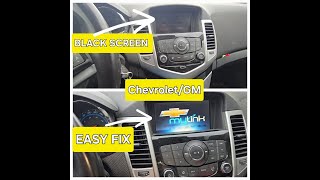
- Radio display is blank or frozen 🎬 Watch: Troubleshooting a black or unresponsive infotainment screen
- No sound from the audio system
- Loss of turn signal 'click' and other warning chimes (which play through the speakers)
- OnStar system inoperative or shows a red light
- Bluetooth and hands-free calling do not work
- Parasitic battery drain, leading to a dead battery if the car sits for a few days
- Radio or display power button may blink on startup
- Replacing the radio display screen when the screen itself is fine, but not receiving data due to the network failure.
- Replacing the radio head unit without first testing other, less expensive modules in the ring (like the amplifier or OnStar module) that could be the actual cause.
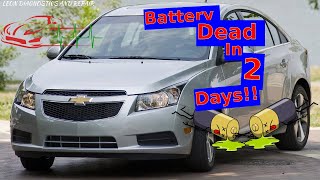
- Replacing the battery due to a parasitic drain without first diagnosing the U0028 fault that is preventing modules from entering sleep mode. 🎬 See how a parasitic drain can affect your Cruze
Most Likely Causes
- Failed Module on the MOST Bus (e.g., Amplifier, Radio, OnStar Module) 🔴 High Probability The MOST bus operates as a ring; if any module in the ring fails internally, it breaks the entire communication loop. Common failure points include the amplifier (sometimes due to moisture in the trunk from leaks), the radio (head unit), or the OnStar (telematics) module.
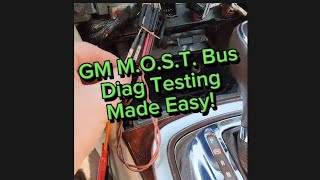
How to confirm: The most effective method is to use a MOST bypass loop (a special diagnostic tool like GM's EL-51578). By unplugging each module one at a time and inserting the loop in its place, you can identify which component, when bypassed, restores communication to the rest of the system. If bypassing a module restores function (and changes the U0028 from 'current' to 'history'), that module is the cause.
Typical fix: Replace the identified faulty module. Note that some replacement modules, like the radio, HMI, or OnStar unit, may require programming by a dealer or qualified shop to function correctly with the vehicle's VIN.
Est. part cost: $150-$800 - Damaged Wiring or Loose Connection 🟡 Medium Probability The MOST bus wiring, whether fiber optic or twisted-pair copper, can be susceptible to damage from being pinched, kinked, or chafed, particularly behind the dashboard, under seats, or in the trunk area where work may have been performed.
How to confirm: Perform a thorough visual inspection of the MOST bus wiring harness, paying close attention to connectors at the back of the radio, amplifier, and other modules. On some GM vehicles, a pinched harness behind the instrument panel is a known issue (per TSB PIT5288H), though this is more documented on trucks and SUVs.
Typical fix: Repair the damaged section of the wire or re-secure the loose connector. This can be a low-cost parts fix but may involve significant labor to access the damaged area.
Est. part cost: $5-$50 - Blown Fuse for an Infotainment Module ⚪ Low Probability While less common for a network code, a blown fuse for a critical module on the bus (like the radio, display, or amplifier) can take that module offline and break the ring. This should be the first and easiest check.
How to confirm: Check the fuses related to the infotainment system. On a first-generation Cruze with the premium sound system, the amplifier fuse (F35, a 30A fuse) is located in the under-hood fuse box. A simple fuse pull and reset (waiting 5 minutes before reinserting) can sometimes resolve temporary glitches.
Typical fix: Replace the blown fuse. If the fuse blows again immediately, it indicates a short circuit in the wiring or a failed component that needs to be diagnosed further.
Est. part cost: $1-$10
Rare But Worth Checking
- Failed CD/Media Player:
Diagnosis Steps
- Scan the vehicle for all DTCs to see which modules are reporting communication loss. Note if U0029 is also present.
- Verify the symptoms. A blank screen and no audio at startup strongly suggest the MOST bus is down.
- Check all fuses related to the infotainment system, including those for the radio, display, and amplifier in the interior and under-hood fuse panels. The amplifier fuse is often F35 in the under-hood box.
- If fuses are good, gain access to the modules on the MOST bus ring. This may include the radio, amplifier (often in the trunk on the driver's side for the first-gen Cruze), and the OnStar/telematics module (location varies by generation).
- Using a MOST bus bypass loop (such as GM tool EL-51578), disconnect the first module in the ring and install the loop. Cycle the ignition and see if audio/display function returns.
- If the system remains inoperative, reconnect the first module and move to the next one in the ring, repeating the bypass process.
- When bypassing a module restores function to the others (and U0028 becomes a history code), that bypassed module is the source of the fault.
- Once the faulty module is identified, inspect its connector for power, ground, and any signs of water damage or corrosion before condemning the module itself.
Parts You'll Likely Need
- Audio Amplifier
(OEM #95228887)— The amplifier is a common failure point in the MOST bus ring. On the first-gen Cruze, it is located in the trunk and can be susceptible to water damage.
Trusted brands: ACDelco
OEM price range: $250-$450
Aftermarket price range: $150-$300 - Radio (Tuner) Module — The radio often acts as the master module for the MOST bus. An internal failure will bring down the entire network.
Trusted brands: ACDelco
OEM price range: $300-$800
Aftermarket price range: $200-$500 - Telematics Communication Interface Control Module (OnStar Module)
(OEM #95328112)— As a node on the MOST bus, the OnStar module can fail and break the communication ring, causing the radio and audio to stop working. A failing module is also a known cause of parasitic battery drain. Part number 95328112 is associated with 2014-2015 models.
Trusted brands: ACDelco
OEM price range: $200-$400
Aftermarket price range: $150-$300
Related Codes That Often Appear With This One
- U0029 — This code also indicates a MOST bus performance issue. While U0028 often points to a complete ring break, U0029 can indicate the ring has integrity but a specific module is not communicating correctly. They often appear together and help diagnose a faulty module versus a wiring break.
- U0184 — This code means 'Lost Communication With Radio'. It can be set as a secondary code in other modules when the U0028 fault in the MOST bus prevents them from hearing from the radio.
- U0186 — This code means 'Lost Communication With Audio Amplifier'. It is a common companion code if the amplifier is the failed module on the MOST ring or if the ring break occurs before the amplifier.
Technical Service Bulletins (TSBs) & Recalls
- PIC6073E: Provides information on the MOST Bus Diagnostic Tool Kit (EL-51578) and directs technicians to the standard U0028 diagnostic procedures.
- PI1149A: Details intermittent blank radio displays. Critically, it notes that a blank display with no audio on startup points directly to a MOST bus down condition.
- PIC5870A: Discusses poor audio quality or no audio caused by water leaks in the trunk damaging the amplifier on various GM models, a known failure pattern relevant to the Cruze.
- PIT5288H: While specifically for trucks/SUVs, it highlights a known GM issue of pinched wiring harnesses behind the dash causing MOST bus faults, a possibility that should not be overlooked.
- 23-NA-001: Informs that 2G OnStar modules are no longer functional for OnStar services after the network shutdown, but a failed module can still disrupt the MOST bus.
Platform-Specific Known Issues
- {'title': 'DIY Fuse Pull Reset', 'description': 'Several owners have reported temporary success by pulling the fuses for the radio/audio and display from the interior fuse box, waiting for about 5 minutes, and then re-inserting them. This can sometimes reset the modules on the network and restore function, though it may not fix the underlying cause if a module is failing. It is a simple first step to try.'}
- {'title': 'Parasitic Drain from OnStar', 'description': 'In forum discussions about unexplained battery drain on the Cruze, unplugging the OnStar module is a commonly suggested diagnostic step. Even if you don\'t subscribe to the service, a faulty module can fail to go to sleep, causing a parasitic draw. This aligns with the OnStar module being a potential cause for the U0028 code.'}
Mechanic-Grade Diagnostic Values
- ECL (Electronic Control Line) Voltage — expected: Refer to service manual; specific voltage varies.. Failure: Incorrect voltage on the ECL circuit can prevent a module from waking up, causing a U0028 code even if the MOST ring is physically intact.
Scan Tool Commands That Help
- GDS2 (GM Global Diagnostic System 2): Radio > Data Display > 'Surrogate MOST Master Node Upstream Position' — When U0028 is set, this parameter helps identify which module has taken over as a temporary 'master' and where the ring break is relative to that module. A non-zero value helps pinpoint the location of the fault.
- GDS2 (GM Global Diagnostic System 2): Radio > Data Display > 'Number of MOST Communication Breaks' — Use this to differentiate between a physical ring break and a module communication error. A value of '1' or more indicates a physical break in the ring. A value of '0' when U0028 is present suggests the ring has integrity but a module is not communicating properly, which often sets U0029 as well.
- GDS2 (GM Global Diagnostic System 2): Data Bus Diagnostic Tool — This utility, which installs with GDS2, provides a quick visual overview of all vehicle networks. It can be used to confirm which modules on the MOST bus are not communicating, helping to form a diagnostic strategy before starting physical bypass testing.
Wiring & Ground Locations
- G305 — Base of the left 'A' pillar or in the left kick panel area.. This is a major interior ground point. A poor connection here could affect the power supply and grounding of dashboard-mounted infotainment modules like the radio or HMI, preventing them from communicating on the MOST bus.
- G307 — Under the center console.. This ground is critical for components located in the center stack, including the radio, display, and potentially the OnStar module on some first-generation models, which is located behind the center console.
- Amplifier Connector (First Gen) — In the trunk, typically on the driver's side behind the liner, on vehicles with premium audio.. This is the connection point for a key module on the MOST ring. The connector and wiring are susceptible to damage from items in the trunk or from water intrusion, which can cause corrosion and a ring break.
Real Owner Repair Stories
- CruzeTalk forum user (2014 Chevrolet Cruze) — Radio screen went black, no audio, no chimes. The user reported a parasitic drain that would kill the battery overnight.
❌ Tried (didn't work) Replacing the battery., Checking all related fuses.
✅ What actually fixed it The user identified the amplifier in the trunk as the most likely cause. After disconnecting the amplifier, the parasitic drain disappeared. Replacing the amplifier (part number 95228887 was mentioned) restored all infotainment functions and resolved the battery drain issue.
Model Year Variations Within This Range
- 2016: The 2016 model year was a transition period. The first-generation body style was sold as the 'Cruze Limited'. The all-new second-generation Cruze was also introduced. It is critical to correctly identify which version is being worked on, as the location of modules like the OnStar unit (Gen 1: behind center console, Gen 2: behind instrument cluster) and the design of the infotainment system are different.
- 2013-2016 (Gen 1) vs 2016-2018 (Gen 2): The location of the OnStar (Telematics) module differs significantly. On Gen 1 models, it is often located behind the center console, near the shifter. On Gen 2 models, it is located directly behind the instrument cluster, requiring cluster removal for access.
Helpful Videos
We Have This Part in Stock



The information in this article is provided for general reference and educational purposes only. Vehicle specifications, procedures, and part compatibility can vary by production date, trim level, and region. Always consult your vehicle's factory service manual and verify part numbers before purchasing or performing repairs. Safety-critical components such as airbags, seat belts, and braking systems should be installed by a qualified professional.
- Chevrolet CRUZE:
- 🎬 Helpful Videos
- 🛍️ Shop This Part
- What's Unique About the 2013-2018 Chevrolet CRUZE
- Diagnostic Flowchart
- Symptoms You May Notice
- Most Likely Causes
- Rare But Worth Checking
- Diagnosis Steps
- Parts You'll Likely Need
- Related Codes That Often Appear With This One
- Technical Service Bulletins (TSBs) & Recalls
- Platform-Specific Known Issues
- Mechanic-Grade Diagnostic Values
- Scan Tool Commands That Help
- Wiring & Ground Locations
- Real Owner Repair Stories
- Model Year Variations Within This Range
- 🎟️ Get 5% Off