

U0028 on 2013-2018 Chevrolet Camaro: Infotainment Network Failure Causes and Fixes
On a 2013-2018 Camaro, code U0028 indicates a complete failure of the infotainment communication network (MOST bus). This typically results in a blank screen and no audio. The cause is usually a single failed module on the network, like the HMI module or CD player, which requires professional diagnosis using a special bypass loop tool to identify.
- U0028 on your Camaro means the infotainment communication network has failed, causing a blank screen and no sound.
- The problem is almost always a single failed electronic module (HMI, CD player, etc.), not the entire radio or screen.
- This is not a simple DIY fix. Correct diagnosis requires a special MOST bypass loop tool to find the broken 'link' in the communication ring.
- Do not replace any expensive parts until the specific faulty module has been identified through a bypass test.
- Be aware that this fault can drain your battery, so it's best to get it diagnosed promptly.
What's Unique About the 2013-2018 Chevrolet CAMARO
The 2013-2018 Camaro spans two distinct generations (5th and 6th) with different MyLink infotainment systems. While the underlying MOST network architecture is similar, the specific modules (HMI, radio) and their locations can differ. Unlike some GM trucks where a pinched wiring harness is a very common cause, on the Camaro, the issue is more frequently traced to an internal failure of one of the electronic modules on the communication ring. A GM Technical Service Bulletin (PIC6073E) specifically mentions diagnosing U0028 on this platform, confirming it's a known issue.
Diagnostic Flowchart
Tap your situation to follow the diagnostic path that matches what you're seeing on this vehicle.
Generation note: This range covers the late 5th generation (2013-2015) and the early 6th generation (2016-2018). The infotainment systems (MyLink versions) and some electronic modules are different, but the U0028 code and its diagnostic principle (MOST bus failure) apply to both. The 6th gen (2016+) uses the HMI 2.5 module, while the 5th gen uses an earlier version. The diagnostic approach is consistent across both generations.
Symptoms You May Notice
- Completely blank or black infotainment screen at startup.
- No audio from the stereo, including radio, Bluetooth, or other media.
- Backup camera does not display when in reverse.
- Steering wheel audio controls are non-responsive.
- Loss of audible chimes or turn signal clicks (which are often played through the audio system).
- A dead battery after the vehicle sits for a day or two, caused by a parasitic drain from modules failing to shut down.
- HVAC control lights may be out, even if the climate control still functions.
- Replacing the infotainment screen. A blank screen is a symptom of the network failure, not a broken display panel. A Corvette owner on CorvetteForum confirmed replacing the HMI module, not the screen, fixed the issue.
- Replacing the battery without diagnosing the parasitic drain. A new battery will also be drained if the underlying U0028 fault is not corrected. This is a common complaint on Camaro5 forums.
Most Likely Causes
- Failed Human Machine Interface (HMI) Module 🔴 High Probability The HMI is the central computer for the MyLink system and a common point of failure in this GM infotainment architecture. Voltage spikes from battery replacement or jump-starts can damage it.
How to confirm: Using a MOST bypass loop, bypass the HMI module (often located behind the glove box). If other modules come back online (e.g., audio returns but the screen stays blank), the HMI has failed. A professional scan tool may also show the HMI is not communicating.
Typical fix: Replace the HMI module. This part is VIN-locked and requires programming by a dealer or a specialized shop. Aftermarket vendors often sell pre-programmed units if you provide your VIN.
Est. part cost: $250-$600 - Failed CD/Media Player 🟡 Medium Probability As a node on the MOST ring, an internal electronic failure in the CD player will break the communication loop, taking the entire system down. This is a well-documented failure point across many GM vehicles with this architecture.
How to confirm: Unplug the fiber-optic or twisted-pair connector from the CD player and install a MOST bypass loop. If the screen and audio function return, the CD player is the fault.
Typical fix: Replace the CD player or, if it's not used, leave the bypass loop installed as a permanent fix to eliminate the module from the network. A used replacement will likely require programming to avoid a 'theft locked' message.
Est. part cost: $100-$350 - Damaged MOST Bus Wiring or Connectors ⚪ Low Probability
How to confirm: Visually inspect the wiring harnesses (often twisted-pair white/green and gray/violet wires or fiber optic cables) going to the radio, HMI, and amplifier for any signs of pinching, chafing, or corrosion. This is less common on the Camaro than on GM trucks but should be checked if bypassing modules doesn't isolate the fault.
Typical fix: Repair the damaged section of the wire or replace the affected connector.
Est. part cost: $10-$50 - Failed Radio Module ⚪ Low Probability The radio acts as the 'master' module for the MOST bus. While less common to fail than the HMI, its failure will also bring down the network. It is often located to the right of the glovebox.
How to confirm: This is diagnosed by exclusion. The radio is the master and cannot be bypassed with a loop. If all other modules on the MOST ring (HMI, Amp, CD Player) are bypassed with a loop and the system still does not work, the radio is the likely culprit.
Typical fix: Replace the radio module. This part also requires programming to the vehicle's VIN.
Est. part cost: $200-$500
Rare But Worth Checking
- Failed Amplifier: For cars equipped with a premium sound system (like Bose), the amplifier is another module on the MOST ring. It can fail and cause the same symptoms. It is diagnosed using the same bypass loop method at the amplifier, which is typically located in the trunk. If the amp is bypassed, audio will not return, but the U0028 code should change from 'current' to 'history' on a scan tool, confirming the amp was the break in the ring.
Diagnosis Steps
- Perform a full vehicle scan with a high-end tool (like GM GDS2) to confirm U0028 is present and see which modules are reporting it. Note any other 'U' codes like U0184 or U0186, as they can point to the faulty module.
- Verify the battery is fully charged and the charging system is working correctly. Low voltage can cause communication glitches. A simple battery disconnect for 10-30 minutes can sometimes reset the modules and temporarily restore function, confirming a soft fault.
- Confirm the primary symptom: a blank screen and no audio at startup strongly indicates a MOST bus down condition.
- Access the modules on the MOST ring. This typically includes the radio (right of glove box), the HMI module (behind glove box), the CD player (in dash), and the amplifier (in trunk for premium audio).
- Starting with the easiest module to access (often the CD player or HMI), unplug its electrical connector containing the MOST bus wires.
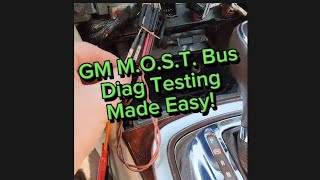
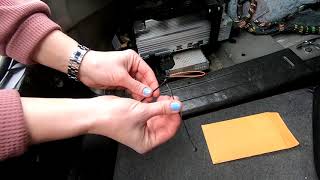
- Install a MOST bus bypass loop (from a kit like GM's EL-51578) onto the harness connector to complete the circuit, effectively removing that module from the ring.
- Turn the ignition on. If the screen and/or audio return, the module you just bypassed is the one that has failed.
- If the system is still dead, remove the bypass loop, reconnect the module, and repeat the process on the next module in the ring.
- If all accessible modules have been bypassed and the fault persists, the issue likely lies with the radio (master module) or a wiring fault between modules.
Parts You'll Likely Need
- Human Machine Interface (HMI) Module
(OEM #84364934 (Example for 2018 2.5 HMI, many others exist))— This is the 'brain' of the MyLink system and a very common failure point that causes a U0028 code. Replacement requires programming.
Trusted brands: ACDelco
OEM price range: $300-$600
Aftermarket price range: $250-$450 - CD/Media Player — An internal failure in this module breaks the MOST communication ring. It's often cheaper to bypass than replace if you don't use CDs.
Trusted brands: ACDelco
OEM price range: $150-$350
Aftermarket price range: $100-$250 - MOST Bus Bypass Loop
(OEM #EL-51578)— This is an essential diagnostic tool used to find the failed module on the network. It is not a permanent repair part unless used to intentionally eliminate a non-essential module like the CD player.
Related Codes That Often Appear With This One
- U0029 — This code for 'Vehicle Communication Bus A Performance' often appears with U0028. TSB PI1149A and diagnostic case studies note that U0028 often indicates a complete ring break, while U0029 can mean the ring has integrity but a module is malfunctioning.
- U0184 — This code means 'Lost Communication With Radio'. It will be set in other vehicle modules (like the BCM) when the U0028 fault prevents them from hearing from the master radio module on the network.
- U0186 — This code means 'Lost Communication With Audio Amplifier'. If the amplifier fails and breaks the MOST ring, other modules will log this code. TSB PI1149A advises diagnosing these module-specific codes first, as they can directly point to the failed component.
Technical Service Bulletins (TSBs) & Recalls
- PIC6073E: Mentions diagnosing DTC U0028 related to the Media Oriented Systems Transport (MOST) bus on the Camaro and other GM vehicles, and discusses the use of the EL-51578 diagnostic tool kit.
- PI1149A: A general GM bulletin for blank/no audio conditions that lists U0028 and U0029 as key diagnostic codes. It provides crucial details, such as the difference in symptoms if the fault occurs at startup vs. while driving, and recommends using the EL-51578 bypass tool.
Platform-Specific Known Issues
- Parasitic Battery Drain: Multiple owners on Camaro5 and Camaro6 forums report that a U0028 fault is often first noticed after finding a dead battery. A failed module on the MOST bus can prevent the car's electronics from entering sleep mode, causing a significant parasitic draw.
- HMI Module Failure on 6th Gen (2016+): The HMI 2.5 module used in the 6th generation Camaro is a frequently cited point of failure in forum discussions, leading to the 'Black Screen of Death' and a U0028 code.
- CD Player as a Common Culprit: A diagnostic case study on iATN and a YouTube repair video for a similar GM truck platform both identified the CD player as the single point of failure causing a U0028 code. Bypassing it with a loop restored all other functions.
Mechanic-Grade Diagnostic Values
- MOST Bus Optical Signal — expected: A visible, flashing red light from the output port of a functioning module's fiber optic connector.. Failure: No red light coming from a module's output port indicates that module or a module before it in the ring has failed.
- GDS2 Scan Tool Data: 'Number of MOST Communication Breaks' — expected: 0. Failure: A value of 1 or more indicates a complete break in the MOST ring. If U0029 is also present, this value may be 0, indicating the ring is intact but a module is malfunctioning.
- GDS2 Scan Tool Data: 'Surrogate MOST Master Node Upstream Position' — expected: N/A or 0. Failure: If a number (e.g., 2) is displayed, it indicates which module (counting backward from the master) has detected the communication failure, helping to pinpoint the break.
Hidden / Shadow Codes Worth Checking
- U0028 sym00: A symptom byte of '00' indicates a general MOST bus fault. Its presence is the standard indicator for this DTC and is called out in GM diagnostic procedures. (see via GM GDS2 or an equivalent high-end professional scan tool.)
- U0029 7F: A symptom byte of '7F' indicates an 'Intermittent' fault. When seen with U0028, it suggests a fault that is not continuously present, such as a loose connection or chafed wire, rather than a complete module failure. (see via GM GDS2 or an equivalent high-end professional scan tool.)
Scan Tool Commands That Help
- GDS2: Vehicle DTC Information / Module Scan — This is the initial step to perform a full vehicle scan, see which modules are not communicating, and identify all stored DTCs and their symptom bytes.
- GDS2: Radio > MOST Data Display — After confirming U0028, use this function to view critical live data like 'Number of MOST Communication Breaks' to determine if the fault is a ring break or a malfunctioning module.
- GDS2: Service Programming System (SPS) — This function is required after replacing the HMI or Radio module. It downloads the correct VIN-specific software and configuration to the new module, allowing it to communicate with the vehicle.
Wiring & Ground Locations
- HMI Module Connector (X2) — Behind the glove box on 6th Gen (2016-2018) models. It is a gray, 12-pin connector.. This is the primary connector for the HMI module. The MOST bus wires are a twisted pair of white/green and gray/violet wires that must be connected to a bypass loop here to test the HMI module.
- Amplifier Location — In the trunk, typically on the driver's side, for vehicles with premium audio systems.. The amplifier is a node on the MOST ring. Its connector must be accessed to install a bypass loop if you suspect the amplifier has failed.
- G303 — On GM vehicles of this era, grounds in the G3xx series are often located on the B-pillar or in the rear of the vehicle. For example, on some platforms, G303 is on the left side B-pillar behind the trim panel.. While not a direct cause of a MOST ring break, a poor chassis ground for an infotainment module can cause it to malfunction, leading to communication codes like U0028.
Real Owner Repair Stories
- Camaro6 forum user 'Kristoff' (2017 Camaro) — Black screen, non-functional infotainment system.
❌ Tried (didn't work) Checking cables and voltages.
✅ What actually fixed it The HMI module was faulty. Replacing it with a pre-programmed unit from an aftermarket vendor (Gen5DIY) resolved all issues. - Camaro5 forum user 'Papabear505' (2013-2015 era Camaro (MyLink equipped)) — Exact same problem as others: black screen, no response from radio.
❌ Tried (didn't work) Tapping and banging on the dash.
✅ What actually fixed it Disconnecting the battery for about 30 minutes. After reconnecting, the system rebooted and function was restored, though the window indexing procedure was required. This indicates a temporary software glitch or module lock-up rather than a permanent hardware failure. - Camaro5 forum user '20112SSRS' (2011 Camaro 2SS/RS) — Parasitic battery drain of 0.47 amps after modules go to sleep (should be <0.05 amps). Battery repeatedly dying.
❌ Tried (didn't work) Replacing the battery multiple times.
✅ What actually fixed it The user was in the process of diagnosing by pulling fuses one by one. This story highlights the critical link between a U0028-type fault (module not sleeping) and a parasitic drain that is often misdiagnosed as a bad battery.
OEM Part Supersession History
Various (e.g., 84096815, 84131941, 84156699)→84364934 (and others)— GM frequently updates and supersedes electronic modules to fix bugs or change suppliers.
Heads up: According to aftermarket suppliers, the specific part number is less important than ordering a replacement HMI that matches your vehicle's model year and original options (e.g., HMI 2.5, with or without Navigation). A replacement module must be programmed to the vehicle's VIN.
Model Year Variations Within This Range
- 2013-2015 (5th Gen): Uses the Zeta vehicle platform and an earlier version of the MyLink infotainment system. The interior design and module part numbers are distinct from the 6th generation.
- 2016-2018 (6th Gen): Uses the newer, lighter Alpha platform with a completely redesigned interior. The infotainment system is the HMI 2.5 version of MyLink, which supports features like Apple CarPlay/Android Auto. The HMI module itself is a different part number and design from the 5th gen.
Helpful Videos
We Have This Part in Stock



The information in this article is provided for general reference and educational purposes only. Vehicle specifications, procedures, and part compatibility can vary by production date, trim level, and region. Always consult your vehicle's factory service manual and verify part numbers before purchasing or performing repairs. Safety-critical components such as airbags, seat belts, and braking systems should be installed by a qualified professional.
- Chevrolet CAMARO:
- 🎬 Helpful Videos
- 🛍️ Shop This Part
- What's Unique About the 2013-2018 Chevrolet CAMARO
- Diagnostic Flowchart
- Symptoms You May Notice
- Most Likely Causes
- Rare But Worth Checking
- Diagnosis Steps
- Parts You'll Likely Need
- Related Codes That Often Appear With This One
- Technical Service Bulletins (TSBs) & Recalls
- Platform-Specific Known Issues
- Mechanic-Grade Diagnostic Values
- Hidden / Shadow Codes Worth Checking
- Scan Tool Commands That Help
- Wiring & Ground Locations
- Real Owner Repair Stories
- OEM Part Supersession History
- Model Year Variations Within This Range
- 🎟️ Get 5% Off