

U0028 on 2013-2018 Cadillac XTS: Infotainment Network Failure Causes and Fixes
This code means a communication failure on the fiber-optic infotainment network (MOST bus), usually causing a black screen and no audio. The most common cause is a failed module on the network ring, like the amplifier or HMI module. Diagnosis requires a special fiber-optic bypass loop to find the broken link in the chain.
- U0028 on a Cadillac XTS points directly to a failure in the fiber-optic infotainment (MOST) network.
- The most common symptoms are a completely blank CUE screen and no sound from the stereo.
- Do not replace the CUE screen first; the problem is almost always a different module on the network (like the amplifier or HMI module) or a wiring issue.
- Proper diagnosis requires a special, inexpensive tool called a MOST bypass loop to find the break in the network ring.
- While you can drive the vehicle, this is not a DIY-friendly repair for beginners due to the need for special tools and potential for module programming after replacement.
What's Unique About the 2013-2018 Cadillac XTS

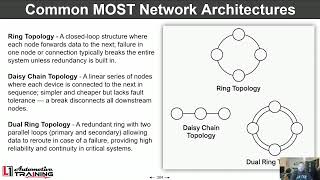
The Cadillac XTS, like other premium GM vehicles of this era (ATS, CTS, SRX), relies heavily on the MOST fiber-optic network for its CUE infotainment system. Unlike a traditional wiring setup where one failed component might not affect others, the MOST bus operates as a ring. A single point of failure—a bad module or a damaged fiber-optic cable—can break the entire ring, causing a total loss of infotainment functions. This all-or-nothing behavior is characteristic of this code on this platform. The radio acts as the master of the bus and cannot be bypassed for diagnosis.
Diagnostic Flowchart

Tap your situation to follow the diagnostic path that matches what you're seeing on this vehicle.
Symptoms You May Notice

- Blank CUE infotainment screen, especially at startup
- No audio from the radio, navigation, or other sources
- Radio or media player controls are unresponsive
- Loss of navigation functionality
- Inability to access vehicle settings through the CUE screen
- Loss of warning chimes or audible alerts
- Steering wheel audio controls are inoperative
- Driver Information Center (DIC) audio page is blank
- Replacing the CUE display screen when the issue is actually a different module on the MOST ring, such as the HMI module (often behind the glove box) or the amplifier (often in the trunk). The screen itself is rarely the cause of a total communication failure indicated by U0028.
Most Likely Causes

- Failed Module on the MOST Bus Ring 🔴 High Probability The MOST network includes several electronic modules (HMI, amplifier, radio tuner, CD player) that can fail internally over time, breaking the communication ring. The HMI module is a very common failure point. The amplifier, often located in the trunk, can be susceptible to moisture or vibration.
How to confirm: Use a MOST bypass loop (like GM tool EL-51578) to systematically bypass each module on the network. When the faulty module is bypassed, communication is restored to the other modules, and the U0028 code will change from 'current' to 'history'. For example, if the HMI is bypassed, the audio may return but the screen will remain blank.
Typical fix: Replace the failed module. The new module (especially the HMI or radio) will require programming by a dealer or qualified shop with access to GM's Service Programming System (SPS).
Est. part cost: $300-$1200 - Damaged Fiber-Optic Cable or Connector 🟡 Medium Probability Fiber-optic cables can be damaged if pinched, kinked, or disconnected, particularly during unrelated repair work in the dash or trunk areas. On platform mates like the Escalade, a pinched dash harness is a known issue documented in TSBs.
How to confirm: Visually inspect the fiber-optic cables running to each module for any signs of damage, sharp bends, or kinks. Check that connectors are clean and fully seated. A visible flashing red light from the end of a transmitting cable indicates it is active.
Typical fix: Repair or replace the damaged section of fiber-optic cable with a jumper or new cable.
Est. part cost: $20-$100 - Poor Power or Ground to a Module ⚪ Low Probability A module can drop off the network if it loses its power or ground connection due to corrosion or a loose wire, even if its internal electronics are fine. TSB PIC6073B notes that a power or ground fault is a probable cause for U0028.
How to confirm: Once a suspect module is identified (e.g., via bypass loop testing), use a multimeter to verify it is receiving proper battery voltage and has a solid ground connection (less than 0.5 ohms of resistance).
Typical fix: Clean or repair the faulty power or ground connection. Common GM ground points can corrode over time.
Est. part cost: $1-$20
Rare But Worth Checking
- Software Corruption in a Module: An interrupted software update or a voltage spike can corrupt a module's firmware, causing it to stop communicating. In some cases, a dealer may be able to reflash the module's software as a potential fix before replacing it. TSB PI1149A mentions that a software update may correct some display issues.
Diagnosis Steps
- Perform a full vehicle scan to confirm U0028 is present and note any other 'U' codes, especially U0029, U0184, or U0186.
- Confirm symptoms: typically a blank screen and no audio at startup.
- Identify the modules on the MOST bus for the XTS. These usually include the Radio (Tuner), HMI Module (behind glove box), Amplifier (driver's side of trunk), and Instrument Panel Cluster.
- Begin diagnosis at an accessible module, like the amplifier in the trunk. Disconnect its fiber-optic connector.
- With the key on, check for a flashing red light from one of the two fiber-optic ports in the disconnected cable. This confirms the signal is reaching that point.
- Install a MOST bypass loop (GM tool EL-51578) on the disconnected cable to 'complete' the circuit without the module.
- Check if the infotainment system comes back to life (e.g., audio returns, screen shows a message). If it does, the module you just bypassed is faulty.
- If the system does not recover, the bypassed module is likely okay. Reconnect it and move to the next module in the ring (e.g., HMI module) and repeat the process.
- Once the faulty module is identified, check its power and ground connections with a multimeter before condemning it.
- If a module is confirmed faulty, replace it. Note that replacement HMI or radio modules require dealer programming (SPS).
Parts You'll Likely Need
- Human Machine Interface (HMI) Module
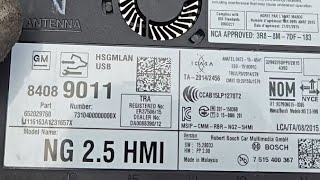
(OEM #23266008, 23141832, 84096817 (Part numbers are VIN-specific, always verify))— This module is the 'brain' of the CUE system and a very common failure point that will break the MOST ring, causing a black screen.
Trusted brands: ACDelco (GM Genuine), Dorman
OEM price range: $400-$800
Aftermarket price range: $250-$500 - Audio Amplifier
(OEM #22959410, 84923764, 23168053 (Part numbers are VIN-specific, always verify))— As another key module on the ring, an internal failure of the amplifier will cause a U0028 code. Its location in the trunk can make it susceptible to damage or moisture.
Trusted brands: ACDelco, Bosch
OEM price range: $300-$700
Aftermarket price range: $200-$450 - MOST Bus Fiber Optic Bypass Loop
(OEM #EL-51578)— This is an essential diagnostic tool, not a repair part. It allows you to bypass modules one by one to find the break in the communication ring.
OEM price range: $15-$30
Aftermarket price range: $10-$25 - Radio Tuner Module
(OEM #Varies by VIN, must be ordered by VIN.)— The radio is the 'master' of the MOST bus. Its failure will take down the entire network.
Trusted brands: ACDelco
OEM price range: $250-$500
Aftermarket price range: $150-$350
Related Codes That Often Appear With This One
- U0029 — U0029 ('Vehicle Communication Bus A Performance') often appears with U0028. While U0028 can mean a total ring break, U0029 can indicate the ring has integrity but a specific module is failing to communicate properly, which can help pinpoint a faulty module rather than a wiring break.
- U0184 — Stands for 'Lost Communication With Radio'. Since the radio is a key module on the MOST bus, its failure will break the ring and set U0028 and often this more specific code.
- U0186 — Stands for 'Lost Communication With Audio Amplifier'. If the amplifier fails, it will break the ring and trigger U0028 along with this specific code.
Technical Service Bulletins (TSBs) & Recalls
- PIC6073E: Mentions that for U0028, technicians should review the Media Oriented Systems Transport (MOST) bus description and diagnostic procedures. It also references the diagnostic tool kit EL-51578.
- PI1149A: Provides a diagnostic aid for intermittent blank displays and distinguishes a MOST bus failure (U0028 with no audio) from other screen issues. It confirms that bypassing modules is the primary diagnostic strategy and notes that for 2013 models, the radio may need an SPS update to show key diagnostic parameters in the scan tool.
Platform-Specific Known Issues
- HMI Module is a Frequent Culprit: Owner discussions and technician reports frequently point to the HMI module as the most common point of failure in the MOST ring for CUE-equipped Cadillacs. While other modules can fail, the HMI should be a primary suspect when diagnosing U0028.
- Hard Reset Attempt: Some owners have reported temporary success by performing a hard reset. This involves disconnecting the vehicle's battery terminals and holding them together for a few minutes to discharge any residual electricity in the modules. This can sometimes restore function, but if a hardware fault exists, the problem will likely return.
Mechanic-Grade Diagnostic Values
- MOST Control Circuit (Wake-up Signal) Voltage — expected: The circuit rests at 12V B+. The radio (master) pulls the voltage to 0V for approximately 100ms to signal a wake-up to all modules on the ring.. Failure: An open or high resistance in this control circuit can prevent the wake-up signal from being transmitted or received, causing modules not to activate and setting a U0028 code.
- Module Ground Connection Resistance — expected: Less than 1.0 Ohm when measured between the module's ground pin and the negative battery terminal.. Failure: Resistance greater than 1.0 Ohm indicates a poor ground, which can prevent a module from powering on correctly and cause it to drop off the MOST network.
Scan Tool Commands That Help
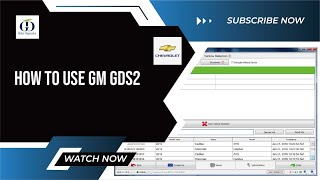
- GDS2 (Global Diagnostic System 2): Radio Data Display > 'Surrogate MOST Master Node Upstream Position' — This PID is critical for diagnosing a ring break. The value displayed points to the last module that successfully communicated before the break, effectively identifying the location of the fault in the ring. TSB PI1149A notes that 2013 models may need a radio software update via SPS to make this parameter visible.
- GDS2 (Global Diagnostic System 2): Data Bus Diagnostic Tool — This function actively polls all configured control modules on the vehicle's data buses and displays a list of which ones are communicating and which are not. For a U0028 fault, this provides a clear, high-level view of the entire MOST network's status and confirms which modules have dropped off.
- GDS2 (Global Diagnostic System 2): Module Diagnostics > [Module Name] > Identification Information — This allows a technician to attempt direct communication with a single module (e.g., HMI, Radio, Amplifier). If the scan tool cannot get a response from a specific module while others on the bus are communicating (after being bypassed), it strongly suggests that module has failed or lacks power/ground.
Wiring & Ground Locations
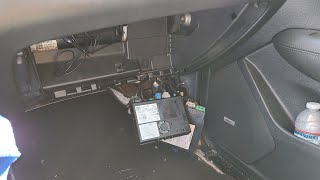
- HMI Module — Located behind the glove box. Access requires removing the glove box assembly.. This is a primary module on the MOST ring and a very common failure point. Its location makes it relatively accessible for bypass testing or checking power/ground connections.
- Amplifier — Located in the trunk, typically on the driver's or passenger's side behind the trunk liner panel.. The amplifier is another critical node in the MOST ring. Its trunk location makes it susceptible to moisture damage and is often the easiest module to access first for diagnostic bypass testing.
- G303 — Under the driver's seat.. This is a major body ground point. While not exclusively for infotainment, poor connections here can cause a variety of difficult-to-diagnose electrical issues, including intermittent module power loss.
- G405 / G406 — G405 is on the right side of the luggage compartment; G406 is at the base of the left 'C' pillar.. These are the primary ground points for components in the rear of the vehicle, including the amplifier and other trunk-mounted modules. A corroded or loose ground here is a potential cause for the amplifier dropping off the MOST network.
Real Owner Repair Stories
- YouTube channel 'Best Car Fixes' (2013 Cadillac XTS) — Radio display was not working (black screen). Scan tool showed multiple 'lost communication' codes, including with the Human Machine Interface module.
❌ Tried (didn't work) The initial diagnosis involved scanning the vehicle, which pointed towards a communication breakdown on the network.
✅ What actually fixed it The problem was resolved by replacing both the CUE display screen assembly and the Human Machine Interface (HMI) control module. After replacement, the system functioned correctly.
OEM Part Supersession History
22953967, 23141832, 23266008→84096817 (and others, VIN-specific)— These are part numbers for the HMI 2.0 and 2.5 modules used in early and later model years. Part numbers were updated due to hardware revisions and to address failure modes.
Heads up: HMI modules are generally not plug-and-play and require programming to the vehicle's VIN. An HMI 2.5 module (used in 2016+ models for Apple CarPlay/Android Auto) may not be a direct replacement for an earlier HMI 2.0 module without specific programming and potentially other component changes. Always verify the correct part number by VIN.
Model Year Variations Within This Range
- 2013-2015: These models were typically equipped with the HMI 2.0 system. The original part numbers like 22953967 and 23266008 are common for this era.
- 2016-2018: Starting in 2016, the XTS received an updated CUE system with the HMI 2.5 module, which enabled features like Apple CarPlay and Android Auto. This module is physically similar but has different hardware and software. A common part number for this version is 84096817.
Helpful Videos

![[2013-2020 XTS] Cadillac CUE Complete HD Module Removal *Easy Method* 20 mins](https://img.youtube.com/vi/1QqqbI6ce2k/mqdefault.jpg)
We Have This Part in Stock




The information in this article is provided for general reference and educational purposes only. Vehicle specifications, procedures, and part compatibility can vary by production date, trim level, and region. Always consult your vehicle's factory service manual and verify part numbers before purchasing or performing repairs. Safety-critical components such as airbags, seat belts, and braking systems should be installed by a qualified professional.
- Cadillac XTS:
- 🎬 Helpful Videos
- 🛍️ Shop This Part
- What's Unique About the 2013-2018 Cadillac XTS
- Diagnostic Flowchart
- Symptoms You May Notice
- Most Likely Causes
- Rare But Worth Checking
- Diagnosis Steps
- Parts You'll Likely Need
- Related Codes That Often Appear With This One
- Technical Service Bulletins (TSBs) & Recalls
- Platform-Specific Known Issues
- Mechanic-Grade Diagnostic Values
- Scan Tool Commands That Help
- Wiring & Ground Locations
- Real Owner Repair Stories
- OEM Part Supersession History
- Model Year Variations Within This Range
- 🎟️ Get 5% Off