

U0028 on 2013-2018 Cadillac ATS: Infotainment Network (MOST) Failure Causes and Fixes
This code means the infotainment network has failed, causing a blank CUE screen and no audio. The most common causes are a faulty Human Machine Interface (HMI) module or Radio module. Diagnosis requires a special fiber optic bypass loop (GM tool EL-51578) to find the broken link in the network 'ring'. A failed module is more common than a wiring issue on the ATS.
- U0028 means your Cadillac's infotainment network (MOST bus) has failed, which is why the screen is blank and you have no sound.
- Do not replace parts randomly. The fix requires a specific diagnostic process using a fiber optic bypass loop to find the single broken 'link' in the network ring.
- The most likely culprits are the HMI module (the CUE system's computer) or the radio module.
- This is not a beginner-friendly DIY repair due to the special tools and potential need for module programming after replacement.
What's Unique About the 2013-2018 Cadillac ATS
The Cadillac ATS from this era is defined by its CUE (Cadillac User Experience) system. This system's brain, the HMI (Human Machine Interface) module, is a critical node on the MOST bus network. Failures of the HMI module are a relatively common issue on this platform and are a primary suspect for causing a U0028 code, leading to the entire CUE system going dark. Unlike some other GM platforms where pinched wiring is the top cause, on the ATS, module failure (HMI or Radio) is more frequently the root of the problem.
Diagnostic Flowchart
Tap your situation to follow the diagnostic path that matches what you're seeing on this vehicle.
Symptoms You May Notice
- Completely blank or black CUE infotainment screen, especially on startup.
- No audio from the radio, USB, or any other source.
- Infotainment system is unresponsive to touch or button presses.
- Loss of navigation and Bluetooth functions.
- Steering wheel audio controls do not work.
- Audio may cut out but the display remains on (with clock/presets disappearing) if the fault occurs while driving.
- "Audio Off" message may appear on the instrument cluster.
- Screen stuck on "Waiting for Update Media" message.
- Replacing the CUE screen. The screen itself is usually just a display; the problem is almost always with the HMI module, radio, or wiring that communicates with it. A faulty screen (digitizer) typically causes 'ghost touches' or unresponsiveness but not a U0028 code.
- Blaming the battery. While a weak battery can cause many electrical issues, including a frozen CUE screen, it will not typically cause a targeted U0028 code without other, more widespread voltage-related codes. However, a failed module causing U0028 can sometimes lead to a parasitic drain that kills the battery.
Most Likely Causes
- Failed Human Machine Interface (HMI) Module 🔴 High Probability The HMI module, which runs the CUE system, is a known failure point on this generation of Cadillac vehicles. It's a complex electronic unit that can fail internally, sometimes due to voltage spikes or simple component degradation. These modules are located behind the glove box.
How to confirm: Use a MOST bypass loop (EL-51578) on the HMI module's fiber optic connector. If communication is restored to other modules (e.g., the radio starts playing audio), the HMI module is faulty. The HMI module is typically located behind the glove box assembly.
Typical fix: Replace the HMI module. This requires programming by a dealer or a specialized shop to configure it for the vehicle's specific options (VIN programming). Some vendors sell pre-programmed units.
Est. part cost: $300-$700 - Failed Radio/Tuner Module 🟡 Medium Probability The radio acts as the 'master' for the MOST bus, initiating the wake-up signal for the network. An internal failure can bring down the entire network. Like the HMI, it is also located behind the glove box, often mounted with the HMI on the same bracket.
How to confirm: Use a MOST bypass loop on the radio module's connector. If other modules come back online, the radio is the cause of the break in the ring. Note: The bypass tool cannot bypass the radio itself if it's the master, but it can help confirm other modules are working.
Typical fix: Replace the radio/tuner module. This part will also likely require dealer or specialist programming.
Est. part cost: $250-$600 - Damaged Fiber Optic Cable or Connector ⚪ Low Probability While less common than module failure on the ATS, cables can be pinched or broken during unrelated dash repairs or due to vibration over time. On other GM platforms, a pinched harness is a top cause, but it's less frequently reported for the ATS.
How to confirm: After confirming all modules are okay using a bypass loop, a visual inspection of the fiber optic cables between the modules is necessary. A visible light tester can also be used to check for light transmission through each cable segment.
Typical fix: Replace the damaged section of the fiber optic harness.
Est. part cost: $50-$150
Rare But Worth Checking
- Failed Amplifier or CD/Media Player: If the vehicle is equipped with an optional premium sound system amplifier or a separate CD player, these are also nodes on the MOST ring and can fail, causing a U0028 code. They should be tested with a bypass loop just like the HMI and radio. An iATN case study on a similar GM vehicle identified a failed CD player as the cause.
Diagnosis Steps
- Confirm the presence of code U0028 using a high-quality OBD-II scanner that can read U-codes from all modules.
- Note all other communication codes (U-codes) and which modules are reporting them. The presence of U0029 can be a key clue.
- Using a GM-specific scan tool, check the Radio data for the 'Surrogate MOST Master Node Upstream Position' parameter. A non-zero value can help identify where the break in the ring is located.
- Access the modules on the MOST bus. On the ATS, the HMI and Radio modules are located together behind the glove box. This requires removing the glove box assembly.
- Obtain a fiber optic (MOST) bypass loop. The official GM tool is EL-51578.
- Start with the most accessible module in the ring (e.g., CD player if equipped, then HMI). Disconnect its fiber optic connector and attach the bypass loop. The loop effectively 'completes' the circuit, removing that module from the ring.
- Turn the ignition on and see if the infotainment system functions are restored (e.g., screen turns on, audio works).
- If the system works, the module you just bypassed is the faulty component.
- If the system does not work, reconnect the module and move the bypass loop to the next module in the ring (e.g., Amplifier).
- Repeat this process until you find the module that, when bypassed, allows the rest of the system to function.
- If bypassing every module does not resolve the issue, the problem lies in the wiring harness itself, which must be visually inspected for breaks or pinches.
Parts You'll Likely Need
- Human Machine Interface (HMI) Module
(OEM #23493430 (2015-2016), 84331776 (Varies by year/options, verify with VIN))— This is the computer for the CUE system and a very common failure point on the MOST network for this vehicle.
Trusted brands: ACDelco
OEM price range: $400-$700
Aftermarket price range: $300-$500 - Radio / Tuner Module
(OEM #Varies significantly by year and options. Must be verified with VIN.)— As the master of the MOST bus, its failure will take down the entire infotainment system.
Trusted brands: ACDelco
OEM price range: $350-$600
Aftermarket price range: $250-$450 - Fiber Optic Bypass Loop
(OEM #EL-51578)— This is a required diagnostic tool to properly and efficiently find the failed module or wiring section in the MOST ring.
Trusted brands: Kent-Moore
OEM price range: $20-$40
Aftermarket price range: $10-$25
Related Codes That Often Appear With This One
- U0029 — This code also indicates a MOST bus performance issue. U0028 often means a complete break in the ring, while U0029 can sometimes indicate the ring is intact but a module is sending bad data, which can help pinpoint a faulty module over a wiring break.
- U0184 — This code means 'Lost Communication With Radio'. It can be set alongside U0028, as the radio is a key module on the MOST bus.
- U0155 — This code means 'Lost Communication With Instrument Panel Cluster (IPC)'. The IPC is another module on the MOST ring, and a network failure will cause it to lose communication with the master radio module.
Technical Service Bulletins (TSBs) & Recalls
- PIC6073E: Mentions that for MOST bus issues and code U0028, technicians should review the system's description and diagnostic procedures. It also announces the release of the EL-51578 MOST Bus Diagnostic Tool Kit to aid in diagnosis. [18, ⭐ MANUFACTURER TSB — highest authority]
- PI1149A: A broader GM bulletin for 2013+ Cadillacs that provides detailed diagnostic strategies for MOST bus failures (blank screen, no audio) and specifically mentions DTC U0028. It confirms the radio is the 'master' and details how to use the bypass loop. [1, ⭐ MANUFACTURER TSB — highest authority]
Platform-Specific Known Issues
- HMI and Radio Module Location: On the 2013-2018 Cadillac ATS, both the HMI and Radio (Tuner) modules are located behind the glove box, often mounted to the same bracket. Access requires removing the glove box door and the panel behind it. Several YouTube videos and forum posts detail this process, which involves removing multiple 7mm and 10mm screws.
- Upgrade Path for 2013-2015.5 Models: For earlier models (2013-2015.5), instead of simply replacing a failed HMI module, it can be more cost-effective to purchase a complete upgrade kit. These kits often include a newer, faster HMI module (version 2.5) and an updated radio module that adds features like Apple CarPlay and Android Auto.
Mechanic-Grade Diagnostic Values
- GDS2 Scan Tool: 'Surrogate MOST Master Node Upstream Position' PID in Radio module data — expected: 0 (if the break is immediately after the Radio/master) or a non-zero number (e.g., 2). Failure: A non-zero value points to the location of the break in the ring. For a ring order of Radio (1) -> CD (2) -> HMI (3) -> IPC (4), a value of '2' indicates the break occurred before node 3, pointing to the CD player (node 2) or its wiring as the fault.
- GDS2 Scan Tool: 'Number of MOST Communication Breaks' PID in Radio module data — expected: 0. Failure: A high or incrementing number indicates a physical break in the ring. If this value is 0 while U0028/U0029 are present, it suggests an internal module fault rather than a complete wiring break.
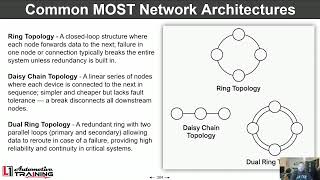
- MOST Bus Ring Order (Typical) — expected: The ring typically starts with the Radio (master, node 1), then goes to the CD Player (if equipped, node 2), then the Human Machine Interface (HMI, node 3), and finally the Instrument Panel Cluster (IPC, node 4) before returning to the radio.. Failure: Knowing this order is critical for interpreting the 'Upstream Position' data PID to pinpoint the location of the break.
Hidden / Shadow Codes Worth Checking
- U0028 sym00: The '00' is a general symptom byte for a bus communication failure. Its presence is noted in GM service bulletins related to MOST bus diagnostics and is the most common variant seen with a U0028 code on this platform. (see via GM GDS2 or a high-end professional scan tool with manufacturer-specific software.)
Scan Tool Commands That Help
- GDS2 (Global Diagnostic System 2): Radio Data Display > MOST Data — This is the primary software-based diagnostic step after retrieving codes. It allows a technician to view PIDs like 'Surrogate MOST Master Node Upstream Position' and 'Number of MOST Communication Breaks' to logically determine the location of the fault without first disassembling the dash.
- GDS2 (Global Diagnostic System 2): SPS (Service Programming System) > Radio Programming — According to GM bulletin PI1149A, some 2013 models may not show the crucial 'Surrogate MOST Master Node Upstream Position' parameter. If this data is missing, the radio (tuner) module must be reprogrammed with the latest calibration to make the parameter visible for diagnosis.
Wiring & Ground Locations
- G304 — Located in the right rear passenger footwell area.. Wiring diagrams for the 2013-2014 ATS show that the Radio, Media Disc Player, and Info Display Module can share this ground point. A loose or corroded G304 could cause intermittent power or communication issues for multiple modules on the MOST bus, potentially setting a U0028.
- HMI Module Connector — Behind the glove box, connected to the HMI module.. Besides the fiber optic lines, this connector supplies power and ground to the HMI module. A poor connection or damaged pin can cause the HMI to fail, breaking the MOST ring. A GM bulletin advises checking power, ground, and GMLAN/ECL wake-up circuits at the module connector before replacing the module.
- J210 — A splice pack/junction within the instrument panel harness, located about 14-19cm from the wire channel in the right instrument panel.. Wiring diagrams show the MOST serial data lines (+) and (-) passing through this junction. A fault or corrosion at this splice point could interrupt the entire MOST network.
OEM Part Supersession History
23212442, 23364950, 23415899→84331776, 84546904 (among others)— Hardware revisions and software updates for the HMI 2.5 module.
Heads up: Part numbers vary significantly based on whether the vehicle has factory navigation (IO6) or not (IO5). The correct part must be ordered and programmed to the vehicle's VIN to ensure all features work correctly.23150268 (HMI 2.0 for 2013-2014)→23493430 (HMI 2.0 for 2015-2016)— Minor hardware and software updates within the HMI 2.0 generation.
Heads up: While some modules may be physically interchangeable, upgrading from an HMI 1.1 or 2.0 to a 2.5 (for CarPlay) requires replacing the HMI, the Radio, and the USB port, followed by programming both new modules.
Model Year Variations Within This Range
- 2013: These models use the first-generation HMI 1.1 module. It is slower and has a higher failure rate. If it fails, upgrading to an HMI 2.5 kit is often recommended over a like-for-like replacement. Also, the radio module may require an SPS software update to display all necessary diagnostic parameters for U0028.
- 2014-2015: These models use the HMI 2.0 module. This version does not support Apple CarPlay or Android Auto.
- 2016-2018: These models use the faster, more reliable HMI 2.5 module, which supports Apple CarPlay and Android Auto. The upgrade from 2.0 to 2.5 was a significant hardware change, not just software.
Helpful Videos


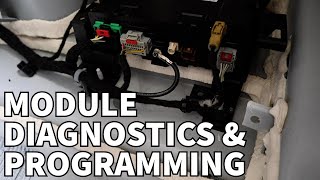

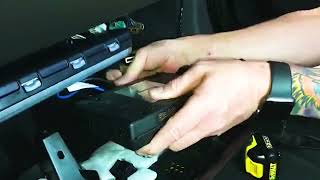
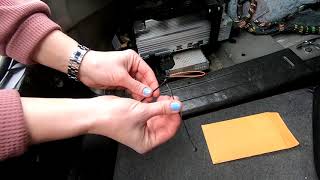
We Have This Part in Stock
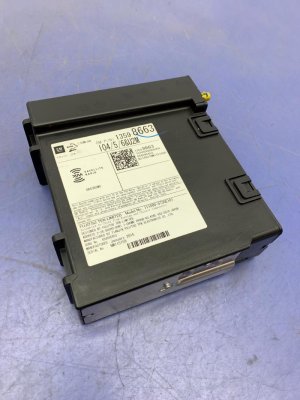



The information in this article is provided for general reference and educational purposes only. Vehicle specifications, procedures, and part compatibility can vary by production date, trim level, and region. Always consult your vehicle's factory service manual and verify part numbers before purchasing or performing repairs. Safety-critical components such as airbags, seat belts, and braking systems should be installed by a qualified professional.
- Cadillac ATS:
- 🎬 Helpful Videos
- 🛍️ Shop This Part
- What's Unique About the 2013-2018 Cadillac ATS
- Diagnostic Flowchart
- Symptoms You May Notice
- Most Likely Causes
- Rare But Worth Checking
- Diagnosis Steps
- Parts You'll Likely Need
- Related Codes That Often Appear With This One
- Technical Service Bulletins (TSBs) & Recalls
- Platform-Specific Known Issues
- Mechanic-Grade Diagnostic Values
- Hidden / Shadow Codes Worth Checking
- Scan Tool Commands That Help
- Wiring & Ground Locations
- OEM Part Supersession History
- Model Year Variations Within This Range
- 🎟️ Get 5% Off