

U0028 on 2013-2018 Buick Regal: Infotainment Blackout and MOST Bus Fixes
This code means there's a break in the fiber-optic communication ring (MOST bus) that connects your radio, screen, and amplifier. This usually results in a blank screen and no audio. The most common cause is a failed module on the network, like the radio, HMI module, or CD player, which requires professional diagnosis with a special bypass tool to isolate the failed component.
- U0028 on your Regal means the infotainment's fiber-optic network has failed, causing a black screen and no sound.
- This is not a DIY-friendly repair. A professional with a MOST bypass loop is needed to find the broken link in the chain.
- The most common fix is replacing a single failed module on the network, such as the HMI, radio, or amplifier.
- Do not replace any parts without a proper diagnosis using the bypass loop method, as it could be a waste of money.
- The car is safe to drive, but all infotainment and some audible alerts will be inoperative until the fault is repaired.
What's Unique About the 2013-2018 Buick REGAL

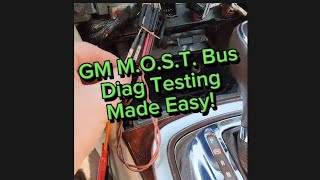
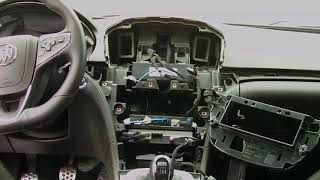
The Buick Regal of this era, along with many other GM vehicles on the Epsilon II platform, relies on this fiber-optic MOST bus for its infotainment system instead of traditional copper wires. While fast and efficient, this technology is sensitive. A single failed module or a break in the delicate fiber-optic cable can take down the entire system, leading to the common 'black screen' complaint. Diagnosis is not possible with a simple code reader and requires a special MOST bypass loop 🎬 Watch: A simple guide to testing the GM MOST bus. (GM tool EL-51578) to isolate the point of failure in the ring. A scan tool does not communicate directly on the MOST bus but can read codes from modules like the Radio and HMI via the GMLAN bus to help diagnose the issue.
Diagnostic Flowchart

Tap your situation to follow the diagnostic path that matches what you're seeing on this vehicle.
Generation note: This range covers the end of the fifth generation (2013-2017) and the first year of the sixth generation (2018). Both generations utilize a MOST bus for their infotainment systems (like RPO IO5/IO6), so the cause and diagnostic principles for U0028 are consistent across these years. Module locations and specific part numbers may differ slightly between generations.
Symptoms You May Notice

- Blank radio or infotainment display (screen is completely black).
- No audio from the speakers, including radio, media, and navigation.
- Radio and media control buttons are inoperative.
- Steering wheel audio controls do not work.
- Audio-related information is missing from the Driver Information Center (DIC), often showing 'Audio Off'.
- OnStar system may be unavailable.
- Loss of audible turn signal clicks and other warning chimes that are generated by the radio module.
- The screen may be black but the radio still plays, or vice-versa, in cases of intermittent failure.
- Replacing the infotainment screen when the actual fault is in the radio tuner, amplifier, or another module on the bus.
- Replacing the radio (head unit) without first using a bypass loop to confirm it is the source of the failure.
- Assuming a black screen is a fuse issue without checking for MOST bus codes. While a fuse could cause a module to lose power and break the ring, it's often the module itself.
Most Likely Causes

- Failed Module on MOST Bus (e.g., HMI, CD Player, Amplifier) 🔴 High Probability The Human Machine Interface (HMI) module and the CD Player are very common points of failure in the MOST ring for this platform. Any module in the fiber-optic ring can fail internally, breaking the communication loop. The radio acts as the master, but any other module can be the culprit.
How to confirm: A technician will use a MOST bypass loop to systematically bypass each module on the network. When the faulty module is bypassed, communication is restored to the others, and the U0028 code will change from 'current' to 'history'.
Typical fix: Replace the identified faulty module. The new module, especially the HMI or Radio, must be programmed to the vehicle's VIN.
Est. part cost: $200-$1200 - Damaged Fiber-Optic Cable or Connector 🟡 Medium Probability The fiber-optic cables are less robust than copper wires and can be damaged, pinched, or kinked during unrelated repairs or if trim panels are removed improperly.
How to confirm: After ruling out a module failure with a bypass loop, a technician will visually inspect the MOST bus wiring for sharp bends, breaks, or loose connections at the back of each module.
Typical fix: Repair the damaged section of the fiber-optic cable with a splice/coupler or replace the entire harness segment.
Est. part cost: $50-$300 - Power or Ground Failure to a MOST Module ⚪ Low Probability Standard electrical issues like a blown fuse, corroded ground, or broken wire can prevent a module from powering on, which also breaks the MOST ring. On related platforms like the Impala, water intrusion in the trunk from a bad taillight seal is known to corrode the amplifier's power connector, causing this issue.
How to confirm: If a module is suspected (especially after a bypass test points to it), a technician will check for proper power, ground, and wake-up signals at that module's electrical connector before condemning the module itself.
Typical fix: Repair the failed circuit by replacing the fuse, cleaning the ground connection, or fixing the broken wire.
Est. part cost: $5-$100
Diagnosis Steps
- Verify the battery is fully charged and the charging system is working correctly. Low voltage can cause communication errors.
- Perform a full vehicle Diagnostic Trouble Code (DTC) scan with a tool capable of reading GM-specific codes to see which modules are reporting faults.
- Access the radio module data and check for the 'Surrogate MOST Master Node Upstream Position' parameter. This number can help identify the location of the break in the ring. A value of '0' often points to the first module after the radio (e.g., the CD player).
- Using a MOST bus fiber-optic bypass loop (like GM tool EL-51578), start by bypassing the first module in the ring after the radio (often the CD player or HMI).
- After installing the loop, cycle the ignition and see if infotainment functions are restored and if the U0028 code status changes to 'history'. If the radio comes on with static, that's a good sign the ring is complete.
- If the system remains down, move the bypass loop to the next module in the ring (e.g., amplifier, instrument cluster) and repeat the test.
- When the system comes back to life, the module that is currently bypassed is the one that has failed.
- If all modules are bypassed and the fault persists, inspect the fiber-optic wiring and connectors between the modules for physical damage, sharp bends, or corrosion.
- Before replacing a condemned module, always verify it is receiving proper power, ground, and a wake-up signal on its conventional electrical connector using a multimeter.
Parts You'll Likely Need
- MOST Bus Diagnostic Bypass Loop
(OEM #EL-51578)— This is a required diagnostic tool, not a repair part. It allows a technician to complete the fiber-optic circuit while bypassing a potentially faulty module to isolate the problem.
Trusted brands: ACDelco, Kent-Moore, Bosch
OEM price range: $15-$30
Aftermarket price range: $10-$20 - Human Machine Interface (HMI) Module
(OEM #23427516, 84513027 (part numbers vary by year and options, VIN matching is critical))— The HMI module controls the display and user inputs. It is a very frequent cause of MOST bus failures and can be identified using the bypass loop test.
Trusted brands: ACDelco
OEM price range: $400-$1200
Aftermarket price range: $250-$700 (Often sold as pre-programmed used or refurbished units) - Radio Receiver / Tuner Module
(OEM #13592804, 84016434 (part numbers vary by year and options))— The radio is the 'master' of the MOST bus. While it cannot be bypassed with a loop, its internal failure can bring down the network. It's a common point of failure.
Trusted brands: ACDelco
OEM price range: $300-$800
Aftermarket price range: $200-$500 - Audio Amplifier
(OEM #13506455 (For systems with premium audio))— For vehicles with premium sound systems (Bose, etc.), the amplifier is another critical node on the MOST ring that can fail and cause a U0028 code. Water intrusion is a known failure mode on related platforms.
Trusted brands: ACDelco
Related Codes That Often Appear With This One
- U0029 — This code often appears with U0028. While U0028 indicates a general communication error (ring break), U0029 can sometimes help pinpoint the location of the fault by indicating the ring still has integrity but a module is not communicating correctly.
- U0184 — Loss of Communication with Radio. This is a more specific code that may be logged by other modules when the radio (which is the MOST bus master) goes offline due to the U0028 fault.
- U0186 — Loss of Communication with Audio Amplifier. This code will set if the amplifier is the cause of the MOST bus failure or if it simply can't be seen by other modules because the ring is down.
- U0155 — Loss of Communication with Instrument Panel Cluster (IPC). The IPC is also a node on the MOST ring. If it fails, or if another module fails, the IPC may log this code or be the cause of the U0028.
Technical Service Bulletins (TSBs) & Recalls
- PIC6073E: Mentions using the MOST bus description and U0028 diagnostic procedures for infotainment issues. It also references the diagnostic tool kit EL-51578 for 2014-2015 Regals.
- PI1149A: Provides a detailed diagnostic aid for intermittent blank radio displays and MOST bus issues (U0028/U0029) across many 2014-2018 GM vehicles. It outlines the diagnostic logic, including checking the 'Surrogate MOST Master Node Upstream Position' parameter and using the EL-51578 bypass tool. It confirms the HMI, Radio, Amp, and CD player are on the MOST ring.
Platform-Specific Known Issues
- Owner Experience: CD Player Failure: In a detailed diagnostic video on a similar GM MOST bus system, a technician identified the CD player as the failed module causing a U0028 code. After confirming power and ground were good, bypassing the CD player with a loop tool immediately restored radio and screen function, confirming the CD player had failed internally.
- Owner Experience: Intermittent Black Screen: A 2018 Regal Sportback owner on Reddit reported an intermittent black screen where audio and Bluetooth would still connect. The screen was black but touch inputs could be heard. The issue resolved itself without intervention, suggesting a potential intermittent connection or a software glitch that cleared after several ignition cycles. TSB PI1149A notes that if the failure occurs during a drive, the display may remain on but lose clock/presets, whereas a failure at startup results in a black screen.
Mechanic-Grade Diagnostic Values
- Surrogate MOST Master Node Upstream Position (GDS2 Parameter) — expected: A number greater than 0 if the ring is partially intact.. Failure: A value of '0' indicates the radio (master) cannot communicate with the very first module in the ring. A value of '2' indicates the break is after the second module in the ring.
- Number of MOST Communication Breaks (GDS2 Parameter) — expected: 0. Failure: A value of 1 or more indicates a ring break. This is often paired with DTC U0028. If this value is 0 but U0029 is present, it suggests a module is failing without breaking the ring's light path.
- Module Power Supply Voltage — expected: 12.0 - 14.5 V. Failure: Low or no voltage at a module's power pin indicates a wiring, fuse, or ground issue, which will cause that module to drop off the MOST bus and break the ring.
Scan Tool Commands That Help
- GDS2: Module Diagnostics > Radio > Data Display > MOST Data — This is the primary screen to view MOST bus health parameters like 'Surrogate MOST Master Node Upstream Position' and 'Number of MOST Communication Breaks' to help pinpoint the location of the fault without physically accessing modules first.
- GDS2: Control Functions (Bi-Directional Controls) — While there isn't a direct 'reset MOST bus' command, bidirectional controls allow a technician to query individual modules on the GMLAN to verify they are powered and communicating, which is a prerequisite for them to participate in the MOST ring.
Wiring & Ground Locations
- G103 — On the left frame rail, potentially underneath the Starter Generator Control Module (SGCM) bracket on some GM platforms.. While not specific to infotainment, a poor primary frame ground like G103 can cause numerous, difficult-to-diagnose electrical issues and communication codes across multiple modules. Verifying main engine and chassis grounds is a crucial preliminary step.
- Amplifier Connector (Premium Audio) — Typically located in the trunk area on the driver's side.. This connector contains the power, ground, and fiber-optic connections for the amplifier. On related GM sedans, water leaks from taillight seals are known to corrode this connector, causing the amplifier to lose power and break the MOST ring.
- HMI Module Connector — Located behind the glove box. The HMI module is separate from the screen itself.. This is the connection point for the HMI module, a very common failure point. Before replacing the module, a technician must check this connector for power, ground, and secure fiber-optic cable seating.
Real Owner Repair Stories
- iATN Technical Discussion Forum (2015 Chevrolet Silverado (Shares MOST architecture with the Regal)) — MyLink display was dark, radio would not play, and all control buttons were non-functional. Codes U0028 and U0029 were present.
❌ Tried (didn't work) Initial thought was HMI or wiring failure.
✅ What actually fixed it Scan tool data showed the 'Surrogate MOST Master Node Upstream Position' was 2. By tracing the ring layout (Radio > CD > HMI > IPC), this pointed to the CD player as the fault. The technician could not communicate with the CD player. Jumping the fiber optic connector at the CD player restored all functions. The final fix was replacing the failed CD player. - MHH Auto Forum (2016 Cadillac (Shares MOST architecture with the Regal)) — Black screen with U0028 in the radio module and U0029 in the HMI module.
❌ Tried (didn't work) User was asking for help before trying parts.
✅ What actually fixed it A responding technician stated the problem was the CD player and that jumping the signal wires to close the circuit would confirm the diagnosis and restore function.
OEM Part Supersession History
23427516 (and others)→84513027, 84096817, 84546904 (and others)— These are HMI modules for the NG 2.0 and NG 2.5 systems. Part numbers changed frequently due to hardware revisions and software updates.
Heads up: HMI modules from 2013-2015 use the 'NG 2.0' system, while 2016+ models use the 'NG 2.5' system which supports Apple CarPlay/Android Auto. They are not directly interchangeable without also replacing the radio module and potentially other components. VIN programming is always required.
Model Year Variations Within This Range
- 2018: The 2018 model year marked the introduction of the sixth-generation Regal (Sportback and TourX models). While it still uses a GM infotainment system with a MOST bus, the underlying architecture and part numbers for the HMI and radio modules are different from the 2013-2017 fifth-generation models. The infotainment system is visually different and based on a newer platform.
- 2013-2014: On some early models, the radio module may not display the critical 'Surrogate MOST Master Node Upstream Position' parameter in GDS2 unless it is reprogrammed with the latest software calibration. A GM service bulletin notes this update was released to make this parameter always visible to aid in diagnostics.
Helpful Videos
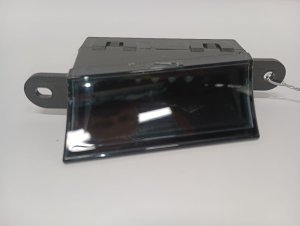
We Have This Part in Stock




The information in this article is provided for general reference and educational purposes only. Vehicle specifications, procedures, and part compatibility can vary by production date, trim level, and region. Always consult your vehicle's factory service manual and verify part numbers before purchasing or performing repairs. Safety-critical components such as airbags, seat belts, and braking systems should be installed by a qualified professional.
- Buick REGAL:
- 🎬 Helpful Videos
- 🛍️ Shop This Part
- What's Unique About the 2013-2018 Buick REGAL
- Diagnostic Flowchart
- Symptoms You May Notice
- Most Likely Causes
- Diagnosis Steps
- Parts You'll Likely Need
- Related Codes That Often Appear With This One
- Technical Service Bulletins (TSBs) & Recalls
- Platform-Specific Known Issues
- Mechanic-Grade Diagnostic Values
- Scan Tool Commands That Help
- Wiring & Ground Locations
- Real Owner Repair Stories
- OEM Part Supersession History
- Model Year Variations Within This Range
- 🎟️ Get 5% Off