

U0028 on 2013-2018 Buick Encore: Infotainment Black Screen and MOST Bus Faults Explained
This code means your infotainment system has a communication failure. Most often, the radio display goes blank and audio stops working because a module on the fiber-optic network (like the radio, HMI, or amplifier) has failed. Diagnosis requires a special fiber-optic loop tool to find the broken link in the chain.
- U0028 on your Encore means the fiber-optic network for your radio and screen is broken.
- Symptoms are almost always a blank screen and no sound.
- The problem is a failed electronic module (like the HMI or radio) or, more rarely, a damaged fiber-optic wire.
- Proper diagnosis is key and requires a special, inexpensive tool called a fiber-optic bypass loop.
- This is not a DIY-friendly repair for beginners; professional diagnosis is recommended to avoid replacing expensive parts unnecessarily.
What's Unique About the 2013-2018 Buick ENCORE

The Buick Encore, like many GM vehicles from this era including the Chevy Trax and Opel Mokka, uses the MOST50 fiber-optic network for its IntelliLink infotainment system. Unlike traditional copper wiring, this network is a ring where data passes from one module to the next in a continuous loop. This design means a single point of failure—be it a faulty radio or a damaged fiber cable—can take down the entire infotainment system, a common complaint among owners. GM has issued multiple Technical Service Bulletins (TSBs), like PIC6073 and PI1149A, acknowledging this and outlining a specific diagnostic procedure using a bypass loop tool.
Diagnostic Flowchart

Tap your situation to follow the diagnostic path that matches what you're seeing on this vehicle.
Symptoms You May Notice

- Blank infotainment/radio display, especially on startup. 🎬 Watch: How to fix a blacked out radio screen.
- No audio from the speakers, but vehicle chimes may still work.
- Radio controls and steering wheel audio controls are inoperative.
- Loss of navigation, Bluetooth, and other IntelliLink features.
- The audio information page on the Driver Information Center (DIC) is blank.
- System is stuck in a reboot loop or shows a 'Waiting for HMI' error.
- Intermittent functionality that gets progressively worse, often affected by temperature.
- Replacing the infotainment display screen when the HMI module is the actual cause.
- Replacing the wrong module because the system was not properly diagnosed with a fiber-optic loop.
- Assuming the radio is bad when it's actually a different module on the ring, like the amplifier or HMI.
- Replacing the HMI module when the issue is a software glitch that could be fixed with a dealer update.
Most Likely Causes

- Failed Human Machine Interface (HMI) Module 🔴 High Probability The HMI module acts as the central processor for the infotainment display and features. It is a complex electronic unit prone to internal failure over time, sometimes due to firmware corruption after battery replacements or jump-starts. It is a very common point of failure across many GM vehicles of this era.
How to confirm: Using a fiber-optic bypass loop, disconnect the HMI module (located behind the glove box) and install the loop in its place. If infotainment functions (like audio) return and the U0028 code changes from 'current' to 'history', the HMI module is faulty.
Typical fix: Replace the HMI module. This requires programming by a dealer or a qualified shop using GM's Service Programming System (SPS) to match the vehicle's VIN and options. Using a used module without reprogramming will result in a 'locked' state.
Est. part cost: $250-$700 - Failed Radio/Tuner Module 🟡 Medium Probability The radio is the 'master' of the MOST bus and acts as the starting and ending point of the ring. Its failure will bring down the entire network. Like any electronic component, it can fail due to age or voltage irregularities.
How to confirm: The diagnostic loop tool kit does not contain a bypass for the radio itself. If all other modules on the ring (HMI, Amplifier, CD Player) are bypassed one by one and the fault persists, the radio is the primary suspect.
Typical fix: Replace the radio/tuner module, which is located behind the main display screen. This part will also require programming.
Est. part cost: $200-$450 - Failed Amplifier 🟡 Medium Probability If equipped with a premium sound system (Bose or other), the amplifier is another module in the MOST ring. These are often located in the trunk area, under the cargo floor, where they can be susceptible to moisture or physical damage.
How to confirm: Use a fiber-optic bypass loop to disconnect the amplifier from the MOST ring. If other functions like the display return, the amplifier is the cause of the network break.
Typical fix: Replace the failed amplifier. Be sure to match the part number for Bose or non-Bose systems.
Est. part cost: $150-$400 - Damaged Fiber-Optic Cable or Connector ⚪ Low Probability The fiber-optic cables run through the vehicle's interior and can be damaged during unrelated repairs, by pests, or from kinking. Connectors can also become loose or corroded.
How to confirm: After bypassing all modules without success, a visual inspection of the entire fiber-optic harness is necessary. A simple test is to check for a visible red light from the 'out' port of a working module when the system is on, indicating the light path is active up to that point.
Typical fix: Repair the damaged section with a fiber-optic splice or replace the affected harness segment.
Est. part cost: $50-$200
Rare But Worth Checking
- Failed CD/Media Player: If the vehicle is equipped with a separate CD player, it is also a node on the MOST ring. While less common to fail than the HMI or radio, it can still break the loop and should be checked with a bypass tool. A technician on an iATN forum post identified a faulty CD player as the cause of a U0028 on a similar GM vehicle.
- Power or Ground Issue to a Module: Before replacing a module, it's critical to check its power and ground circuits. A blown fuse (check the panel under the dashboard) or a corroded ground wire can prevent a module from powering on, which will also cause a U0028 code.
Diagnosis Steps
- Confirm Symptoms: Verify that the radio display is blank, there is no audio, and infotainment controls are unresponsive. Note if the failure happened at startup or while driving.
- Scan for Codes: Use an OBD-II scanner to confirm the presence of U0028 as a 'current' or 'active' code. Note any other 'U' codes, especially U0029, U0184, or U0186.
- Check Fuses: Inspect all fuses related to the radio, infotainment system ('infotainment' or 'display'), and amplifier in the interior fuse panel.
- Locate MOST Bus Modules: Identify all modules on the fiber-optic ring. For the Encore, this typically includes the Radio (behind display), HMI module (behind the glove box), and potentially an Amplifier (in trunk) or CD player.
- Perform Bypass Test: Starting with the easiest module to access (e.g., HMI or Amplifier), disconnect its electrical connector which contains the fiber-optic lines. Plug a MOST fiber-optic bypass loop (GM tool EL-51578 or equivalent) into the connector to complete the ring without that module.
- Test System: After installing the loop, turn the vehicle on. If the display or audio returns (depending on which module is bypassed), you have found the faulty module.
- Clear and Re-Scan Codes: If the system works, clear the codes and re-scan. U0028 should now be in 'history' instead of 'current', confirming the diagnosis.
- Repeat for All Modules: If the first module is not the cause, reconnect it and repeat the bypass test on the next module in the ring until the faulty component is isolated. Remember, the radio itself cannot be bypassed with the standard tool.
- Verify Power and Ground: If a module is identified as faulty, use a multimeter to confirm it is receiving proper power and has a good ground connection before ordering a replacement part.
Parts You'll Likely Need
- Human Machine Interface (HMI) Module
(OEM #84096815, 84216626, 84331501 (numbers vary by year and features, must verify by VIN))— This is one of the most common failure points on the MOST network that will cause a total loss of infotainment function.
Trusted brands: ACDelco (GM Genuine)
OEM price range: $300-$700
Aftermarket price range: $250-$450 (Remanufactured/Used)
Related Codes That Often Appear With This One
- U0029 — This code often appears with U0028. While U0028 indicates a general communication error, U0029 can sometimes help pinpoint if the ring integrity is still present, suggesting an internal module fault rather than a complete break in the fiber optic loop.
- U0184 — Loss of Communication with Radio. This code may be set by other modules when the radio, the MOST bus master, goes offline due to the U0028 fault.
- U0186 — Loss of Communication with Audio Amplifier. This will be present if the amplifier is the failed module or if the MOST ring is down, preventing communication with it.
Technical Service Bulletins (TSBs) & Recalls
- PIC6073E: A diagnostic aid bulletin that describes the symptoms of a MOST bus failure (blank display, inoperative controls) and recommends using the EL-51578 tool kit for diagnosis. It confirms that if a module has a power/ground fault, it can cause a U0028 code.
- PI1149A: Details intermittent radio blank display issues. It explains that a blank screen with no audio on startup points to a MOST bus down condition. It also recommends using the EL-51578 bypass tool to isolate the faulty module.
Platform-Specific Known Issues
- Amplifier Location and Access: On Encores equipped with the premium audio system, the amplifier is located in the trunk, under the styrofoam cargo floor insert on the driver's side. Access requires removing the cargo cover and the insert, which may be held in by T45 Torx screws. Owners have noted it can be tricky to access all the mounting bolts.
- HMI Module Location: The HMI module is consistently located behind the vehicle's glove box. To access it, the glove box assembly must be removed. This provides direct access for testing with a bypass loop or for replacement.
Mechanic-Grade Diagnostic Values
- Power supply voltage to any MOST bus module (HMI, Amp, etc.) — expected: 12.0 - 14.5 V with key on, engine off or running.. Failure: 0V or significantly low voltage indicates a fuse, wiring, or power supply issue, not necessarily a bad module.
- Module Ground Circuit Integrity — expected: Less than 0.1V (100mV) measured between the module's ground pin and a known good chassis ground.. Failure: High voltage reading indicates a poor or open ground connection, which will prevent the module from operating.
- MOST Electronic Control Line (ECL) Voltage — expected: A 12V signal that acts as a wake-up call for modules on the ring.. Failure: Absence of this 12V signal can prevent a module from turning on, causing a ring break.
Hidden / Shadow Codes Worth Checking
- U0028 sym00: The 'sym00' is a symptom byte visible on a GM dealer-level scanner (GDS2). For U0028, it specifies a general MOST bus communication fault. Its presence confirms the code is being set by the radio (the bus master). (see via GM GDS2 (Global Diagnostic System 2) or equivalent high-end scan tool.)
- U0029 (in conjunction with U0028): U0029 indicates 'Media Oriented Systems Transport (MOST) Bus Communication Ring Integrity'. If U0028 is present but U0029 shows the ring has integrity (Number of MOST Communication Breaks = 0), it strongly suggests an internal module fault rather than a physical break in the fiber-optic cable. (see via GM GDS2 scan tool, viewing data from the Radio (A11) and HMI (A12) modules.)
Scan Tool Commands That Help
- GDS2: Radio (A11) Data Display -> MOST Data — This is the primary diagnostic screen for this fault. Look for the 'Surrogate MOST Master Node Upstream Position' and 'Number of MOST Communication Breaks' PIDs. A non-zero 'Upstream Position' number points toward the faulty module by counting backward in the ring topology.
- GDS2: Data Bus Diagnostic Tool — This function actively queries all control modules on the vehicle's networks and provides a list of which modules are and are not communicating. This can quickly confirm if a specific MOST module is completely offline.
- GM SPS (Service Programming System): Module Programming/Setup — This is not a diagnostic command, but it is a required procedure after replacing the HMI or Radio module. The new module must be programmed with the vehicle's VIN and specific configuration to function and unlock from an anti-theft state.
Wiring & Ground Locations
- G103 — Located on the cowl in the engine compartment, generally above the brake booster.. This is a shared ground point for the Radio, Instrument Panel Cluster (IPC), and Body Control Module (BCM). A loose or corroded connection here can cause intermittent power loss to the radio, the MOST bus master.
- G302 — Located under the center console, toward the rear.. This is the specific ground point for the radio amplifier (if equipped with a premium audio system). A bad ground here will take the amplifier offline, breaking the MOST ring and causing a U0028.
- HMI Module Connector X1 — On the Human Machine Interface module, located behind the glove box.. Pin 8 is the ground and Pin 7 is the battery positive voltage supply. These pins must be tested for power and ground before condemning the HMI module.
Real Owner Repair Stories
- iATN (International Automotive Technicians Network) Forum Post (2015 Chevrolet Silverado (shares MOST architecture with Encore)) — MyLink display was dark, radio would not play, and all control buttons were non-functional.
❌ Tried (didn't work) Initial thought was HMI or Radio failure.
✅ What actually fixed it The technician used a GDS2 scanner and saw U0028 and U0029. The 'Surrogate MOST Master Node Upstream Position' data PID read '2'. Knowing the ring order was Radio -> CD Player -> HMI -> IPC, he counted back two positions from the HMI, which identified the CD player as the suspect. He could not communicate with the CD player. After installing a fiber-optic bypass loop at the CD player connector, the screen and radio immediately began working. The final repair was replacing the failed CD player module. - YouTube video by 'Automotive Diagnostics & Programming' (GM Vehicle (likely Chevy Cruze or similar)) — No audio, blank screen, U0028 in the radio and U0029 in the HMI.
❌ Tried (didn't work) Unplugging and reconnecting modules.
✅ What actually fixed it Using a GDS2, the tech saw 'Number of MOST Communication Breaks' was 2 and the 'Upstream Position' was 0. A zero value indicated the fault was with the very first module after the radio. On this vehicle, that was the CD/Media player. He used a fiber-optic loop to bypass the CD player, and the radio immediately started playing static (confirming it was working). He then verified the CD player had good power and ground, confirming the module itself was internally faulty. The fix was to replace the CD player.
Model Year Variations Within This Range
- 2017-2018: The 2017 model year introduced a significant refresh for the Encore, including a completely redesigned center stack and a new generation of the IntelliLink infotainment system. It features a standard 8-inch frameless touchscreen and supports Apple CarPlay/Android Auto. The HMI module, radio, and display screen for 2017-2018 models are physically and electronically different from the 2013-2016 models and are not interchangeable. Diagnostic procedures remain the same, but part selection is critical.
Helpful Videos
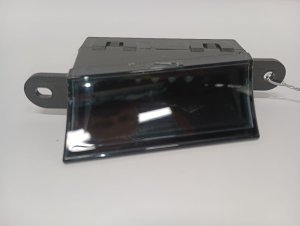
We Have This Part in Stock



The information in this article is provided for general reference and educational purposes only. Vehicle specifications, procedures, and part compatibility can vary by production date, trim level, and region. Always consult your vehicle's factory service manual and verify part numbers before purchasing or performing repairs. Safety-critical components such as airbags, seat belts, and braking systems should be installed by a qualified professional.
- Buick ENCORE:
- 🎬 Helpful Videos
- 🛍️ Shop This Part
- What's Unique About the 2013-2018 Buick ENCORE
- Diagnostic Flowchart
- Symptoms You May Notice
- Most Likely Causes
- Rare But Worth Checking
- Diagnosis Steps
- Parts You'll Likely Need
- Related Codes That Often Appear With This One
- Technical Service Bulletins (TSBs) & Recalls
- Platform-Specific Known Issues
- Mechanic-Grade Diagnostic Values
- Hidden / Shadow Codes Worth Checking
- Scan Tool Commands That Help
- Wiring & Ground Locations
- Real Owner Repair Stories
- Model Year Variations Within This Range
- 🎟️ Get 5% Off