

P3131 on 2011-2015 Nissan LEAF: TCU System Shutoff Error and Battery Drain Fixes
This code means the Telematics Control Unit (TCU) is not shutting down, causing a parasitic drain that kills the 12V battery. The official fix is a software update at a Nissan dealer per TSB NTB18-045b. This stops the battery drain, but note that the telematics services are now obsolete anyway due to the 3G network shutdown.
- P3131 on a 2011-2015 LEAF means the Telematics unit (TCU) is draining your 12V battery due to a software bug.
- The permanent fix is a software update performed by a Nissan dealer, as detailed in TSB NTB18-045b.
- You will likely need to replace your 12V battery (Group 51R), but you must fix the TCU drain first.
What's Unique About the 2011-2015 Nissan LEAF

This code is deeply tied to the history of cellular networks. Early LEAFs used a 2G telematics unit. When AT&T's 2G network was shut down, Nissan offered an 'upgrade' to a 3G unit under service campaigns like PC449 and PC450. Unfortunately, the software on these new 3G units had a bug that caused them to lock up and not power down, triggering the P3131 code and draining the 12V battery. To add another layer, the 3G network has also been shut down in the US as of 2022, making the telematics services non-functional regardless of the fix. The primary reason to address this code today is to solve the parasitic battery drain, not to restore remote connectivity.
Diagnostic Flowchart

Tap your situation to follow the diagnostic path that matches what you're seeing on this vehicle.
Symptoms You May Notice
- 12V battery repeatedly dies overnight or after a short period.
- Yellow exclamation point warning light ('EV System Warning') on the dashboard.
- Inability to use the NissanConnect EV app to check status or control climate (Note: this service is now defunct anyway).
- Vehicle fails to 'start' (enter Ready mode) due to a dead 12V battery.
- With the car off, a relay click may be heard every 10-15 minutes as the TCU attempts to connect to the now-defunct network.
- Repeatedly replacing the 12V battery without addressing the underlying parasitic drain from the TCU. The new battery will also fail prematurely.
- Blaming an OBD-II dongle for the drain. While some dongles can cause a small drain, the 0.5A draw from the faulty TCU is significantly larger.
Most Likely Causes

- Faulty Telematics Control Unit (TCU) Software 🔴 High Probability A bug in the software of the upgraded 3G TCU prevents it from entering sleep mode correctly after the 3G network upgrade. This was addressed by Nissan Technical Service Bulletin NTB18-045, later revised to NTB18-045b.
How to confirm: Confirm the presence of DTC P3131 and/or P31C2 using a scan tool like LeafSpy Pro. A dealership can confirm if TSB NTB18-045b applies by checking the TCU part number with a CONSULT tool.
Typical fix: A Nissan dealer must reprogram the TCU with updated software using the CONSULT diagnostic tool as described in TSB NTB18-045b. Some dealers may perform this for free, while others have charged a labor fee ($85-$150). Owners have reported success in getting reimbursed by Nissan corporate if charged.
Est. part cost: $0 - Failing 12V Accessory Battery 🟡 Medium Probability The constant parasitic drain from the faulty TCU can prematurely wear out and destroy the 12V battery. While often a symptom, an old or weak battery can also cause various electrical faults on its own. The LEAF's small 12V battery has little reserve capacity to handle such a drain.
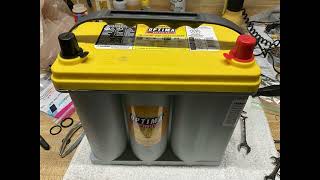
How to confirm: Have the 12V battery professionally load tested. A simple voltage check is not sufficient. A healthy battery should hold a charge above 12.4V and pass a load test. The correct size is typically a Group 51R. 🎬 Watch: How to install an Optima Yellowtop 12V battery.
Typical fix: Replace the 12V battery. It is critical to solve the underlying TCU drain first, or the new battery will also be quickly ruined.
Est. part cost: $150-$250
Diagnosis Steps
- Fully charge and load test the 12V accessory battery. Replace it if it fails the test, but proceed with diagnosis as a parasitic drain will destroy the new battery too.
- Use an OBD-II scanner (LeafSpy Pro is highly recommended for LEAF owners) to check for stored trouble codes. Note if P3131 and/or P31C2 are present.
- As a temporary fix and diagnostic step, locate the 20A fuse labeled F34 in the under-hood fuse box (IPDM E/R). Pulling this fuse should immediately stop the battery drain. This will also disable the audio and navigation system.
- If pulling fuse F34 resolves the overnight battery drain, it strongly confirms the TCU is the source of the parasitic draw.
- Contact a Nissan dealership, reference TSB NTB18-045b, and ask them to confirm the bulletin applies and perform the TCU reprogram. Be prepared for a potential 'diagnostic fee' which you may be able to have waived or reimbursed by Nissan corporate.
- If you choose to permanently disable the now-obsolete TCU, you can simply leave the F34 fuse pulled, but you will lose radio and navigation functions. Some owners opt to physically unplug the TCU module itself, which is located behind the glove box.
Parts You'll Likely Need

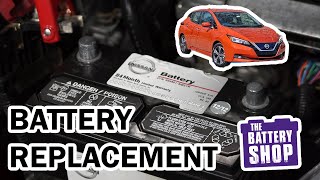
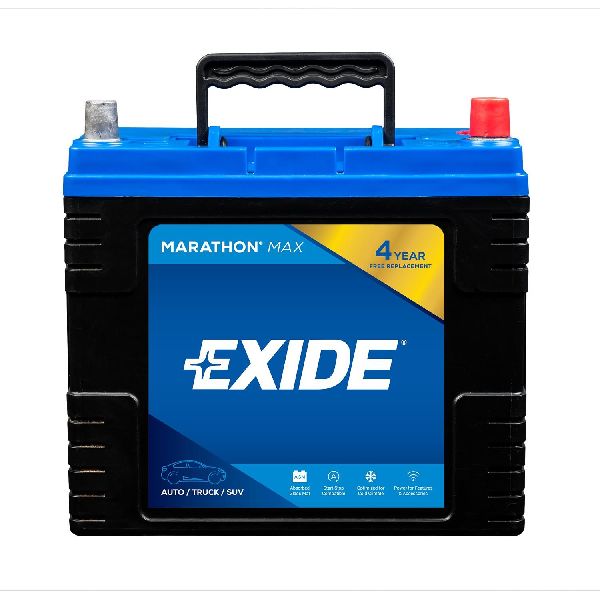
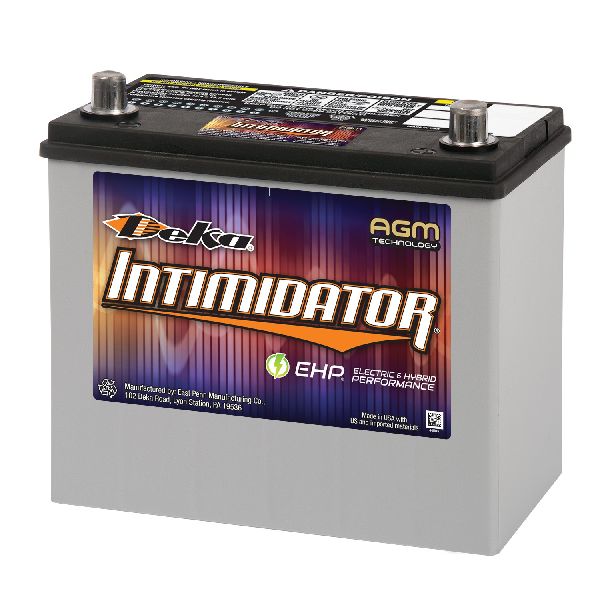
- 12V AGM Battery (Group 51R) — The original 12V battery is often damaged beyond recovery by the TCU's parasitic drain and requires replacement. An AGM (Absorbent Glass Mat) battery is recommended 🎬 Watch: Step-by-step guide for replacing your 12V battery. for its deep cycle tolerance. The common size is Group 51R.
Trusted brands: Optima (Yellow Top), Bosch, ACDelco, DieHard
OEM price range: $200-$300
Aftermarket price range: $150-$250 - Telematics Control Unit (TCU)
(OEM #283B0-3NF0A, 283B0-3NF5A (3G Units))— This is the component that requires reprogramming. It should NOT need to be replaced unless the reprogram fails or the unit is physically damaged. Part numbers like 283B0-3NA1B are for the older 2G units. The problematic upgraded 3G units are often 283B0-3NF0A or similar. Replacement is a last resort.
Trusted brands: Nissan (OEM)
OEM price range: $450-$850
Aftermarket price range: $30-$100 (Used)
Related Codes That Often Appear With This One
- P31C2 — This code specifically points to a fault within the Telematics Control Unit (TCU) and is often stored alongside P3131, as noted in Nissan's TSB NTB18-045b.
- U1000 — This is a generic CAN communication circuit error. A malfunctioning TCU that won't shut down can disrupt communication on the network, leading to this code.
Technical Service Bulletins (TSBs) & Recalls

- NTB18-045b: '2011-2015 LEAF; 12 VOLT BATTERY LOSES CHARGE AND/OR TELEMATICS SERVICES DO NOT WORK'. This TSB provides the official diagnosis and reprogramming procedure for the faulty TCU. It confirms that DTCs P3131 and/or P31C2 may be stored. The full PDF can be found on the NHTSA website.
Platform-Specific Known Issues
- This code is a direct result of a software flaw in the 3G TCU that was offered as an upgrade after the 2G network shutdown.
- Nissan issued Technical Service Bulletin NTB18-045 (later revised to NTB18-045b) to address this specific issue by reprogramming the TCU.
- As of 2022, the 3G cellular network has also been shut down in the US, rendering the telematics features of these cars obsolete. The fix for P3131 only resolves the battery drain.
- Owners report that some dealers attempt to charge a diagnostic fee of $120-$150 for this issue, but others have had the TSB work performed for free as a warranty or customer satisfaction item.
Mechanic-Grade Diagnostic Values
- Parasitic Current Draw on 12V Battery — expected: After the car has been off for at least 15-30 minutes, the current draw should drop to 50-85 milliamps (0.050-0.085A) or less.. Failure: A sustained reading of 0.5A (500mA) or higher strongly indicates the TCU is not entering sleep mode and is the cause of the P3131 code. 🎬 See a technician diagnose a high voltage battery drain.
Scan Tool Commands That Help
- Nissan CONSULT-III plus: Reprogramming — This is the main function used to apply the software update from TSB NTB18-045b to fix the parasitic drain. It is found under the 'TELEMATICS' system menu.
- Nissan CONSULT-III plus: Turn OFF TCU — Before physically removing a TCU for replacement, it must be electronically turned 'OFF' using this function to properly unregister it from the vehicle's systems.
- Nissan CONSULT-III plus: SAVE VIN DATA / WRITE VIN (SAVED DATA) — When replacing a TCU, the old unit's VIN must be saved using 'SAVE VIN DATA'. After the new unit is installed, 'WRITE VIN (SAVED DATA)' is used to program the vehicle's VIN into the new module. This is critical as TCUs are VIN-locked.
Wiring & Ground Locations
- TCU Main Connector (White) — On the Telematics Control Unit, located behind the glove box. It is a large, multi-pin white connector.. This connector provides power and CAN bus communication to the TCU. Unplugging it entirely can cause multiple CAN bus errors (DTC U1000) because the TCU may provide bus termination. For a permanent DIY disablement, specific power pins must be cut or removed while leaving the CAN bus pins intact.
- TCU Power Pins (on White Connector) — On the main white TCU connector: Pin 1 (Battery - white wire), Pin 3 (ACC Power - blue wire), and Pin 4 (Power signal - white wire).. For owners who want to permanently disable the obsolete TCU without causing system-wide CAN bus errors, cutting these three power wires is the most effective method. This removes all power from the unit, stopping the parasitic drain, while leaving the CAN bus pass-through (Pins 9 & 10) and ground connected, which prevents communication DTCs from appearing for other modules.
- TCU Infotainment Connector (Grey) — On the Telematics Control Unit, behind the glove box.. This connector links the TCU to the audio/visual unit for functions like Bluetooth audio and USB. Unplugging only this connector will not solve the P3131 parasitic drain, as the TCU remains powered via the white connector and active on the CAN bus.
Real Owner Repair Stories
- Reddit user on r/leaf (2013-2015 Nissan LEAF with 3G TCU upgrade) — App not working, occasional 'EV system warning' light, and a dead 12V battery.
❌ Tried (didn't work) Initially going to the dealer without referencing the TSB.
✅ What actually fixed it The dealer performed the TCU reprogram as specified in TSB NTB18-045b. The dealer initially charged the owner $150 for the diagnostic and repair. The owner called Nissan corporate support, who confirmed the issue should be covered free of charge and that the owner would be reimbursed. - MyNissanLeaf.com forum user (2012 Nissan LEAF with 3G TCU upgrade) — CARWINGS/NissanConnect app not working.
❌ Tried (didn't work) Paying $200 for the 3G upgrade, which later failed.
✅ What actually fixed it The issue was not truly fixed. After the upgraded 3G TCU failed outside of its part warranty, the dealer quoted ~$1200 to replace it again. The owner declined the repair, abandoning the telematics functionality entirely due to the high cost. This highlights that if the TSB reprogram fails, the only other option is an expensive replacement.
OEM Part Supersession History
283B0-3NF0A→283B0-3NF2B— Standard part revision by the manufacturer.
Heads up: TCUs are VIN-locked to the original vehicle. A used or new replacement TCU cannot be simply swapped. It must be registered to the new vehicle and the old one deactivated by a Nissan dealer using the CONSULT-III plus tool and a call to Nissan's support hotline. Failure to do this will result in a non-functional unit.
Model Year Variations Within This Range
- 2013-2015: The 2013 model year marked a major refresh, including the start of US production and relocation of the onboard charger from the trunk to under the hood. However, this did not fundamentally change the location of the TCU (behind the glove box) or its vulnerability to the P3131 software bug if it received the 3G upgrade. The TSB NTB18-045b applies to the full 2011-2015 range.
Helpful Videos


We Have This Part in Stock

The information in this article is provided for general reference and educational purposes only. Vehicle specifications, procedures, and part compatibility can vary by production date, trim level, and region. Always consult your vehicle's factory service manual and verify part numbers before purchasing or performing repairs. Safety-critical components such as airbags, seat belts, and braking systems should be installed by a qualified professional.
- Nissan LEAF:
- 🎬 Helpful Videos
- 🛍️ Shop This Part
- What's Unique About the 2011-2015 Nissan LEAF
- Diagnostic Flowchart
- Symptoms You May Notice
- Most Likely Causes
- Diagnosis Steps
- Parts You'll Likely Need
- Related Codes That Often Appear With This One
- Technical Service Bulletins (TSBs) & Recalls
- Platform-Specific Known Issues
- Mechanic-Grade Diagnostic Values
- Scan Tool Commands That Help
- Wiring & Ground Locations
- Real Owner Repair Stories
- OEM Part Supersession History
- Model Year Variations Within This Range
- 🎟️ Get 5% Off