

P2583 on 2020-2024 Toyota Highlander: Front Radar Sensor Fault Causes and Fixes
Code P2583 on a 2020-2024 Highlander indicates a fault with the front radar sensor used for cruise control and the pre-collision system. The most common cause is the sensor being blocked by dirt, snow, or ice on the front Toyota emblem. Cleaning the emblem is the most likely fix. If cleaning fails, professional recalibration is the next step, not immediate replacement.
- P2583 almost always relates to the front radar sensor behind the Toyota emblem.
- Before doing anything else, thoroughly clean the front emblem. This fixes the issue a majority of the time, especially if the code is P2583-97.
- If cleaning doesn't work, the sensor likely needs professional recalibration (for code P2583-76), especially after any minor front-end bump or bumper removal.
- Do not let a shop replace the expensive sensor until cleaning and calibration have been attempted first. Insist on an inspection of the mounting bracket.
- The vehicle remains drivable, but key safety features like automatic emergency braking and adaptive cruise control will be offline.
What's Unique About the 2020-2024 Toyota Highlander

On the 4th generation Highlander (XU70), this code is frequently triggered by simple environmental factors due to the sensor's placement behind the large front grille emblem. Owners often see this code during winter weather (snow/ice buildup) or after going through a car wash if debris is left on the emblem. While often a simple fix, it's a common point of confusion as it disables major safety systems, leading drivers to suspect a more serious electronic failure when none exists. Toyota documentation explicitly states that the sensor must be recalibrated if the front bumper is removed for any reason, such as for painting after a minor scuff.
Symptoms You May Notice

- Warning message on the Multi-Information Display (MID), such as 'Clean Radar Sensor', 'Pre-Collision System Unavailable', or 'PCS OFF'
- Illuminated master warning light (yellow triangle)
- Dynamic Radar Cruise Control (DRCC) is inoperative
- Pre-Collision System (PCS) is disabled
- Check Engine Light may be illuminated
- Multiple unrelated warning lights may illuminate simultaneously, sometimes called a 'Christmas tree' effect, which can also be caused by a failing 12V battery or other sensor faults.
- Replacing the radar sensor when it only needs cleaning or calibration. Dealers or shops may quote a full sensor replacement when only an alignment is needed, which is a significantly more expensive repair. 🎬 Watch this before paying for an expensive sensor recalibration.
- Ignoring a weak or failing 12V battery, which can cause numerous random electronic faults and warning lights on modern Toyotas, mimicking a sensor failure.
Most Likely Causes

- Obstructed Radar Sensor / Dirty Emblem 🔴 High Probability The sensor is located directly behind the front Toyota emblem, making it highly susceptible to blockage from snow, ice, mud, heavy rain, or even thick bug splatter. This will typically set a specific sub-code P2583-97.
How to confirm: Visually inspect the front emblem. If it is dirty or covered, this is the likely cause. The issue often appears during or after inclement weather. A professional scan tool will read code P2583-97.
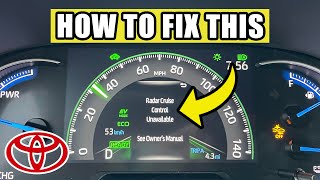
Typical fix: Thoroughly clean and dry the front Toyota emblem and the surrounding grille area. The code will often clear itself upon the next drive cycle after cleaning. 🎬 Watch: How to quickly clear the radar cruise unavailable message.
Est. part cost: $0 - Radar Sensor Misalignment 🟡 Medium Probability Even a minor front-end impact, such as a parking lot bump, hitting a curb, or driving over road debris, can knock the sensor or its mounting bracket out of precise alignment. Bumper removal for any service also necessitates recalibration.
How to confirm: This is confirmed with a professional scan tool that can read manufacturer-specific sub-codes, such as P2583-76, which directly indicates misalignment. A visual inspection may reveal a bent bracket.
Typical fix: The sensor must be professionally re-aimed (calibrated) using specialized targets and diagnostic software like Toyota Techstream. This is typically performed at a dealership or a qualified ADAS calibration shop. Calibration costs often range from $250-$600.
Est. part cost: $0 (calibration is a labor charge) - Damaged Sensor Mounting Bracket ⚪ Low Probability Following a front-end collision, the plastic bracket holding the radar unit can crack or break, preventing it from holding the correct alignment. Honda Service News for the same P2583-76 code specifically advises checking for play in the bracket and clips before replacing the sensor.
How to confirm: Physical inspection after removing the front bumper cover. The sensor may feel loose or have visible play when gently pushed. Check for cracked plastic clips or a bent bracket.
Typical fix: Replacement of the damaged mounting bracket, followed by a mandatory sensor calibration.
Est. part cost: $50-$150
Rare But Worth Checking
- Faulty Millimeter Wave Radar Sensor: While less common than blockage or misalignment, the sensor itself can fail internally. This is often indicated by a specific sub-code like P2583-49. It is usually the last thing to be replaced after all other possibilities are exhausted.
- Aftermarket Grille or License Plate Bracket: Installing a non-standard front grille or a front license plate bracket that interferes with the sensor's line of sight can cause this code to appear. Even aftermarket grille garnishes that are not properly designed can block the radar signal.
- Faulty Control Module: In rare cases, a cascade of warning lights including the PCS malfunction can be traced to a different faulty module, such as the Airbag Control Module, which communicates on the same network.
Diagnosis Steps
- Check the dashboard for any messages like 'Clean Radar Sensor'.
- Thoroughly inspect the front Toyota emblem. Is it covered in snow, ice, mud, or dirt?
- If dirty, wash and dry the emblem completely. In many cases, this resolves the issue after the next drive.
- If the emblem is clean and the light returns, inspect the area for damage. Has the vehicle had a minor front-end impact recently? Check if the sensor or grille feels loose.
- If the problem persists, the vehicle needs to be scanned with a professional tool that can read Toyota-specific codes and live data, such as Toyota Techstream.
- A sub-code like P2583-97 confirms a blockage, while P2583-76 confirms a misalignment issue.
- If misalignment is indicated, the vehicle must be taken to a dealer or ADAS-certified shop for radar calibration. Expect a cost of $250-$600 for this service.
- Before replacing the sensor for a P2583-76 code, instruct the technician to inspect the mounting bracket and clips for damage or play, as this is a common cause of failed calibrations.
- If no alignment or blockage issues are found, the technician will inspect the wiring and connectors before recommending a sensor replacement.
Parts You'll Likely Need
- Millimeter Wave Radar Sensor
(OEM #88210-0E080 (example, verify with VIN))— This part is only needed if it fails internally (e.g., code P2583-49) or is damaged in a collision. It is the core component responsible for the P2583 code. Other potential part numbers include 88210-0A010 (for 2021+ models) and 88210-0E060.
Trusted brands: Toyota Genuine
OEM price range: $800-$1200
Aftermarket price range: Not typically available
Related Codes That Often Appear With This One
- P2583-97 — This is a Toyota-specific sub-code indicating the sensor is obstructed, confirming the 'Clean Sensor' message.
- P2583-76 — This is a Toyota-specific sub-code indicating the sensor is misaligned and requires calibration. This is also used by Honda for the same issue.
- C1A16 — This is a chassis code for 'Front Radar Sensor Blocked' and often appears alongside P2583 when the emblem is covered.
- C1A50 — A chassis code for 'Pre-Collision System Sensor Misalignment', which directly corresponds to the P2583-76 fault.
Technical Service Bulletins (TSBs) & Recalls
- Honda Service News A18080E: While for Honda, this document for the identical P2583-76 code is highly relevant. It instructs technicians to inspect radar mounting clips and brackets for damage or play before replacing the expensive radar unit, as a loose mount is a common cause of failed calibrations.
Platform-Specific Known Issues
- The large, flat surface of the 4th generation Highlander's front emblem provides a prime location for snow, ice, and dirt to accumulate, leading to a high frequency of nuisance 'sensor blocked' warnings (P2583-97) compared to vehicles with smaller or more angled emblems.
Mechanic-Grade Diagnostic Values
- Optical Axis Not Adjusted Status — expected: Complete. Failure: A status of 'Not Complete' indicates that the beam axis adjustment has not been successfully performed.
- Axis Adjustment Error Code — expected: Normal/0. Failure: A value from 1-31 indicates a specific error during the beam axis alignment procedure.
- Horizontal Alignment Angle (Post-Calibration) — expected: -0.5 to +0.5 degrees. Failure: A value outside this range indicates a failed calibration or a physical mounting problem.
Hidden / Shadow Codes Worth Checking
- X2023: This is a 'vehicle control history' code, not a standard DTC. It is stored when the 'Optical Axis Not Adjusted Status' in the sensor's data list is 'Not Complete'. (see via Toyota Techstream software, under the Front Radar Sensor's Data List or vehicle control history section.)
- X2027 / X2028: These are 'vehicle control history' codes stored when a malfunction is detected in specific internal sensor self-checks. (see via Toyota Techstream software, under the Front Radar Sensor's Data List or vehicle control history section.)
- P2583-54: Indicates that the radar aiming (calibration) procedure was started but is incomplete. While documented for Honda/Acura, it represents a fault condition that can occur with this type of sensor. (see via Professional OEM-level scan tool.)
Scan Tool Commands That Help

- Toyota Techstream: Front Beam Axis Adjustment — This is the primary service utility used to perform the static calibration of the millimeter wave radar sensor after it has been replaced, or after the front bumper has been removed or disturbed.
- Toyota Techstream: Data List for 'Front Radar Sensor' — Used before and after calibration to check live data, such as the horizontal and vertical alignment angles and the 'Optical Axis Not Adjusted Status', to confirm if an adjustment is needed and if it was successful.
- Toyota Techstream: Health Check — This initial scan of all vehicle modules is used to identify all present DTCs, including related chassis codes like C1A16 or C1A50, and to check for available software updates (calibration updates) for the 'Pre-Collision 2' system.
Wiring & Ground Locations
- Front Radar Sensor Connector — Connects directly to the back of the millimeter wave radar sensor, behind the front grille emblem.. This 8-pin connector is the sole communication and power link for the sensor. Corrosion or damage to its pins or harness pigtail can cause a loss of signal and trigger P2583. The connector part number is referenced as 6189-1240 for similar models.
Real Owner Repair Stories
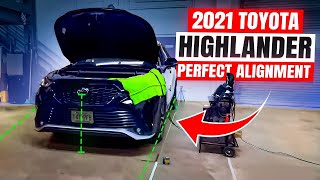
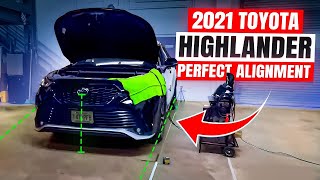
- 7 Step ADAS YouTube Channel (2021 Toyota Highlander) — Vehicle required radar calibration after the front bumper was removed and reinstalled for paint work. This is a preventative calibration mandated by Toyota, which would otherwise trigger a code like P2583-76.
❌ Tried (didn't work) The technician noted that on a previous RAV4, an imperfect setup of the perpendicular lines for the calibration rig led to an incorrect alignment reading, emphasizing the need for precision.
✅ What actually fixed it A precise 7-step static calibration was performed using a cone target set at the Toyota-specified height and distance (3000 mm from the emblem). The technician used Toyota's GTS (Techstream) software to run the 'Front Beam Axis Adjustment' utility, which resulted in a successful calibration with a horizontal alignment reading of 0.4 degrees, which is within the +/- 0.5 degree specification. - Tacoma World Forum user (Toyota Tacoma with similar TSS system) — PCS/TSS warning light appeared after installing a lift kit, which changed the front-end rake and sensor angle.
❌ Tried (didn't work) An alignment at a tire shop did not fix the issue, as the specific radar sensor calibration was still required.
✅ What actually fixed it The owner performed a DIY calibration. They built a reflector target using galvanized flashing according to specifications found online. They then used a virtual machine with Toyota Techstream software and a Tactrix Openport 2.0 cable to connect to the vehicle. By running the 'Front Axis Beam Adjustment' utility in the 'Pre-Collision 2' module, they successfully recalibrated the sensor and cleared the fault code.
OEM Part Supersession History
88210-0E080 (and similar)→88210-0A010— Part update for later model years, likely corresponding with the shift to TSS 2.5+.
Heads up: Part number 88210-0A010 is specified for 2021-2024 Highlander models. Using an older sensor on a newer vehicle or vice-versa may result in incompatibility or calibration failure due to hardware and software differences between TSS versions. Always verify the correct part number with the vehicle's VIN.
Model Year Variations Within This Range
- 2020: The 2020 model year Highlander launched with Toyota Safety Sense 2.0 (TSS 2.0).
- 2021-2023: Starting with the 2021 model year, the Highlander was upgraded to Toyota Safety Sense 2.5+ (TSS 2.5+). This system features an enhanced radar sensor and camera with better processing power, improved low-light performance, and additional capabilities like intersection support and curve speed management. This hardware and software difference may affect part compatibility and calibration procedures.
- 2024+: The 2024 Grand Highlander introduced Toyota Safety Sense 3.0 (TSS 3.0), which features a further upgraded camera and radar with an extended range and wider field of view. While the base Highlander may have retained TSS 2.5+, this shows the technology's progression and the importance of verifying the specific system version for the vehicle being serviced.
Diagnostic Flowchart

Other Known Issues on This Vehicle
Issues unrelated to this code that are worth knowing about as an owner of this generation:
- Abnormal Whistling Wind Noise from Front 🟡 Low — Common on 2020-2022 models (except XSE) at speeds over 35 mph. (Ref: T-SB-0048-22. The fix involves replacing the radiator grille bracket with a redesigned part.)
- Acceleration Hesitation / 'Dead Pedal' (2.4L Turbo Engine) 🟠 Medium — Common on 2023 models with the 2.4L turbo engine (T24A-FTS). Owners report a 1-2 second lag when accelerating from a stop. (Ref: T-SB-0087-23. The fix is an ECU software update (reflash) performed by the dealer under warranty to improve throttle mapping.)
- Clogged or Kinked Moonroof Drain Hoses 🟠 Medium — A recurring issue across Highlander generations. Can cause water to leak into the cabin, staining the headliner or soaking the floorboards. (Ref: Older TSBs exist for prior generations (e.g., T-TT-0322-15 for 2014-15 models), but the problem persists due to the design.)
- Unexpected Battery Drain / Multiple Warning Lights 🟠 Medium — Owners report the 12V battery dying unexpectedly, which upon restart or jumpstart, can trigger a cascade of seemingly unrelated system malfunction warnings on the dashboard. (Ref: No specific TSB, but a widely reported owner complaint. Often misdiagnosed as multiple sensor failures.)
- Erratic Fuel Gauge Readings 🟡 Low — Some owners report the fuel gauge dropping to empty and then returning to a correct reading unexpectedly. (Ref: No specific TSB, but likely caused by a faulty fuel level sensor or a software glitch.)
Used vs. New Parts: Buying Guide for This Vehicle
When a used part is the smart pick: A used part is a smart choice ONLY for the plastic mounting bracket for the radar sensor. If the original is cracked or broken after a minor impact, a used bracket from a salvage yard is a cost-effective replacement.
Donor-vehicle mileage cap: roughly under 150000 miles for the part to have meaningful remaining life.
What to inspect on the donor part:
- For a mounting bracket, inspect for any hairline cracks, especially around the clip areas and mounting points.
- Ensure the part is from the same generation (2020-2024) Highlander to guarantee fitment.
- Verify there is no warping or heat damage.
OEM-only on this vehicle (don't cheap out):
- Millimeter Wave Radar Sensor
Aftermarket brands forum-validated for this vehicle:
- Not applicable for the sensor itself. Calibration equipment from brands like Autel or Topdon can perform the procedure, but the replacement sensor should be OEM.
Brands owners have reported issues with on this vehicle:
- Avoid any aftermarket or used radar sensors. The risk of calibration failure is extremely high, making it a costly gamble. The sensor is a precision instrument tied to the vehicle's safety systems, and only a new OEM part guarantees compatibility and the ability to be calibrated correctly.
Real Owner Stories
Aggregated from forums and TSBs cited above. Mileages and costs reflect what owners reported in those sources.
2023 Toyota Highlander
Symptoms: Multiple safety system malfunctions appearing at once on a new vehicle.
What fixed it: The dealer diagnosed the root cause as a faulty Airbag Control Module rather than individual radar or camera sensors.
Source hint: Reddit r/ToyotaHighlander thread titled 'All safety sensors malfunction lights on!'
Related OBD-II Codes
Frequently Asked Questions
My 2020 Highlander shows 'Clean Radar Sensor' and 'PCS OFF' during a snowstorm. Is the sensor broken?
I hit a curb in my 2021 Highlander and now the Cruise Control won't work. What could be wrong?
Does the whistling noise from my 2022 Highlander's front end mean the radar sensor is failing?
My 2023 Highlander with the 2.4L Turbo has a 'dead pedal' hesitation. Is this related to the Pre-Collision System?
Can a bad 12V battery cause the 'Clean Radar Sensor' and other warning lights to come on?
The dealer says I need a new radar sensor for a P2583-76 code. Is there anything else they should check first?
Helpful Videos
We Have This Part in Stock


The information in this article is provided for general reference and educational purposes only. Vehicle specifications, procedures, and part compatibility can vary by production date, trim level, and region. Always consult your vehicle's factory service manual and verify part numbers before purchasing or performing repairs. Safety-critical components such as airbags, seat belts, and braking systems should be installed by a qualified professional.
- Toyota Highlander:
- 🎬 Helpful Videos
- 🛍️ Shop This Part
- What's Unique About the 2020-2024 Toyota Highlander
- Symptoms You May Notice
- Most Likely Causes
- Rare But Worth Checking
- Diagnosis Steps
- Parts You'll Likely Need
- Related Codes That Often Appear With This One
- Technical Service Bulletins (TSBs) & Recalls
- Platform-Specific Known Issues
- Mechanic-Grade Diagnostic Values
- Hidden / Shadow Codes Worth Checking
- Scan Tool Commands That Help
- Wiring & Ground Locations
- Real Owner Repair Stories
- OEM Part Supersession History
- Model Year Variations Within This Range
- Diagnostic Flowchart
- Other Known Issues on This Vehicle
- Used vs. New Parts: Buying Guide for This Vehicle
- Real Owner Stories
- 2023 Toyota Highlander
- Related OBD-II Codes
- Frequently Asked Questions
- 🎟️ Get 5% Off