

P2583 on 2017-2024 Land Rover Discovery: Front Radar Sensor Fault Causes and Fixes
On a 2017-2024 Land Rover Discovery, code P2583 almost always means the front radar sensor for the Adaptive Cruise Control is blocked by dirt, snow, or ice. Cleaning the sensor, located in the lower front bumper/grille area, often resolves the issue. If cleaning doesn't work, the sensor bracket may be bent, or professional calibration is required.
- The most likely cause of P2583 is a dirty or blocked front radar sensor; always start by thoroughly cleaning the front grille.
- Driving is possible, but your vehicle's key safety systems (ACC and AEB) will not work.
- If cleaning the sensor does not fix the problem, the vehicle needs to be taken to a professional for sensor alignment and calibration.
- Do not replace the expensive radar sensor unless all other diagnostic steps (cleaning, checking alignment, checking wiring) have been completed.
What's Unique About the 2017-2024 Land Rover Discovery

Land Rover has issued technical service bulletins (like SSM72330 for a related code, C1A67-97) that clarify a common trigger for this fault. The system can log a '-97' suffix code, indicating a 'blockage situation' rather than a true component failure. This means that simple obstructions like dirt, snow, or even driving in a featureless environment (like a desert) where the radar sees no objects can set this code, which often clears itself once the obstruction is removed or the environment changes. Another common suffix is '-78', which indicates an alignment or adjustment is incorrect, often due to a bent mounting bracket.
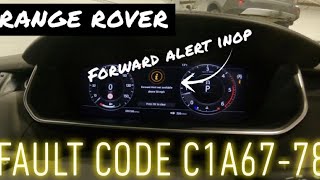
🎬 Watch: How to fix a misaligned sensor and C1A67-78 code.Symptoms You May Notice
- Adaptive Cruise Control (ACC) is unavailable or disabled
- Automatic Emergency Braking (AEB) system is disabled
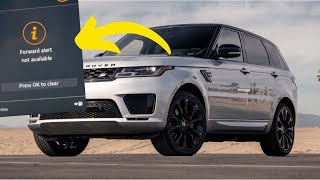
- Warning message on the instrument cluster, such as 'RADAR SENSOR BLOCKED' or 'Adaptive Cruise Control Not Available'.
- Check Engine Light may be illuminated
- A specific DTC suffix may be stored, such as P2583-97 for blockage or C1A67-78 for misalignment.
- Replacing the radar sensor when it only needs cleaning or calibration.
- Replacing the radar sensor when the actual fault is a bent or corroded mounting bracket. Always inspect the bracket after a minor front impact.
Most Likely Causes

- Obstructed Radar Sensor 🔴 High Probability The sensor is located in the lower front bumper/grille area, making it susceptible to blockage from road grime, snow, ice, or even a poorly placed front license plate.
How to confirm: Visually inspect the lower grille aperture for any dirt, snow, ice, or other obstructions. A diagnostic scan may show a code with a '-97' suffix, specifically indicating a blockage.
Typical fix: Thoroughly clean the front bumper and sensor area with a soft cloth and mild soap. The code may clear on its own after cleaning and an ignition cycle.
Est. part cost: $0 - Radar Sensor Misalignment or Bent Bracket 🟡 Medium Probability Even a minor front-end impact, like a parking bump, hitting a curb, or striking a bird, can knock the sensor's precise alignment out of specification by bending its mounting bracket, triggering a fault.
How to confirm: This is often diagnosed with a fault code like C1A67-78 ('alignment or adjustment is incorrect'). A visual inspection after bumper removal may reveal a damaged or bent bracket. Confirmation requires specialized ADAS calibration equipment.
Typical fix: In many cases, the plastic bracket holding the radar is bent and must be replaced. After replacement, the sensor must be professionally re-aligned and calibrated using Land Rover's diagnostic tools and an ADAS alignment rig. A dealer may charge £225-£250 for bracket replacement and realignment.
Est. part cost: $50-$100 for the bracket - Damaged Wiring or Connector ⚪ Low Probability The sensor's location in the front of the vehicle exposes its wiring harness and connector to potential damage from road debris or moisture ingress over time.
How to confirm: A technician will inspect the wiring harness (part numbers like LR149126) leading to the ACC sensor for any signs of physical damage, chafing, or corrosion at the connector pins.
Typical fix: Repair the damaged section of the wiring harness or replace the connector. The system will likely require recalibration after the repair.
Est. part cost: $20-$150 - Failed Radar Sensor ⚪ Low Probability
How to confirm: This is diagnosed by exclusion. If the sensor is clean, the bracket is straight, alignment is attempted but fails, and the wiring has proper power, ground, and communication signals, the sensor itself has likely failed internally.
Typical fix: Replace the ACC radar sensor and perform the mandatory alignment and calibration procedure. A new sensor can cost over $2000 from a dealer.
Est. part cost: $500-$1500
Rare But Worth Checking
- Loose Battery Ground Stud: A recall was issued for some 2019-2021 Discovery models for a loose battery ground stud. This can cause a wide range of seemingly unrelated electrical faults and warning lights due to unstable voltage. While not directly linked to P2583, it's a known issue on these vehicles that can cause electrical gremlins.
- Featureless Environment: As noted in Land Rover service document SSM72330, driving for extended periods in environments with very few objects for the radar to detect (e.g., open desert, snow-covered plains) can temporarily trigger a 'blocked' fault message and code. The system should return to normal once it re-enters an environment with more objects.
Diagnosis Steps

- Read Fault Codes: Use a high-quality OBD-II scanner capable of reading Land Rover-specific codes. Look for P2583 and any suffix codes (e.g., -97 for blockage, -78 for misalignment) or related chassis codes like C1A67.
- Visually Inspect and Clean: Carefully inspect the lower front bumper/grille area. Clean away any dirt, ice, snow, bugs, or other debris with a soft cloth.
- Check for Obstructions: Ensure no aftermarket accessories (like a license plate bracket or bull bar) are blocking the sensor's view.
- Check for Recalls: Check with a dealer or online for any open recalls, particularly the one related to the battery ground stud on 2019-2021 models.
- Clear Codes and Test Drive: After cleaning, clear the codes and test drive the vehicle at speeds over 25 mph (40 km/h) for a few minutes to see if the fault returns.
- Professional Diagnosis & Calibration: If the code returns, the vehicle must be taken to a dealer or qualified independent shop with ADAS capabilities. They will check for bent brackets, inspect wiring, and check the sensor's alignment, performing a calibration if necessary. 🎬 Watch: Professional radar troubleshooting and ADAS calibration walkthrough.
Parts You'll Likely Need

- Adaptive Cruise Control Radar Sensor
(OEM #LR128130 (supersedes MY42-9G768-AE, LR092873))— This is the component that is replaced if it fails internally. The part number must be verified with your vehicle's VIN before ordering, as multiple versions exist.
Trusted brands: Genuine Land Rover
OEM price range: $800-$1500
Aftermarket price range: Not commonly available - Radar Sensor Bracket
(OEM #VIN-specific, must be checked with dealer)— This bracket is often the point of failure after a minor frontal impact, bending and causing misalignment codes. It is much cheaper to replace than the sensor itself.
Trusted brands: Genuine Land Rover
OEM price range: $50-$100
Aftermarket price range: Not available
Related Codes That Often Appear With This One
- C1A67-97 — This is a Land Rover-specific chassis code that directly translates to 'Forward Looking Sensor - Component Failure - Blocked'. It often appears alongside or instead of P2583 to indicate the same root cause of a blocked sensor.
- C1A67-78 — This chassis code indicates 'Forward looking sensor, mechanical failure, alignment or adjustment is incorrect'. It strongly points to a misaligned sensor, often due to a bent bracket, rather than a blockage.
Technical Service Bulletins (TSBs) & Recalls
- SSM72330: Details the diagnostic logic for a 'Radar Sensor Blocked' message and the associated code C1A67-97. It confirms that a '-97' suffix indicates an obstruction (including environmental ones like snow or featureless roads) and not a part failure, providing the official diagnostic procedure. It applies to Discovery, Range Rover, and Range Rover Sport models.
- SSM 74547: Addresses DTCs C1A67-78 and C1A67-54 on 2019MY+ Discovery L462. It states the module is vulnerable to misalignment from very low-speed incidents with no visible bumper damage. The official action is to inspect the bracket, replace it if bent (the module is usually undamaged), and then perform a service alignment using the Pathfinder diagnostic tool.
Platform-Specific Known Issues
- Bent Radar Bracket from Minor Impact: A user on the disco5.co.uk forum reported hitting a bird, which damaged the lower valance and caused the cruise control to stop working. Another user confirmed their issue was a bent radar unit bracket from slight pressure on the front bumper, which was fixed by replacing the bracket and realigning the unit for around £250 at a main dealer. This is a common failure point that is much cheaper to fix than replacing the entire radar unit.
- Corroded Radar Bracket on Range Rover Sport: A user on Reddit with a 2016 Range Rover Sport (a platform mate) chased a 'Radar Blocked' error and found the cause was a corroded and cracked bracket holding the radar. Replacing the bracket allowed the system to recalibrate itself after some driving, avoiding a costly module replacement.
Hidden / Shadow Codes Worth Checking
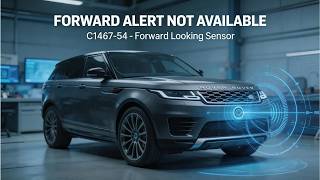
- C1A67-54: Forward Looking Sensor - Missing Calibration. This code is set in the Adaptive Speed Control Module (ASCM) and indicates the sensor has lost its calibration data, requiring a service alignment procedure. (see via Land Rover specific diagnostic tools like Pathfinder or a high-end professional scanner.)
Scan Tool Commands That Help
- Land Rover Pathfinder: Service Alignment Mode (or 'Activate Forward Radar Service Alignment') — This function is required after replacing the radar sensor or its bracket. It puts the sensor into a learning mode, which then requires a specific driving procedure to complete the calibration. The tool will prompt the user to drive while the system calibrates itself, monitoring the 'Service Align Completion Percentage' until it reaches 100%.
- GAP IIDTool: Calibration - 'Adaptive Align' — After installing the hardware, this function in the popular aftermarket IIDTool can be used to initialize the sensor's calibration. The vehicle must then be driven for the system to self-initialize.
Wiring & Ground Locations
- ACC Radar Module Connector — Connects to the rear of the ACC radar sensor, located in the lower front bumper/grille area.. This connector and its pigtail are exposed to potential damage from front impacts and road debris. A forum user retrofitting the system noted the essential connections are main power, accessory power, ground, and chassis CAN bus high/low. On factory-wired vehicles, main power often comes from the rear fuse panel, while accessory power comes from the Body Control Module (BCM).
- Main Vehicle Grounds — While not specific to the ACC module, general ground points for the Discovery 5 (L462) are critical. Key locations include the right inner fender behind the battery, below the battery on the frame rail, and in the left and right footwells behind trim panels.. Poor grounding can cause a multitude of electrical issues, including faults in sensitive electronic modules like the ACC sensor. The recall for a loose battery ground stud on some models underscores the importance of stable voltage and grounding for all vehicle systems.
Real Owner Repair Stories
- YouTube Channel 'GAS Automotive' (2019 Range Rover Sport (platform mate to Discovery 5)) — Warning message 'forward alert not available over 50 mph' and fault code C1A67-78 (misalignment).
❌ Tried (didn't work) The owner was unaware of any specific impact, but slight scuffs were visible on the lower bumper.
✅ What actually fixed it The technician removed the front bumper and found the radar sensor's plastic mounting bracket was severely bent. The sensor itself was undamaged. They replaced only the bracket (costing ~£17), refitted the original sensor, and cleared the codes. A dynamic calibration was performed by driving the vehicle, which allowed the sensor to recalibrate itself automatically, resolving the fault. - landroverforums.com user (2016 Range Rover L405 (rebuilt title)) — Original distance control module was missing entirely after rebuild.
❌ Tried (didn't work) Dealer quoted $1900 for a new sensor plus calibration, claiming a used part would not work.
✅ What actually fixed it A forum member advised that a used sensor with an identical part number could be installed without needing dealer programming. The owner was able to source a used part and successfully install it, implying that for a direct replacement, a used module can be plug-and-play, though calibration would still be required.
OEM Part Supersession History
MY42-9G768-AE, LR092873→LR128130— Standard part evolution, potential improvements in hardware or internal software.
Heads up: While superseded parts may work, it is always best practice to use the latest available part number specified for the vehicle's VIN to ensure compatibility with the latest vehicle software and calibration procedures.
Model Year Variations Within This Range
- Mid-2018: A forum user retrofitting the ACC system noted a change in the radar module from a larger, Ford-style unit to a smaller Bosch unit around the middle of the 2018 model year. This affects the mounting bracket and potentially the connector, so VIN verification for parts is critical.
- 2019+: According to Special Service Message (SSM) 74547, the radar module on 2019MY and newer Discovery L462 models is positioned closer to the bumper surface, making it more vulnerable to being pushed out of alignment from minor impacts that leave no visible external damage.
Diagnostic Flowchart
Other Known Issues on This Vehicle
Issues unrelated to this code that are worth knowing about as an owner of this generation:
- Early 2.0L Ingenium Diesel Engine Failures 🔴 High — Common on 2017-2019 models. Issues include timing chain stretch/failure, turbocharger failures, and oil dilution from incomplete DPF regeneration, sometimes occurring under 50,000 miles.
- Air Suspension Faults 🟠 Medium — Failures of the air compressor, air springs (bags), or valve blocks can occur, leading to a 'Suspension Fault' message and the vehicle being stuck at one height. One owner reported a compressor failure early in ownership on a 2017 model.
- Electrical Gremlins & Infotainment Glitches 🟡 Low — Widespread reports of issues with the InControl Touch Pro system (especially on 2017-2020 models), including freezing, lagging, and random reboots. Other electrical issues like faulty door locks and sensor malfunctions are also noted.
- Premature Front Suspension Arm Wear 🟠 Medium — Owners report knocking noises from the front suspension, requiring replacement of front suspension arms around the 5-year mark or sooner, depending on use.
- 3.0L V6 Diesel (TD6/SDV6) Crankshaft Failure 🔴 High — A known, though less frequent than Ingenium issues, problem where the crankshaft can fail, leading to catastrophic engine damage.
Used vs. New Parts: Buying Guide for This Vehicle
When a used part is the smart pick: A used radar sensor can be a cost-effective option if the original unit has failed internally and is not just misaligned. Forum evidence suggests that a used sensor with the exact same part number can sometimes be installed without requiring security programming, although it will always require a calibration procedure. This is a high-risk, high-reward strategy best suited for experienced DIYers or independent shops.
Donor-vehicle mileage cap: roughly under 80000 miles for the part to have meaningful remaining life.
What to inspect on the donor part:
- Verify the part number on the used unit EXACTLY matches the original.
- Source from a reputable salvage yard that guarantees the part is functional.
- Inspect the sensor for any physical damage, cracks in the casing, or corrosion on the connector pins.
- If possible, get the VIN of the donor vehicle to check its history for major front-end collisions.
OEM-only on this vehicle (don't cheap out):
- Radar Sensor Bracket: This is a low-cost, high-precision part. Aftermarket versions are not available and would not be trustworthy. Always use a genuine bracket to ensure correct sensor alignment.
- Adaptive Cruise Control Radar Sensor: While used OEM is an option, there are no known reliable aftermarket manufacturers for this complex ADAS component. Avoid no-name online marketplace units.
Brands owners have reported issues with on this vehicle:
- Any non-OEM radar sensor. The calibration and communication protocols are highly specific to the manufacturer.
Real Owner Stories
Aggregated from forums and TSBs cited above. Mileages and costs reflect what owners reported in those sources.
Discovery 5
Symptoms: Adaptive cruise control stopped working after hitting a bird, which damaged the lower valance.
What fixed it: The issue was a bent radar unit bracket. The bracket was replaced and the unit was realigned by a main dealer.
Cost: $280-$320
Source hint: disco5.co.uk - Thread 'Radar blocked cruise not available.'
2016 Range Rover Sport TD6
Symptoms: Chased a 'Radar Blocked' error message on the instrument cluster.
What fixed it: Found a corroded and cracked bracket holding the radar sensor. Replacing the bracket allowed the system to recalibrate itself after driving.
Source hint: Reddit user report mentioned in vehicle_specific_issues
Related OBD-II Codes
Frequently Asked Questions
My 2019 Discovery is showing 'Adaptive Cruise Control Not Available' but there is no bumper damage. Does SSM 74547 apply?
I have a 'RADAR SENSOR BLOCKED' message and code C1A67-97. Does this mean I need a new sensor?
Can a minor impact like hitting a bird trigger a P2583-related fault on my Discovery 5?
How much does it typically cost to fix a misaligned radar sensor at a Land Rover dealer?
Is there a specific wiring harness I should check if cleaning the sensor doesn't clear the P2583 code?
Helpful Videos
We Have This Part in Stock



The information in this article is provided for general reference and educational purposes only. Vehicle specifications, procedures, and part compatibility can vary by production date, trim level, and region. Always consult your vehicle's factory service manual and verify part numbers before purchasing or performing repairs. Safety-critical components such as airbags, seat belts, and braking systems should be installed by a qualified professional.
- Land Rover Discovery:
- 🎬 Helpful Videos
- 🛍️ Shop This Part
- What's Unique About the 2017-2024 Land Rover Discovery
- Symptoms You May Notice
- Most Likely Causes
- Rare But Worth Checking
- Diagnosis Steps
- Parts You'll Likely Need
- Related Codes That Often Appear With This One
- Technical Service Bulletins (TSBs) & Recalls
- Platform-Specific Known Issues
- Hidden / Shadow Codes Worth Checking
- Scan Tool Commands That Help
- Wiring & Ground Locations
- Real Owner Repair Stories
- OEM Part Supersession History
- Model Year Variations Within This Range
- Diagnostic Flowchart
- Other Known Issues on This Vehicle
- Used vs. New Parts: Buying Guide for This Vehicle
- Real Owner Stories
- Discovery 5
- 2016 Range Rover Sport TD6
- Related OBD-II Codes
- Frequently Asked Questions
- 🎟️ Get 5% Off