

P2299 on 2015-2017 Chrysler 300C: Brake and Accelerator Pedal Conflict Causes and Fixes
On a 2015-2017 Chrysler 300C, code P2299 is almost always caused by the driver pressing the brake and gas pedals at the same time ('two-footed driving'). Before buying any parts, change driving habits and clear the code. This fix is free and explicitly recommended by Chrysler TSBs. If the problem persists, the next most likely cause is a faulty brake light switch, not the expensive accelerator pedal.
- P2299 is a safety feature, not necessarily a broken part. The first step is always to investigate driving habits and pedal obstructions.
- Do not replace the expensive accelerator pedal assembly for this code. Chrysler TSBs specifically warn against this common misdiagnosis.
- If a part has failed, the inexpensive brake light switch is the most likely culprit.
- The vehicle will protect itself by entering a reduced-power 'limp mode', which is a significant safety consideration in traffic.
What's Unique About the 2015-2017 Chrysler 300C
For this generation of Chrysler 300C and its platform mates (Dodge Charger, Dodge Challenger), the manufacturer has been exceptionally clear about the cause of P2299. Multiple Technical Service Bulletins (TSBs) have been issued stating this code is 'usually caused by a two footed driver' and explicitly warn technicians that the 'accelerator pedal should not be replaced for this fault.' This strong guidance from Chrysler makes this platform unique, as the primary cause is overwhelmingly user behavior, not a defective component. 🎬 Watch: A quick breakdown of what P2299 means for your car. Forum discussions confirm that dealers will often first ask about driving habits before performing any diagnostics.
Diagnostic Flowchart
Tap your situation to follow the diagnostic path that matches what you're seeing on this vehicle.
Symptoms You May Notice
- Check Engine Light is on
- Electronic Throttle Control (ETC) warning light (a lightning bolt symbol) is on.
- Vehicle enters 'limp mode' with significantly reduced engine power and poor acceleration.
- Accelerator pedal feels unresponsive.
- Cruise control will not engage or disengages unexpectedly.
- Accelerator Pedal Assembly. Chrysler TSBs #9003413 and #53034160A specifically warn *against* replacing the accelerator pedal for this fault unless comprehensive diagnostics prove it has failed. This is an expensive part and is rarely the cause of P2299. Many forum posts echo this, advising to check the cheaper brake switch first.
Most Likely Causes
- Driver Habit (Two-Footed Driving) 🔴 High Probability Chrysler TSBs #9003413 and #53034160A explicitly state this is the most common cause. The vehicle's Brake-Throttle Override safety logic is designed to prioritize the brake signal, and resting a foot on the brake while accelerating will trigger the code. This can also be caused by 'brake torquing' (holding the brake and gas to do a burnout).
How to confirm: Question the driver about their habits (e.g., using the left foot for the brake). Clear the code and perform a test drive consciously using only the right foot for both pedals. If the code does not return, this was the cause. Many owners on forums like DodgeForum.com have confirmed this was their issue.
Typical fix: Advise the driver to avoid resting their left foot on the brake pedal. Clear the diagnostic trouble code. This fix is typically free.
Est. part cost: $0 - Obstructed Pedal Path 🟡 Medium Probability A bunched-up or improperly installed floor mat can physically prevent the accelerator or brake pedal from returning to its resting position, causing a conflict. Aftermarket floor mats like those from WeatherTech or Husky Liners are popular, and if not secured with the factory retention clips, they can slide forward.
How to confirm: Visually inspect the driver's footwell. Check that the floor mat is properly secured and not interfering with the travel of either pedal. Remove the mat entirely and perform a test drive to see if the issue is resolved.
Typical fix: Reposition, secure, or replace the floor mat to ensure it is clear of all pedals. Ensure any aftermarket mat is designed for the specific vehicle.
Est. part cost: $0-$70 - Faulty Brake Light Switch (Brake Pedal Position Sensor) ⚪ Low Probability While less common than driver habit, the brake light switch can fail or become stuck, sending a constant 'brake applied' signal to the PCM even when the pedal is released. This is a common wear item on many vehicles.
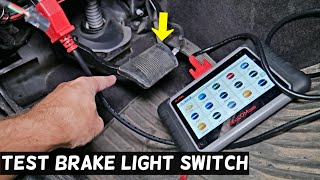
How to confirm: Use an OBD-II scanner with live data capability. Monitor the Brake Pedal Position (BPP) sensor status while pressing and releasing the brake. The status should switch cleanly between 'On' and 'Off' (or from 0% to 100%). If it is stuck 'On' or the reading is erratic, the switch is faulty. 🎬 See how to test your brake light switch using live data.
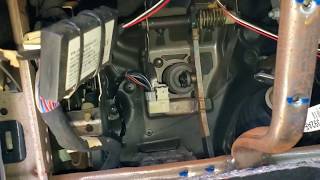
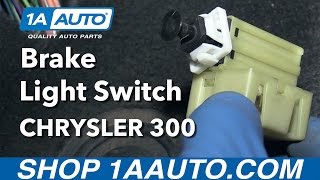
Typical fix: Replace the brake light switch located on the brake pedal support bracket under the dashboard. This is a relatively simple DIY replacement. 🎬 Watch this step-by-step guide to replacing the brake light switch. On some newer Mopar vehicles, a 'Brake Pedal Calibration' may be required using a capable scan tool after replacement.
Est. part cost: $25-$60
Rare But Worth Checking
- PCM Software Update Needed: In some cases, the logic for triggering P2299 can be overly sensitive. Chrysler has released software updates to address this. TSB 18-049-16 specifically applies to 2016 models and lists P2299 as the primary code fixed by a PCM software update. Check with a dealer for any available PCM flashes that address this code specifically for your vehicle's VIN.
- Wiring or Connector Issue: Corrosion or damage to the wiring or connectors for either the brake pedal position sensor or the accelerator pedal position sensor could cause an erroneous signal. This should be investigated after ruling out all more common causes, as it requires more intensive diagnostics.
Diagnosis Steps
- Discuss driving habits with the vehicle operator. Ask if they drive with two feet (one on the brake, one on the gas). This is the most common cause.
- Inspect the driver's side floor mat. Ensure it is properly secured and not bunched up or interfering with the brake or accelerator pedal. Remove it for testing if necessary.
- If driver habit or a floor mat is the likely cause, clear the code with a scanner and perform a test drive using only the right foot. If the code does not return, the problem is solved.
- If the code returns, connect an OBD-II scanner that can view live data.
- Monitor the Brake Pedal Position (BPP) sensor status. It should read 'Off' or 'Released' when the pedal is not touched and 'On' or 'Pressed' when depressed. If it's stuck 'On' or 'Pressed', the brake light switch is likely faulty.
- Monitor the Accelerator Pedal Position (APP) sensor data. It should show a smooth increase in voltage/percentage as you press the pedal and return to near zero when released. The APP sensor has two signals; both should sweep smoothly. Any erratic behavior could indicate a faulty pedal sensor, but this is rare for this code.
- If sensor data appears normal, check for any available Powertrain Control Module (PCM) software updates with a Chrysler dealership or qualified shop, as some TSBs indicate a reflash can fix overly sensitive logic.
Parts You'll Likely Need
- Brake Light Switch / Stop Lamp Switch
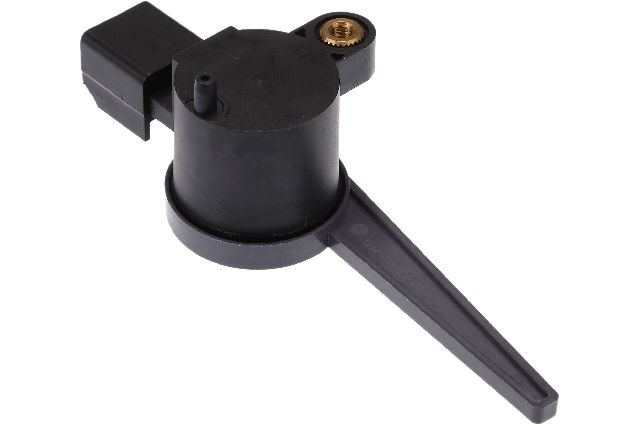
(OEM #04671336AD (supercedes 4671336, 4671336ab, 4671336ac))— If a part has failed, it is most likely the brake light switch being stuck in the 'on' position, sending a conflicting signal to the computer when the accelerator is also pressed.
Trusted brands: Mopar, Standard Motor Products, Duralast
OEM price range: $40-$60
Aftermarket price range: $25-$45
Related Codes That Often Appear With This One
- P2122 — This code ('Accelerator Pedal Position Sensor 1 Circuit Low') can be set if the accelerator pedal connector is disconnected during diagnosis, as noted in TSB #9003413.
- P2127 — This code ('Accelerator Pedal Position Sensor 2 Circuit Low') can also be set if the accelerator pedal connector is disconnected during diagnosis, as noted in TSB #9003413.
Technical Service Bulletins (TSBs) & Recalls
- 9003413: States P2299 is usually caused by a 'two footed driver' and warns against replacing the accelerator pedal.
- 53034160A: Repeats the warning about two-footed driving and advises following service manual diagnostics before replacing the accelerator pedal.
- 18-049-16: A specific TSB for 2016 models that identifies P2299 as a primary code fixed by a PCM software update.
- 18-007-14 REV. A: While for a different model, this TSB shows that Chrysler has used PCM software updates to address issues that can log a P2299 code, setting a precedent for a potential software fix.
Platform-Specific Known Issues
- NHTSA Technical Service Bulletin #9003413 explicitly states: 'DTC P2299 is usually caused by a two footed driver and accelerator pedal should not be replaced for this fault.'
- NHTSA Technical Service Bulletin #53034160A reiterates this, advising technicians to check wiring and connectors and confirming the cause is often a 'two footed driver' before replacing any parts.
- Owner Experience: A user on DodgeForum.com with a similar platform vehicle admitted the code was set after intentionally 'power braking' to do a burnout, confirming the cause.
Mechanic-Grade Diagnostic Values
- Accelerator Pedal Position (APP) Sensor 1 Voltage — expected: Starts at ~0.45V (pedal released) and increases smoothly to ~4.6V (pedal fully depressed).. Failure: Voltage is stuck, has dead spots, or does not sweep smoothly.
- APP Sensor Harness 5V Reference — expected: ~5.0 Volts DC with key on, engine off.. Failure: No voltage or significantly low voltage points to a wiring or PCM issue.
- Brake Pedal Position (BPP) Sensor Live Data Status — expected: Switches between 'Released'/'Off' and 'Pressed'/'On' when the pedal is operated.. Failure: Status is stuck in one position regardless of pedal movement.
- Resistance between APP sensor harness connector and PCM connector — expected: Less than 5.0 ohms.. Failure: Resistance greater than 5.0 ohms indicates excessive resistance in the wiring.
Scan Tool Commands That Help
- wiTECH or AlfaOBD: Brake Pedal Calibration — After replacing the brake light switch, this procedure may be necessary to teach the ABS or Body Control Module the new sensor's resting position. Failure to do so can cause the brake lights to stay on or set codes like P2299.
- wiTECH: PCM Reprogram/Flash — Used by dealerships to apply software updates as specified in Technical Service Bulletins (TSBs) that address an overly sensitive logic for setting P2299.
Wiring & Ground Locations
- Accelerator Pedal Connector — At the top of the accelerator pedal assembly, under the driver's side dashboard. It is a 6-pin connector.. This is the primary connection for the APP sensor. A poor connection here can cause erratic signals that conflict with the brake sensor input.
- Brake Light Switch Connector — On the brake light switch, mounted to the brake pedal support bracket under the driver's side dashboard.. A loose or corroded connector here can cause the brake signal to be stuck 'on', directly leading to a P2299 code when the accelerator is used.
- G202 Ground — Behind the left side of the dashboard, near the kick panel area.. This is a major interior ground point. A poor ground here could affect the signals from either the APP or BPP sensors, causing intermittent issues.
- Rear Power Distribution Center / Fuse Box — In the trunk, behind the battery, under the trunk floor liner.. This fuse box contains many of the main body and system fuses. While less direct, a problem here could affect module power and lead to various electrical faults.
Real Owner Repair Stories
- YouTube user 'BoostedMotorsports' (Newer Mopar Vehicle (Ram Truck, similar system to 300C)) — Brake lights were stuck on after replacing the brake light switch.
❌ Tried (didn't work) Replacing the brake light switch with a new OEM part.
✅ What actually fixed it The brake pedal position sensor had to be calibrated using the AlfaOBD scan tool software. The procedure, called 'Brake Pedal Calibration' in the ABS module, tells the computer the new sensor's resting position, which resolved the issue and turned the brake lights off.
OEM Part Supersession History
4671336, 4671336AB, 4671336AC→04671336AD— Standard part revision and improvement over time.
Heads up: The new part number 04671336AD is the correct, current replacement for the previous versions and is widely listed as compatible for this vehicle range.
Model Year Variations Within This Range
- 2016: A specific Technical Service Bulletin (TSB 18-049-16) was issued for 2016 models where a PCM software update is the designated repair for an erroneous P2299 code. This suggests the logic was overly sensitive in the original software for this model year.
Helpful Videos
We Have This Part in Stock



The information in this article is provided for general reference and educational purposes only. Vehicle specifications, procedures, and part compatibility can vary by production date, trim level, and region. Always consult your vehicle's factory service manual and verify part numbers before purchasing or performing repairs. Safety-critical components such as airbags, seat belts, and braking systems should be installed by a qualified professional.
- Chrysler 300C:
- 🎬 Helpful Videos
- 🛍️ Shop This Part
- What's Unique About the 2015-2017 Chrysler 300C
- Diagnostic Flowchart
- Symptoms You May Notice
- Most Likely Causes
- Rare But Worth Checking
- Diagnosis Steps
- Parts You'll Likely Need
- Related Codes That Often Appear With This One
- Technical Service Bulletins (TSBs) & Recalls
- Platform-Specific Known Issues
- Mechanic-Grade Diagnostic Values
- Scan Tool Commands That Help
- Wiring & Ground Locations
- Real Owner Repair Stories
- OEM Part Supersession History
- Model Year Variations Within This Range
- 🎟️ Get 5% Off