

P0318 on 2004-2008 Cadillac SRX: EBCM Communication Failure Causes and Fixes
On a 2004-2008 Cadillac SRX, P0318 almost always indicates a communication failure between the Engine Control Module (ECM) and the Electronic Brake Control Module (EBCM), not a bad rough road sensor. This can cause a no-start condition or a key stuck in the ignition. The most likely causes are wiring issues at the EBCM connector, bad grounds, or a faulty EBCM.
- P0318 on this SRX is a network communication code, not a simple sensor failure.
- The most severe symptoms are a no-start condition or the key becoming trapped in the ignition.
- Always check for other 'U' (communication) codes; their presence confirms a network issue.
- Start diagnosis by checking battery health, EBCM fuses, and the main EBCM connector for corrosion before condemning any modules.
- Do not replace wheel speed sensors or the crankshaft sensor to fix this code.
What's Unique About the 2004-2008 Cadillac SRX
Unlike the generic definition of a 'Rough Road Sensor Circuit' fault, on this GM Sigma platform, P0318 is a symptom of a deeper network communication problem. The official GM Technical Service Bulletin (TSB) #PIC5460B directly links this code to severe electrical issues, including a no-crank condition and the key getting stuck in the ignition, often accompanied by a cascade of other communication (U-series) codes. The problem lies in the Class 2 data link between the brake and engine computers, not a simple sensor.
Diagnostic Flowchart
Tap your situation to follow the diagnostic path that matches what you're seeing on this vehicle.
Symptoms You May Notice
- No crank, no start condition.
- Key stuck in the ignition lock cylinder.
- Check Engine Light is on.
- ABS, Traction Control, or StabiliTrak warning lights are on.
- "Service Theft System" message on the driver information center.
- Radio and power windows may stop working intermittently.
- Rough running or engine hesitation.
- Replacing wheel speed sensors. While the EBCM uses wheel speed data, the sensors themselves are rarely the cause of P0318.
- Replacing the crankshaft position sensor. This is often suggested by generic code definitions but does not apply to the communication-based fault on the SRX.
Most Likely Causes
- Wiring Harness or Connector Failure at EBCM 🔴 High Probability The EBCM is located in the driver's side of the engine bay, low and exposed to moisture and road salt. The main connector is a large, lever-lock style plug that can trap moisture, leading to severe corrosion (green/white powder) on the pins and wires, causing an open or short on the communication line.
How to confirm: Visually inspect the EBCM connector for corrosion. 🎬 Watch: How to inspect your ABS connector for common corrosion. Disconnect the connector (with battery disconnected) and check pins for damage. Check for power, ground, and Class 2 signal integrity at the EBCM connector using a multimeter and wiring diagram. Wiggle the harness while monitoring for changes.
Typical fix: Clean the connector terminals meticulously with electrical contact cleaner and a small brush. If corrosion is severe, replace the connector pigtail. Repair any broken or corroded wires in the harness.
Est. part cost: $10-$50 - Faulty Electronic Brake Control Module (EBCM) 🟡 Medium Probability The EBCM (ABS module) is a known failure point on many GM vehicles of this era. Internal circuit board failures, often from heat and vibration, can cause it to stop communicating on the network entirely.
How to confirm: If wiring, power, and grounds are confirmed to be good, but a professional scan tool still cannot communicate with the EBCM, the module itself is the primary suspect. This is a diagnosis of exclusion. Codes like C056D (internal hardware fault) may also be present.
Typical fix: Replace the EBCM or send the original unit to a specialist for repair and rebuilding. A used module will require VIN programming to work with the vehicle. A repaired original module typically does not.
Est. part cost: $150-$350 for a repair service, $400-$800 for a new or programmed used module. - Poor Ground Connections 🟡 Medium Probability GM vehicles from this period are susceptible to issues from corroded or loose ground points. A bad ground for the EBCM or ECM can cause intermittent communication faults and a host of strange electrical problems.
How to confirm: Locate the primary ground packs on the frame rail near the EBCM and the main engine-to-chassis ground strap. Check for tightness and corrosion. Perform a voltage drop test on the ground circuit; it should be less than 0.2 volts.
Typical fix: Remove, sand the contact surfaces to bare metal, apply dielectric grease, and securely re-fasten the ground connections. It may be beneficial to add a supplementary ground strap.
Est. part cost: $1-$10 - Faulty Engine Control Module (ECM) ⚪ Low Probability While less common than EBCM failure, the ECM can also fail internally, causing it to drop communication with other modules on the network.
How to confirm: This is typically a diagnosis of exclusion. If all other modules communicate with each other but not with the ECM, and the ECM has good power and ground, it is suspect. The ECM is located behind the front bumper on the 2006 model.
Typical fix: Replace the ECM. This requires programming to the vehicle's VIN and security system.
Est. part cost: $100-$300 for a used unit, plus programming costs.
Diagnosis Steps
- Connect a professional scan tool capable of reading codes from all vehicle modules (ECM, EBCM, BCM, etc.).
- Document all stored DTCs. Pay close attention to any U-series (communication) codes, as they are key to this diagnosis.
- Check the battery state of charge and health. A weak or failing battery can cause widespread communication issues. Voltage should be >12.4V engine off.
- Turn the ignition OFF and disconnect the battery.
- Locate the EBCM, mounted to the ABS hydraulic block in the driver's side of the engine bay. Access may require removing the air intake ducting or the driver's side front wheel and wheelhouse liner.
- Disconnect the main electrical connector from the EBCM. Inspect both the harness side and the module side for any signs of corrosion (green/white powder), moisture, or damaged pins.
- If corrosion is found, clean thoroughly. If clean, proceed to test wiring.
- Using a wiring diagram, check for battery voltage and a solid ground at the appropriate pins on the EBCM connector with the key on.
- Test the Class 2 Serial Data wire (typically a tan wire) for continuity between the EBCM connector and the Data Link Connector (Pin 2). Check for shorts to power or ground.
- If all wiring, power, and grounds are confirmed good, the EBCM is the most likely failed component.
Parts You'll Likely Need
- Electronic Brake Control Module (EBCM) Repair Service
(OEM #Varies by year. Examples: 25758395 (2004), 89060339 (2005-06), 19153350 (2007-09). MUST verify by VIN.)— The EBCM is a common failure point. A repair service is often more cost-effective than buying a new module and avoids programming issues.
Trusted brands: ACDelco (for new parts), UpFix, ModuleMaster (for repair services)
OEM price range: $600-$900
Aftermarket price range: $150-$350 (for repair service) - EBCM Connector Pigtail — If the module connector is heavily corroded, it may need to be cut out and replaced with a new pigtail to ensure a solid connection.
Trusted brands: ACDelco, Dorman
OEM price range: $40-$70
Aftermarket price range: $20-$40
Related Codes That Often Appear With This One
- U0100 — Lost Communication with ECM/PCM. This code is often set in other modules (like the BCM or EBCM) when P0318 is present, indicating a network-wide problem. [TSB #PIC5460B]
- U0121 — Lost Communication With Anti-Lock Brake System (ABS) Control Module. This is the direct companion code to P0318, set in the ECM when it can't hear from the EBCM.
- P0300 — Random/Multiple Cylinder Misfire Detected. This code may be set because the ECM can no longer use the rough road input to filter out false misfires.
- P1629, U1040, U1064, U1153, U1192, U1300 — These are various GM-specific communication codes that are cited in TSB #PIC5460B as appearing alongside P0318, all pointing to a significant electrical or network failure.
Technical Service Bulletins (TSBs) & Recalls
- PIC5460B: Documents a condition where a no-crank or key-stuck concern may be present with DTCs P0318, P1629, U1040, U1064, U1153, U1192, and U1300 stored in the ECM.
- PIC4740F: While not specific to P0318, this TSB is relevant to the platform (including the related CTS/STS) and highlights known issues with loose terminals in major harness connectors (like the transmission X1 connector) causing widespread communication loss (U-codes), reinforcing that wiring integrity is a systemic weakness.
Platform-Specific Known Issues
- TSB #PIC5460B: This bulletin is the most critical document for this issue. It directly addresses a no-crank or key-stuck-in-ignition concern where P0318 is stored along with multiple other communication codes, confirming the issue is a complex electrical fault, not a simple sensor failure.
- EBCM Connector Location: The placement of the EBCM low in the engine bay makes its main connector highly susceptible to water intrusion and corrosion from road spray, especially in regions that use road salt in winter. This is the number one check for this problem.
Mechanic-Grade Diagnostic Values
- GM Class 2 Serial Data Line Voltage — expected: The bus toggles between 0V (inactive) and approximately 7V (active). A healthy, communicating bus will show a fluctuating voltage that averages out, but should not be stuck high (e.g., >10V) or low (0V).. Failure: A voltage stuck at 0V indicates a short to ground or open circuit. A voltage stuck high (e.g., 10-12V) indicates a short to power, often from an internally failed module feeding voltage onto the data line.
- EBCM Power and Ground — expected: With the key on, there should be battery voltage (~12.6V) at the main power pins and less than 0.2V (voltage drop) on the ground pins when measured against the battery negative terminal.. Failure: No voltage on the power pins indicates a blown fuse or broken wire. High resistance (>0.2V) on the ground circuit indicates a corroded or loose ground connection.
Scan Tool Commands That Help
- GM Tech 2 / GDS2: Read EBCM DTCs — This is the first step. A basic OBD-II reader will only see the P-code in the ECM. A Tech 2 can communicate directly with the EBCM to see if it has any internal fault codes (C-codes) or if it is completely unresponsive, which is a key diagnostic clue.
- GM Tech 2 / GDS2: Module Status / State of Health (SOH) — When diagnosing network-wide 'U' codes, a Tech 2 can poll the Class 2 bus to see which modules are reporting a 'State of Health' message. The module that is NOT reporting is the one that has dropped off the network.
- GM Techline Connect (SPS2): Replace and Reprogram Module — When installing a used EBCM. Unlike a simple 'Program' function, this option is necessary to overwrite the VIN from the donor vehicle and configure the used module for the new vehicle's options.
Wiring & Ground Locations
- EBCM Ground — The primary ground for the EBCM is typically a ground pack (e.g., G103 or similar) located on the driver's side frame rail in the engine compartment, near the EBCM itself.. A corroded or loose EBCM ground is a very common cause of intermittent communication loss, leading to P0318 and U0121 codes. This connection is exposed to road salt and moisture.
- G201 — Located in the upper left corner of the instrument panel, near the driver's side A-pillar.. This is a major interior ground point for multiple modules. While less likely to be the primary cause than the engine bay ground, a problem here can cause a variety of strange communication issues across the vehicle network.
- Class 2 Serial Data Splice Pack — Often located under the driver's side dash, near the steering column. It looks like a small black box with a 'comb' that connects all the individual data line wires together.. This splice pack is a central hub for the Class 2 network. A technician can remove the comb to isolate each module's data line individually, making it much easier to find which module is shorting the network without having to unplug each one.
- DLC (Data Link Connector) Pin 2 — The OBD-II port under the driver's side dashboard.. Pin 2 is the Class 2 Serial Data line. This is the primary point for testing the voltage of the entire communication network with a multimeter or oscilloscope.
Real Owner Repair Stories
- YouTube channel 'Broken Cars with Johnnie Mic' (2008 Cadillac SRX) — Intermittent no-start, no-crank condition. Jiggling the positive battery cable/fuse box area would sometimes allow it to start.
❌ Tried (didn't work) Initially suspected the battery or starter.
✅ What actually fixed it The entire underhood fuse box assembly, which includes the main positive battery cable, was replaced. The original unit had a broken internal 250-amp main fuse link that was making a poor connection. The problem often occurs after a battery replacement, as pressure on the cover can damage this fuse link. - YouTube channel 'Car Fix School' (Cadillac SRX (Gen 1)) — ABS, Park, and Traction Control lights on. Scanner shows U0121 (Lost Communication with ABS Module).
❌ Tried (didn't work) Assuming the EBCM module itself is bad without proper diagnosis.
✅ What actually fixed it The video demonstrates the proper diagnostic flow: 1) Check ABS/EBCM fuses. 2) Swap the ABS relay with a known-good one. 3) Disconnect and inspect the main EBCM connector for corrosion (the most common issue). 4) Test for 12V power and good ground at the connector pins. In many cases, cleaning the connector or fixing a power/ground issue resolves the communication code without replacing the module.
OEM Part Supersession History
89047798→89060339— Standard part revision and consolidation.
Heads up: Part number 89060339 is listed as a replacement for multiple older numbers, including 89047798, 89060231, and others. It fits 2005-2006 SRX models. All replacements, new or used, require programming to the vehicle.
Model Year Variations Within This Range
- 2007-2009: The interior and some electronics were updated for the 2007 model year. While the fundamental P0318 issue related to EBCM communication remains the same, specific part numbers for the EBCM changed. For example, 89060339 is for 2005-2006 models, while 19153350 is listed for 2007-2009. Always verify the part number by VIN.
Helpful Videos
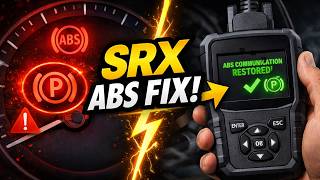
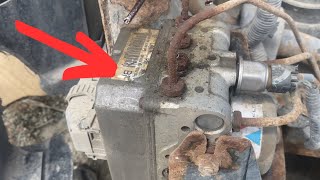
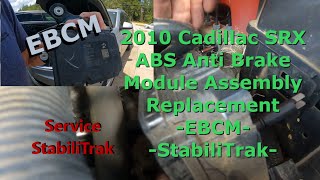

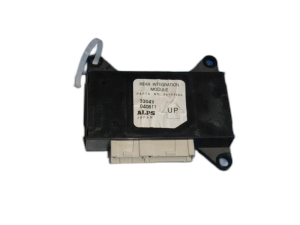
We Have This Part in Stock
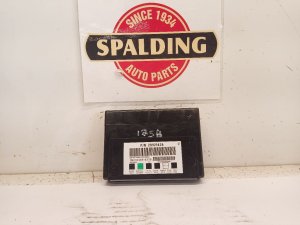



The information in this article is provided for general reference and educational purposes only. Vehicle specifications, procedures, and part compatibility can vary by production date, trim level, and region. Always consult your vehicle's factory service manual and verify part numbers before purchasing or performing repairs. Safety-critical components such as airbags, seat belts, and braking systems should be installed by a qualified professional.
- Cadillac SRX:
- 🎬 Helpful Videos
- 🛍️ Shop This Part
- What's Unique About the 2004-2008 Cadillac SRX
- Diagnostic Flowchart
- Symptoms You May Notice
- Most Likely Causes
- Diagnosis Steps
- Parts You'll Likely Need
- Related Codes That Often Appear With This One
- Technical Service Bulletins (TSBs) & Recalls
- Platform-Specific Known Issues
- Mechanic-Grade Diagnostic Values
- Scan Tool Commands That Help
- Wiring & Ground Locations
- Real Owner Repair Stories
- OEM Part Supersession History
- Model Year Variations Within This Range
- 🎟️ Get 5% Off