

2019-2020 Ford F-150 Gateway Module: Solving Communication Errors and Programming a Replacement
This guide explains the critical role of the Gateway Module (GWM), why it fails, and the essential programming steps required for replacement on your 2019-2020 F-150.
- A replacement Gateway Module MUST be programmed to your truck's VIN using a process called PMI; it is not a plug-and-play part.
- Ford dealers will likely refuse to program a used module, so you must plan to use FORScan software or find a willing independent shop.
- Before replacing the module, always check and clean the G401 ground point on the frame under the driver's door, as corrosion there causes identical symptoms.
- Common symptoms of failure include a 'Vehicle Network Communication Error' message, a crank-no-start condition, and multiple random warning lights.
What is the Gateway Module and What Does It Do?
The Gateway Module (GWM) in your 2019-2020 Ford F-150 is the traffic cop for your vehicle's computer networks. Modern trucks have multiple networks (called CAN buses) that control everything from the engine and transmission to the radio and windows. The GWM connects all these networks, translating data between them so they can work together. It is also the main access point for diagnostic tools, as the OBD-II port is physically part of the module itself. A failure in this single module can interrupt communication across the entire truck, leading to a variety of seemingly unrelated problems.
Symptoms of a Failing Gateway Module
A bad GWM can cause a wide range of symptoms because it is central to so many vehicle functions. Here are the most common signs:
- "Vehicle Network Communication Error" Message: A message may appear on your SYNC infotainment screen indicating a communication failure.
- Crank But No Start: The engine may turn over but refuse to start. This happens because the security handshake between the engine computer and other modules cannot be completed without the GWM.
- Multiple Warning Lights: The dashboard may light up with numerous, seemingly random warning lights for different systems.
- Loss of Electronic Functions: The radio, A/C controls, power windows, or other features may stop working intermittently or altogether.
- Diagnostic Tool Can't Connect: A mechanic may be unable to communicate with the vehicle's computers using a standard OBD-II scanner.
- FordPass App Failure: You may lose the ability to use remote features like remote start or lock/unlock from the FordPass mobile app.
Common Diagnostic Trouble Codes (DTCs)
When the Gateway Module fails, it often triggers specific "U-codes," which indicate a loss of communication between modules. The most common codes associated with GWM failure are:
- U0140: Lost Communication With Body Control Module (BCM)
- U0155: Lost Communication With Instrument Panel Cluster (IPC) Control Module
Finding these codes strongly suggests a network problem, and the GWM is a primary suspect.
Pro Tip: Check Ground G401 First! Before you replace the GWM, check the G401 ground connection. It is located on the frame rail under the driver's side door. This ground is essential for the CAN bus network, and it is highly susceptible to corrosion from road salt and moisture. A corroded G401 ground can cause the exact same symptoms and U0140 codes as a failed GWM. Cleaning this connection is a simple, 15-minute job that could save you hundreds of dollars.
Known Issues, TSBs, and Recalls
As of this writing, there are no specific recalls or Technical Service Bulletins (TSBs) for Gateway Module failure on the 2019-2020 Ford F-150. However, Ford has issued Customer Satisfaction Programs for GWM software issues on other model years that cause connectivity problems.
It is worth noting Ford issued recall 19S40 for some 2019-2020 F-150s due to a loose fastener on the positive battery terminal. This condition can interrupt power and cause symptoms like a dead instrument panel and loss of electronic systems, which could be mistaken for a GWM failure.
CRITICAL: Programming is Required!
You cannot simply swap a Gateway Module and expect it to work. This is an electronic control module that must be programmed to your truck's specific Vehicle Identification Number (VIN) and factory-installed options. This process is called a Programmable Module Installation (PMI).
Failure to program the module will result in warning lights and non-functional systems, as the module will not know the correct configuration for your vehicle.
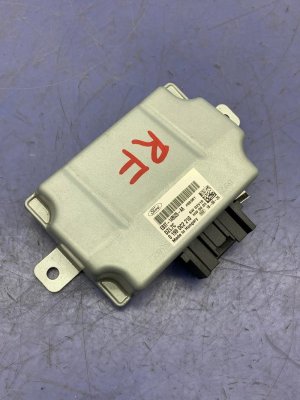
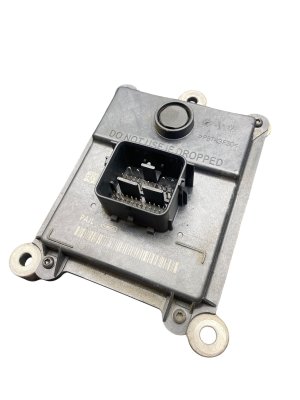
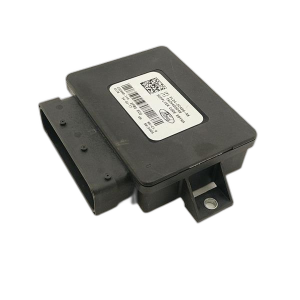
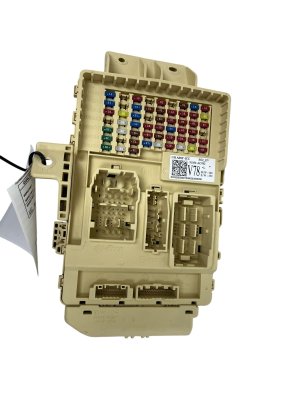
Buying a Used OBD-II Data Link Module
Buying a used OEM Gateway Module is an excellent way to save money, but it requires careful planning due to the programming requirement. Here’s what you need to know:
- Verify the Part Number: Match the OEM part number exactly. The primary numbers for this generation are KL3T-14F642-CA and the superseding number KL3Z-14F642-A. While other numbers may exist, matching is the safest bet.
- Physical Inspection: When you receive the used module, inspect the housing for any cracks or signs of water intrusion. Check the connector pins to ensure they are straight, clean, and free of corrosion.
- The Programming Plan: This is the most important step. Ford dealerships will almost certainly refuse to program a used module that you provide. They will insist on selling you a new one. Therefore, you must have an alternative plan:
- DIY with FORScan: The most popular option for enthusiasts is using software called FORScan with a compatible OBD-II adapter (like the OBDLink EX). This allows you to perform the PMI procedure yourself. You will need to save your truck's original "As-Built" data from your old module (if possible) or download it from Ford's database using your VIN.
- Independent Repair Shop: Find a reputable independent shop that specializes in Ford vehicles and has the high-end diagnostic tools and expertise to program modules. Call ahead and specifically ask if they can perform a PMI on a customer-supplied used Gateway Module.
- Why Used OEM is a Good Choice: For a critical electronic part like the GWM, a used OEM module that has been tested and is known to be functional is often a more reliable choice than a cheap, new aftermarket part. OEM modules are built to Ford's exact specifications for durability and performance.
Cost Comparison
The cost of replacing the GWM can vary significantly depending on the path you choose. Labor for physical replacement is low (less than 0.5 hours), but programming is where the costs differ.
| Part/Service | Estimated Cost |
|---|---|
| New OEM (Dealer) | $110 - $210 |
| New Aftermarket (Dorman 601-621) | $98 - $150 |
| Used OEM | $50 - $100 |
| Shop Labor (Physical Replacement) | $50 - $75 |
| Shop Labor (Programming Only) | $100 - $250 |
Frequently Asked Questions (FAQ)
Can I just plug in a new Gateway Module and drive?
No. The module will not work correctly without being programmed to your vehicle's specific VIN and options. This programming, called a Programmable Module Installation (PMI), is a mandatory step.
Will a Ford dealer program a used GWM that I buy online?
It is extremely unlikely. Most dealerships have a policy against installing or programming used electronic parts provided by customers for liability reasons and because they prefer to sell new parts. You should assume you will need to program it yourself with FORScan or find an independent shop that will do it.
What tools do I need to program the GWM myself?
You will need a Windows laptop, the FORScan software (an extended license is required for programming), and a compatible OBD-II adapter. The OBDLink EX is the adapter officially recommended by the FORScan team for its reliability during programming procedures.
My scanner shows code U0140. Does that mean my GWM is definitely bad?
Not necessarily. While the GWM is a likely culprit, code U0140 indicates a loss of communication that can also be caused by wiring issues or a bad ground. Before replacing the module, you should always inspect the wiring and, most importantly, clean the G401 ground point on the frame under the driver's door, as corrosion there is a very common cause of this code.
Technical Specifications
OEM Part Numbers: KL3T-14F642-CA KL3Z-14F642-A
The Gateway Module (GWM) integrates the OBD-II diagnostic port and serves as a router between the vehicle's multiple CAN bus networks (HS-CAN, MS-CAN, etc.).
We Have This Part in Stock



The information in this article is provided for general reference and educational purposes only. Vehicle specifications, procedures, and part compatibility can vary by production date, trim level, and region. Always consult your vehicle's factory service manual and verify part numbers before purchasing or performing repairs. Safety-critical components such as airbags, seat belts, and braking systems should be installed by a qualified professional.
- Ford F-150: