

OBD-II Code C3500: Undefined Chassis Code & Communication Failure
What C3500 means, why it appears, and how to fix the communication error blocking your diagnosis
- OBD-II code C3500 is an unassigned, non-standard code indicating a diagnostic communication error rather than a specific vehicle component failure.
- Check the 10A or 15A fuse labeled 'CIG' or 'AUX' first, as a blown accessory fuse is the most common reason a scanner fails to power on or communicate.
- Test your vehicle's resting battery voltage with a multimeter; a reading below 12.2V prevents control modules from booting up and blocks scanner communication.
- Never clear codes immediately after restoring communication, as this erases the freeze frame data required to diagnose the actual underlying fault.
What Does C3500 Mean?

C3500 is not a recognized SAE OBD-II trouble code. It indicates a scan tool cannot communicate with the vehicle's control modules. The root cause is a communication breakdown, such as a faulty scanner, a blown diagnostic port fuse, or a dead battery. The 'C' prefix suggests a chassis system fault, but because the code is undefined, it strictly represents a diagnostic link failure.
Technical definition: There is no official SAE/ISO J2012 or ISO 15031-6 definition for OBD-II code C3500. It is an unassigned, non-standard code signifying a communication link error between the diagnostic scan tool and the vehicle's onboard computer network.
Can I Drive With C3500?
Yes, But With Caution. While the car drives normally, C3500 means you are flying blind. A critical trouble code for your ABS, airbags, or engine is stored but hidden by the communication failure. Stop driving until the communication issue is fixed and the vehicle is properly scanned. Continuing to drive masks serious safety issues.
Common Causes

- Blown Fuse for the Diagnostic Port (Very Common) — The OBD-II port is powered by a fuse that protects other circuits, like the cigarette lighter. If this 10A or 15A fuse blows, the scanner fails to power on or communicate correctly, resulting in an invalid code.
- OBD-II Scanner Error or Incompatibility (Very Common) — The code reader itself is malfunctioning, outdated, or incompatible with the vehicle's communication protocol, causing it to display a ghost code.
- Low Vehicle Battery Voltage (Common) — A weak car battery causes widespread electronic failures. If system voltage drops below 12.2 volts with the engine off, control modules fail to boot up, preventing the scanner from establishing a communication link.
- Damaged or Corroded OBD-II Port Pins (Common) — The metal pins inside the vehicle's OBD-II connector are bent, corroded, or pushed back. This prevents a solid connection with the scan tool, leading to communication failures.
- Improperly Installed Aftermarket Accessories (Less Common) — Aftermarket remote starters, stereos, or security alarms wired into the vehicle's electrical system interfere with the CAN bus network. Tapping into the OBD-II wiring harness for power disrupts communication.
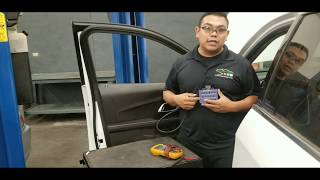
- Shorted or Open CAN Bus Harness (Less Common) — The vehicle's Controller Area Network (CAN bus) wiring is damaged or corroded. A short between the CAN High and CAN Low wires 🎬 Watch: How to test a CAN bus network with a multimeter disrupts all network communication.
- Faulty Control Module (Rare) — A single faulty control module (like the ABS or Transmission module) shorts out the entire CAN bus network, preventing all other modules from communicating.
- Engine Control Module (ECM) in a 'Hung' State (Very Rare) — The vehicle's main computer (ECM/PCM) enters a state where it runs the engine but refuses to communicate with a diagnostic scanner. Rebooting the computer by disconnecting the battery resolves this.
Symptoms

- Multiple warning lights on dash, but no codes can be read (also visible on scanner) — The instrument cluster lights up with Check Engine, ABS, and Traction Control warnings, but the scanner fails to retrieve specific codes due to a network-wide communication failure.
- Scan tool displays 'C3500' or 'Unknown Code' (scan-tool only — no driver-felt sign) — The primary symptom. The vehicle itself shows no signs of a problem, but the scanner outputs an undefined error.
- Scan tool will not connect or shows a 'Link Error' (scan-tool only — no driver-felt sign) — The scanner powers on but fails to establish a stable communication link with the vehicle's computer.
- No power to the OBD-II scanner (scan-tool only — no driver-felt sign) — The scanner remains completely dark when plugged into the diagnostic port, confirming a blown fuse.
Diagnostic Flowchart
Tap your situation to follow the diagnostic path that matches what you're seeing on this code.
Common Fixes & Costs
- Replace Blown Fuse — Parts: $1-$5, Labor: $0, ~0.1 hr book time (DIY)
- Use a Different/Higher-Quality OBD-II Scanner — Parts: $50-$300, Labor: $0 (DIY)
- Charge or Replace Vehicle Battery — Parts: $150-$300, Labor: $0-$50, ~0.5 hr book time (DIY)
- Clean or Repair OBD-II Port Pins — Parts: $0-$50, Labor: $100-$200, ~1.0 hr book time (Intermediate)
- Professional Electrical System Diagnosis — Parts: $0, Labor: $150-$300, ~1.5 hr book time (Professional)
Used vs. New Parts: Buying Guide
When a used part is worth it: For an OBD-II port pigtail, a used OEM connector from a salvage yard is higher quality than a cheap aftermarket alternative. For a battery, a used one only makes sense as a short-term solution if selling the car immediately.
Donor-vehicle mileage cap: roughly under 80000 miles for the part to have meaningful remaining life.
Donor quality checklist:
- For batteries, check the date code; a battery over 2 years old is a gamble.
- Avoid batteries with warped or cracked cases.
- For wiring/pigtails, inspect for corrosion, brittle insulation, or previous repair splices.
Decision logic:
- If The fix is a car battery and reliability is important → Buy new. The multi-year warranty is worth the extra cost over a used battery with an unknown history.
- If The fix is a simple fuse → Always buy new. The cost is negligible.
Warranty tradeoff: Used batteries carry a 30-day exchange warranty. New batteries include a 2-3 year free replacement warranty.
Worst-case if a used part fails: $300
What Happens If You Wait — Timeline
- Immediate: A C3500-type communication failure occurs. The car runs normally, but you cannot scan for codes. A serious underlying code is now hidden. (MPG impact: 0%% · Added cost: $0)
- 1-4 weeks: Driving continues with the hidden fault. If the fault is ABS-related, the system is disabled, increasing stopping distances and the risk of skidding in emergency braking. (MPG impact: 0%% · Added cost: $0)
- 1-6 months: If the masked code is a persistent engine misfire, raw fuel continuously dumps into the exhaust. This superheats the catalytic converter, causing the internal honeycomb substrate to melt. (MPG impact: 5-15%% · Added cost: $50-$200)
- 6+ months: The catalytic converter is completely clogged from the misfire. This creates extreme exhaust backpressure, causing severe loss of power and potential engine overheating. (MPG impact: 20-50%% · Added cost: $1500-$3000)
Cost of Not Fixing It
- Immediate: Inability to pass state emissions inspection. A vehicle that cannot communicate with testing equipment triggers an automatic failure. (Added cost: $50-$100)
- Short-Term (Days to Weeks): Driving with an unknown safety issue. The C3500 hides codes for failing ABS modules, faulty airbag sensors, or severe engine misfires. (Added cost: $0-$2500)
- Long-Term (Months): A minor hidden issue cascades into a major failure. An unaddressed lean condition or misfire destroys the catalytic converter, turning a simple fix into a four-figure repair. (Added cost: $1200-$3000)
Diagnosis Steps

- Verify the Code with a Different Scanner
Confirm the code is exactly 'C3500'. Ensure the key is in the 'ON' position. Try a different, high-quality OBD-II scanner to see if it connects successfully. This immediately rules out a scanner-specific error.
Tools: Second OBD-II Scanner (Beginner) - Check the OBD-II Port Fuse
Locate the vehicle's fuse box. Find the fuse powering the OBD-II port, labeled 'CIG', 'AUX', or 'OBD'. Pull the fuse and inspect it. Replace it with a new fuse of the exact same amperage (typically 10A or 15A) if blown.
Tools: Fuse puller, replacement fuse (Beginner) - Test Vehicle Battery Voltage
Use a multimeter to check the car battery voltage with the engine off. A reading below 12.2 volts indicates a significant discharge that causes module communication issues. A healthy battery reads 12.4-12.7 volts.
Tools: Multimeter (Beginner) - Inspect the OBD-II Port
Visually inspect the vehicle's OBD-II port under the driver's side dashboard. Look for bent, pushed-in, or corroded pins. Ensure the port is free of debris.
Tools: Flashlight (Beginner) - Check for Aftermarket Device Interference
Disconnect any aftermarket devices plugged into the OBD-II port, such as insurance trackers or tuners. Disconnect improperly installed stereos or alarms that tap into data lines.
Tools: None (Beginner) - Test for Power and Ground at the OBD-II Port
Using a multimeter, check for power at Pin 16 of the OBD-II port; it must match battery voltage. Check for a solid ground connection by measuring resistance between Pin 4 (Chassis Ground) and the negative battery terminal, and Pin 5 (Signal Ground) and the negative battery terminal. Resistance must be less than 0.5 ohms.
Tools: Multimeter (Intermediate) - Perform a CAN Bus Static Resistance Test
Disconnect the vehicle's battery. Set a multimeter to measure Ohms. At the OBD-II port, measure resistance between Pin 6 (CAN High) and Pin 14 (CAN Low). A healthy network reads exactly 60 Ω. A reading of 120 Ω indicates an open circuit. A reading near 0 Ω indicates a direct short.
Tools: Multimeter (Advanced) - Perform a CAN Bus Dynamic Voltage Check
Reconnect the battery and turn the ignition ON (engine off). Set a multimeter to DC Volts. Measure voltage between Pin 6 (CAN High) and ground (Pin 4); it averages 2.6-2.7V. Measure between Pin 14 (CAN Low) and ground; it averages 2.3-2.4V. If both read a steady 2.5V, the lines are shorted together.
Tools: Multimeter (Advanced) - Check for Shorts to Power/Ground on CAN Lines
Disconnect the battery. Set the multimeter to Ohms. Check resistance between Pin 6 (CAN High) and Pin 16 (Battery Power). It must read infinite (OL). Check resistance between Pin 6 and Pin 4 (Chassis Ground). It must read in the mega-ohm (MΩ) range. Repeat for Pin 14. Low resistance indicates a short circuit.
Tools: Multimeter (Advanced)
When This Code Triggers (Freeze-Frame Conditions)
- N/A - No Freeze Frame Data Available: N/A (A C3500 code signifies a complete breakdown in communication. The scanner cannot retrieve any data, including Freeze Frame data. Once communication is restored, the actual trouble codes will display their associated freeze frame data.)
- Underlying Cause: Varies (Freeze frame data is stored with the real trouble code that C3500 masks. If the underlying code is an engine misfire, the freeze frame captures RPM, vehicle speed, and engine load at the exact moment of failure.)
- Scan Tool Error: Varies (If a faulty or incompatible scanner causes the C3500, no fault exists on the vehicle, generating zero freeze frame data.)
- Data Retrieval: Requires Professional Tool (After replacing a blown fuse or charging the battery, use a professional scan tool to retrieve the original trouble code and its corresponding freeze frame data.)
Related Codes
- U0073 — Indicates a general communication failure on the CAN bus network. A basic scanner shows 'C3500' when it cannot interpret this network fault. A professional scan tool displays U0073, confirming the issue is with the vehicle's network wiring.
- U0100 — 'Lost Communication With ECM/PCM'. If a basic scanner shows C3500 but an advanced tool shows U0100, it confirms the Engine Control Module is offline. C3500 is simply a symptom of the scanner's inability to connect to the main computer.
- C1616 — Common on Kia and Hyundai vehicles, meaning 'CAN Bus Off'. The CAN controller detects a severe error and shuts down communication to protect the network. A cheap scanner unable to interpret this shows C3500.
- P0171 — A common powertrain code completely unrelated to a C3500 communication error. A user mistakes 'P' for 'C' or misreads the numbers. P0171 indicates a fuel/air mixture problem.
Climate & Environmental Factors
- High Humidity / Road Salt: Moisture and road salt create a corrosive environment that attacks OBD-II port pins and module connectors. This corrosion increases resistance, leading to total communication failure.
- Extreme Cold: Low temperatures reduce a battery's ability to deliver power, causing modules to fail to boot up correctly. It also makes plastic connectors brittle, increasing the risk of physical damage.
- Extreme Heat: High ambient temperatures increase electrical resistance in wiring, degrading signal integrity on the CAN bus. Heat cycles cause solder joints within control modules to crack.
How to Talk to a Mechanic About This Code
Say this: "I need to schedule a one-hour electrical diagnostic. My scan tool won't connect to the vehicle; it shows a link error or a generic code like C3500. I've checked the fuse for the OBD-II port and the battery voltage is good, so I suspect a wiring or network issue."
This tells the shop you performed basic troubleshooting, saving them time. It frames the problem as a specific 'no communication' issue, directing them to electrical diagnosis instead of a vague check engine light complaint.
Avoid saying:
- 'My car has a C3500 code.' (This non-standard code causes confusion).
- 'Just fix my check engine light.' (Too vague, invites expensive guesswork).
- 'I think it's a bad computer.' (Do not suggest a specific, expensive part; let them diagnose the cause).
Questions to ask before authorizing the repair:
- What were the power and ground readings at the OBD-II port?
- What was the resistance between CAN-High and CAN-Low? Was it 60 ohms?
- Did you find a specific module pulling the network down, or was it a wiring fault?
- Can you provide a written estimate that separates the cost of parts and labor?
Where to Take It: Dealer vs Independent vs Chain
- Dealer:
A strong, but expensive, option. Best if you suspect a TSB or have a complex, newer vehicle.
Best for: Vehicles under warranty., Known manufacturer-specific issues covered by a Technical Service Bulletin (TSB)., Complex electrical systems on newer or high-end European vehicles.
Downsides: Highest labor rates, often 1.5-2x more than independent shops., More likely to replace an entire module or harness rather than perform a less expensive wire repair. (Typical cost: +50% vs. baseline) - Independent Shop:
Best overall fit. A reputable independent shop with a skilled electrical diagnostician offers the best balance of expertise and value for this type of problem.
Best for: Out-of-warranty vehicles where cost is a factor., Diagnosing common electrical faults like shorted wires or bad grounds., Getting a second opinion on a dealership's quote.
Downsides: Quality varies greatly; must vet the shop's reputation for electrical diagnostics., May lack expensive, brand-specific diagnostic software for the newest models. (Typical cost: +0% vs. baseline) - Chain Shop:
AVOID for diagnosis. They sell you a battery or fuse if that is the known problem, but do not rely on them to diagnose the communication failure itself.
Best for: Simple, transactional jobs like battery replacement or selling a fuse.
Downsides: Technicians are not equipped or trained for in-depth electrical network diagnosis., High pressure to sell parts leads to guessing instead of diagnosing. (Typical cost: -10% vs. baseline)
When to Walk Away From the Repair
If the estimated repair cost for the underlying fault exceeds 40-50% of your car's private-party value, it is time to seriously consider selling or trading it in.
- Car worth $4000, fix is $2000: Borderline. This repair cost is 50% of the car's value. Get a second opinion before authorizing the repair.
- Car worth $12000, fix is $1800: Fix it. The repair is only 15% of the vehicle's value and is a sound investment.
- Car worth $2500, fix is $1500: Walk away. The repair cost is 60% of the car's value. It is not financially sensible to proceed.
What Scan Tool You Need for This Code

Minimum: A reliable, known-good OBD-II code reader or scanner. For a C3500, the first step is ruling out a faulty or incompatible scanner.
A cheap, low-quality, or incompatible scanner is often the cause of the C3500 error. A better tool successfully connects or provides a specific 'U-code' that points to the real problem.
Budget: BlueDriver Pro or Foxwell NT301 (~$70) — These are highly compatible tools. They reliably confirm if a basic connection is possible and read underlying generic or manufacturer-specific codes once communication is established.
Mid-range: Autel MaxiCOM MK808S or Innova 5610 (~$350) — These tools offer full-system diagnostics to see which modules are online or offline. They retrieve manufacturer-specific 'U' codes that a basic reader cannot, which is critical for diagnosing a network fault.
Professional: Autel MaxiCOM MK906BT or Launch X431 Series (~$500-1200) — Provides advanced features like network topology mapping, visually showing which modules are not communicating on the CAN bus. This is the fastest way for a professional to isolate the location of a network failure.
Rent vs buy: Rent first. AutoZone and O'Reilly Auto Parts offer a loaner tool program where you borrow a standard OBD-II scanner for free. This is the single best first step to rule out your own scanner as the problem.
How to Clear the Code After You Fix It
- Fix the root cause of the communication failure (e.g., replace fuse, charge battery).
- Reconnect the OBD-II scan tool to verify the connection is established.
- Read and record any real Diagnostic Trouble Codes (DTCs) found.
- Use the scan tool's 'Clear/Erase Codes' function to remove the real DTCs.
- Perform a drive cycle to allow the vehicle's readiness monitors to run.
Drive cycle (~30 minutes): A generic drive cycle requires a cold start (engine temp below 122°F), a 3-minute idle, and mixed city/highway driving. Include steady-state cruising at 55 mph for 10 minutes, and periods of acceleration and deceleration without aggressive throttle input.
Readiness monitors affected: All monitors are affected., Clearing codes or disconnecting the battery resets all readiness monitors to 'Not Ready'., Common monitors include Catalyst, O2 Sensor, EVAP System, and EGR System.
Before emissions retest: drive at least 50 miles to fully set monitors.
Watch out for:
- Clearing codes without fixing the underlying communication problem achieves nothing.
- Driving is mandatory after clearing the real codes to set the readiness monitors for an emissions test. Clearing codes right before an inspection results in an automatic failure.
Will This Fail Emissions / State Inspection?
Yes — this code typically fails an OBD-II emissions inspection.
- California: An automatic failure. The test equipment must communicate with the vehicle's OBD-II system. If it cannot establish a link, the test aborts.
- New York: An automatic failure. The NYVIP3 inspection requires a successful OBD-II scan. Failure to communicate prevents the test from completing.
- Texas: In the 17 counties requiring emissions testing, a communication failure results in an immediate failed test.
Most Commonly Affected Vehicles
- Chevrolet / GMC C/K 3500 (Pre-OBD-II) (1988-1995) — Owners of older GM trucks report codes using OBD-II formatting by mistake. These trucks use an older OBD-I system, where a code '35' refers to an Idle Air Control error.
- Kia / Hyundai All OBD-II Models (1996-2024) — A communication failure manifests as C3500 on a basic scanner. A professional tool reveals the true underlying code, such as C1616 ('CAN Bus Off').
- Ford Escape, F-150 (2013-2024) — Ford models experience communication issues addressed in TSB SSM 47794 and TSB 20-2223, where the Gateway Module prevents communication with scan tools.
- Chrysler / Dodge / Jeep / Ram Various Models (2010-2024) — Chrysler products use a 'star connector' CAN bus hub. Poor solder joints or corrosion within this connector cause an entire segment of the network to fail.
- Toyota All OBD-II Models (1996-2024) — A communication error prevents checking Readiness Monitors required for emissions testing. Toyota issued TSB EG003-02 outlining drive cycle procedures to set these monitors once communication is stable.
- Mercedes-Benz All Models (1996-2024) — Mercedes vehicles use complex networks with a central gateway module. A failure of the gateway prevents a scan tool from accessing individual systems, resulting in a communication error.
- BMW All Models (1996-2024) — BMWs use multiple bus systems. A communication failure is often caused by a faulty Junction Box Electronics (JBE) module or gateway module.
- Subaru All OBD-II Models (1996-2024) — Subaru released TSBs addressing software issues that cause communication problems between the vehicle and diagnostic scan tools, requiring module reprogramming.
Manufacturer-Specific Notes
- General Motors (Pre-1996): On OBD-I systems used in trucks like the Chevrolet C3500, a code '35' indicates a problem with the Idle Air Control valve. The similar vehicle name and code number cause confusion.
- Chrysler / Dodge / Jeep / Ram: These brands use a centralized 'star connector' to create a hub for CAN bus wiring. A single point of failure at this connector disables communication for multiple modules at once.
- Ford: Ford issued TSB SSM 47794 and TSB 20-2223 addressing problems with the Gateway Module or the OBD-II Data Link Connector module, which prevent scan tools from connecting.
- Toyota: Toyota requires specific, multi-step drive cycle procedures to get all emissions Readiness Monitors to a complete state. A communication issue prevents this process entirely.
Real Owner Stories
2021 Honda CR-V with 'No Communication'
Owner plugged in a new OBD-II scanner, but it would not power on. The cigarette lighter was also not working. No check engine light was on, but they needed to scan for a maintenance reminder.
What they tried:
- Checked the interior fuse box for fuse #7 (10A), which was good.
- Used a multimeter to confirm no power at pin 16 of the OBD-II port.
Outcome: Following a wiring diagram, the owner located the second relevant fuse in the under-hood fuse box. Fuse #18 (10A, labeled 'BACKUP') was blown. Replacing this $1 fuse restored power to the OBD-II port and the scanner connected successfully.
Lesson: A 'no power' issue at the OBD-II port is caused by more than one fuse. Always check both interior and under-hood fuse boxes for fuses labeled 'OBD', 'Data Link', 'CIG', or 'BACKUP'.
2002 VW Golf GTI with Intermittent 'Link Error'
Car ran perfectly, but the owner could not get any OBD-II scanner to establish a connection. The scanner powered on but always timed out with a communication error.
What they tried:
- Checked all fuses.
- Tried multiple different scan tools.
- Noticed an aftermarket radio was installed and suspected interference.
Outcome: The owner disconnected the aftermarket radio completely, and communication was immediately restored. The aftermarket radio was improperly wired and interfered with the diagnostic communication line.
Lesson: Improperly installed aftermarket electronics are a common cause of communication failures. Always disconnect them as a primary diagnostic step.
Toyota with 'Communication Cannot Be Established' after a No-Start
The vehicle failed to start and the owner attempted to charge the battery. After charging, they tried to use an OBD-II scanner to check for codes, but it repeatedly failed to connect.
What they tried:
- Charged the battery.
- Verified the scanner worked on another car.
Outcome: Even though the battery was charged enough to power the scanner, its voltage was too low for the vehicle's Engine Control Module to boot up and communicate properly. Replacing the failed battery resolved both the no-start and the communication issue.
Lesson: A weak or failing battery is a primary cause of communication errors. If the battery is over 4 years old or deeply discharged, it is the prime suspect even if it holds a surface charge.
How to Prevent This Code From Triggering
- Periodically test battery voltage (Once every 3 months) — A healthy battery reads 12.4V-12.7V with the engine off. Catching a declining battery before it drops below 12.2V prevents the low-voltage conditions that cause module communication failures.
- Clean battery terminals and ensure tight connections (Once a year) — Corrosion on battery terminals acts as a resistor, impeding current flow and causing low system voltage. A secure connection prevents vibrations that damage the battery internally.
- Apply dielectric grease to electrical connectors in harsh environments (When servicing connectors) — In areas with high humidity or road salt, dielectric grease seals out moisture and prevents corrosion on the pins of the OBD-II port and other critical module connectors.
- Avoid using cheap, low-quality 12V phone chargers (Daily habit) — Poorly made aftermarket chargers create electrical noise or short out, repeatedly blowing the fuse that powers the accessory socket and the OBD-II port.
- Ensure chassis ground points are clean and tight (During major service or when working on the vehicle) — A solid ground connection is essential for all electronics. A loose or corroded ground strap causes intermittent and hard-to-diagnose communication faults.
Frequently Asked Questions
Can I still drive my car with a C3500 code?
Driving is not recommended. C3500 indicates a communication failure that masks serious safety faults from the ABS, airbag, or engine systems. Resolve the communication issue and perform a proper scan immediately.
Why does my scanner show C3500 if it's not a real code?
The scanner displays an undefined code because it cannot establish a proper diagnostic link. This happens when the scanner is incompatible, the diagnostic port lacks power, or a network fault blocks communication.
My cigarette lighter doesn't work, and I have this code. Are they related?
Yes. On many vehicles, a single 10A or 15A fuse powers both the accessory power outlet and the OBD-II diagnostic port. Replacing that blown fuse restores power to both and fixes the scanner connection.
Is there a specific fuse for the OBD2 port?
Yes, but it is rarely labeled 'OBD' and is almost always shared with another circuit. Check your owner's manual for fuses labeled 'CIG', 'AUX', 'DOME', or 'ACCESSORY POWER'. This is the most common fix for a scanner that will not power on.
Can a bad battery cause a C3500 communication failure?
Yes. A weak battery with resting voltage below 12.2V prevents the vehicle's computer modules from booting up and communicating correctly. This causes a scan tool to fail its connection attempt and display a generic error like C3500.
What's the difference between a C3500 and a U-code like U0100?
C3500 is a generic error from your scan tool stating it cannot talk to the car. A U-code (like U0100) is the actual diagnostic trouble code from the vehicle indicating exactly which module is offline. A professional scan tool retrieves the U-code, while a cheap scanner defaults to C3500.
Can a bad ground cause OBD2 communication issues?
Yes. The OBD-II port relies on Pin 4 and Pin 5 for a stable ground connection. Resistance from these pins to the battery negative terminal must be less than 0.5 ohms. Corrosion or a loose connection prevents a scanner from communicating even if it powers on.
What are common mistakes when dealing with an invalid code like C3500?
The biggest mistake is assuming the car has a major mechanical problem rather than a simple communication failure. Another pitfall is clearing the real trouble codes immediately after restoring communication. This erases important freeze frame data required for an accurate diagnosis.
How do I fix a C3500 code?
You fix the reason the scanner cannot connect, not the code itself. The most common fixes are replacing a blown 10A/15A accessory fuse, charging the car's battery, or cleaning the OBD-II port pins. Upgrading to a higher-quality scanner also resolves incompatibility issues.
Key Takeaways
- OBD-II code C3500 is an unassigned, non-standard code indicating a diagnostic communication error rather than a specific vehicle component failure.
- Check the 10A or 15A fuse labeled 'CIG' or 'AUX' first, as a blown accessory fuse is the most common reason a scanner fails to power on or communicate.
- Test your vehicle's resting battery voltage with a multimeter; a reading below 12.2V prevents control modules from booting up and blocks scanner communication.
- Never clear codes immediately after restoring communication, as this erases the freeze frame data required to diagnose the actual underlying fault.
Helpful Videos

The information in this article is provided for general reference and educational purposes only. Vehicle specifications, procedures, and part compatibility can vary by production date, trim level, and region. Always consult your vehicle's factory service manual and verify part numbers before purchasing or performing repairs. Safety-critical components such as airbags, seat belts, and braking systems should be installed by a qualified professional.
- 🎬 Helpful Videos
- What Does C3500 Mean?
- Can I Drive With C3500?
- Common Causes
- Symptoms
- Diagnostic Flowchart
- Common Fixes & Costs
- Used vs. New Parts: Buying Guide
- What Happens If You Wait — Timeline
- Cost of Not Fixing It
- Diagnosis Steps
- When This Code Triggers (Freeze-Frame Conditions)
- Related Codes
- Climate & Environmental Factors
- How to Talk to a Mechanic About This Code
- Where to Take It: Dealer vs Independent vs Chain
- When to Walk Away From the Repair
- What Scan Tool You Need for This Code
- How to Clear the Code After You Fix It
- Will This Fail Emissions / State Inspection?
- Most Commonly Affected Vehicles
- Manufacturer-Specific Notes
- Real Owner Stories
- 2021 Honda CR-V with 'No Communication'
- 2002 VW Golf GTI with Intermittent 'Link Error'
- Toyota with 'Communication Cannot Be Established' after a No-Start
- How to Prevent This Code From Triggering
- Frequently Asked Questions
- Can I still drive my car with a C3500 code?
- Why does my scanner show C3500 if it's not a real code?
- My cigarette lighter doesn't work, and I have this code. Are they related?
- Is there a specific fuse for the OBD2 port?
- Can a bad battery cause a C3500 communication failure?
- What's the difference between a C3500 and a U-code like U0100?
- Can a bad ground cause OBD2 communication issues?
- What are common mistakes when dealing with an invalid code like C3500?
- How do I fix a C3500 code?
- Key Takeaways
- 🎟️ Get 5% Off