

C1711 on 2004-2011 Nissan Titan: TPMS 'No Data' Causes and Fixes
On a 2004-2011 Nissan Titan, code C1711 means the system is not receiving data from the rear left TPMS sensor. The most common cause is a dead battery inside the sensor, requiring replacement of the sensor itself. A new sensor costs between $30 and $70. Before replacing, unplug all aftermarket 12V accessories to rule out radio frequency interference, a known issue.
- C1711 specifically points to the rear left TPMS sensor not communicating with the vehicle.
- The most likely cause on a 2004-2011 Titan is a dead battery in the original sensor, which requires replacing the entire sensor unit.
- Before buying parts, unplug all aftermarket phone chargers and electronics from the power outlets to rule out radio frequency interference, a known and documented issue on these trucks.
- Replacing the sensor is not a simple DIY job as it requires breaking the bead on the tire. A tire shop will be needed for installation and programming.
What's Unique About the 2004-2011 Nissan TITAN
For this generation of Nissan Titan, as well as other Nissan models from the era like the Armada and Frontier, the TPMS is known to be sensitive to radio frequency (RF) interference. Nissan issued technical service bulletin NTB13-088A warning that aftermarket electronics, like cell phone chargers, dash cams, or even Nintendo Switch chargers, can block the 315 MHz sensor signals and trigger codes like C1711. Before assuming a sensor is bad, it's crucial to rule out this external interference.
Diagnostic Flowchart
Tap your situation to follow the diagnostic path that matches what you're seeing on this vehicle.
Symptoms You May Notice
- TPMS warning light flashing for approximately one minute upon startup, then remaining illuminated.
- Inability to see the tire pressure reading for the rear left tire on the vehicle information display (if equipped).
- A 'Check Tire Pressure' message may appear in the vehicle information display on some models.
- Replacing the BCM before confirming the individual TPMS sensor has failed or that there is no RF interference.
- Replacing a TPMS sensor without first unplugging all 12V accessories to check for RF interference.
- Assuming the TPMS light is on for low pressure when a flashing light indicates a system fault.
Most Likely Causes
- Failed TPMS Sensor (Dead Battery) 🔴 High Probability TPMS sensors contain a non-replaceable battery with a finite lifespan, typically 7-10 years. Vehicles in the 2004-2011 range are at an age where battery failure is highly likely, as the original sensors are well past their expected service life.
How to confirm: Use a TPMS diagnostic tool to attempt to activate the sensor at the rear left wheel. If the tool cannot get a reading, the sensor has failed. Most tire shops can perform this check for a small fee or for free.
Typical fix: Replace the rear left TPMS sensor. It is often recommended to replace all four sensors at the same time, as the others are likely near the end of their service life. A user on a Nissan forum experienced one sensor failure and noted the high cost, questioning if the others would fail soon after.
Est. part cost: $30-$70 per sensor - Radio Frequency (RF) Interference 🟡 Medium Probability As documented in Nissan TSB NTB13-088A, the TPMS receiver can be overwhelmed by signals from aftermarket devices plugged into the vehicle's power outlets (e.g., phone chargers, dash cams, power inverters). Forum users have confirmed that cheap or poorly-shielded USB chargers are a common culprit.
How to confirm: Unplug all aftermarket electronic devices from the power ports. Clear the DTCs and drive the vehicle for over 10 minutes at speeds above 25 MPH to see if the code returns.
Typical fix: Remove the interfering device or replace it with a higher-quality, better-shielded version. Sometimes simply unplugging the device is enough to resolve the issue.
Est. part cost: $0-$50 - Damaged TPMS Sensor ⚪ Low Probability Sensors can be physically damaged during tire installation or by a severe pothole impact. The TSB also warns that deflating tires while the sensor is at the 6 o'clock position can cause damage.
How to confirm: Visual inspection of the sensor after dismounting the tire. The sensor may have visible cracks or damage.
Typical fix: Replace the damaged TPMS sensor.
Est. part cost: $30-$70
Rare But Worth Checking
- Faulty Body Control Module (BCM): The BCM acts as the receiver for the TPMS signals. If none of the sensors can be read after confirming they are transmitting, the BCM could be the issue. This is rare and should only be considered after ruling out all other causes. A Reddit user with a 2006 Titan who had persistent TPMS issues even after replacing sensors suspected a BCM problem. BCM failure can also cause other electrical issues like parasitic battery drain or a no-start condition.
Diagnosis Steps
- Check the TPMS warning light behavior. A flashing light for ~1 minute on startup indicates a system fault (like C1711), while a solid light indicates low pressure in one or more tires.
- Unplug all aftermarket devices from 12V power outlets (phone chargers, dash cams, GPS, etc.). This is a critical first step due to the known RF interference issue.
- Clear the trouble codes with an OBD-II scanner.
- Drive the vehicle for at least 10 minutes at speeds above 25 MPH to allow the system to reset and check for signals.
- If the C1711 code returns, use a TPMS activation tool at the rear left wheel to check if the sensor is transmitting. Most tire shops can perform this check quickly.
- If the sensor does not respond to the activation tool, its battery is dead or it has failed. It must be replaced.
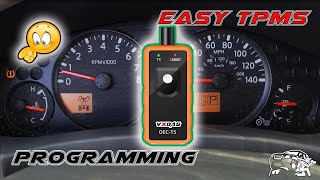
- If the sensor does respond to the tool but the code persists, the issue may be with the vehicle's receiver (BCM) or the sensor registration. Attempting a TPMS relearn/registration procedure is the next step. Some DIY methods exist, but often require a specialized tool. 🎬 Watch: How to program TPMS sensors easily and affordably.
- If the relearn procedure fails, further diagnosis of the BCM and its wiring is required. This is best left to a professional.
Parts You'll Likely Need
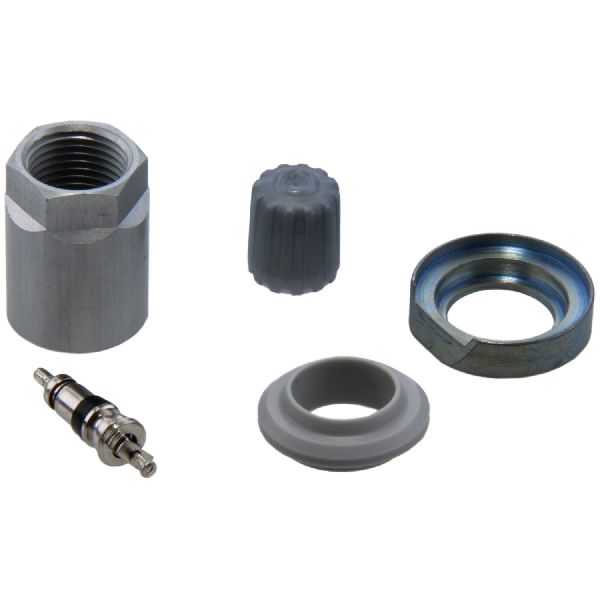
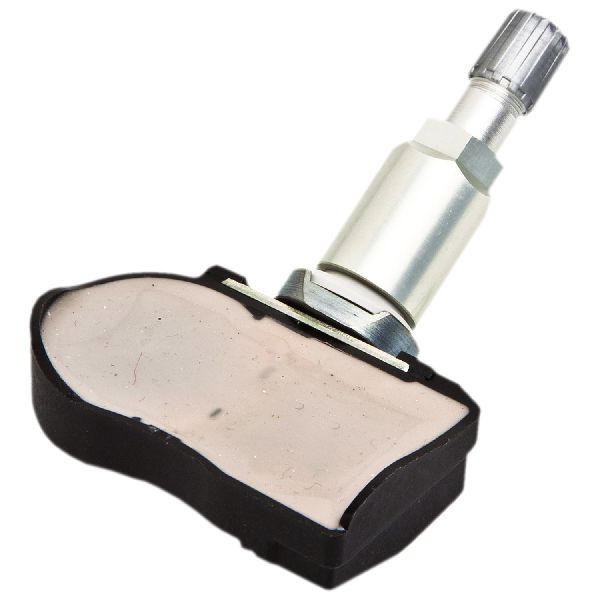
- Tire Pressure Monitoring System (TPMS) Sensor
(OEM #40700-CK001)— This is the most common failure point. The internal battery dies, or the sensor itself fails, requiring replacement.
Trusted brands: Schrader, Continental, Denso, Hitachi, Autel
OEM price range: $60-$90
Aftermarket price range: $30-$70
Related Codes That Often Appear With This One
- C1708 — This code indicates no data from the Front Left TPMS sensor. It's common to see multiple TPMS codes if there is a systemic issue like RF interference or if multiple sensor batteries fail around the same time.
- C1709 — This code indicates no data from the Front Right TPMS sensor. It can appear with C1711 for the same reasons as C1708.
- C1710 — This code indicates no data from the Rear Right TPMS sensor. Seeing C1710 and C1711 together could point to an issue affecting the rear of the vehicle or simply multiple sensor failures. TSB NTB14-075 specifically addresses intermittent C1710 and C1711 codes on some Nissan models.
Technical Service Bulletins (TSBs) & Recalls
- NTB13-088A: Discusses radio frequency interference from aftermarket electronics causing 'No Data' TPMS codes (C1708, C1709, C1710, C1711) across all Nissan vehicles.
- NTB14-075: Addresses intermittent C1710 and C1711 codes on 2014 Nissan Frontiers, recommending replacement of all four sensors.
Platform-Specific Known Issues
- Nissan TSB NTB13-088A specifically calls out that radio frequency interference from aftermarket accessories can cause a 'No Data' condition, leading to codes C1708, C1709, C1710, or C1711.
- A separate TSB, NTB14-075, was issued for the 2014 Frontier for intermittent C1710/C1711 codes even without RF interference, requiring the replacement of all four sensors with an updated part. While for a different model year, it shows a history of sensitivity in the system.
Mechanic-Grade Diagnostic Values
- TPMS Sensor Operating Frequency — expected: 315 MHz or 433 MHz. Failure: A sensor with the wrong frequency will not communicate with the BCM.
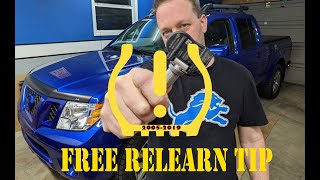
- Tire Pressure for DIY Relearn (Paperclip Method) — expected: Front-Left: 36 PSI, Front-Right: 33 PSI, Rear-Right: 30 PSI, Rear-Left: 27 PSI. Failure: If pressures are not set to these specific, staggered values, the BCM will not enter the learning mode correctly. 🎬 See this free reset and relearn process in action.
Scan Tool Commands That Help
- Nissan CONSULT: ID Registration (Work Support) — This function is used after replacing a TPMS sensor to write the new sensor's unique ID to the Body Control Module (BCM). The tool guides the technician to activate each sensor in sequence 🎬 Watch: A quick walkthrough of the Titan TPMS programming. (LF, RF, RR, LR) to complete the registration.
- Aftermarket TPMS Tool (e.g., Autel, ATEQ) with OBD-II Module: OBD Relearn — This is the aftermarket equivalent of the CONSULT function. The tool first reads the ID from each new sensor at the wheel, then plugs into the OBD-II port to write those IDs directly to the BCM's memory.
Wiring & Ground Locations
- Body Control Module (BCM) — Located behind the dashboard, to the right of the steering column. Access requires removing the driver's side knee bolster panel.. The BCM is the control unit that receives signals from the TPMS sensors and logs codes like C1711. All wiring for the TPMS system terminates here. Physical inspection for water damage (from a known sunroof leak issue) or connector integrity is a key diagnostic step if sensors and RF interference are ruled out.
- TPMS Antenna — The receiver antenna is located inside the passenger-side front pillar (A-pillar).. This is the single point of reception for all four tire pressure sensor signals. While failure is rare, damage to the A-pillar or disconnection of this antenna's wiring could cause a loss of signal from one or more sensors.
- Tire Pressure Warning Check Connector — A single-wire connector, often white, located under the dash. On some models, it is near the OBD-II port, potentially behind the coin tray area. On other Nissan models, it has been found tucked under the airbag cover on the passenger side.. This connector is used for a DIY TPMS relearn procedure. By grounding this wire to the chassis in a specific sequence (tapping it 6 times within 10 seconds of turning the ignition on), the BCM can be put into 'learn mode' without a scan tool.
OEM Part Supersession History
40700-CK001→N/A— This part number remains the primary fitment for the specified model years.
Heads up: While 40700-CK001 is correct for many 2005-2008 Titans, it's critical to verify by VIN. Some sources indicate that Nissan has used both 315 MHz and 433 MHz sensors across the broader 2004-2011 range. Installing a sensor with the wrong frequency will result in a persistent 'no data' code. Additionally, sensors for steel wheels and alloy wheels may have different part numbers.
Model Year Variations Within This Range
- 2004-2011: While the core TPMS system is the same, there can be variations in the sensor frequency (315 MHz vs. 433 MHz) and the specific part numbers for steel versus alloy wheels. Always verify the correct frequency and part number for the specific vehicle, as using the wrong one will prevent registration.
Helpful Videos
We Have This Part in Stock


The information in this article is provided for general reference and educational purposes only. Vehicle specifications, procedures, and part compatibility can vary by production date, trim level, and region. Always consult your vehicle's factory service manual and verify part numbers before purchasing or performing repairs. Safety-critical components such as airbags, seat belts, and braking systems should be installed by a qualified professional.
- Nissan TITAN:
- 🎬 Helpful Videos
- 🛍️ Shop This Part
- What's Unique About the 2004-2011 Nissan TITAN
- Diagnostic Flowchart
- Symptoms You May Notice
- Most Likely Causes
- Rare But Worth Checking
- Diagnosis Steps
- Parts You'll Likely Need
- Related Codes That Often Appear With This One
- Technical Service Bulletins (TSBs) & Recalls
- Platform-Specific Known Issues
- Mechanic-Grade Diagnostic Values
- Scan Tool Commands That Help
- Wiring & Ground Locations
- OEM Part Supersession History
- Model Year Variations Within This Range
- 🎟️ Get 5% Off