

C1711 on 2004-2009 Nissan Quest: Rear Left TPMS Fault Causes and Fixes
Code C1711 on a 2004-2009 Nissan Quest indicates the rear-left tire pressure sensor is not communicating with the vehicle. This is almost always due to a dead battery in the original sensor, a common failure given the vehicle's age. Before replacing anything, unplug all aftermarket 12V accessories (phone chargers, dash cams) to rule out radio frequency interference, a known issue. The fix involves replacing the sensor at a tire shop for approximately $100-$250.
- C1711 means the rear-left TPMS sensor is not sending a signal, most likely due to a dead internal battery.
- Before replacing any parts, unplug all aftermarket phone chargers and dash cams to rule out radio frequency (RF) interference, a known issue on this vehicle.
- This is not a DIY-friendly repair. Replacing the sensor requires tire removal and specialized tools to program the new sensor to the van.
- Given the vehicle's age, if one sensor has failed, consider replacing all four to save on future labor costs, especially if you are already purchasing new tires.
What's Unique About the 2004-2009 Nissan QUEST
For the third-generation (V42) Nissan Quest, this code is overwhelmingly caused by the 🎬 Watch: A short explanation of the C1711 fault code. natural end-of-life of the original TPMS sensors. The non-replaceable batteries inside have a lifespan of 5-10 years, so failure is expected on these vehicles. Additionally, Nissan issued a Technical Service Bulletin (NTB13088A) that applies to this model, acknowledging that C1711 can be triggered by radio frequency (RF) interference from aftermarket electronics like phone chargers or dash cams. This makes unplugging these devices a critical first diagnostic step before assuming the sensor has failed.
Diagnostic Flowchart
Tap your situation to follow the diagnostic path that matches what you're seeing on this vehicle.
Symptoms You May Notice
- TPMS warning light flashes for approximately one minute after startup, then stays on solid.
- Inability to view the rear-left tire's pressure on the vehicle's information display (if equipped), often showing as '---'.
- Replacing the TPMS sensor without first checking for RF interference from chargers or other electronics.
- Assuming the TPMS light indicates low tire pressure when a flashing light signifies a system fault.
- Replacing just the TPMS service kit (grommet, nut, valve core) to fix a communication code. The service kit fixes air leaks, not electronic 'No Data' faults.
- Mistaking the location of the fault. C1711 is specifically for the rear-left wheel. Some technicians may not realize that on many Nissans, the system does not automatically relearn wheel positions after a tire rotation, leading them to test the wrong sensor.
Most Likely Causes
- Dead TPMS Sensor Battery 🔴 High Probability The original sensors have a finite 5-10 year battery life. For the 2004-2009 Quest, all original sensors are now well past their expected service life, making battery failure the most common cause.
How to confirm: A professional tire shop can use a TPMS activation tool to check if the sensor is transmitting a signal. If the sensor is unresponsive or shows a low battery status on the tool, its battery is dead.
Typical fix: Replace the rear-left TPMS sensor and register the new sensor ID to the vehicle's BCM using a TPMS scan tool.
Est. part cost: $35-$110 - Radio Frequency (RF) Interference 🟡 Medium Probability Nissan TSB NTB13088A specifically calls out this issue for causing C1708-C1711 codes. The TPMS receiver is sensitive to interference from aftermarket devices (phone chargers, dash cams, power inverters) plugged into the 12V outlets, especially poorly-shielded or 'smart' chargers.
How to confirm: Unplug all aftermarket accessories from the vehicle's power outlets. Clear the code with a scanner and drive the vehicle for 10-15 minutes at speeds above 25 MPH. If the code does not return, one of the devices was the cause.
Typical fix: Remove or replace the interfering electronic device. This repair costs nothing and should always be the first step.
Est. part cost: $0 - Failed TPMS Sensor (Electronic Fault) ⚪ Low Probability Beyond the battery, the sensor's electronics can fail from age, moisture intrusion, or physical damage from potholes or tire service. Use of unapproved tire sealants can also damage the sensor.
How to confirm: Even if a TPMS tool shows the sensor has battery life, it may not be transmitting valid data. If RF interference is ruled out, the sensor is the next logical point of failure.
Typical fix: Replace the rear-left TPMS sensor and perform the relearn procedure.
Est. part cost: $35-$110
Rare But Worth Checking
- Faulty Body Control Module (BCM) or TPMS Receiver: If a new, correctly programmed sensor still won't communicate with the vehicle and RF interference has been ruled out, the issue may lie with the central receiver or the BCM itself. This is rare and should be diagnosed by a professional after all other causes are eliminated.
- Incorrect Sensor Installed: If the code appeared immediately after a tire or sensor replacement, the wrong type of sensor may have been installed. TPMS sensors operate on specific frequencies (315 MHz for this Quest) and use proprietary communication protocols. An incompatible sensor will not register with the BCM.
Diagnosis Steps
- Confirm the presence of code C1711 using an OBD-II scanner capable of reading Chassis (C) codes.
- As a critical first step, unplug all aftermarket devices from the 12V power outlets (e.g., phone chargers, dash cams, GPS units) to eliminate radio frequency interference, per Nissan TSB NTB13088A.
- Clear the code and drive the vehicle for over 10 minutes at speeds above 25 MPH. If the light and code do not return, an accessory was the cause.
- If the code returns, use a dedicated TPMS diagnostic tool to attempt to 'wake' and read the signal from the rear-left sensor. The sensor for this vehicle operates at 315 MHz.
- If the tool cannot get a response from the sensor, or reports a low battery, the sensor has failed and must be replaced.
- If the tool *can* read the sensor but the vehicle cannot, this points toward a more complex issue like a faulty TPMS receiver, an incorrect sensor being registered to that location, or a BCM fault, which may require professional diagnosis.
Parts You'll Likely Need
- Tire Pressure Monitoring System (TPMS) Sensor
(OEM #40700-CK001)— This is the direct cause of the code in most cases, typically due to the internal battery expiring after 5-10+ years of service. This part number has been superseded by others like 40700-JA01B, 40700-JA01C, and 40700-1AA0B. Always confirm fitment with the vehicle's VIN.
Trusted brands: Schrader, Continental, Denso, Dorman, HUF
OEM price range: $70-$110
Aftermarket price range: $35-$80
Related Codes That Often Appear With This One
- C1708 — This is the code for the front-left TPMS sensor. Seeing multiple TPMS codes at once often means all the sensor batteries are failing around the same time due to age.
- C1709 — This is the code for the front-right TPMS sensor. It commonly appears with other TPMS codes as sensors reach the end of their service life together.
- C1710 — This is the code for the rear-right TPMS sensor. If seen with C1711, it suggests either both sensors have failed from age or an RF interference source is affecting the rear of the vehicle.
Technical Service Bulletins (TSBs) & Recalls
- NTB13088A: This bulletin provides service information for diagnosing the TPMS system and specifically mentions radio frequency interference from devices like cell phone chargers as a cause for 'No Data' codes C1708, C1709, C1710, and C1711.
Platform-Specific Known Issues
- The vehicle is highly susceptible to radio frequency interference from 12V accessories, as documented in Nissan TSB NTB13088A.
- Due to the age of this vehicle platform, if one original TPMS sensor fails, the others are likely near failure as well. It is often cost-effective to replace all four sensors at once, especially if new tires are being installed.
- Unlike some other Nissan vehicles of the same era, there is no reliable manual 'relearn' procedure for the Quest that involves grounding a connector. Registration of a new sensor requires a specialized TPMS tool with OBD-II capability.
Mechanic-Grade Diagnostic Values
- HS CAN Bus Communication Lines (at OBD-II DLC) — expected: Complex waveform, not a simple voltage test. Check for continuity and absence of shorts to power or ground.. Failure: An open or short on these lines would likely cause multiple communication codes (U-codes) in addition to any TPMS faults.
Scan Tool Commands That Help
- Nissan CONSULT or professional equivalent (Autel, Bartec, etc.): ID Registration (under BCM -> Air Pressure Monitor -> Work Support) — This function is mandatory after replacing a TPMS sensor. It writes the new, unique sensor ID into the Body Control Module's memory, allowing the vehicle to recognize and receive data from the new sensor. Failure to perform this step will result in the C1711 code persisting even with a new, functional sensor.
Wiring & Ground Locations
- Body Control Module (BCM) — Located in the driver's side footwell, behind a trim panel to the left of the pedals.. The BCM is the master computer for the TPMS. All sensor data is ultimately processed here. In very rare cases of failure, or if checking for water intrusion, its location is critical.
- OBD-II Data Link Connector (DLC) - HS CAN Pins — Under the driver's side dashboard.. For advanced diagnostics, Pin 6 (Blue wire) is HS CAN High and Pin 14 (Pink wire) is HS CAN Low. These are the communication lines the BCM uses. A problem here would affect many systems, but could be checked if multiple network codes are present with C1711.
- TPMS Receiver / Antenna — Not definitively identified in service literature for the V42 Quest, but in similar Nissan vehicles, it is a small box located in the rear of the vehicle, often in a C-pillar or under the rear parcel shelf.. This component receives the radio signals from all four tire sensors before relaying the information to the BCM. A failure of this single part could cause multiple TPMS codes to appear simultaneously.
OEM Part Supersession History
40700-CK001→40700-JA01B, 40700-JA01C, 40700-1AA0B, 40700-1AA0D— Standard part evolution and consolidation across multiple vehicle platforms.
Heads up: No incompatibility notes found. These part numbers are generally considered direct, cross-compatible replacements for the 315 MHz system used in the 2004-2009 Quest. However, always confirm fitment with VIN when purchasing.
Model Year Variations Within This Range
- 2004-2009: Despite a significant model facelift for the 2007 model year, the TPMS system appears to have remained consistent. The same 315 MHz direct-pressure sensors are used across the entire 2004-2009 generation, and the diagnostic and repair procedures are identical.
Helpful Videos
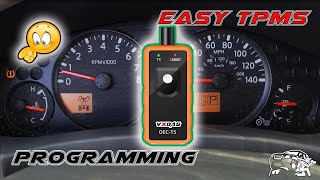
We Have This Part in Stock

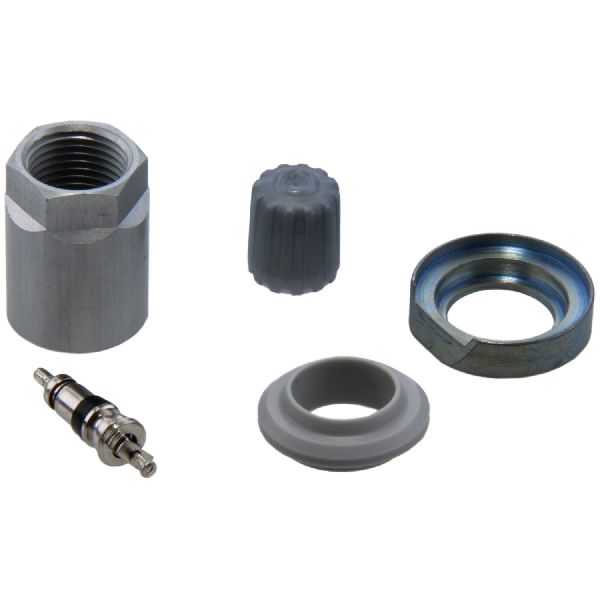
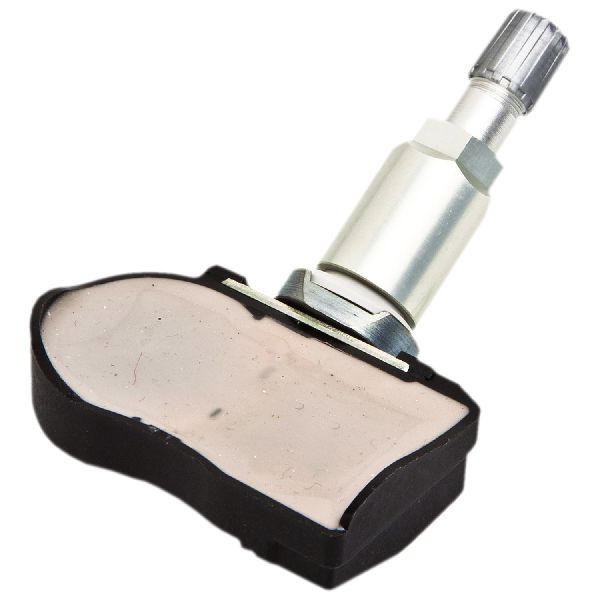

The information in this article is provided for general reference and educational purposes only. Vehicle specifications, procedures, and part compatibility can vary by production date, trim level, and region. Always consult your vehicle's factory service manual and verify part numbers before purchasing or performing repairs. Safety-critical components such as airbags, seat belts, and braking systems should be installed by a qualified professional.
- Nissan QUEST:
- 🎬 Helpful Videos
- 🛍️ Shop This Part
- What's Unique About the 2004-2009 Nissan QUEST
- Diagnostic Flowchart
- Symptoms You May Notice
- Most Likely Causes
- Rare But Worth Checking
- Diagnosis Steps
- Parts You'll Likely Need
- Related Codes That Often Appear With This One
- Technical Service Bulletins (TSBs) & Recalls
- Platform-Specific Known Issues
- Mechanic-Grade Diagnostic Values
- Scan Tool Commands That Help
- Wiring & Ground Locations
- OEM Part Supersession History
- Model Year Variations Within This Range
- 🎟️ Get 5% Off