

C1710 on 2005-2012 Nissan XTERRA: Right Rear TPMS Sensor Fault Guide
Code C1710 on a 2005-2012 Nissan XTERRA means the TPMS system is not receiving a signal from the right rear wheel sensor. This is almost always due to a dead sensor battery or a failed sensor, which requires replacement and re-registration. Expect to pay $40-$90 for a new sensor. Unplugging aftermarket 12V accessories is a key first diagnostic step due to known radio interference issues.
- C1710 points directly to a communication failure with the right rear TPMS sensor.
- The most common cause is the sensor itself failing due to a dead internal battery.
- Before replacing parts, unplug all aftermarket electronics from your power outlets to rule out radio frequency interference.
- You can perform the TPMS relearn procedure yourself using a simple paperclip and a TPMS activation tool, potentially saving a trip to the shop.
What's Unique About the 2005-2012 Nissan XTERRA
On the second-generation (N50) Nissan XTERRA and its platform mates (Frontier, Pathfinder), the TPMS is known for being sensitive to radio frequency (RF) interference from aftermarket accessories like phone chargers or dash cams, an issue highlighted in Nissan TSB NTB13-088A. Additionally, owners have documented a well-known DIY-friendly procedure to put the vehicle into TPMS 'relearn' mode by grounding a specific connector under the dashboard 🎬 Watch: How to perform the free paperclip relearn procedure. with a paperclip, making diagnosis and sensor registration possible without expensive dealership tools.
Diagnostic Flowchart
Tap your situation to follow the diagnostic path that matches what you're seeing on this vehicle.
Symptoms You May Notice
- Flashing TPMS warning light on the instrument cluster for about one minute after startup, which then stays on solid.
- Inability to read the right rear tire pressure using a scan tool or the vehicle's information display (if equipped).
- The TPMS light remains on even after adjusting all tire pressures to the correct specification.
- A 'Check Tire Pressure' message may appear on the information display.
- Replacing the wrong sensor. C1710 is specific to the Right Rear wheel. Always confirm the code before buying parts.
- Assuming the BCM is bad. Sensor failure is vastly more common than a control module failure.
- Replacing a sensor when the actual cause is RF interference from a newly installed accessory.
Most Likely Causes
- Dead TPMS Sensor Battery 🔴 High Probability TPMS sensors use small, non-replaceable batteries with a finite lifespan, typically 7-10 years. For vehicles in this 2005-2012 range, battery failure is the most common cause of C1710. Owners on forums like r/Xterra confirm that sensors often fail due to age.
How to confirm: Use a TPMS activation tool to attempt to 'wake up' or read the sensor at the right rear wheel. If the tool gets no response, the sensor is almost certainly dead. A tire shop can perform this test in minutes.
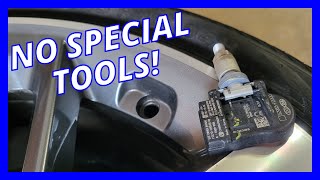
Typical fix: Replace the right rear TPMS sensor. The entire sensor unit must be replaced 🎬 Watch: How to replace the sensor without a tire machine. as the battery is sealed inside. The new sensor must then be registered to the vehicle.
Est. part cost: $40-$90 - Failed TPMS Sensor 🔴 High Probability Beyond the battery, the sensor's electronics can fail from age, vibration, or physical damage during tire service. Corrosion of the valve stem can also damage the sensor.
How to confirm: Same as a dead battery; a TPMS tool will not receive a signal from the sensor. A definitive test, as described by a user on Maxima.org, is to rotate a known-good wheel/sensor to the right rear position. If the code C1710 persists for that location, the problem is not the sensor.
Typical fix: Replace the right rear TPMS sensor and register the new sensor ID to the vehicle's BCM.
Est. part cost: $40-$90 - Radio Frequency (RF) Interference 🟡 Medium Probability Nissan issued TSB NTB13-088A specifically warning that aftermarket devices (especially those plugged into 12V power outlets) can interfere with the 315 MHz frequency used by the TPMS sensors. Forum users on Reddit and DashCamTalk have reported cheap USB chargers, dash cams, and even LED light bars causing this exact issue.
How to confirm: Unplug all aftermarket electronic devices, such as phone chargers, dash cams, and power inverters. Clear the codes (if possible) and drive the vehicle to see if the C1710 code returns. If the light goes out, one of the devices was the cause.
Typical fix: Remove or replace the interfering device with a higher quality, FCC-certified one that has better RF shielding.
Est. part cost: $0 - Sensor Not Registered ⚪ Low Probability This typically only occurs after a new sensor has been installed or wheels have been rotated without performing the TPMS relearn procedure. The BCM is looking for the old sensor ID and doesn't see it.
How to confirm: Attempt the TPMS relearn procedure. If the procedure completes successfully for all wheels including the right rear, this was the likely cause.
Typical fix: Perform the TPMS sensor registration/relearn procedure using the 'paperclip method' or a TPMS tool.
Est. part cost: $0
Rare But Worth Checking
- Faulty TPMS Receiver or BCM: If a new, known-good sensor at the right rear position still won't register and C1710 returns, the issue could be with the TPMS receiver (which is often integrated with the keyless entry module) or the Body Control Module (BCM) itself. This is rare and should only be considered after all sensor-related issues are ruled out. A user on a Maxima forum experienced this, where even a known-good sensor would fail to report from the RR position, pointing to a receiver issue.
Diagnosis Steps
- Verify Tire Pressure: Manually check that all tires are inflated to the pressure listed on the driver's door jamb sticker. This will not fix a C1710 but rules out a simple low-pressure situation.
- Check for RF Interference: Unplug ALL aftermarket accessories from the vehicle's power outlets (12V sockets), especially phone chargers and dash cams. Clear the code if you have a scanner, or drive the vehicle for 10-15 minutes to see if the light resets on its own. If it does, plug devices back in one by one to find the culprit.
- Activate TPMS Relearn Mode (Paperclip Method): Turn the ignition ON (engine off). Locate the white, single-wire TPMS diagnostic connector, often taped to a harness under the dash near the OBD-II port. Using a paperclip or piece of wire, tap the metal pin inside the connector to a metal ground (like the OBD-II port frame) 6 times within 10 seconds. The TPMS warning light on the dash should begin to flash slowly, indicating it's in relearn mode.
- Test the Sensor: If you have a basic TPMS activation tool (around $15 online), start at the front-left wheel 🎬 See how to use a basic tool for faster sensor registration. and press the button to wake the sensor. The vehicle's hazard lights will flash and/or horn will chirp to confirm. Proceed in order: Front-Left, Front-Right, Rear-Right, Rear-Left.
- Interpret the Results: If the vehicle responds to the other three sensors but gives no confirmation at the right rear wheel, the right rear sensor is faulty and must be replaced. If the relearn process fails entirely, it may indicate a deeper system issue or multiple dead sensors.
- Replace and Register: If the sensor is bad, have a tire shop replace it. After installation, repeat the relearn procedure (Step 3 & 4) to register the new sensor's ID to the BCM. Alternatively, a shop can use a tool like an Autel TS508 to write the new sensor ID directly via the OBD-II port.
- Final Verification: Once all four wheels are registered, drive the vehicle for several minutes above 16-25 MPH to exit relearn mode and confirm the TPMS light stays off.
Parts You'll Likely Need
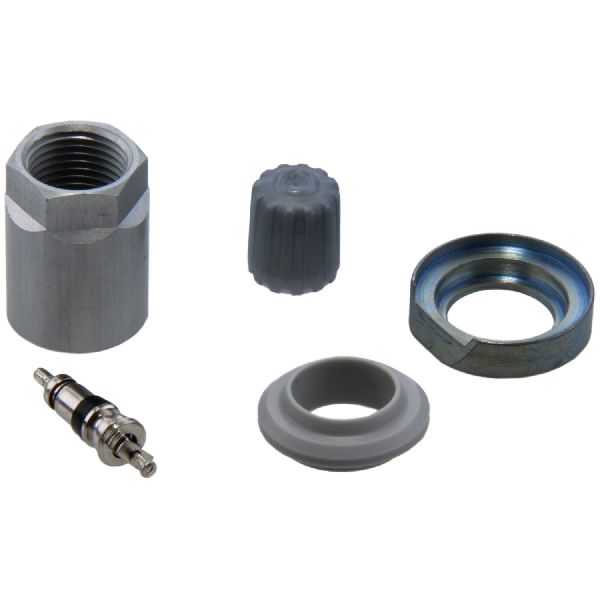
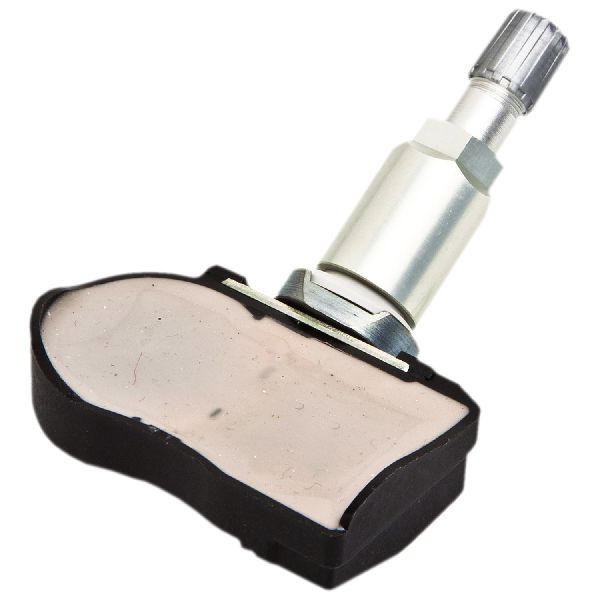
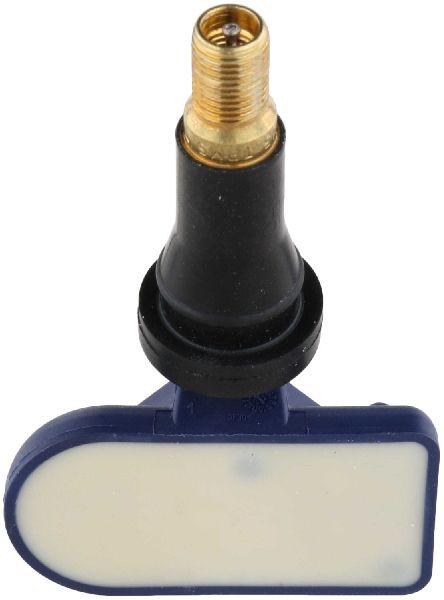
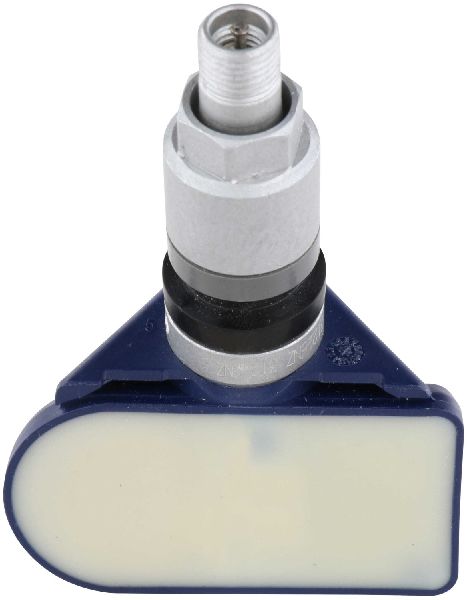
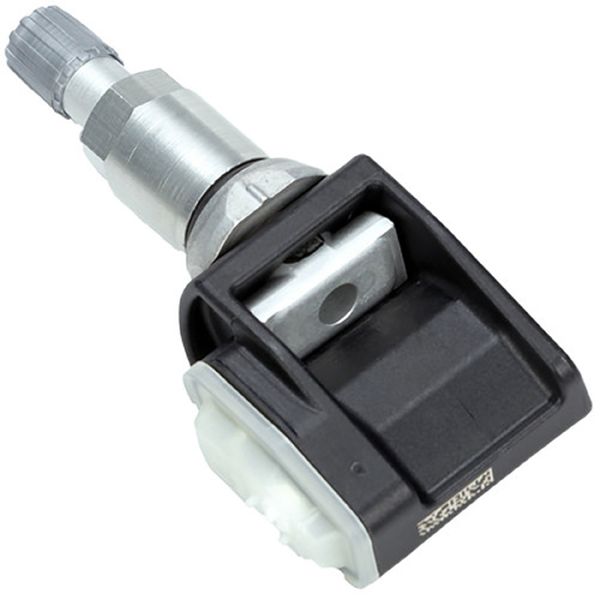
- Tire Pressure Monitoring System (TPMS) Sensor
(OEM #40700-CK002)— This is the component that fails, either due to battery death or electronic failure, causing the C1710 code. The original part number 40700-CK002 has been superseded by several newer numbers, including 40700-JA01B, 40700-JA01C, and others.
Trusted brands: Schrader (OEM supplier), Continental/VDO, Standard Motor Products, Hitachi, Autel (programmable)
OEM price range: $60-$100
Aftermarket price range: $40-$70
Related Codes That Often Appear With This One
- C1708 — This code indicates a 'No Data' fault for the Front-Left sensor. Seeing multiple codes (C1708, C1709, C1710, C1711) could point to a systemic issue like widespread sensor failure due to age or significant RF interference.
- C1709 — This code indicates a 'No Data' fault for the Front-Right sensor. Seeing it with C1710 could mean two sensors have failed around the same time, which is common as the batteries have a similar lifespan.
- C1711 — This code indicates a 'No Data' fault for the Rear-Left sensor. Seeing it with C1710 could mean both rear sensors have failed. Nissan TSB NTB14-080 specifically addresses C1710 and C1711 occurring together on some models.
Technical Service Bulletins (TSBs) & Recalls
- NTB13-088A - This bulletin provides general information on Nissan's TPMS, specifically mentioning that RF interference can cause a 'No Data' condition for codes C1708, C1709, C1710, and C1711.
Platform-Specific Known Issues
- Per TSB NTB13-088A, this platform is susceptible to radio frequency interference from accessories plugged into the power outlets, which can cause a 'No Data' condition and trigger codes like C1710. This is a very common first check for Xterra and Frontier owners when the TPMS light appears.
- The DIY 'paperclip' ground method for initiating the TPMS relearn is a well-documented and widely used procedure in the Xterra/Frontier community, allowing owners to avoid a trip to the dealer for sensor registration.
Mechanic-Grade Diagnostic Values
- BCM Ground Continuity Check — expected: Continuity should exist.. Failure: If no continuity exists between the BCM harness connector and a known good ground, the harness is faulty.
Scan Tool Commands That Help
- Nissan CONSULT: ID Registration — Used to register new TPMS sensor IDs to the BCM. Found under BCM -> Air Pressure Monitor -> Work Support -> ID Registration.
- Autel MaxiTPMS (e.g., TS508, TS608, ITS600): OBD Relearn — After activating new sensors, this function connects to the vehicle's OBD-II port to write the new sensor IDs directly to the ECU, which is often faster than the manual driving relearn procedure.
Wiring & Ground Locations
- Body Control Module (BCM) — Located behind the glove box.. The BCM is the central computer that receives signals from the TPMS receiver and reports the C1710 code. A poor connection or ground at the BCM can cause various electrical issues, including TPMS faults.
- BCM Ground — According to service manual diagrams, a primary ground for the BCM is at connector M20, terminal 67.. A faulty BCM ground can prevent it from correctly processing signals from the TPMS receiver, potentially leading to false codes or system malfunction. Verifying this ground is a key step if sensor replacement does not fix the issue.
- TPMS Diagnostic Connector — A single-wire white plug, often taped to a larger harness, located under the driver's side dashboard near the OBD-II port.. This connector is essential for the DIY 'paperclip method' of putting the TPMS into relearn mode. Grounding the pin inside this connector 6 times within 10 seconds after turning the key to 'ON' initiates the sensor registration process.
- TPMS Receiver — Often integrated with the keyless entry module/controller.. This module receives the 315MHz signals from all four tire sensors. A failure in this unit can cause a loss of communication with one or more sensors, mimicking a failed sensor.
Real Owner Repair Stories
- Project:Keira blog (Nissan Frontier (shares TPMS architecture with Xterra)) — TPMS light on after a tire shop broke the original front-left sensor.
❌ Tried (didn't work) Installing a cheap replacement TPMS sensor purchased from eBay.
✅ What actually fixed it The owner visited a Nissan dealership where technicians confirmed the eBay sensor was faulty and not transmitting a signal. The owner then purchased a genuine OEM Nissan TPMS sensor ($40 through a contact) and successfully programmed it themselves using the 'paperclip method' (grounding the diagnostic connector 6 times) and driving the vehicle.
When the Usual Fixes Don't Work
- While replacing the sensor is the most common fix, a documented repair story highlights the risk of using low-cost, unverified aftermarket sensors. An owner replaced a broken sensor with an eBay part, which failed to program even at the dealership. The ultimate fix required purchasing a genuine OEM sensor, which then programmed successfully using the standard DIY relearn procedure. This confirms that not all aftermarket parts are equal and can lead to a misdiagnosis if the part itself is assumed to be good.
OEM Part Supersession History
40700-CK002→40700-JA01B, 40700-JA01C, 40700-JK01C— Part revision and consolidation by the manufacturer.
Heads up: While many part numbers are interchangeable, it is critical to verify fitment for your specific model year. Some sources list a vast number of compatible OEM numbers including 40700-1AA0B, 40700-1AA0C, 40700-1AA0D, 40700-CD001, 40700-CK001, 40700-JA00C, 40700-JA02B, and several 'JK' series numbers. Always confirm with the parts supplier.
Helpful Videos
We Have This Part in Stock


The information in this article is provided for general reference and educational purposes only. Vehicle specifications, procedures, and part compatibility can vary by production date, trim level, and region. Always consult your vehicle's factory service manual and verify part numbers before purchasing or performing repairs. Safety-critical components such as airbags, seat belts, and braking systems should be installed by a qualified professional.
- Nissan XTERRA:
- 🎬 Helpful Videos
- 🛍️ Shop This Part
- What's Unique About the 2005-2012 Nissan XTERRA
- Diagnostic Flowchart
- Symptoms You May Notice
- Most Likely Causes
- Rare But Worth Checking
- Diagnosis Steps
- Parts You'll Likely Need
- Related Codes That Often Appear With This One
- Technical Service Bulletins (TSBs) & Recalls
- Platform-Specific Known Issues
- Mechanic-Grade Diagnostic Values
- Scan Tool Commands That Help
- Wiring & Ground Locations
- Real Owner Repair Stories
- When the Usual Fixes Don't Work
- OEM Part Supersession History
- 🎟️ Get 5% Off