

C1710 on 2007-2014 Nissan Versa: TPMS 'No Data' Fault Explained
Code C1710 on a 2007-2014 Nissan Versa means the system is not receiving data from the right rear (RR) TPMS sensor. The most common cause is a dead battery inside the 315MHz sensor, requiring sensor replacement. While the tire must be professionally dismounted, the new sensor can sometimes be registered at home. Expect to pay $85-$265 per wheel at a shop.
- C1710 means the TPMS sensor in your right rear tire is not communicating with your Versa.
- The most likely cause is a dead battery in the sensor, which is expected for vehicles of this age.
- Before buying parts, unplug all aftermarket chargers and devices to rule out radio frequency interference mentioned in a Nissan TSB.
- Sensor replacement is not a DIY job for most people; it requires tire dismounting and a special tool to program the new sensor to your car.
- It is often cost-effective to replace all four TPMS sensors at once, especially if they are original and you are already getting new tires.
What's Unique About the 2007-2014 Nissan VERSA
For the 2007-2014 Versa, this code is extremely common simply due to the age of the vehicles. The original TPMS sensors contain non-replaceable batteries with a typical lifespan of 5-10 years. As these vehicles are now well beyond that age, the original sensors are failing due to battery depletion. While other issues can cause this code, a dead sensor battery is by far the most probable culprit. It is common for multiple sensors to fail around the same time, triggering other codes like C1708, C1709, and C1711.
Diagnostic Flowchart
Tap your situation to follow the diagnostic path that matches what you're seeing on this vehicle.
Generation note: The 2007-2014 range covers the first generation Versa (2007-2012 sedan, 2007-2013 hatchback) and the start of the second generation (2012-onward sedan). The direct TPMS system, the C1710 code definition, and the common causes are consistent across these generations.
Symptoms You May Notice
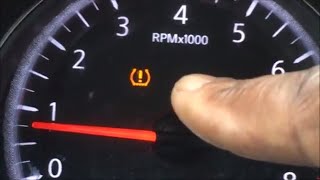
- A TPMS warning light that flashes for approximately one minute upon starting the car, then stays on solid.
- Inability to read the right rear tire pressure with a TPMS scan tool.
- A 'TPMS Error See Owner's Manual' message on the vehicle's information display, if equipped.
- Replacing the wrong wheel's sensor. It's crucial to confirm which corner C1710 corresponds to (Right Rear) before replacing parts.
- Assuming the TPMS light is on only for low pressure when it is flashing, which indicates a system malfunction.
- Replacing a sensor when the actual cause is RF interference from an accessory.
Most Likely Causes
- Dead TPMS Sensor Battery 🔴 High Probability The sealed, non-replaceable batteries in the original 315MHz sensors have a 5-10 year lifespan, which this vehicle range has now exceeded. It is very common for the original sensors to be at the end of their service life.
How to confirm: Use a TPMS diagnostic tool (even an inexpensive activation tool) to attempt to 'wake up' or read the sensor at the wheel. If the tool gets no response ('Trigger Failed'), the sensor is dead or has failed.
Typical fix: Replace the TPMS sensor in the right rear wheel and register the new sensor ID to the BCM.
Est. part cost: $35-$110 - Failed TPMS Sensor Electronics 🟡 Medium Probability Sensors can fail from age, internal corrosion, or physical damage from potholes or careless tire service. Using an incompatible tire sealant can also damage the sensor.
How to confirm: Diagnosis is the same as a dead battery; a TPMS tool will fail to get a signal from the sensor.
Typical fix: Replace the faulty TPMS sensor and perform the TPMS relearn procedure.
Est. part cost: $35-$110 - Radio Frequency (RF) Interference ⚪ Low Probability As noted in Nissan TSB NTB13-088A, aftermarket devices like cell phone chargers, dash cams, or power inverters can transmit RF signals that interfere with the low-power 315MHz TPMS sensor transmissions.
How to confirm: Unplug all aftermarket electronic devices from the vehicle's power outlets. Clear the codes (if possible) and drive the vehicle to see if the fault returns. If it does not, one of the devices was the cause.
Typical fix: Remove or replace the interfering electronic device.
Est. part cost: $0
Rare But Worth Checking
- Faulty TPMS Receiver / BCM: This is rare. A good diagnostic step is to rotate the tires (e.g., move the front right wheel to the rear right position). Clear codes and drive. If the code changes to C1709 (for the front right), the sensor that was moved is bad. If the code remains C1710, the problem is likely with the vehicle's receiver or wiring, not the sensor in the wheel.
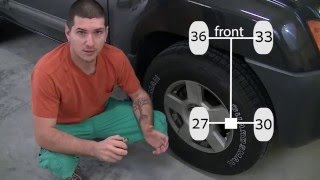
- Incorrect Sensor Registration After Tire Rotation: If tires were recently rotated but the sensor IDs were not re-registered to their new positions, the BCM will report a 'No Data' fault for the corner where it expects the old sensor to be. For example, if the RR sensor is now at the FR position, the BCM will log C1710 because it's not hearing from that specific sensor ID in the rear right location. The fix is to perform the TPMS relearn procedure. 🎬 Watch: Nissan TPMS reset procedure with no special tools
Diagnosis Steps
- Verify the symptom: Note if the TPMS light is flashing for ~60 seconds at startup before going solid. This indicates a system fault for C1710.
- Scan for codes with a capable scanner to confirm C1710 is present. Note any other TPMS codes (C1708, C1709, C1711).
- Check for RF Interference: Unplug all aftermarket electronics (phone chargers, dash cams, etc.) from the vehicle's power ports. Clear codes and drive to see if the fault clears.
- Attempt to Read Sensor: Using a TPMS diagnostic tool (even a basic activation tool), attempt to read the data (ID, pressure, battery status) from the right rear sensor.
- If the tool fails to get a reading ('Trigger Failed'), the sensor in the wheel is faulty (dead battery or electronics) and needs replacement.
- If the tool successfully reads the sensor, the issue may be intermittent or related to the vehicle's receiver. Attempt to perform the TPMS ID registration procedure.
- Perform 'Swap-tronics': If diagnosis is uncertain, swap the right-rear wheel with another wheel (e.g., the right-front). Drive the vehicle. If the code changes to C1709 (Front-Right), the sensor is confirmed bad. If the code stays C1710, the problem is in the car's wiring or BCM/receiver.
- If all sensors can be read by the tool but the code persists after registration, investigate the TPMS receiver (often part of the BCM) and its wiring, though this is an uncommon failure.
Parts You'll Likely Need
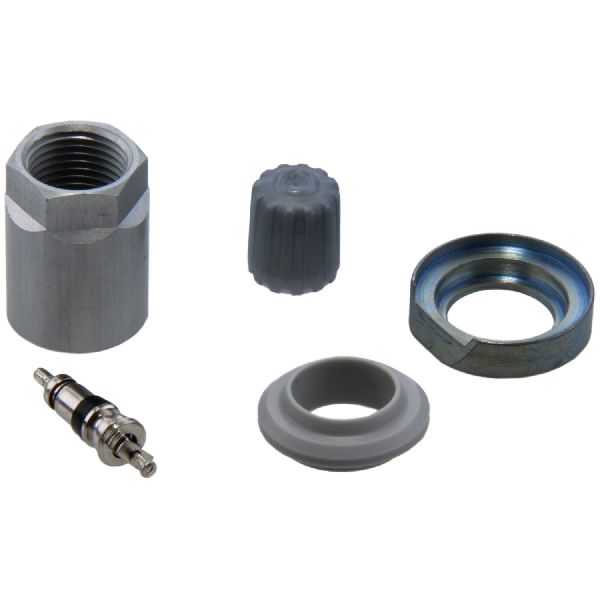
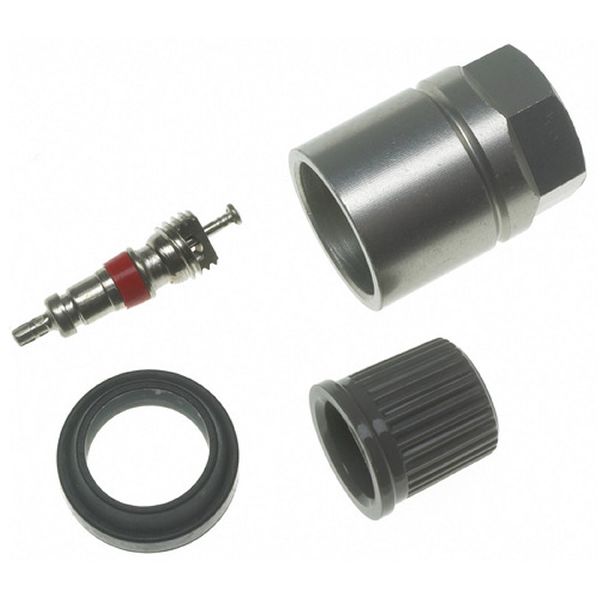
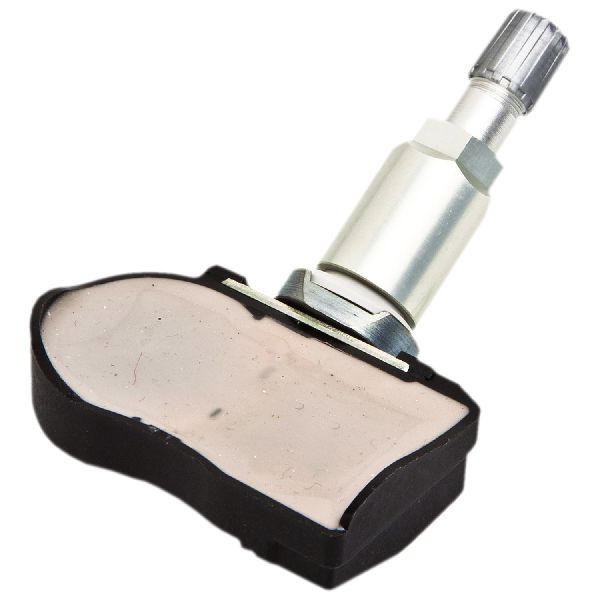
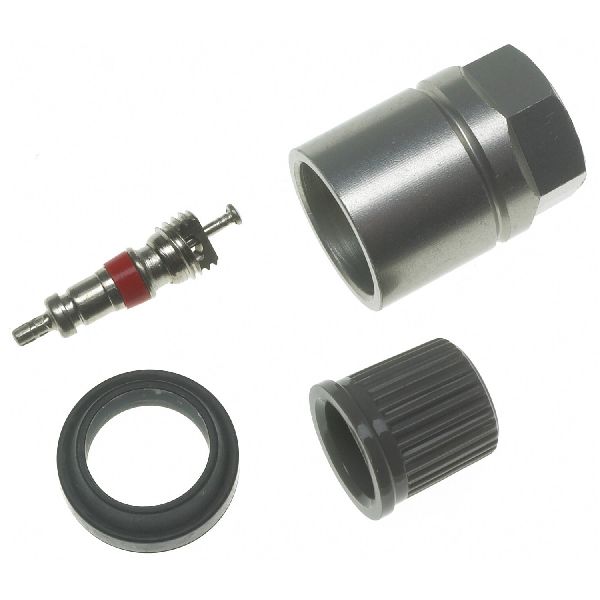
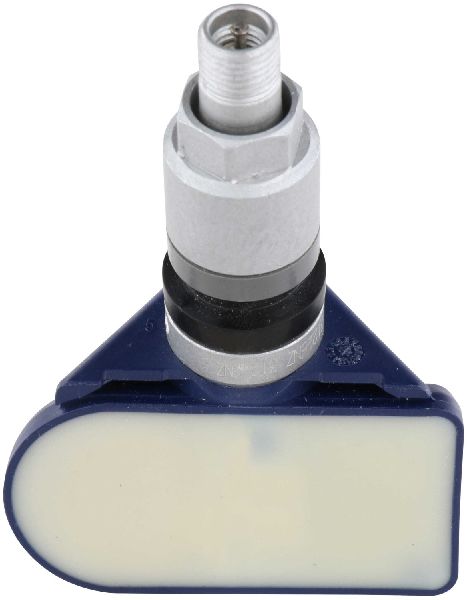
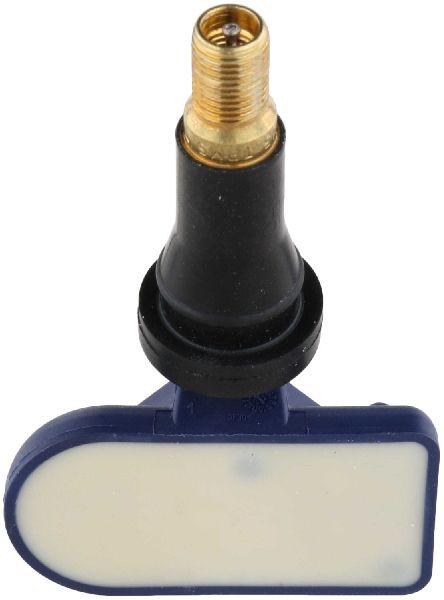
- Tire Pressure Monitoring System (TPMS) Sensor (315MHz)
(OEM #40700-3AN0C (also 40700-3AN0A, 40700-3AN0B, 40700-3AN1B))— This is the most common failure point. The internal battery dies or the sensor electronics fail, preventing it from transmitting data to the car's computer. The correct frequency for this vehicle is 315MHz.
Trusted brands: Schrader (often OEM), Continental/VDO, Denso, Huf, Autel (programmable), Standard Motor Products (SMP)
OEM price range: $80-$150
Aftermarket price range: $35-$110
Related Codes That Often Appear With This One
- C1708 — Relates to the Front-Left sensor. Seeing multiple codes (C1708, C1709, C1710, C1711) suggests a systemic issue, like multiple aging sensors failing around the same time or significant RF interference.
- C1709 — Relates to the Front-Right sensor. Often appears with other TPMS codes as sensor batteries fail together.
- C1711 — Relates to the Rear-Left sensor. Seeing C1710 and C1711 together points to a problem with both rear sensors.
Technical Service Bulletins (TSBs) & Recalls
- NTB13-088A: Summarizes common TPMS/LTPWS issues, including 'No Data' conditions (C1708-C1711) caused by radio frequency interference, sensor leaks, and registration procedures.
Platform-Specific Known Issues
- Nissan issued Technical Service Bulletin NTB13-088A, which specifically mentions codes C1708, C1709, C1710, and C1711 resulting from a 'No Data' condition. It highlights radio frequency interference from accessories as a possible cause to investigate before replacing parts. It also warns that aftermarket tire sealants can damage sensors.
Mechanic-Grade Diagnostic Values
- BCM Power Supply Voltage Check — expected: Battery voltage (approx. 12V). Failure: 0V or significantly lower voltage indicates a wiring or fuse issue.
- BCM Ground Circuit Continuity Check — expected: Continuity should exist (near 0 ohms).. Failure: No continuity (infinite resistance) indicates a broken ground wire or poor connection.
Hidden / Shadow Codes Worth Checking
- C1710 with 'Battery Voltage Low': Some advanced scan tools may provide additional detail beyond the base code, specifying that the no-data condition is accompanied by a low battery voltage reading from the sensor itself. This strongly confirms the sensor's internal battery is the failure point. (see via Requires a professional-grade scan tool (like some Autel models) capable of reading manufacturer-specific status messages from the BCM.)
Scan Tool Commands That Help
- Nissan CONSULT-II / CONSULT-III: Work Support > 'ID Register' — This function is used to write the unique ID of a new TPMS sensor to the BCM's memory. It is required after replacing a sensor.
- Nissan CONSULT-II / CONSULT-III: Data Monitor — Allows viewing of live data from the TPMS system, including the reported pressure from each registered sensor. If three sensors show pressure and one shows 'N/A' or '0', it helps confirm the fault is isolated to that corner.
- Nissan CONSULT-II / CONSULT-III: Self Diagnostic Result — This is the primary function to read and clear diagnostic trouble codes like C1710 from the BCM.
Wiring & Ground Locations
- Body Control Module (BCM) — For first-generation models (approx. 2007-2011), the BCM is located behind the passenger side glove box. For second-generation models (approx. 2012-2014), it is often located behind the instrument cluster/speedometer.. The BCM is the control unit that receives signals from the TPMS receiver and logs the C1710 code. A fault in the BCM or its wiring is a rare but possible cause.
- TPMS Receiver (Remote Control Receiver) — On some Nissan models of this era, the TPMS receiver is a separate module (distinct from the keyless entry receiver) located under the driver's side dash.. This receiver is responsible for picking up the 315MHz signals from all four tire sensors. Its location makes the Right Rear (RR) sensor the furthest away, potentially making its signal the weakest and most susceptible to failure if the receiver itself is marginal.
- BCM Ground (M20, Pin 67) — On the main BCM connector (designated M20 in service manuals), terminal 67 is a primary ground connection.. A poor ground connection at the BCM can cause a wide range of unpredictable electronic issues, including the inability to correctly process signals from the TPMS receiver, potentially leading to a C1710 code.
Real Owner Repair Stories
- YouTube video by 'Mada tsukaeru de' (2009 Nissan Versa) — TPMS light was flashing, indicating a system fault. The car was over 10 years old.
❌ Tried (didn't work) The owner correctly identified that checking and adjusting tire pressure would not fix a flashing TPMS light.
✅ What actually fixed it The owner replaced all four original TPMS sensors due to their age, assuming the internal batteries were dead. After a tire shop mounted the new sensors, he used a basic TPMS activation tool and a paperclip to ground the TPMS reset connector under the dash to put the car in relearn mode and successfully register the new sensors, extinguishing the light. Total cost for four aftermarket sensors and the tool was approximately $120. - NICOclub Forums user 'jordankeck' (2007 Nissan Maxima (shares similar TPMS architecture)) — Persistent C1710 code ('Data from RR transmitter cannot be received') that would return within a day of being cleared.
❌ Tried (didn't work) Replacing the right-rear TPMS sensor multiple times., Programming the new sensor IDs to the BCM using an Autel tool.
✅ What actually fixed it The user performed a critical diagnostic step: swapping a known-good wheel/sensor to the right-rear position. The C1710 code *remained* for the right-rear position, proving the sensor was not the fault. The diagnosis correctly shifted to a failure of the TPMS receiver or the BCM, as the car itself was unable to receive the signal at that specific location regardless of the sensor.
When the Usual Fixes Don't Work
- In cases where replacing the right-rear sensor does not fix a C1710 code, the fault is likely upstream. One owner confirmed this by moving a known-good wheel and sensor to the right-rear position, only to have the C1710 code remain. This proved the problem was not the sensor, but rather the vehicle's ability to receive the signal at that corner, pointing towards a faulty TPMS receiver module or BCM.
Model Year Variations Within This Range
- 2007-2011 (First Gen) vs. 2012-2014 (Second Gen): The physical location of the Body Control Module (BCM) changed between generations. First-generation models typically have the BCM behind the glove compartment, while second-generation models often have it located behind the instrument cluster. This affects the labor and procedure for diagnosing a suspected BCM issue.
- Later models (approx. 2014+): Later second-generation Versa models may be equipped with Nissan's 'Easy Fill Tire Alert' system. When inflating a tire with the ignition on, this system will honk the horn once the correct pressure is reached. This feature is not present on early models in this range and serves as a convenience feature during tire maintenance.
Helpful Videos
We Have This Part in Stock

The information in this article is provided for general reference and educational purposes only. Vehicle specifications, procedures, and part compatibility can vary by production date, trim level, and region. Always consult your vehicle's factory service manual and verify part numbers before purchasing or performing repairs. Safety-critical components such as airbags, seat belts, and braking systems should be installed by a qualified professional.
- Nissan VERSA:
- 🎬 Helpful Videos
- 🛍️ Shop This Part
- What's Unique About the 2007-2014 Nissan VERSA
- Diagnostic Flowchart
- Symptoms You May Notice
- Most Likely Causes
- Rare But Worth Checking
- Diagnosis Steps
- Parts You'll Likely Need
- Related Codes That Often Appear With This One
- Technical Service Bulletins (TSBs) & Recalls
- Platform-Specific Known Issues
- Mechanic-Grade Diagnostic Values
- Hidden / Shadow Codes Worth Checking
- Scan Tool Commands That Help
- Wiring & Ground Locations
- Real Owner Repair Stories
- When the Usual Fixes Don't Work
- Model Year Variations Within This Range
- 🎟️ Get 5% Off