

C1710 on 2012-2016 Nissan NV: Right Rear TPMS Fault Causes and Fixes
On a 2012-2016 Nissan NV, code C1710 means the right rear tire pressure sensor is not communicating with the vehicle. The most common cause is a dead battery inside the original sensor. Before replacing anything, unplug all 12V accessories to rule out RF interference, a known issue. The fix is to replace the sensor and register it, which costs about $70-$120 for the part.
- C1710 on a 2012-2016 Nissan NV means the right rear TPMS sensor is not sending a signal.
- The most likely cause is a dead battery in the sensor due to the vehicle's age.
- Before replacing any parts, unplug all phone chargers and dash cams to rule out radio frequency interference, a known issue on Nissans.
- Repair requires replacing the sensor (which involves dismounting the tire) and using a special tool to register the new sensor to the vehicle.
What's Unique About the 2012-2016 Nissan NV
For the Nissan NV and other Nissan vehicles of this era, susceptibility to Radio Frequency (RF) interference is a well-documented issue. Nissan issued Technical Service Bulletin #NTB13088A which explicitly states that devices like phone chargers, dash cams, or even some LED lights can interrupt the TPMS signal and cause 'No Data' codes like C1710. While a failed sensor is the most common cause, this platform-specific quirk makes ruling out RF interference a mandatory first diagnostic step before replacing any parts. The NV is built on the F-Alpha platform, sharing its powertrain and many systems with the Nissan Titan, which also experiences this exact issue.
Diagnostic Flowchart
Tap your situation to follow the diagnostic path that matches what you're seeing on this vehicle.
Symptoms You May Notice
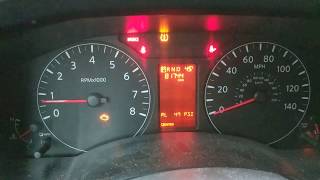
- TPMS warning light flashes for approximately one minute and then stays on solid.
- A 'Tire Pressure System Fault' or similar message may appear on the vehicle information display.
- Inability to read the tire pressure for the right rear tire using a TPMS scan tool, which may show a status of '[NO-DATA]-RR'.
- Replacing the TPMS sensor without first checking for RF interference. A simple check of unplugging 12V accessories can save significant time and money.
- Assuming only one sensor is bad when multiple are near the end of their battery life. If the vehicle is over 7 years old and has original sensors, it's often cost-effective to replace all four at once, especially if paying for labor to dismount tires.
Most Likely Causes
- Failed TPMS Sensor (Dead Internal Battery) 🔴 High Probability TPMS sensor batteries are not replaceable and have a finite lifespan of 5-10 years. Vehicles in the 2012-2016 year range are now at an age where their original sensor batteries are expected to fail.
How to confirm: Use a TPMS diagnostic tool (an activation or 'wake up' tool) to attempt to activate the sensor at the right rear wheel. If the tool cannot get a response (ID, pressure, temperature), the sensor has failed.
Typical fix: Replace the right rear TPMS sensor and perform the TPMS ID registration procedure. It is often recommended to replace all four sensors if they are original, as the others are likely to fail soon.
Est. part cost: $40-$120 - Radio Frequency (RF) Interference 🟡 Medium Probability Per Nissan TSB NTB13088A, these vehicles are known to be sensitive to RF interference from aftermarket electronics plugged into the 12V power outlets. This can block the 315 MHz signal from the TPMS sensor. Owners on various forums have confirmed that cheap phone chargers and dash cams are common culprits.
How to confirm: Unplug all aftermarket devices (phone chargers, dash cams, GPS units, power inverters, etc.) from the power outlets. Clear the code and drive the vehicle for 10-15 minutes. If the code does not return, one of the devices was causing the interference.
Typical fix: Identify and remove the offending electronic device. Some owners report success by switching to a higher-quality, better-shielded charger or adding a ferrite core to the power cable of the device.
Est. part cost: $0
Rare But Worth Checking
- Faulty TPMS Receiver or BCM: This is uncommon. Before suspecting the receiver or Body Control Module (BCM), all sensors should be tested and RF interference must be ruled out. If multiple TPMS codes (e.g., C1708, C1709, C1710, C1711) are present simultaneously, the likelihood of a central receiver issue increases. A diagnostic swap (moving a known-good wheel to the RR position) can help confirm; if the C1710 code stays at the RR corner, the issue is with the vehicle's receiver, not the sensor.
- Incorrectly Installed or Aftermarket Wheels: Some aftermarket wheels may not be compatible with the original TPMS sensors, or the sensor may have been damaged or installed incorrectly during a tire change.
- Defective Sensor Batch: While rare, a batch of sensors can be defective from the factory. TSB NTB14-066 for the platform-mate Nissan Titan noted that sensors with part number 40700-1AA0D could cause intermittent C1710/C1711 codes even while testing good, requiring replacement of all four sensors with an updated part.
Diagnosis Steps
- Verify the code with an OBD-II scanner capable of reading chassis (C-prefix) codes.
- Note the TPMS warning light behavior: a flashing light for ~1 minute followed by a solid light confirms a system fault, not just low pressure.
- CRITICAL FIRST STEP: Unplug all aftermarket accessories from the 12V power outlets (phone chargers, dash cams, power inverters, etc.).
- Clear the trouble codes. Drive the vehicle for at least 10 minutes at speeds above 16 MPH.
- If the light and code do not return, RF interference was the cause. If they do return, proceed to the next step.
- Use a TPMS activation tool to test the sensor at the right rear wheel. If the tool cannot get a response (no ID, pressure, or temp reading), the sensor is bad.
- If the sensor responds to the tool but the code persists, the issue may be with the TPMS receiver or its wiring. Consider swapping the right rear wheel with another wheel (e.g., front left). Clear codes and drive. If the code changes to C1708 (tracking the sensor), the sensor is faulty. If the code remains C1710, the problem is with the vehicle's receiver circuit for that corner.
- If the sensor is confirmed bad, replace it.
- After replacement, use a TPMS tool to perform the ID registration (relearn) procedure so the vehicle recognizes the new sensor's unique ID.
Parts You'll Likely Need
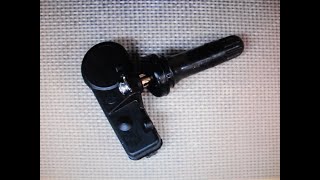
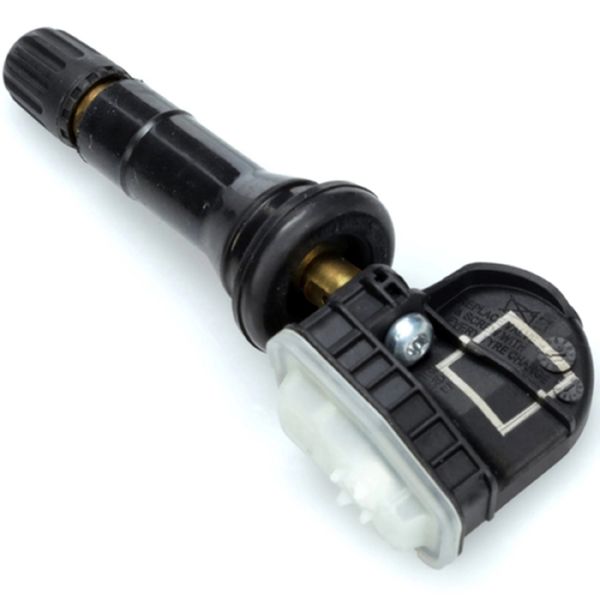
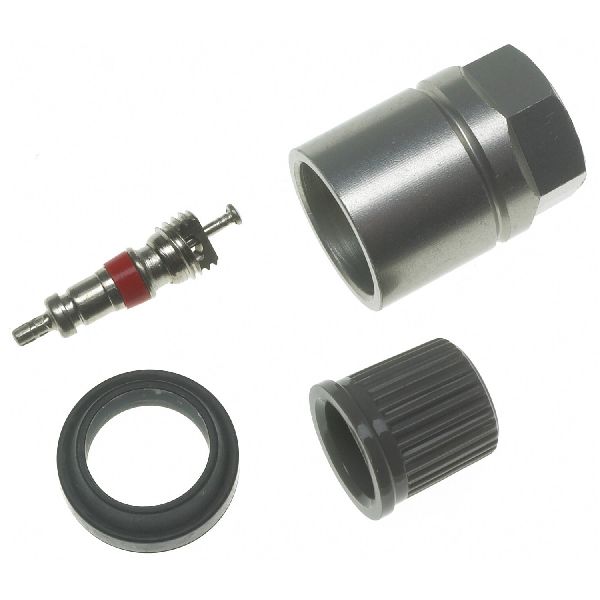
- Tire Pressure Monitoring System (TPMS) Sensor
(OEM #40700-1PA0A)— This is the transmitter inside the wheel. The internal, non-replaceable battery is the most common reason for failure, causing the C1710 'No Data' code.
Trusted brands: Nissan OEM, Schrader (often the OEM supplier), Huf/IntelliSens, Continental/VDO, Denso
OEM price range: $70-$110
Aftermarket price range: $40-$75
Related Codes That Often Appear With This One
- C1708 — This is the code for the front-left TPMS sensor. It's common for multiple sensor batteries to fail around the same time due to age.
- C1709 — This is the code for the front-right TPMS sensor. Seeing multiple codes can point to either several sensors failing from age or a larger issue like RF interference.
- C1711 — This is the code for the rear-left TPMS sensor. If seen with C1710, it could mean both rear sensors have failed or are being affected by interference, as they are furthest from the receiver.
Technical Service Bulletins (TSBs) & Recalls
- NTB13088A: Acknowledges that radio frequency (RF) interference from aftermarket accessories (specifically calling out phone chargers) can cause 'No Data' conditions (C1708, C1709, C1710, C1711) and should be checked as a primary diagnostic step.
- NTB14-066 / NTB14-073 (for platform-mate Titan): Addresses intermittent C1710/C1711 codes, sometimes caused by a specific batch of faulty sensors (p/n 40700-1AA0D) that required replacement with an updated part (p/n 40700-3AN0C), even if they tested good.
Platform-Specific Known Issues
- General Build Quality Annoyances: While mechanically robust, some NV owners have reported a series of minor, non-mechanical issues like rattling doors, failing door seals, and moisture in headlights, which can be frustrating over the life of the vehicle.
Helpful Videos
We Have This Part in Stock


The information in this article is provided for general reference and educational purposes only. Vehicle specifications, procedures, and part compatibility can vary by production date, trim level, and region. Always consult your vehicle's factory service manual and verify part numbers before purchasing or performing repairs. Safety-critical components such as airbags, seat belts, and braking systems should be installed by a qualified professional.
- Nissan NV:
- 🎬 Helpful Videos
- 🛍️ Shop This Part
- What's Unique About the 2012-2016 Nissan NV
- Diagnostic Flowchart
- Symptoms You May Notice
- Most Likely Causes
- Rare But Worth Checking
- Diagnosis Steps
- Parts You'll Likely Need
- Related Codes That Often Appear With This One
- Technical Service Bulletins (TSBs) & Recalls
- Platform-Specific Known Issues
- 🎟️ Get 5% Off