

C1709 on 2005-2012 Nissan XTERRA: Front Right TPMS Sensor Fault Guide
Code C1709 on a 2005-2012 Nissan Xterra means the control module is not receiving a signal from the front right tire pressure sensor. The most common cause is a dead battery in the sensor, which is expected given the vehicle's age. Other causes include RF interference from cheap phone chargers. The fix is usually replacing the sensor and reprogramming. Expect to pay $50-$100 for a new sensor.
- C1709 points directly to a problem with the front right TPMS sensor, not low tire pressure.
- The most likely culprit on a 2005-2012 Xterra is a dead sensor battery due to age.
- Before buying parts, unplug all phone chargers and aftermarket electronics to rule out radio frequency interference, as noted in Nissan TSB NTB13-088A.
- Replacing the sensor requires dismounting the tire. The new sensor must be registered to the vehicle using a TPMS relearn procedure, which can be done DIY or by a shop.
What's Unique About the 2005-2012 Nissan XTERRA
The second-generation Nissan Xterra (2005-2015), built on the F-Alpha platform, uses a direct TPMS system with battery-powered sensors in each wheel. Given the vehicle's age, the original sensors are now well past their typical 5-10 year battery lifespan, making sensor failure due to a dead battery extremely common. Nissan has also issued Technical Service Bulletin NTB13-088A, acknowledging that radio frequency (RF) interference from aftermarket electronics, like low-quality phone chargers or dash cams, can interrupt the 315 MHz sensor signal and trigger 'No Data' codes C1708, C1709, C1710, or C1711.
Diagnostic Flowchart
Tap your situation to follow the diagnostic path that matches what you're seeing on this vehicle.
Symptoms You May Notice
- Flashing TPMS warning light on the instrument cluster. A light that flashes for about a minute upon startup and then stays solid specifically indicates a system malfunction like C1709, rather than low tire pressure.
- Inability to view the tire pressure for the front right wheel on vehicles with an advanced information display.
- A 'Check Tire Pressure' message may appear on the vehicle information display.
- Replacing the BCM/TPMS receiver before confirming the sensor has failed.
- Replacing the wrong wheel's sensor because the tires were rotated without relearning their positions.
- Assuming the TPMS light is on for low pressure when a flashing light indicates a system fault.
Most Likely Causes
- Dead TPMS Sensor Battery 🔴 High Probability The original sensors from 2005-2012 have batteries with a 5-10 year service life. As of the mid-2020s, virtually all original sensors are at or beyond their expected failure point.
How to confirm: Use a TPMS diagnostic tool to attempt to 'wake' or read the sensor at the front right wheel. If the tool cannot get a response or shows a low battery status, the sensor has failed. Tire shops can perform this check quickly.
Typical fix: Replace the front right TPMS sensor. The new sensor must be registered to the vehicle's BCM.
Est. part cost: $40-$90 - Radio Frequency (RF) Interference 🟡 Medium Probability As noted in Nissan TSB NTB13-088A, aftermarket devices plugged into the vehicle's power outlets (e.g., phone chargers, dash cams, GPS units) can emit RF noise that blocks the 315 MHz signal from the TPMS sensors. Owners on various forums have confirmed that cheap or faulty USB chargers are a common culprit.
How to confirm: Unplug all aftermarket electronic devices from the vehicle's power ports. Clear the DTCs (if possible) and drive the vehicle to see if the code returns or if the TPMS light goes out.
Typical fix: Remove the interfering device or replace it with a higher-quality, well-shielded version.
Est. part cost: $0 - Damaged TPMS Sensor ⚪ Low Probability Sensors can be broken during tire mounting or dismounting if the technician is not careful or aware of the sensor's location.
How to confirm: Visual inspection after dismounting the tire from the wheel. The sensor body or valve stem may be cracked or broken.
Typical fix: Replace the broken TPMS sensor and register the new one.
Est. part cost: $40-$90
Rare But Worth Checking
- Faulty HVAC Blower Motor: On other Nissan models like the 2018 370Z and GT-R, a failing HVAC blower motor was found to create enough RF interference to trigger TPMS 'No Data' codes. While not specifically documented for the Xterra, it is a known, though rare, possibility on Nissan platforms if all other causes are ruled out.
- Faulty TPMS Control Unit / BCM: It is rare for the receiver (part of the Body Control Module or BCM) to fail for only a single wheel. A bad BCM ground is a possible, though unlikely, cause. This should only be considered after multiple known-good sensors have failed to register for the same wheel position.
Diagnosis Steps
- Verify the code with an OBD-II scanner capable of reading Chassis (C-codes) from the BCM. Basic scanners may not see this code.
- Note the TPMS light behavior: a light that flashes for ~1 minute at startup before going solid points to a system fault like C1709.
- Rule out RF interference first. Unplug ALL aftermarket accessories from power outlets (phone chargers, dash cams, etc.). Drive the vehicle for several minutes above 16 MPH to see if the light turns off.
- If the light remains, use a dedicated TPMS tool to attempt to read the front right sensor. If it fails to trigger or shows no data/low battery, the sensor is the primary suspect.
- If the sensor reads correctly with a tool but the car doesn't see it (and RF interference is ruled out), the issue could be with the vehicle's receiver/BCM, though this is rare.
- If the sensor is confirmed bad, proceed with replacement. This requires breaking the tire bead or dismounting the tire. 🎬 Watch: How to replace TPMS sensors without a tire machine
- After replacing the sensor, a TPMS relearn procedure must be performed to register the new sensor ID with the vehicle's computer. This can be done by a shop with a TPMS tool or via a DIY method involving grounding a connector under the dash.
Parts You'll Likely Need
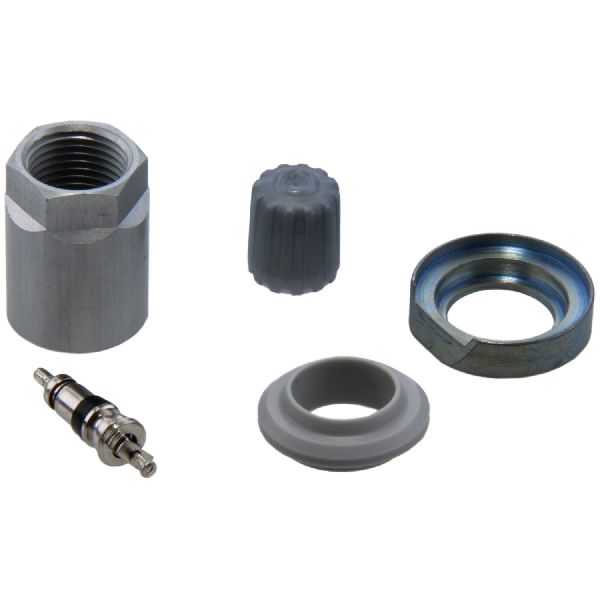
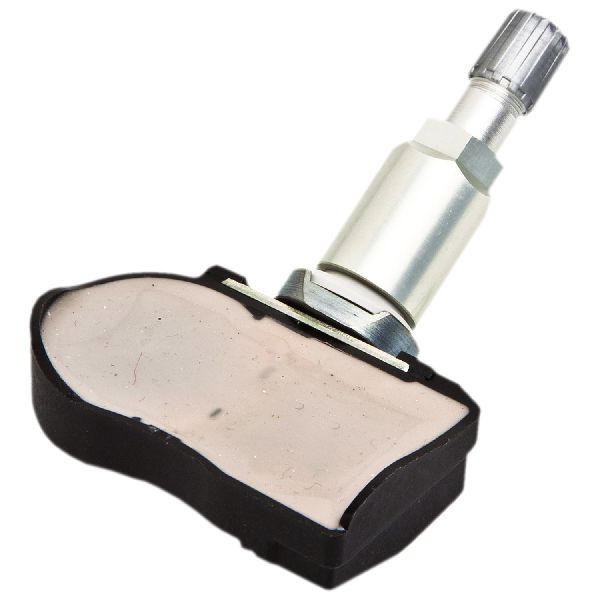
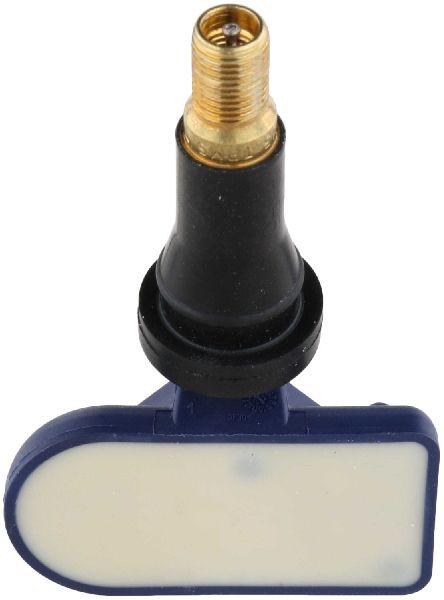
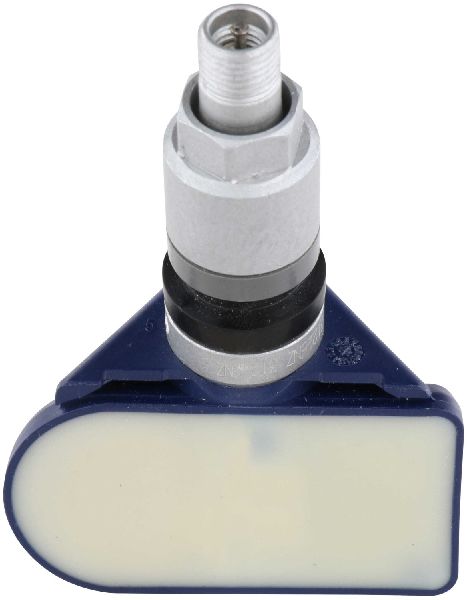
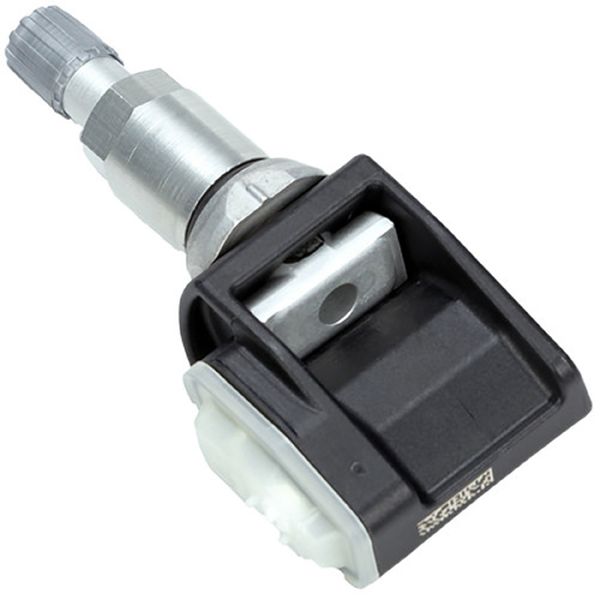
- Tire Pressure Monitoring System (TPMS) Sensor
(OEM #40700-CK001, 40700-JA01B, 40700-1AA0D)— This is the component that fails, usually due to an exhausted internal battery after 5-10 years. The entire unit must be replaced as the battery is not serviceable. The part number may have been superseded over the years.
Trusted brands: Schrader (OEM Manufacturer), Continental/VDO, Huf, Autel, Dorman
OEM price range: $80-$120
Aftermarket price range: $40-$70
Related Codes That Often Appear With This One
- C1708 — This is the 'No Data' code for the Front Left sensor. It's common to see multiple TPMS codes as the sensor batteries often fail around the same time.
- C1710 — This is the 'No Data' code for the Rear Right sensor. It may appear with C1709 if multiple sensors are failing.
- C1711 — This is the 'No Data' code for the Rear Left sensor, which may also appear as sensor batteries age and fail together.
Technical Service Bulletins (TSBs) & Recalls
- NTB13-088A - This bulletin provides general diagnostic information for the Nissan Low Tire Pressure Warning System (LTPWS) and specifically calls out RF interference from aftermarket electronics as a primary cause for 'No Data' codes C1708-C1711.
Platform-Specific Known Issues
- Nissan TSB NTB13-088A specifically addresses 'No Data' codes (C1708, C1709, C1710, C1711) being caused by radio frequency interference from devices like smart cell phone chargers.
- The DIY relearn procedure is well-documented for the Xterra. It involves locating a white TPMS connector under the driver's side dash and shorting a pin to ground multiple times 🎬 Watch: How to perform the free DIY TPMS relearn procedure to enter learning mode, then using a TPMS activation tool to register each sensor in sequence.
Mechanic-Grade Diagnostic Values
- TPMS Sensor Signal Frequency — expected: 315 MHz. Failure: No signal detected by TPMS tool or vehicle receiver. This is a 'No Data' condition.
- BCM Power Supply Voltage — expected: Battery voltage (~12V) at specified terminals with ignition in ACC, ON, or START.. Failure: Low or no voltage at BCM power supply terminals can cause various issues, including TPMS communication failure.
- BCM Ground Continuity — expected: Continuity (near 0 ohms) between BCM ground terminals and chassis ground.. Failure: No continuity (open circuit) indicates a bad ground, which can prevent the BCM from operating correctly.
Scan Tool Commands That Help
- Nissan CONSULT-III plus: ID REGIST — This function is used to register the unique ID of a new TPMS sensor to the BCM. After selecting 'ID REGIST' from the 'WORK SUPPORT' menu within the BCM section, the technician uses a signal activator tool at each wheel to force the sensor to transmit its ID, which is then learned by the BCM.
- Nissan CONSULT-III plus: Re/programming, Configuration — This function is required if the BCM itself is replaced. The TPMS configuration must be manually performed to tell the new BCM that the vehicle is equipped with a TPMS system. If this step is skipped, the 'ID REGIST' function will fail.
Wiring & Ground Locations
- TPMS Relearn Connector — Under the driver's side dashboard, near the OBD-II port. It is a small, single-wire white connector, often taped to a larger harness.. This connector's wire must be grounded 6 times in 10 seconds with the key on to initiate the TPMS relearn mode for DIY sensor registration.
- M18, M20 — These are BCM (Body Control Module) harness connectors located under the left side of the dashboard.. These connectors contain the main power and ground pins for the BCM. A poor connection or corrosion at terminal 67 (Ground) of connector M20 can cause intermittent BCM failure, leading to TPMS communication codes like C1709.
- M57, M61 — Main body harness grounds located at the driver's side A-pillar (M57) and behind the right side of the dash (M61).. The BCM and other related modules rely on these primary ground points. Corrosion or looseness at these locations can cause a wide range of difficult-to-diagnose electrical issues, including TPMS faults.
Real Owner Repair Stories
- XterraNation Forum (2006 Nissan Xterra) — Flashing TPMS light, code C1709 present. The light would sometimes go out and then come back.
❌ Tried (didn't work) Replaced the front right TPMS sensor with a new one., Performed the TPMS relearn procedure multiple times., Checked for RF interference by unplugging all accessories.
✅ What actually fixed it The owner took the vehicle to a dealer who diagnosed a faulty Body Control Module (BCM). The BCM is the receiver for the TPMS signals. Replacing the BCM and programming it to the vehicle resolved the C1709 code.
OEM Part Supersession History
40700-CK001→40700-CK002, which was later superseded by numbers like 40700-JA01B, 40700-1AA0D, and others.— Standard part evolution for improved reliability, manufacturing changes, or consolidation of part numbers across different models.
Heads up: While many aftermarket sensors are 'programmable' or 'universal', some owners report better long-term reliability with OEM or OEM-supplier (Schrader, Continental/VDO) sensors that are pre-programmed for Nissan vehicles. Using an incorrect frequency (433 MHz instead of 315 MHz) will result in a complete failure to register.
Model Year Variations Within This Range
- 2009+: Some documentation suggests that models from 2009 and newer may have TPMS systems that can automatically relearn sensor positions after a tire rotation, whereas older models more strictly require a manual relearn procedure. However, replacing a sensor with a new ID always requires a registration procedure on all years.
Helpful Videos
We Have This Part in Stock


The information in this article is provided for general reference and educational purposes only. Vehicle specifications, procedures, and part compatibility can vary by production date, trim level, and region. Always consult your vehicle's factory service manual and verify part numbers before purchasing or performing repairs. Safety-critical components such as airbags, seat belts, and braking systems should be installed by a qualified professional.
- Nissan XTERRA:
- 🎬 Helpful Videos
- 🛍️ Shop This Part
- What's Unique About the 2005-2012 Nissan XTERRA
- Diagnostic Flowchart
- Symptoms You May Notice
- Most Likely Causes
- Rare But Worth Checking
- Diagnosis Steps
- Parts You'll Likely Need
- Related Codes That Often Appear With This One
- Technical Service Bulletins (TSBs) & Recalls
- Platform-Specific Known Issues
- Mechanic-Grade Diagnostic Values
- Scan Tool Commands That Help
- Wiring & Ground Locations
- Real Owner Repair Stories
- OEM Part Supersession History
- Model Year Variations Within This Range
- 🎟️ Get 5% Off