

C1709 on 2012-2015 Nissan TITAN: Front Right TPMS Sensor Fault Causes and Fixes
On a 2012-2015 Nissan Titan, code C1709 means the front-right tire pressure sensor is not communicating with the vehicle. The most common cause is a dead sensor battery due to age. Before replacing the sensor, unplug all aftermarket phone chargers and electronic devices to rule out radio frequency (RF) interference, a well-documented Nissan issue outlined in TSB NTB13088A.
- C1709 means the front-right TPMS sensor has stopped communicating, not that the tire pressure is low.
- The first and easiest diagnostic step is to unplug all aftermarket phone chargers and electronics to rule out radio frequency interference, a known Nissan issue.
- The most likely cause on a 2012-2015 model is the original sensor's battery has died, requiring sensor replacement and programming by a shop.
What's Unique About the 2012-2015 Nissan TITAN
For this generation of Nissan Titan and other models from the same era (like the Armada and Infiniti QX56), the TPMS is notoriously sensitive to Radio Frequency (RF) interference. Nissan issued a Technical Service Bulletin (NTB13088A) specifically warning that aftermarket electronics, especially inexpensive cell phone chargers, can broadcast 'dirty' power or RF noise on a frequency that blocks the 315 MHz signal from the TPMS sensors, triggering codes like C1709. This makes checking for interference by unplugging all 12V accessories a critical and free first diagnostic step before assuming a part has failed.
Diagnostic Flowchart
Tap your situation to follow the diagnostic path that matches what you're seeing on this vehicle.
Symptoms You May Notice
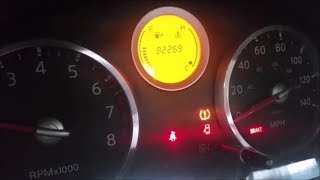
- TPMS warning light flashes for approximately one minute at startup, then stays on continuously.
- Inability to view the current pressure for the front-right tire on the vehicle's information display (if equipped), often showing as '--'.
- A 'TPMS Error' or similar message may appear on the instrument cluster display.
- Replacing the TPMS sensor without first unplugging all aftermarket electronics to check for RF interference.
- Assuming the flashing TPMS light indicates low tire pressure. A solid light indicates low pressure; a flashing light indicates a system fault.
- Replacing the wrong wheel's sensor. If tires have been rotated without a relearn procedure, the physical location of the wheel may not match the system's registered location. A TPMS tool must be used to confirm which physical tire is failing to respond before replacement.
Most Likely Causes
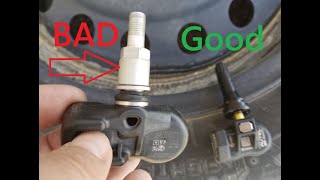
- Dead or Failing TPMS Sensor Battery 🔴 High Probability TPMS sensors contain a non-replaceable battery with a typical lifespan of 7-10 years. Vehicles in the 2012-2015 range are at an age where battery failure is the most common reason for sensor failure, a frequent topic in owner forums.
How to confirm: Use a TPMS activation tool at the front-right wheel. If the tool cannot trigger a response from the sensor (ID, pressure, temperature) or explicitly shows a 'Low Battery' status, the sensor has failed. A sensor with less than 15 months of battery life remaining is considered weak and can cause intermittent faults.
Typical fix: Replace the TPMS sensor in the front-right wheel and register the new sensor's ID to the vehicle's BCM. It is often recommended to replace all four sensors at once if they are original, as the others are likely near the end of their service life.
Est. part cost: $35-$75 - Radio Frequency (RF) Interference 🟡 Medium Probability As documented in Nissan TSB NTB13088A, aftermarket electronics (phone chargers, dash cams, power inverters, GPS units) plugged into the 12V outlets can transmit signals that interfere with the TPMS receiver. Forum discussions frequently cite cheap, unshielded USB chargers as the culprit.
How to confirm: Unplug all aftermarket devices from the vehicle's power outlets. Clear the code if possible, or drive the vehicle for 10-15 minutes at speeds above 25 mph to see if the light turns off. If it does, one of the removed devices was the cause.
Typical fix: Remove or replace the interfering electronic device with a higher-quality, better-shielded alternative.
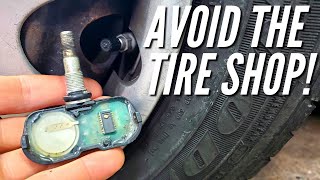
Est. part cost: $0 - Damaged TPMS Sensor ⚪ Low Probability Sensors can be physically broken during tire mounting/dismounting if the technician is not careful. TSB NTB13088A also notes that deflating a tire while the sensor is at the bottom (6 o'clock position) can cause damage. Use of aftermarket liquid tire sealants can also corrode and destroy the sensor's electronics.
How to confirm: Visual inspection after dismounting the tire. If the sensor is physically cracked, corroded, or covered in sealant, it is damaged.
Typical fix: Replace the damaged TPMS sensor and register the new one.
Est. part cost: $35-$75
Rare But Worth Checking
- Faulty TPMS Receiver or BCM:
Diagnosis Steps
- Confirm the symptom: Start the vehicle and verify the TPMS light flashes for about a minute and then stays on solid.
- Scan for Codes: Use an OBD-II scanner capable of reading Chassis (C) codes to confirm C1709 is present and to check for other related codes.
- Rule out RF Interference: This is a critical first step. Unplug ALL aftermarket accessories from the 12V power outlets (phone chargers, dash cams, etc.). Drive the vehicle for over 10 minutes at speeds above 25 mph to see if the system resets and the light goes out.
- Attempt to Read Sensor: Use a TPMS activation tool (e.g., Autel, Bartec) at the front-right wheel. Try to read the sensor's ID, pressure, temperature, and battery status.
- Analyze Sensor Reading: If the tool cannot get any reading ('Trigger Failed'), the sensor has most likely failed due to a dead battery and needs replacement. If it reads but shows a 'low battery' status, it should be replaced.
- Inspect Tire and Wheel: If damage is suspected, have the tire dismounted for a visual inspection of the sensor 🎬 See how to replace a sensor without a tire machine. for cracks, corrosion, or contamination from tire sealant.
- Replace and Register: If the sensor is confirmed bad, replace it. A tire shop will need to mount the new sensor. Afterwards, the new sensor's unique ID must be registered to the vehicle's BCM. This is typically done by connecting a TPMS tool to the OBD-II port and following the specific procedure for a Nissan Titan. 🎬 Watch: How to perform a Nissan TPMS relearn in minutes. Some older DIY methods involving grounding a wire under the dash exist but are more for relearning tire positions after rotation, not registering a brand new sensor ID.
Parts You'll Likely Need
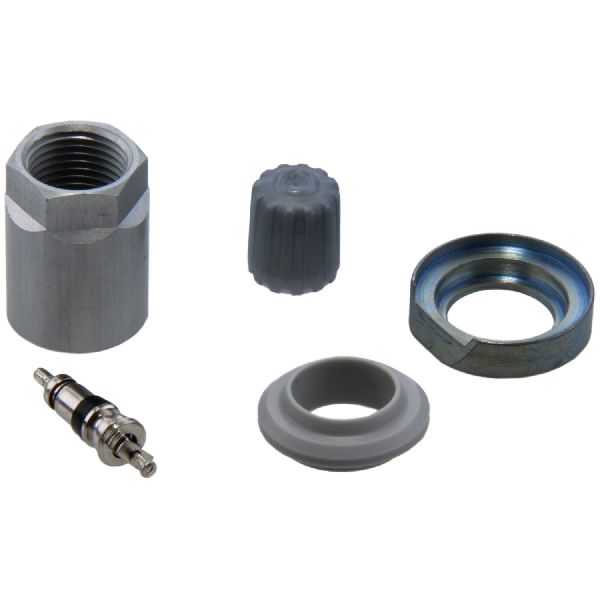
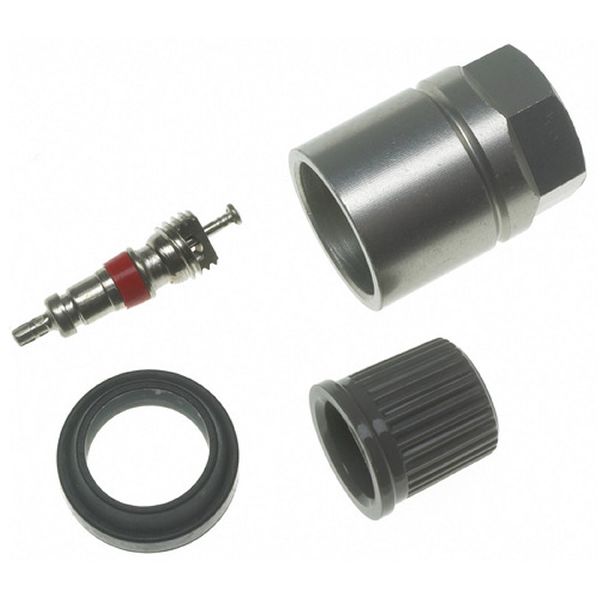
- Tire Pressure Monitoring System (TPMS) Sensor
(OEM #40700-1LA0E)— This is the component that fails, most often due to its internal battery dying after 7-10 years. It is a sealed unit and must be replaced entirely. The OEM part number 40700-1LA0E supersedes previous versions like 40700-1LA0A, 40700-1LA0B, 40700-1LA0C, and 40700-1LA0D.
Trusted brands: Nissan (OEM), Schrader, Continental/VDO, Denso, Autel (programmable), Huf
OEM price range: $60-$100
Aftermarket price range: $30-$70
Related Codes That Often Appear With This One
- C1708 — This code is for the Front Left sensor. Seeing both codes together may indicate that multiple sensor batteries are failing around the same time due to age, or a strong RF interference source is blocking signals from the front of the vehicle.
- C1710 — This is the code for the Rear Right sensor. If multiple codes are present (e.g., C1709, C1710, C1711), it strongly suggests either widespread sensor age failure or a systemic issue like RF interference or a faulty receiver.
- C1711 — This is the code for the Rear Left sensor. The same logic applies: multiple sensor codes point towards a common cause like age or interference.
Technical Service Bulletins (TSBs) & Recalls
- NTB13088A: Discusses various TPMS issues, including 'No Data' conditions (C1708-C1711) caused by RF interference from devices like cell phone chargers, sensor leaks, and registration problems.
Platform-Specific Known Issues
- Nissan TSB NTB13088A specifically calls out that aftermarket electronics can cause Radio Frequency (RF) interference, leading to a 'No Data' condition and triggering codes C1708, C1709, C1710, or C1711. This should always be the first diagnostic check.
Mechanic-Grade Diagnostic Values
- TPMS Sensor Nut Torque — expected: 71 in-lbs (approx. 8 Nm). Failure: An improperly torqued nut can lead to air leaks or damage to the sensor.
- TPMS Sensor Battery Life (via Scan Tool) — expected: New sensors report >100 months (e.g., 120 months).. Failure: A reading of < 15 months indicates a weak battery that can cause intermittent C1709 faults.
- TPMS Sensor Signal Frequency — expected: 315 MHz. Failure: N/A (This is a fixed value for the correct part)
Scan Tool Commands That Help
- Nissan CONSULT III / CONSULT 3+: Work Support > ID Regist — This is the dealership-level function required after replacing a TPMS sensor to write the new, unique sensor ID to the Body Control Module (BCM).
- Aftermarket TPMS Tool (e.g., Autel, Bartec): OBD Relearn / ID Registration — This function connects to the vehicle's OBD-II port to write the new sensor ID(s) to the BCM. This is the most common method used by independent shops and advanced DIYers after sensor replacement.
Wiring & Ground Locations
- Body Control Module (BCM) — Located under the driver's side dashboard, typically to the right of the steering column. It may be necessary to remove the lower dash knee bolster panel to access it.. The BCM contains the TPMS receiver and is the control unit that logs the C1709 code. In rare cases of BCM failure or connector issues, this code can be set even with a good sensor. Knowing its location is critical for advanced wiring diagnosis.
- TPMS Interface Plug (Relearn Connector) — A single-wire white female plug, often taped to the OBD-II port wiring harness under the driver's side dash.. This connector is used for a manual, tool-free method to put the TPMS into 'learn mode' after tire rotation. By grounding this wire six times, the system can be triggered to relearn sensor positions. However, this method is primarily for position relearning, not for registering a brand new sensor ID, which typically requires a scan tool.
- Ground Point B117 — Located behind the right kick panel.. This is a shared ground point for multiple components, including the BCM. A poor ground connection here could potentially cause various electrical issues, including communication problems with the TPMS system.
Real Owner Repair Stories
- ALLDATA Tech Tip based on a 2008 Nissan Versa (2008 Nissan Versa, 101,122 miles (Note: System is analogous to the Titan)) — TPMS light flashed for a minute then stayed on, C1709 code present.
❌ Tried (didn't work) Verified tire pressures were correct., A simple re-initialization of the existing sensors made the light go away, but it returned a week later.
✅ What actually fixed it The technician noted the battery life on all sensors was under 15 months. Replacing all four TPMS sensors and registering them to the vehicle permanently resolved the issue. - YouTube video by Visionary Trailblazin (2004-2015 Nissan Armada/Titan) — TPMS light on after replacing sensors.
✅ What actually fixed it The user demonstrated a successful DIY relearn procedure. This involved setting each tire to a unique pressure (e.g., LF 36, RF 33, RR 30, LR 27), grounding the TPMS interface plug six times with the ignition on to enter learn mode, and then driving the vehicle. The light went out, and after reinflating the tires to the correct pressure, the system functioned normally. This confirms the manual procedure can work for registering new sensors on this platform.
OEM Part Supersession History
40700-1LA0A, 40700-1LA0B, 40700-1LA0C, 40700-1LA0D→40700-1LA0E— Standard part revision and consolidation by the manufacturer.
Heads up: The part number 40700-3AN1A is also listed as compatible or an interchange for this series, but it is primarily associated with other Nissan models like the Juke, Leaf, and Sentra. For the Titan, sticking to the 40700-1LA0x series is recommended to ensure perfect compatibility.
Model Year Variations Within This Range
- 2004-2015: While the 2012-2015 models consistently use a 315 MHz sensor, it's important to note that across the full first generation of the Titan (2004-2015), both 315 MHz and 433 MHz sensors were used. It is critical to verify the frequency for the specific vehicle, although for the 2012-2015 range, 315 MHz is standard.
Helpful Videos
We Have This Part in Stock


The information in this article is provided for general reference and educational purposes only. Vehicle specifications, procedures, and part compatibility can vary by production date, trim level, and region. Always consult your vehicle's factory service manual and verify part numbers before purchasing or performing repairs. Safety-critical components such as airbags, seat belts, and braking systems should be installed by a qualified professional.
- Nissan TITAN:
- 🎬 Helpful Videos
- 🛍️ Shop This Part
- What's Unique About the 2012-2015 Nissan TITAN
- Diagnostic Flowchart
- Symptoms You May Notice
- Most Likely Causes
- Rare But Worth Checking
- Diagnosis Steps
- Parts You'll Likely Need
- Related Codes That Often Appear With This One
- Technical Service Bulletins (TSBs) & Recalls
- Platform-Specific Known Issues
- Mechanic-Grade Diagnostic Values
- Scan Tool Commands That Help
- Wiring & Ground Locations
- Real Owner Repair Stories
- OEM Part Supersession History
- Model Year Variations Within This Range
- 🎟️ Get 5% Off