

C1708 on 2012-2015 Nissan TITAN: TPMS 'No Data' Causes and Fixes
On a 2012-2015 Nissan Titan, code C1708 almost always means the battery inside the front-left TPMS sensor has died. The TPMS light will flash for a minute, then stay solid. The fix is to replace the 315MHz sensor and program its new ID to the truck's computer, which costs about $50-$100 for the part and requires a special TPMS tool.
- C1708 means the TPMS sensor in the front-left wheel isn't sending a signal.
- The most likely cause on a 2012-2015 Titan is a dead, non-serviceable battery in the original sensor.
- Before replacing the sensor, unplug all aftermarket phone chargers and dash cams to rule out radio frequency (RF) interference, a known Nissan issue.
- Replacing the sensor requires a tire machine to dismount the tire and a special TPMS tool to program the new sensor's ID to the truck's computer.
What's Unique About the 2012-2015 Nissan TITAN
The 2012-2015 Nissan Titan belongs to the first generation (A60). For this model year range, the original TPMS sensors are now over a decade old. The non-serviceable batteries inside these sensors have a finite lifespan of 7-10 years, making age-related failure the most common reason for seeing a C1708 code. While other issues are possible, a dead sensor battery is the most probable cause. This platform is also known to be sensitive to Radio Frequency (RF) interference from aftermarket accessories, a possibility that should be checked before replacing parts.
Diagnostic Flowchart
Tap your situation to follow the diagnostic path that matches what you're seeing on this vehicle.
Symptoms You May Notice
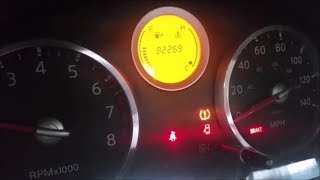
- TPMS warning light flashes for one minute at startup, then remains on solid.
- Vehicle information display may show a TPMS system error message or "--" for the front-left tire pressure.
- Inability to read the tire pressure for the front-left tire using a scan tool or TPMS activation tool.
- A diagnostic scan tool will find code C1708 stored in the Body Control Module (BCM), not the Engine Control Module (ECM).
- Replacing the wrong sensor. If tires have been rotated without re-registering the sensor positions, the front-left sensor according to the BCM might actually be at a different corner of the truck. Always use a TPMS tool to trigger each sensor at its physical location to confirm which one is bad before replacement.
- Assuming the sensor is bad without first checking for RF interference. Unplugging all 12V accessories is a critical and free first diagnostic step that can prevent an unnecessary repair.
Most Likely Causes
- Dead TPMS Sensor Battery 🔴 High Probability The original sensors for this year range are at or beyond their typical 7-12 year battery life. The internal battery is not replaceable, so the entire sensor must be replaced.
How to confirm: Use a TPMS activation tool at the front-left wheel. If the tool cannot get a reading (no signal, no ID, no pressure data), the sensor is not transmitting, which almost certainly means its battery is dead.
Typical fix: Replace the front-left TPMS sensor. It is highly recommended to replace all four sensors at the same time, as the others are likely to fail soon. Aftermarket sensors from brands like Autel are a popular, cost-effective choice.
Est. part cost: $40-$100 per sensor - Radio Frequency (RF) Interference 🟡 Medium Probability As noted in Nissan TSB NTB13088A, aftermarket electronic devices like cheap, unshielded USB phone chargers, dash cams, or DVD players can transmit on a frequency that interferes with the 315 MHz TPMS signal. Forum users frequently report this exact issue.
How to confirm: Unplug all aftermarket electronic devices from the vehicle's 12V power outlets. Clear the codes and drive the vehicle for several minutes above 16 mph. If the C1708 code does not return, one of the devices was causing the interference.
Typical fix: Remove or replace the interfering electronic device with a higher-quality, better-shielded alternative.
Est. part cost: $0 - Faulty TPMS Sensor ⚪ Low Probability Sensors can fail from internal corrosion, physical damage during tire changes, or from the use of aftermarket tire sealants which can damage the electronics.
How to confirm: Diagnosis is the same as a dead battery. If the sensor fails to respond to an activation tool, it is considered faulty. Visual inspection after dismounting the tire may reveal physical damage.
Typical fix: Replace the failed TPMS sensor and register the new one to the vehicle.
Est. part cost: $40-$100
Rare But Worth Checking
- Faulty Body Control Module (BCM) or TPMS Receiver: This is very uncommon. Before suspecting the BCM, all other possibilities, especially the sensor itself and any potential RF interference, should be thoroughly ruled out. A diagnostic scan tool that can communicate with the BCM is needed for this level of diagnosis.
Diagnosis Steps
- Verify the TPMS warning light behavior: Flashes for ~1 minute, then stays on solid. This indicates 🎬 Watch: How to reset the TPMS light on your Nissan a system malfunction, not just low pressure.
- Scan the BCM for codes using a capable scanner. Confirm C1708 is present.
- CRITICAL FIRST STEP: Unplug all aftermarket 12V accessories (phone chargers, dash cams, etc.) to eliminate potential RF interference as per TSB NTB13088A.
- Clear the codes and drive the vehicle above 16 mph for several minutes to see if the code returns. If it does not, an accessory was the cause.
- Using a TPMS activation tool, go to the front-left wheel and attempt to trigger the sensor. Note if it transmits its ID, pressure, and battery status.
- If the sensor at the front-left wheel does not respond, it has failed and needs replacement.
- If the front-left sensor DOES respond, but the code persists, check the other wheels. It's possible the tires were rotated and the sensor positions were never relearned by the BCM. The non-responsive sensor may be at another location.
- After replacing the faulty sensor(s), a relearn procedure is required. Use a TPMS tool with an OBD-II connection (like an Autel) to perform an OBD relearn, writing the new sensor IDs to 🎬 See this walkthrough for programming and relearning your Titan sensors the BCM. Alternatively, if using a programmable sensor, the old ID can be cloned to the new sensor before installation, potentially avoiding the OBD relearn step. 🎬 Watch: How to use a reset tool for a quick relearn
Parts You'll Likely Need
- Tire Pressure Monitoring System (TPMS) Sensor
(OEM #40700-1AA0D, superseded by 40700-JK01C)— This is the component that fails, usually due to its internal battery dying. It contains the sensor and 315MHz transmitter in one unit.
Trusted brands: Schrader (OEM manufacturer), Continental, Autel (Programmable), Denso
OEM price range: $60-$90
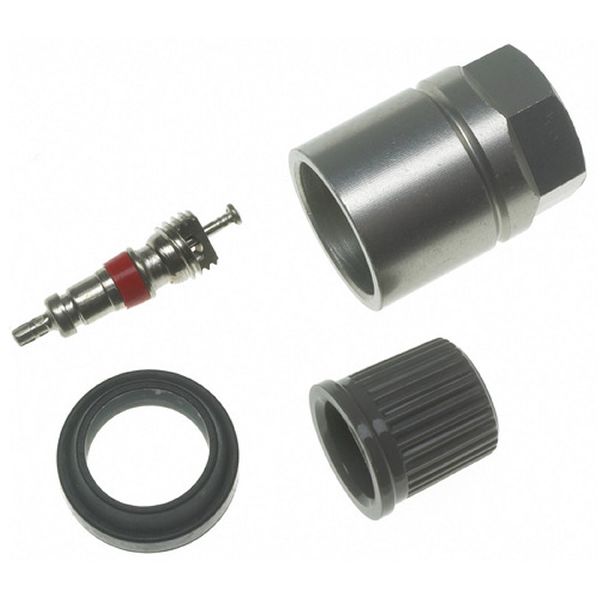
Aftermarket price range: $40-$70 - TPMS Sensor Service Kit
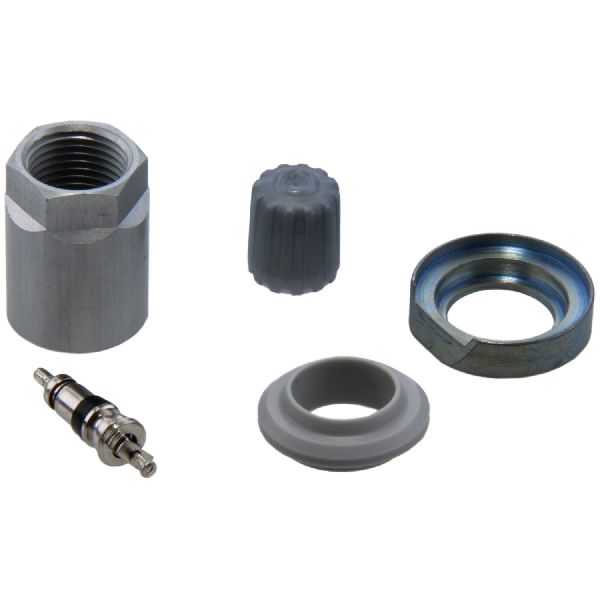
(OEM #40708-JA01B (example, verify for specific sensor))— This inexpensive kit should be replaced whenever a tire is removed from the rim for sensor service. It includes a new valve core, retaining nut, seal, and cap to ensure an airtight seal and prevent corrosion.
Trusted brands: Schrader, Dorman
OEM price range: $5-$10
Aftermarket price range: $3-$8
Related Codes That Often Appear With This One
- C1709, C1710, C1711 — These codes correspond to the other wheel sensors (Front-Right, Rear-Right, Rear-Left). Seeing multiple codes at once often points to a systemic issue, like multiple old sensors failing around the same time, or significant RF interference affecting the entire system.
Technical Service Bulletins (TSBs) & Recalls
- NTB13088A: This bulletin provides diagnostic information for the Low Tire Pressure Warning System (LTPWS), including troubleshooting for 'No Data' conditions (C1708-C1711) caused by radio frequency interference from aftermarket electronics.
Platform-Specific Known Issues
- Nissan TSB NTB13088A specifically addresses the "No Data" condition represented by codes C1708, C1709, C1710, and C1711. It highlights radio frequency interference from devices like 'Smart cell phone chargers' as a potential cause that should be checked before replacing parts.
Mechanic-Grade Diagnostic Values
- TPMS Receiver/Antenna Wiring Voltage Drop — expected: 0.10 volts or less. Failure: A voltage drop reading higher than 0.10 volts indicates excessive resistance in the wiring or connections, which can impair the signal from the sensor.
- Sensor Frequency — expected: 315 MHz. Failure: While some Titan generations used 433 MHz, the 2012-2015 models use 315 MHz. Using a sensor with the wrong frequency will result in a 'No Data' condition.
Scan Tool Commands That Help
- Nissan CONSULT-III / CONSULT 3+: Work Support > Air Pressure Monitor > ID Regist — This is the official dealer-level function to register new TPMS sensor IDs to the BCM after a sensor has been replaced.
- Autel MaxiTPMS / MaxiCOM: TPMS > Relearn > OBD Relearn — This is a common aftermarket tool function that connects to the OBD-II port to write the new sensor IDs to the BCM, completing the repair after sensor installation.
Wiring & Ground Locations
- TPMS Receiver / Antenna — Located in the passenger-side front pillar ('A' pillar).. This antenna receives the radio signals from all four TPMS sensors. While failure is rare, a problem with the receiver, its wiring, or its connection could cause a loss of signal from one or more sensors, mimicking a failed sensor.
- Body Control Module (BCM) — Under the driver's side dashboard, to the right of the steering column. It's a black box with multiple large electrical connectors.. The BCM is the control unit for the entire TPMS system. It receives signals from the TPMS receiver and logs codes like C1708. A poor connection, corrosion, or internal BCM fault (though rare) can be a root cause if sensors and wiring check out.
- TPMS Manual Relearn Connector — A single-wire white female plug, typically taped to the wiring harness near the OBD-II port under the driver's side dash.. This connector is used for a DIY manual relearn procedure. By inserting a paperclip or wire and tapping it to a chassis ground six times with the key on, you can put the BCM into learning mode without a scan tool.
- Grounds M57, M61 — These are primary chassis ground distribution points located behind the dashboard. M57 is behind the left side of the dash, and M61 is behind the center of the dash.. The BCM and other related modules rely on these grounds. A loose or corroded ground connection at these points can cause a variety of difficult-to-diagnose electrical issues, including TPMS faults.
Real Owner Repair Stories
- YouTube user 'Visionary Trailblazin' (2004-2015 Nissan Armada (platform mate to Titan)) — TPMS light came on and stayed on after a change in weather.
❌ Tried (didn't work) Adjusting tire pressures to the door placard specification alone did not turn the light off.
✅ What actually fixed it The owner performed a manual TPMS relearn procedure. This involved setting specific, different pressures in each tire (e.g., LF 36, LR 27, RR 30, RF 33), grounding the TPMS reset connector near the OBD-II port six times to enter learning mode, driving until the light went solid, and then re-inflating all tires to the correct, uniform pressure. This successfully reset the system and extinguished the warning light.
OEM Part Supersession History
40700-JA00B→40700-1AA0B > 40700-1AA0D > 40700-JK01B > 40700-JK01C— Standard part evolution for improved reliability, manufacturing efficiency, or minor design changes.
Heads up: All parts in this chain are generally cross-compatible for the 2012-2015 Titan, as they are all 315MHz sensors with the same fitment. However, it is always best to use the latest part number (40700-JK01C) when available.
Helpful Videos

We Have This Part in Stock


The information in this article is provided for general reference and educational purposes only. Vehicle specifications, procedures, and part compatibility can vary by production date, trim level, and region. Always consult your vehicle's factory service manual and verify part numbers before purchasing or performing repairs. Safety-critical components such as airbags, seat belts, and braking systems should be installed by a qualified professional.
- Nissan TITAN:
- 🎬 Helpful Videos
- 🛍️ Shop This Part
- What's Unique About the 2012-2015 Nissan TITAN
- Diagnostic Flowchart
- Symptoms You May Notice
- Most Likely Causes
- Rare But Worth Checking
- Diagnosis Steps
- Parts You'll Likely Need
- Related Codes That Often Appear With This One
- Technical Service Bulletins (TSBs) & Recalls
- Platform-Specific Known Issues
- Mechanic-Grade Diagnostic Values
- Scan Tool Commands That Help
- Wiring & Ground Locations
- Real Owner Repair Stories
- OEM Part Supersession History
- 🎟️ Get 5% Off