

C1708 on 2005-2012 Nissan Frontier: Causes and Fixes for TPMS 'No Data' from Front Left Sensor
Code C1708 on a 2005-2012 Nissan Frontier means the control module is not receiving a signal from the front left (FL) tire pressure sensor. This is almost always due to a dead battery inside the sensor, which requires replacing the entire sensor for about $30-$70 per wheel (aftermarket). Before replacement, rule out RF interference from cheap phone chargers, a known issue.
- C1708 means the front left TPMS sensor is not communicating with your Frontier's Body Control Module (BCM).
- The most likely cause on a vehicle of this age is a dead battery in the sensor, requiring sensor replacement.
- Before replacing parts, unplug all aftermarket electronics like phone chargers and dash cams to rule out radio frequency interference, a known issue on this truck confirmed by a Nissan TSB.
- A scanner that can read BCM codes is required to see C1708; a basic engine scanner will not find it.
- Replacing a sensor requires dismounting the tire and performing a 'relearn' procedure to sync the new sensor to the truck's computer.
What's Unique About the 2005-2012 Nissan FRONTIER
On this generation of Nissan Frontier and its platform mates (Xterra, Pathfinder), the TPMS system is notoriously sensitive to radio frequency (RF) interference. Nissan issued Technical Service Bulletin NTB13-088A acknowledging that common aftermarket devices like cell phone chargers, dash cams, or even wireless chargers can disrupt the 315 MHz signal between the wheel sensors and the BCM receiver. This can trigger a C1708 code even if 🎬 Watch: Diagnostic steps for C1708 and sensor data faults the sensor is perfectly functional, adding a crucial diagnostic step to unplug all accessories before condemning a sensor.
Diagnostic Flowchart
Tap your situation to follow the diagnostic path that matches what you're seeing on this vehicle.
Symptoms You May Notice
- TPMS warning light flashes for about 60 seconds on startup, then stays on solid.
- Inability to see the pressure reading for the front left tire on a high-line display, if equipped.
- A capable OBD-II scanner will read code C1708 from the Body Control Module (BCM), not the main Engine Control Module (ECM).
- Replacing the wrong sensor. Always use a TPMS tool to confirm which sensor is not transmitting before dismounting a tire. Tire rotations can mean the sensor for the front left position is physically located at a different corner of the vehicle if a relearn procedure was not performed correctly.
- Assuming the sensor is bad without checking for RF interference first. Given the known sensitivity of this platform, unplugging all 12V accessories is a critical and free first diagnostic step.
Most Likely Causes
- Dead TPMS Sensor Battery 🔴 High Probability The original TPMS sensors use integrated, non-serviceable batteries with a typical lifespan of 5-10 years. For vehicles in the 2005-2012 range, it is highly probable the original batteries have reached the end of their service life, making this the most common cause.
How to confirm: Use a TPMS activation tool to attempt to 'wake up' the sensor. If the tool cannot get a response from the front left sensor but can from the others, the sensor has failed. Many tire shops will perform this check for free.
Typical fix: Replace the front left TPMS sensor. The battery is not serviceable separately. It's often recommended to replace all four sensors if they are original, as the others are likely to fail soon.
Est. part cost: $30-$70 per sensor (aftermarket), $80-$120 (OEM) - Radio Frequency (RF) Interference 🟡 Medium Probability As noted in Nissan TSB NTB13-088A, these systems are susceptible to interference from low-quality aftermarket electronics that transmit 'dirty' power and RF noise on a similar frequency (315 MHz). Owners on forums frequently report issues with cheap USB/12V chargers and wireless phone charging cradles.
How to confirm: Unplug all non-factory electronic devices (phone chargers, dash cams, GPS units, etc.). Clear the code and drive the vehicle to see if the code returns. If it does not, plug devices back in one by one to isolate the source. One owner on a radio forum traced their TPMS light to a USB charger their son was using.
Typical fix: Remove or replace the interfering electronic device with a higher-quality, better-shielded alternative.
Est. part cost: $0-$50 - Damaged TPMS Sensor ⚪ Low Probability
How to confirm: This is usually discovered during a tire change or after a known impact to the wheel (e.g., hitting a large pothole). A visual inspection when the tire is dismounted can confirm physical damage, such as a cracked housing or broken valve stem.
Typical fix: Replace the damaged TPMS sensor and perform the relearn procedure.
Est. part cost: $30-$70
Rare But Worth Checking
- Faulty TPMS Control Unit (BCM) or Wiring: This is very rare. A failure of the Body Control Module (BCM) or a break in the wiring to the TPMS receiver can cause these codes. A user on an Autel forum reported C1708 codes along with a no-start condition and clicking from the BCM, indicating a deeper electrical issue. Before replacing the BCM, all other possibilities must be exhausted, and a technician should check BCM grounds and harness integrity.
Diagnosis Steps
- Verify the symptom: Confirm the TPMS light flashes for ~1 minute at startup before going solid. A solid light on its own usually means low pressure, not a system fault.
- Scan for codes with a scanner capable of reading the Body Control Module (BCM) to confirm C1708 '[NO DATA] FL'. Basic engine code readers may not see this code.
- Check and adjust the pressure in all four tires to the specification on the door jamb placard. This will not fix C1708 but is a necessary first step.
- Crucial Step: Unplug all aftermarket 12V accessories (phone chargers, dash cams, GPS units, etc.) to eliminate potential RF interference.
- Clear the code and drive the vehicle above 16 mph for several minutes to see if the light returns. If it stays off, one of the accessories was the cause.
- Use a TPMS activation tool at the front left wheel to see if the sensor responds. If it does not transmit a signal, the sensor has failed and needs replacement.
- If the sensor does transmit, there may be an intermittent issue, a wiring problem, or a fault with the vehicle's TPMS receiver/BCM, which is rare.
- If the sensor is confirmed dead, replace the TPMS sensor in the front left wheel.
- After replacement, perform the TPMS relearn procedure to register the new sensor ID with the BCM. This can be done with a TPMS tool with OBD-II capability or via a manual procedure involving grounding a wire in the OBD-II harness.
- Clear the DTC and test drive the vehicle at speeds above 16 mph to ensure the light stays off.
Parts You'll Likely Need
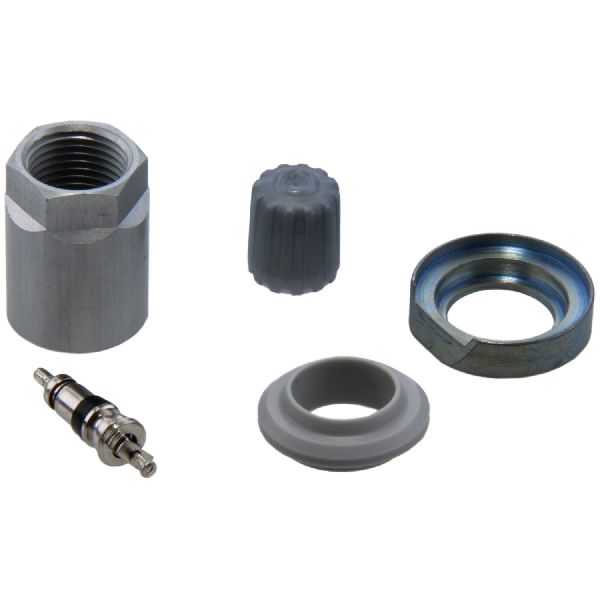
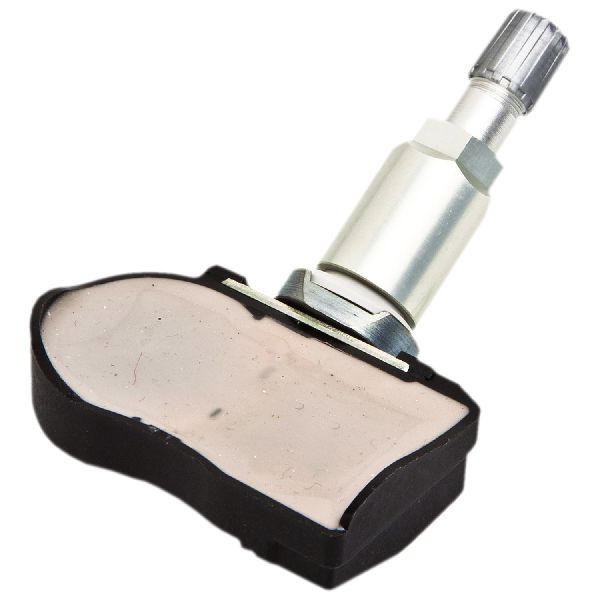
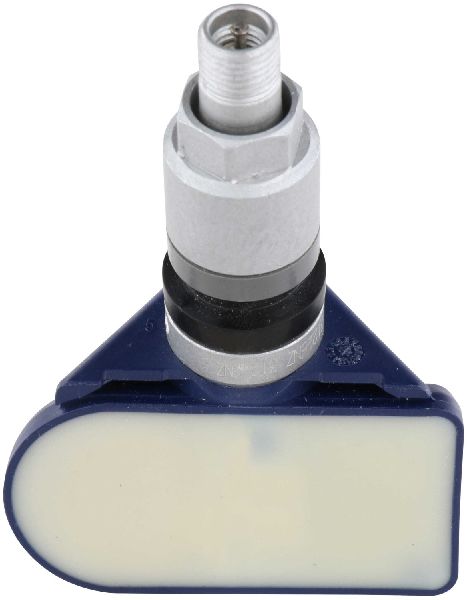
- Tire Pressure Monitoring System (TPMS) Sensor
(OEM #40700-JA01C)— The internal, non-replaceable battery in the original sensor is the most common point of failure, causing the 'No Data' fault. The original part 40700-JA01C has been superseded by 40700-JK01C.
Trusted brands: OEM Nissan, Schrader (OEM supplier) #28204, Continental/VDO #SE10003A, Denso, Hitachi
OEM price range: $80-$120
Aftermarket price range: $30-$70
Related Codes That Often Appear With This One
- C1709, C1710, C1711 — These codes correspond to the Front Right, Rear Right, and Rear Left sensors, respectively. Seeing multiple codes at once can point towards a systemic issue like widespread sensor battery failure due to age, or significant RF interference affecting the single receiver.
Technical Service Bulletins (TSBs) & Recalls
- NTB13-088A: The primary TSB for this issue. It details how RF interference from accessories like 'smart cell phone chargers' can cause a 'No Data' condition for codes C1708-C1711. It also confirms the flashing vs. solid light behavior.
- WT13-005a: An amended version of the above TSB, reiterating the same points about RF interference and diagnostic procedures.
Platform-Specific Known Issues
- Nissan Technical Service Bulletin NTB13-088A specifically addresses radio frequency interference as a potential cause for C1708, C1709, C1710, and C1711 codes, noting that aftermarket accessories plugged into the vehicle's power outlets can disrupt the TPMS signal. The bulletin explicitly mentions 'Smart cell phone chargers' as a likely culprit.
Mechanic-Grade Diagnostic Values
- Body Ground Voltage Drop — expected: < 0.20 Volts (ideally < 0.10 Volts). Failure: A reading greater than 0.50 Volts indicates a poor body ground that can cause various electrical issues, including BCM and TPMS faults.
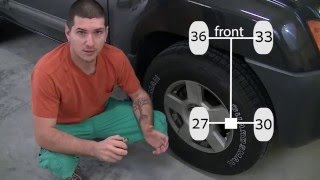
- TPMS Manual Relearn Tire Pressures — expected: Front-Left: 34 PSI, Front-Right: 31 PSI, Rear-Right: 29 PSI, Rear-Left: 26 PSI.. Failure: These specific, staggered pressures are required for the BCM to identify sensor locations during the tool-free relearn procedure. Using incorrect pressures will cause the relearn to fail.
Scan Tool Commands That Help
- Nissan CONSULT or compatible aftermarket scanner (Autel, etc.): TPMS Sensor ID Registration (WRITE CONFIGURATION) — This function is required after replacing a TPMS sensor to write the new sensor's unique ID to the Body Control Module (BCM). It is the professional alternative to the manual relearn procedure.
- Nissan CONSULT or compatible aftermarket scanner (Autel, etc.): Read TPMS DTCs — Used to confirm the specific code (e.g., C1708 for Front Left) stored in the BCM, which is necessary because the dashboard warning light does not specify which sensor has failed.
Wiring & Ground Locations
- TPMS Check Connector — A single-wire white connector, often found taped to the harness near the OBD-II port under the driver's side dash.. This connector must be momentarily grounded to initiate the TPMS manual relearn mode after replacing a sensor. A paperclip can be inserted into the connector and tapped against the metal bracket of the OBD-II port to achieve this.
- Main Body Ground — On the passenger-side inner fender panel in the engine bay.. A poor main body ground on this platform is a known issue that can cause intermittent and widespread electrical problems, including erratic BCM behavior which controls the TPMS. A voltage drop test should be performed if multiple, unrelated electrical faults are present.
- BCM (Body Control Module) — Located behind the glove box.. The BCM is the control unit for the TPMS system. While rare, a failure in the BCM or its wiring/ground connections can cause a C1708 code. The BCM requires programming if it is replaced.
Real Owner Repair Stories
- Modding Addiction YouTube Channel (Nissan Xterra (platform mate)) — Flashing TPMS light that had been on for years, started after getting a screw in a tire.
❌ Tried (didn't work) Ensuring all tires were at the correct pressure., Attempting the manual relearn procedure three separate times. The system would enter relearn mode (flashing light), but would go solid immediately after starting to drive, indicating the relearn failed to complete.
✅ What actually fixed it The failure of the manual relearn procedure to resolve the light strongly indicated a hardware failure. The owner concluded the next step was to replace the TPMS sensor itself, as the relearn process could not complete without a signal from all four sensors.
OEM Part Supersession History
40700-JA01C→40700-JK01C— Standard part number update/revision.
Model Year Variations Within This Range
- 2005-2007 vs 2008-2012: TPMS was not federally mandated until the 2008 model year. While many 2005-2007 Nissan Frontiers were equipped with TPMS depending on trim level, it became standard equipment from 2008 onwards.
Helpful Videos

We Have This Part in Stock


The information in this article is provided for general reference and educational purposes only. Vehicle specifications, procedures, and part compatibility can vary by production date, trim level, and region. Always consult your vehicle's factory service manual and verify part numbers before purchasing or performing repairs. Safety-critical components such as airbags, seat belts, and braking systems should be installed by a qualified professional.
- Nissan FRONTIER:
- 🎬 Helpful Videos
- 🛍️ Shop This Part
- What's Unique About the 2005-2012 Nissan FRONTIER
- Diagnostic Flowchart
- Symptoms You May Notice
- Most Likely Causes
- Rare But Worth Checking
- Diagnosis Steps
- Parts You'll Likely Need
- Related Codes That Often Appear With This One
- Technical Service Bulletins (TSBs) & Recalls
- Platform-Specific Known Issues
- Mechanic-Grade Diagnostic Values
- Scan Tool Commands That Help
- Wiring & Ground Locations
- Real Owner Repair Stories
- OEM Part Supersession History
- Model Year Variations Within This Range
- 🎟️ Get 5% Off