

C1174 on 2024-2025 GMC Acadia: TPMS Relearn Failure Causes and Fixes
On a 2024-2025 GMC Acadia, code C1174 almost always indicates a communication failure preventing the right rear tire pressure sensor from being relearned. This is commonly due to a known issue addressed by GM Technical Service Bulletin #24-NA-166, which requires a dealer to install a wiring harness overlay to shield the TPMS system from OnStar ethernet interference.
- Code C1174 on a 2024-2025 Acadia indicates a failure to relearn the right rear TPMS sensor, not necessarily a bad sensor.
- The most probable cause is a known wiring interference issue from the OnStar module's ethernet cable, covered by GM Technical Service Bulletin #24-NA-166.
- This issue also affects the 2024-2025 Chevy Traverse and the 2025 Buick Enclave.
- This repair should be performed by a GM dealer and is covered under the vehicle's original Bumper-to-Bumper warranty.
- Do not replace the TPMS sensor without first having the dealer investigate TSB #24-NA-166, as a new sensor will not solve the underlying wiring problem.
- You can drive the vehicle, but you must manually check your tire pressures for safety until the TPMS is repaired.
What's Unique About the 2024-2025 Gmc ACADIA
The 2024 and newer GMC Acadia, along with its platform mates, utilizes a modern Global B electrical architecture that uses automotive ethernet for high-speed communication between modules. A known issue, documented in GM TSB #24-NA-166, points to signal interference (crosstalk) from the ethernet cable for the K175 Telematics Communication Interface Control Module (the OnStar module) due to improper grounding. This interference prevents the TPMS control module from clearly receiving the radio frequency signal from the tire sensor during the relearn process. This makes the problem a network/wiring issue rather than a simple faulty sensor, which is more typical on older vehicles.
Diagnostic Flowchart
Tap your situation to follow the diagnostic path that matches what you're seeing on this vehicle.
Symptoms You May Notice
- Tire pressure warning light is illuminated on the dashboard. The light may flash for about a minute upon startup before staying on solid, indicating a system fault.
- A 'Service Tire Monitor System' message appears in the driver information center.
- Inability to view the tire pressure reading for the right rear tire; the display often shows '--' instead of a number.
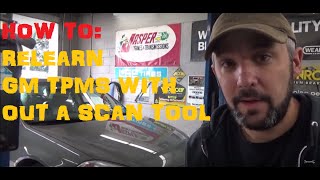
- Failure of the TPMS relearn procedure when using a scan tool or the vehicle's built-in process. 🎬 Watch: How to perform a standard GM TPMS relearn procedure.
- Replacing the TPMS sensor repeatedly without addressing the underlying wiring issue described in TSB #24-NA-166. On these specific models, the problem is far more likely to be the wiring than the sensor itself.
- Assuming the issue is a faulty TPMS module (receiver) when it is actually a signal interference problem.
Most Likely Causes
- Ethernet Communication Interference 🔴 High Probability As documented in TSB #24-NA-166, the ethernet cable for the OnStar (Telematics) module is improperly grounded or shielded, causing signal interference that disrupts the TPMS relearn process. This is a known design/manufacturing issue specific to this new vehicle platform and its Global B architecture.
How to confirm: A GM dealer technician will confirm by attempting a TPMS relearn. If it fails and DTC C1174 is present, they will reference TSB #24-NA-166. A definitive test described in the bulletin is to disconnect the X7 connector at the OnStar module (located under the rear of the headliner) and attempt the relearn again. If the sensor now learns successfully, the wiring issue is confirmed.
Typical fix: The technician will install a specific body wiring harness overlay cable (Part Number 26501515) to correct the grounding and interference issue. This involves routing a new cable along the right side of the vehicle's interior. The repair is typically performed under the vehicle's Bumper-to-Bumper warranty.
Est. part cost: $0 (if under warranty) - Faulty TPMS Sensor ⚪ Low Probability While less likely on a new vehicle, the sensor itself can be defective from the factory, have a dead battery, or be damaged during tire service, preventing it from transmitting its signal.
How to confirm: If the TSB for wiring does not apply or does not resolve the issue, a technician will use a dedicated TPMS activation tool to test the output of the right rear sensor directly. If it fails to transmit a signal when triggered, the sensor is bad.
Typical fix: Replace the right rear TPMS sensor and perform the relearn procedure.
Est. part cost: $40-$80
Diagnosis Steps
- Verify the TPMS warning light is on (typically flashing, then solid) and check for DTCs with an OBD-II scanner.
- Confirm that C1174 is present, possibly with C1171, C1172, or C1173.
- Attempt to perform the TPMS relearn procedure according to the owner's manual or with a professional scan tool.
- If the relearn fails for the right rear wheel, consult a GM dealership regarding Technical Service Bulletin #24-NA-166.
- As a definitive test, a technician should access the Telematics/OnStar module in the rear headliner, disconnect the X7 connector, and attempt the relearn procedure again. If the sensors now learn successfully, the TSB #24-NA-166 repair is the confirmed solution.
- If the test confirms the issue, the dealer will install the prescribed ethernet cable overlay (Part Number 26501515).
- If the TSB does not apply or the test by disconnecting the X7 connector does not allow the sensor to be learned, test the right rear TPMS sensor with a dedicated TPMS tool to check for battery life and signal output.
- If the sensor is faulty, replace it.
- After any repair, perform the TPMS relearn procedure again to confirm the fix and clear the code.
Parts You'll Likely Need
- Body Wiring Harness Modular Pair (Ethernet Overlay)
(OEM #26501515)— This is the specific part required to fix the communication interference issue documented in TSB #24-NA-166.
Trusted brands: ACDelco (OEM)
OEM price range: $160-$260
Aftermarket price range: N/A - Tire Pressure Monitor Sensor (TPMS)
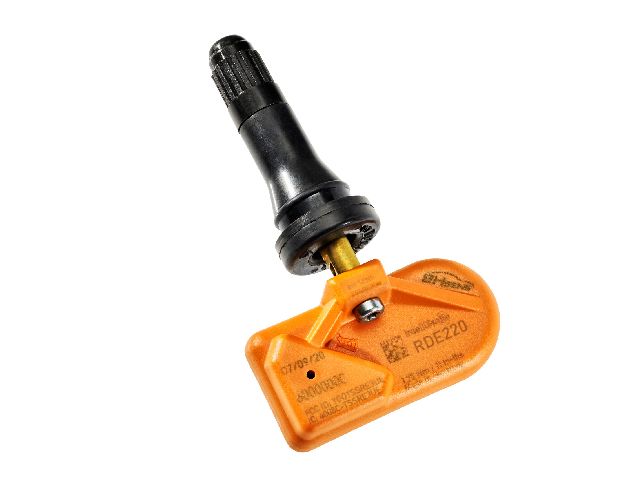
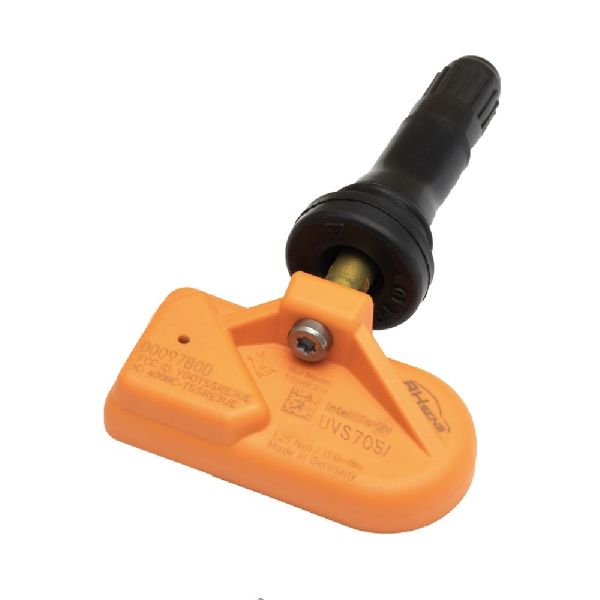
(OEM #86530815)— If the wiring issue is ruled out, a faulty sensor is the next most likely cause.
Trusted brands: ACDelco, Schrader
OEM price range: $60-$90
Aftermarket price range: $40-$60
Related Codes That Often Appear With This One
- C1171 — This code corresponds to the Left Front TPMS sensor relearn failure and is mentioned in the same TSB as C1174.
- C1172 — This code corresponds to the Right Front TPMS sensor relearn failure and is mentioned in the same TSB as C1174.
- C1173 — This code corresponds to the Left Rear TPMS sensor relearn failure and is mentioned in the same TSB as C1174. Note: The TSB mentions that the primary symptom is often related to front tire relearn failure and includes a note for technicians that if *only* rear codes are setting, it may not be related to this specific issue, though all four codes are explicitly covered by the bulletin.
Technical Service Bulletins (TSBs) & Recalls
- 24-NA-166: Addresses a condition where the Tire Pressure Monitor sensors cannot be learned, setting codes C1171, C1172, C1173, or C1174. It identifies the cause as interference from the OnStar (Telematics) module's ethernet cable due to a grounding issue at the X7 connector. The fix is to install an ethernet cable overlay. This TSB applies to the 2024-25 Acadia, 2024-25 Traverse, and 2025 Enclave.
Platform-Specific Known Issues
- TSB for OnStar Ethernet Interference: A known issue documented in TSB #24-NA-166 describes how electrical interference from the OnStar module's ethernet cable can prevent TPMS sensors from being learned. The cause is improper grounding at the X7 connector. The official fix is the installation of a wiring overlay harness, part number 26501515.
- Platform-Wide Issue: This is not isolated to the Acadia. The same problem and TSB fix apply to other vehicles on GM's C1XX-2 platform, including the 2024-2025 Chevrolet Traverse and the 2025 Buick Enclave.
Scan Tool Commands That Help
- GDS2 (or equivalent professional scan tool): TPMS Relearn Procedure — This is the standard command used to make the vehicle learn the TPMS sensor IDs and their positions. For this specific fault, initiating this procedure and having it fail for one or more wheels is the first step that leads a technician to investigate TSB #24-NA-166.
Wiring & Ground Locations
- K175 Telematics Communication Interface Control Module — Under the rear of the headlining trim panel. Technicians are instructed to lower, not remove, the headliner to gain access.. This is the OnStar module whose ethernet cable causes the electrical interference.
- X7 Connector — The connector at the K175 Telematics module.. TSB #24-NA-166 identifies an issue with the grounding of the ethernet cable at this specific connector. Disconnecting it is the primary diagnostic test to confirm the TSB applies; if sensors learn with it disconnected, the harness overlay is the required fix.
OEM Part Supersession History
26501515→No supersession found.— This is the current and only part number listed for the fix.
Heads up: This is a specific overlay harness for the TSB fix; no other part should be substituted. MSRP is approximately $259, with street prices around $160-$170.
Helpful Videos
We Have This Part in Stock

The information in this article is provided for general reference and educational purposes only. Vehicle specifications, procedures, and part compatibility can vary by production date, trim level, and region. Always consult your vehicle's factory service manual and verify part numbers before purchasing or performing repairs. Safety-critical components such as airbags, seat belts, and braking systems should be installed by a qualified professional.
- Gmc ACADIA:
- 🎬 Helpful Videos
- 🛍️ Shop This Part
- What's Unique About the 2024-2025 Gmc ACADIA
- Diagnostic Flowchart
- Symptoms You May Notice
- Most Likely Causes
- Diagnosis Steps
- Parts You'll Likely Need
- Related Codes That Often Appear With This One
- Technical Service Bulletins (TSBs) & Recalls
- Platform-Specific Known Issues
- Scan Tool Commands That Help
- Wiring & Ground Locations
- OEM Part Supersession History
- 🎟️ Get 5% Off