

C1001 on 2015-2020 Ford F-150: Camera and Driver-Assist Faults Explained
Code C1001 on a 2015-2020 F-150 typically points to a fault with the camera system. The most common causes are a bad wiring connection to the rear camera (C1001:01), a failed camera module itself, or a software issue in the Image Processing Module (IPMA) that requires recalibration (C1001:54, C1001:78).
- C1001 is a general code for the camera vision system; the four digits after the colon are essential for diagnosis.
- For a flickering or dead backup camera (C1001:01), the most likely cause is a bad wiring connection under the truck or a failed camera.
- For driver-assist warnings (C1001:54/:78), the most likely cause is a lost software calibration that can often be fixed by a recalibration procedure.
- Diagnosing and fixing this code properly requires a Ford-specific scan tool and is not a simple job for a beginner.
- Before replacing any expensive modules, thoroughly inspect all related wiring and connectors.
What's Unique About the 2015-2020 Ford F-150
The 13th-generation F-150 integrated advanced driver-assistance systems (ADAS) that rely heavily on the forward-facing camera managed by the IPMA. While robust, this system is sensitive to wiring integrity and proper calibration. Owners frequently report issues after modifications like leveling kits or even spontaneously, where the IPMA 'forgets' its calibration. The rear camera wiring, particularly the C406 connector near the spare tire, is a known weak point for corrosion and damage, leading to intermittent video failure. While many official Ford Technical Service Bulletins (TSBs) for C1001 address the newer 2021+ models, they describe identical failure patterns involving loose coaxial camera cables, suggesting a persistent design challenge across generations. [SSM 51688, TSB 23-2040, 38]
Symptoms You May Notice
- "Camera is unavailable. Contact your dealership" message on the SYNC screen.
- Blue, black, or flickering/static image from the backup camera.
- Upside-down or reversed camera image.
- "Front Camera Malfunction Service Required" warning message.
- Inoperative Pre-Collision Assist.
- Adaptive Cruise Control (ACC) not available.
- Lane Keeping System inoperative, with lane markers on the dash staying gray.
- BLIS (Blind Spot Information System) and Cross-Traffic Alert faults may appear simultaneously.
- Replacing the APIM (SYNC Module). The APIM is usually just reporting the bad signal it's receiving from the camera system. While it can fail, it's rarely the root cause of a C1001 code.
Most Likely Causes
- Faulty Wiring or Loose Connection 🔴 High Probability The wiring harness connecting the tailgate to the frame is a common point of failure for the rear camera due to repeated movement and exposure to the elements. The C406 connector, located behind the spare tire, is particularly susceptible to water intrusion and corrosion, causing intermittent signal loss.
How to confirm: Scan for a C1001:01 code in the APIM. Visually inspect and perform a 'wiggle test' on the main connector (C406) under the truck near the spare tire. Also check the connector at the camera itself inside the tailgate handle and the connectors at the IPMA (behind the rearview mirror).
Typical fix: Clean any corrosion from connector pins using a contact cleaner or replace the connector pigtail. In many cases, simply unplugging, cleaning, adding dielectric grease, and re-seating the connector firmly will resolve the issue. If wires are broken, they will need to be spliced and repaired.
Est. part cost: $10-$150 - Failed Camera Module 🔴 High Probability The camera modules, especially the rear tailgate camera, are exposed to weather and can fail from moisture intrusion or general electronic failure, leading to a permanent black or blue screen.
How to confirm: After confirming the wiring and connections are good, the camera itself is the next likely culprit, especially if the video feed is consistently black, blue, or heavily distorted. Replacing it with a known-good unit is the definitive test. The camera is located inside the tailgate handle assembly.
Typical fix: Replace the faulty camera module. Using an OEM Motorcraft part is often recommended, as some aftermarket cameras can cause compatibility issues. A calibration may be required after replacement. The replacement process involves removing the tailgate handle.
Est. part cost: $100-$400 - Lost or Corrupt IPMA Calibration 🟡 Medium Probability
How to confirm: Scan the IPMA for codes C1001:54 (Missing Calibration) or C1001:78 (Alignment Problem). This often happens with no physical cause, or after a change in ride height (like a leveling kit), a dead battery, or a windshield replacement.
Typical fix: Perform the 'IPMA Camera Alignment' or 'Lane Departure Warning System Camera Alignment' procedure using a diagnostic tool like FORScan or the dealer's IDS/FDRS. This typically involves driving the vehicle on straight, well-marked roads above a certain speed (e.g., 40 mph) to allow the camera to re-learn its position.
Est. part cost: $0
Rare But Worth Checking
- Failed Image Processing Module A (IPMA): If wiring, the camera, and calibration have all been ruled out, the IPMA module itself may have failed. This is uncommon but possible. Replacement requires programming and calibration.
- Blown Fuse: A simple but often overlooked cause. Check the fuse for the camera system (fuse 113 in the under-hood fuse box is commonly cited for the rear camera) before proceeding with more complex diagnostics.
Diagnosis Steps
- Perform a full diagnostic scan of all vehicle modules with a tool like FORScan. Do not use a basic OBD-II reader, as it will not see codes in the APIM or IPMA.
- Identify the specific C1001 code with its suffix (e.g., :01, :54, :78) and the module it is stored in (APIM or IPMA).
- If C1001:01 is in the APIM (rear camera fault): Locate connector C406 behind the spare tire. Disconnect it, inspect for green or white corrosion on the pins, and check for any damaged wires. Clean with electrical contact cleaner and apply dielectric grease before reconnecting.
- If the C406 connector is clean and the problem persists, remove the tailgate access panel and inspect the connector directly at the back of the camera for similar issues.
- If C1001:54 or C1001:78 is in the IPMA (front camera fault): Attempt the IPMA recalibration procedure using FORScan. This requires driving on roads with clear lane markings at speeds typically over 40 mph until the calibration completes.
- If wiring is confirmed good and the code is C1001:01, suspect a faulty rear camera module. Test by substitution if possible.
- If IPMA calibration fails repeatedly and you have ruled out physical obstructions, a cracked windshield, or ride height changes, the IPMA module itself may be faulty.
- After any repair, clear all DTCs and perform a module reset and/or calibration as required.
Parts You'll Likely Need
- Rear View Camera
(OEM #FL3Z-19G490-D)— The rear camera is a very common failure point due to its location and exposure to the elements, leading to C1001:01. This part number fits most 2015-2017 F-150s and supersedes FL3Z-19G490-B.
Trusted brands: Motorcraft
OEM price range: $250-$400
Aftermarket price range: $100-$200 - Image Processing Module A (IPMA) — Required if the module itself has an internal failure or repeatedly fails to calibrate after ruling out other causes.
Trusted brands: Motorcraft
OEM price range: $300-$500
Aftermarket price range: N/A - Camera Coaxial Cable / Harness Pigtail
(OEM #10E929)— This cable is a known failure point for causing intermittent signal loss, as documented in TSBs for the following generation. If a connector or wire is damaged, replacing a section of the harness may be necessary. Owners sometimes splice in a new connector from a similar vehicle harness.
Trusted brands: Motorcraft
OEM price range: $50-$150
Aftermarket price range: $30-$75
Related Codes That Often Appear With This One
- B115E — This code also relates to a camera module failure and is often seen alongside C1001, particularly B115E:08 (Bus Signal / Message Failure) or B115E:15 (General Electrical Failure), pointing towards a communication or electrical issue with a specific camera.
- U3000 — U3000 is a general 'Control Module' failure code. When seen in the IPMA with suffixes like :49 (Internal Electronic Failure) or :89 (Component/Signal Mismatch), it reinforces that the IPMA is having a software, hardware, or communication problem. [TSB 23-2040, TSB 23-2146]
Technical Service Bulletins (TSBs) & Recalls
- SSM 51688: Notes that on 2021-2023 models, C1001:01 in the APIM can be caused by a loose coaxial cable.
- TSB 23-2040: Mentions C1001:54 and C1001:78 on 2021-2023 models related to IPMA software issues requiring a reprogram.
- SSM 49556: Specifically for 2021 F-150s, this bulletin points to loose coaxial cable connections as a cause for C1001:01 and B115E codes.
Platform-Specific Known Issues
- The IPMA can spontaneously lose its calibration, requiring a recalibration procedure even if no parts have been changed or damaged. Owners on forums report this happening randomly while driving.
- Trucks with leveling or lift kits are more prone to IPMA calibration issues (C1001:54, C1001:78) due to the change in the camera's viewing angle.
- The main rear harness connector (C406) near the spare tire is a frequent source of problems due to its exposed location, leading to corrosion and intermittent camera functionality.
Mechanic-Grade Diagnostic Values
- Rear Camera Connector Pinout (at camera) — expected: Pin 1: Power (Hot in Start/Run), Pin 2: LIN Bus (Communication from BCM), Pin 3: Video Signal (-), Pin 4: Video Signal (+), Pin 5: Video Signal Shield (Ground), Pin 6: Unused.. Failure: Loss of voltage at Pin 1, no communication on Pin 2, or high resistance/open circuit on Pins 3, 4, or 5 can cause camera failure.
Hidden / Shadow Codes Worth Checking
- C1001:97: Indicates that the camera's operation is obstructed or blocked. This can be caused by dirt, snow, ice, or a physical object blocking the camera lens. (see via A Ford-specific scan tool like FORScan or IDS is required to read these suffix codes from the IPMA.)
- C1001:31: Indicates a connection issue between the IPMA Camera and the IPMA module itself. This is often due to a loose coaxial cable. (see via A Ford-specific scan tool like FORScan or the dealer's FDRS is needed to view this code in the IPMA.)
Scan Tool Commands That Help
- FORScan/IDS/FDRS: IPMA - Image Processing Module A (IPMA) Alignment — This procedure is required to fix codes C1001:54 (Missing Calibration) and C1001:78 (Alignment Problem). It's used after windshield replacement, ride height changes, or if the module spontaneously loses calibration.
- FORScan/IDS/FDRS: IPMA - Reset the Image Processing Module A (IPMA) Learned Values — This function should be performed before running the alignment procedure when installing a new or used IPMA. It clears out old data and prepares the module for the new vehicle configuration.
- FORScan/IDS/FDRS: PMI - Programmable Module Installation (for IPMA) — When replacing the IPMA, a PMI procedure is often required. This process can fail if other related modules (like PSCM, CCM, CMR, IPC) are not on the latest software level, sometimes requiring multiple updates before the IPMA PMI will succeed.
- FORScan: BDYCM - Local Interconnect Network New Module Calibration — After replacing a rear camera, this LIN bus calibration may be necessary to get the BCM to recognize the new camera module. Some users have attempted this when troubleshooting C1001:01.
Wiring & Ground Locations
- C406 — On the driver's side frame rail, between the spare tire and the rear-most frame cross-member. It connects the main body harness to the tailgate harness.. This is the most common failure point for the rear camera (C1001:01). Its exposed location makes it highly susceptible to water intrusion, corrosion, and physical damage, leading to intermittent or total loss of the video signal.
- C4357 — The direct connector on the back of the rear view camera itself, inside the tailgate handle assembly.. This is the second most likely connection to fail from corrosion or loose pins for a C1001:01 code, after C406. The pins can corrode and break off inside the connector.
- C900 / C9128 — Coaxial cable connectors located between the IPMA module and the IPMA camera in the headliner/A-pillar area.. Primarily relevant to front camera codes (C1001:31, :54, :78). TSBs for newer models indicate these can become loose, causing communication failures between the camera and the module. A 'wiggle test' is recommended during diagnosis.
- IPMA Ground — The ground for the IPMA is typically located near the A-pillar. While specific designators vary, checking grounds in the driver or passenger kick panel area is a key step if the module appears dead or has communication issues.. A poor ground can cause a variety of difficult-to-diagnose issues with the IPMA, including lost calibration (C1001:54) or other communication codes.
Real Owner Repair Stories
- Ford F150 Forum thread (2015 F-150) — Blue screen of death from backup camera, getting progressively worse.
❌ Tried (didn't work) Dealer replaced the rear camera module., Dealer replaced the image processing module (IPMA).
✅ What actually fixed it The owner ultimately found the problem themselves by inspecting connectors. The issue was likely corrosion or a poor connection at one of the harness connectors between the camera and the main harness, such as C406. - Reddit user r/f150 (2020 F-150 XLT Sport) — Replaced a scratched camera with a new OEM part (JL3Z-19G490-L), but the new camera did not display parking aid lines or tow lines.
❌ Tried (didn't work) Trying to find a setting in the SYNC menu to enable the lines.
✅ What actually fixed it The dealership stated the camera needed to be brought in for 'programming'. Another user commented that a 'network initialization' was required after their camera was replaced to restore all features. This indicates that even with an OEM part, a module configuration or calibration step is sometimes necessary. - Ford F150 Forum thread (2018 F-150 King Ranch) — IPMA codes C1001:54 (Missing Calibration), C1001:78 (Alignment Problem), and C1001:97 (Camera Obstructed) after loading the truck down, causing loss of Adaptive Cruise and Lane Keeping.
❌ Tried (didn't work) Running the FORScan calibration procedure multiple times, which reported success but did not restore function.
✅ What actually fixed it The owner noted the windshield was cracked and had a chip in the camera's view. This physical obstruction and damage was the likely root cause preventing a successful calibration, even though the software procedure appeared to complete.
OEM Part Supersession History
FL3Z-19G490-D→JL3Z-19G490-C (for models without Pro Trailer Backup Assist), JL3Z-19G490-L/M (for models with Trailer Hook-Up Lamp)— Part update for the 2018 model year refresh.
Heads up: The camera part numbers changed significantly for the 2018-2020 models. Using a 2015-2017 camera on a 2018+ truck (or vice-versa) will likely lead to incompatibility, missing features (like guidelines), or complete failure. Always verify the part number for the specific VIN and options.
Model Year Variations Within This Range
- 2018-2020: The rear camera part numbers are different from the 2015-2017 models due to the 2018 mid-cycle refresh. For example, a common part for 2018-2020 trucks without pro-trailer assist is JL3Z-19G490-C. Using the wrong year's camera can result in missing features or incompatibility.
- 2015-2017: These earlier models in the generation use different camera part numbers, such as the FL3Z-19G490-D mentioned in the Pass 2 data. The wiring and connectors are largely the same, but the internal camera electronics may differ.
Diagnostic Flowchart
Other Known Issues on This Vehicle
Issues unrelated to this code that are worth knowing about as an owner of this generation:
- Frozen Door Latches 🔴 High — Very common in 2015-2018 models, especially in cold climates. Doors may not open or may not latch closed. (Ref: Customer Satisfaction Program 18N03 extends warranty coverage for this specific issue until October 2028.)
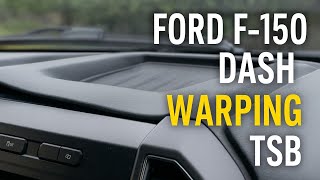
- Warping Dashboard 🟠 Medium — Common on 2015-2019 XL and XLT trim levels. The plastic dash material lifts and separates near the windshield defrost vents. (Ref: TSB 19-2041 and others address this cosmetic issue, which may be covered under the vehicle's original warranty.)
- Harsh Shifting 10R80 Transmission 🟠 Medium — Widespread on 2017-2020 models with the 10-speed automatic. Can manifest as harsh shifts, clunks, or delayed engagement. (Ref: Multiple TSBs exist (e.g., TSB 18-2274, TSB 24-2046) to address the issue, often starting with a PCM reprogram and potentially leading to mechanical repairs like valve body or CDF clutch cylinder replacement.)
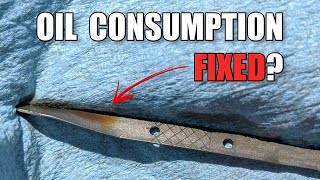
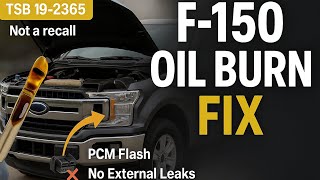
- Excessive Oil Consumption (5.0L V8) 🔴 High — Affects some 2018-2020 F-150s with the 5.0L Coyote engine. Can consume over 1 quart of oil in 3,000 miles. (Ref: TSB 19-2365 outlines a fix involving a PCM reprogram to reduce engine vacuum and installation of a revised oil dipstick.)
- Adaptive Cruise Control Radar Misidentification 🟠 Medium — A recall was issued for some 2015 models where the system could mistake large reflective trucks for an in-lane vehicle, causing unexpected braking. (Ref: Recall 15V-346 addresses this issue.)
Used vs. New Parts: Buying Guide for This Vehicle
When a used part is the smart pick: A used rear view camera from a reputable salvage yard can be a cost-effective solution, especially if you can verify it came from a vehicle of the same year and options package. Used wiring harness pigtails are also a good option for repairing corroded connectors.
Donor-vehicle mileage cap: roughly under 80000 miles for the part to have meaningful remaining life.
What to inspect on the donor part:
- For cameras, inspect the lens for scratches, fogging, or yellowing. Check the connector pins for any signs of corrosion (green or white powder).
- For an IPMA, ensure the donor vehicle was not in a major front-end collision, which could have damaged the module.
- Verify the part number on the used part matches the required part number for your vehicle's VIN and options precisely.
- Ask for the VIN of the donor vehicle to cross-reference its features (e.g., Pro Trailer Assist, 360-camera) to ensure compatibility.
OEM-only on this vehicle (don't cheap out):
- Image Processing Module A (IPMA). While used OEM modules can work, they absolutely require programming (PMI) with tools like FORScan or IDS. Aftermarket IPMAs are not available, and installing a used one without the ability to program it will result in failure.
Aftermarket brands forum-validated for this vehicle:
- Dorman (e.g., 590-080) is a commonly cited aftermarket camera brand that some users have had success with, but experiences vary. Some report it's plug-and-play, while others note missing features like dynamic guidelines.
Brands owners have reported issues with on this vehicle:
- Unbranded, generic cameras from online marketplaces often cause compatibility issues, lack dynamic guidelines, have poor image quality, or fail prematurely due to inadequate weather sealing.
Real Owner Stories
Aggregated from forums and TSBs cited above. Mileages and costs reflect what owners reported in those sources.
2015-2020 Ford F-150
Symptoms: The IPMA spontaneously lost its calibration while driving, causing the Lane Keeping System to fail and lane markers to stay gray.
What fixed it: Performed the 'IPMA Camera Alignment' procedure using a diagnostic tool, which required driving the vehicle on straight, well-marked roads above 40 mph.
Source hint: IPMA calibration issues - Ford F150 Forum (https://www.f150forum.com/f118/ipma-calibration-issues-559)
2015-2020 Ford F-150
Symptoms: Intermittent signal loss and a 'Camera is unavailable' message on the SYNC screen; visual inspection found green/white corrosion on the connector pins.
What fixed it: Unplugged the C406 connector behind the spare tire, cleaned the corrosion with electrical contact cleaner, applied dielectric grease, and re-seated the connector firmly.
Source hint: vehicle_specific_issues: main rear harness connector (C406) near the spare tire
Related OBD-II Codes
Frequently Asked Questions
My 2015-2020 F-150 backup camera is showing a blue or flickering screen; could it be the C406 connector?
I just installed a leveling kit on my F-150 and now my Lane Keeping System is inoperative. Is this related to C1001?
Does TSB 23-2040 apply to my 2015-2020 F-150?
Can a dead battery cause my front camera to stop working?
Is there a specific part recommended for replacing a failed rear camera module?
My lane markers on the dash are staying gray and Pre-Collision Assist is inoperative. What should I check first?
Helpful Videos
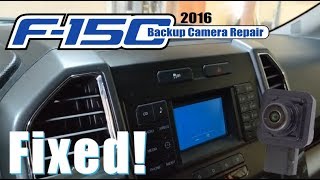
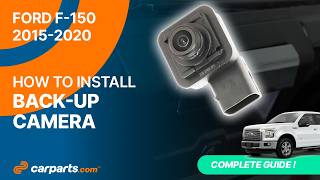
We Have This Part in Stock



The information in this article is provided for general reference and educational purposes only. Vehicle specifications, procedures, and part compatibility can vary by production date, trim level, and region. Always consult your vehicle's factory service manual and verify part numbers before purchasing or performing repairs. Safety-critical components such as airbags, seat belts, and braking systems should be installed by a qualified professional.
- Ford F-150:
- 🎬 Helpful Videos
- 🛍️ Shop This Part
- What's Unique About the 2015-2020 Ford F-150
- Symptoms You May Notice
- Most Likely Causes
- Rare But Worth Checking
- Diagnosis Steps
- Parts You'll Likely Need
- Related Codes That Often Appear With This One
- Technical Service Bulletins (TSBs) & Recalls
- Platform-Specific Known Issues
- Mechanic-Grade Diagnostic Values
- Hidden / Shadow Codes Worth Checking
- Scan Tool Commands That Help
- Wiring & Ground Locations
- Real Owner Repair Stories
- OEM Part Supersession History
- Model Year Variations Within This Range
- Diagnostic Flowchart
- Other Known Issues on This Vehicle
- Used vs. New Parts: Buying Guide for This Vehicle
- Real Owner Stories
- 2015-2020 Ford F-150
- 2015-2020 Ford F-150
- Related OBD-II Codes
- Frequently Asked Questions
- 🎟️ Get 5% Off