

C0775 on 2012-2019 Chevrolet Sonic: TPMS Relearn Failure Causes and Fixes
Code C0775 on a Chevy Sonic means the Tire Pressure Monitoring System (TPMS) doesn't know the location of your tire sensors. This usually happens after rotating tires or replacing a sensor. The fix is to perform the TPMS relearn procedure, which requires a simple, inexpensive TPMS tool.
- C0775 means the TPMS relearn procedure has failed. This is not a critical fault, but it disables your tire pressure warnings.
- The most common fix is to simply re-run the relearn procedure using an inexpensive TPMS activation tool (around $15).
- The procedure is started from the Driver Information Center (DIC) using the buttons on the turn signal stalk.
- If the relearn fails for a single wheel repeatedly, that wheel's TPMS sensor has likely failed and needs to be replaced.
- Before diagnosing, unplug all aftermarket phone chargers or dash cams, as they can interfere with the system and cause this code.
What's Unique About the 2012-2019 Chevrolet SONIC
For the Chevy Sonic and other vehicles on GM's Gamma II platform (like the Chevy Trax and Buick Encore), the TPMS is closely tied to other electronic systems that use radio frequency (RF) signals, like the keyless entry and immobilizer. All these signals are processed by the Remote Control Door Lock Receiver (RCDLR) module. A GM Technical Service Bulletin (TSB) notes that RF interference from aftermarket devices (like phone chargers or dash cams) can disrupt TPMS communication, potentially causing code C0775 along with other strange issues like a no-start condition or the security light coming on. The relearn procedure itself is straightforward but almost always requires a dedicated TPMS activation tool, as the older method of letting air out of the tires is not reliable on these models.
Diagnostic Flowchart
Tap your situation to follow the diagnostic path that matches what you're seeing on this vehicle.
Symptoms You May Notice
- TPMS warning light flashes for approximately one minute at startup, then stays on continuously.
- Driver Information Center (DIC) shows dashes (---) instead of tire pressure readings for one or more tires.
- A "Service Tire Pressure Monitor" message may appear on the DIC.
- Inability to complete the TPMS relearn procedure; the horn may not chirp when attempting to learn a specific sensor.
- Replacing the Body Control Module (BCM). 🎬 Learn more about the BCM location and its internal data. The BCM is rarely the cause of this specific code; the issue is almost always with the sensors, the relearn procedure itself, or the RCDLR which receives the signal first.
Most Likely Causes
- Failed or Incomplete TPMS Relearn Procedure 🔴 High Probability This is the direct trigger for the code. It occurs after rotating tires, replacing a sensor, or sometimes even accidentally initiating the learn mode without completing it. The system has a limited time (about 2 minutes per wheel) to complete the process before it times out and sets the code.
How to confirm: If the code appeared immediately after a tire rotation or sensor replacement, this is the most likely cause. The presence of the code itself confirms the condition.
Typical fix: Perform the TPMS relearn procedure using the vehicle's DIC and a TPMS activation tool.
Est. part cost: $10-$20 for a basic TPMS relearn tool. - Dead or Faulty TPMS Sensor 🟡 Medium Probability TPMS sensors have internal, non-replaceable batteries that last about 7-10 years. Vehicles in this year range are reaching the end of their sensor battery life. A dead sensor cannot transmit its ID during the relearn procedure, causing it to fail.
How to confirm: During the relearn procedure, if one wheel consistently fails to register (no horn chirp) while the others succeed, that sensor is almost certainly bad. A professional tire shop can also use a specialized tool to test sensor signal strength and battery status directly.
Typical fix: Replace the faulty TPMS sensor and then perform the relearn procedure. The tire must be removed from the wheel to replace the sensor.
Est. part cost: $25-$60 per sensor for an aftermarket part, with OEM being slightly higher. - Radio Frequency Interference (RFI) ⚪ Low Probability As noted in GM TSB #PIC5650M, aftermarket electronics like phone chargers, dash cams, power inverters, or even some LED bulbs can emit RF signals that interfere with the 315 MHz frequency used by the TPMS sensors and key fobs. The Remote Control Door Lock Receiver (RCDLR) can get overwhelmed by this noise, preventing it from learning the sensor signals.
How to confirm: Unplug all aftermarket devices from the 12V outlets. Remove any non-factory phone mounts or accessories near the center dash or windshield. Attempt the relearn procedure again. If it now succeeds, one of the devices was causing interference.
Typical fix: Remove or replace the interfering aftermarket device.
Est. part cost: $0
Rare But Worth Checking
- Faulty Remote Control Door Lock Receiver (RCDLR):
Diagnosis Steps
- Verify the code: Use an OBD-II scanner to confirm C0775 is the active code.
- Check for RFI: Unplug all aftermarket accessories from the 12V power outlets (phone chargers, dash cams, etc.). This is a known issue cited in GM TSBs.
- Initiate TPMS Relearn Mode: With the parking brake set and ignition ON (engine off), use the 'MENU' button on the turn signal stalk to navigate to the 'Tire Pressure' screen in the Driver Information Center (DIC). Press and hold the 'SET/CLR' button until the horn chirps twice and the DIC displays 'Tire Learning Active'.
- Activate Sensors: Using a TPMS relearn tool (like an EL-50448 or equivalent), start at the Left Front (LF) tire. Hold the tool against the tire sidewall near the valve stem and press the button. The horn will chirp once when the sensor is learned.
- Continue in Sequence: The vehicle's turn signal will illuminate to indicate the next wheel. Proceed in the order: Right Front (RF), Right Rear (RR), and finally Left Rear (LR), waiting for the horn chirp at each wheel.
- Confirm Completion: After learning the final (LR) sensor, the horn will chirp twice to signal the process is complete. The 'Tire Learning Active' message will disappear.
- Evaluate Results: If the procedure completes successfully, the C0775 code should clear. If the procedure fails at a specific wheel (no horn chirp), that wheel's TPMS sensor is likely faulty (dead battery) and needs to be replaced. If the procedure fails on all wheels even after ruling out RFI, suspect a faulty relearn tool or a problem with the RCDLR module.
- Adjust Pressures: After a successful relearn, check and adjust all tires to the pressure listed on the driver's door jamb sticker.
Parts You'll Likely Need
- TPMS Relearn Tool
(OEM #EL-50448)— This tool is required to activate the 315 MHz sensors during the relearn procedure, which is the direct fix for code C0775 when sensors are good.
Trusted brands: VXDAS, JDIAG, ATEQ
OEM price range: $50-$70
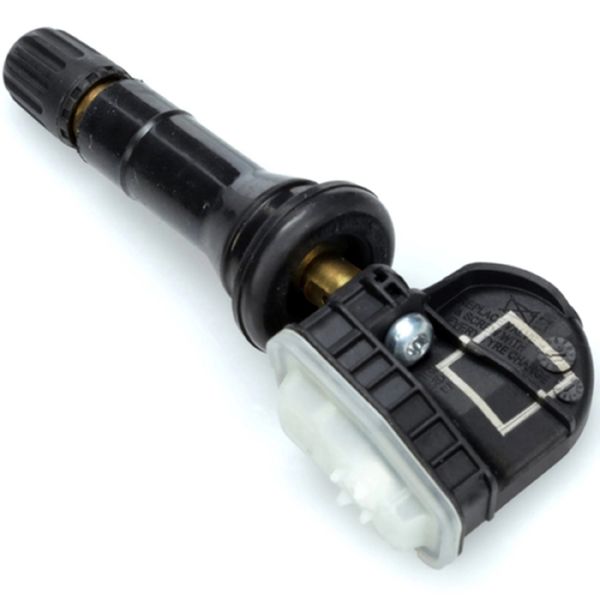
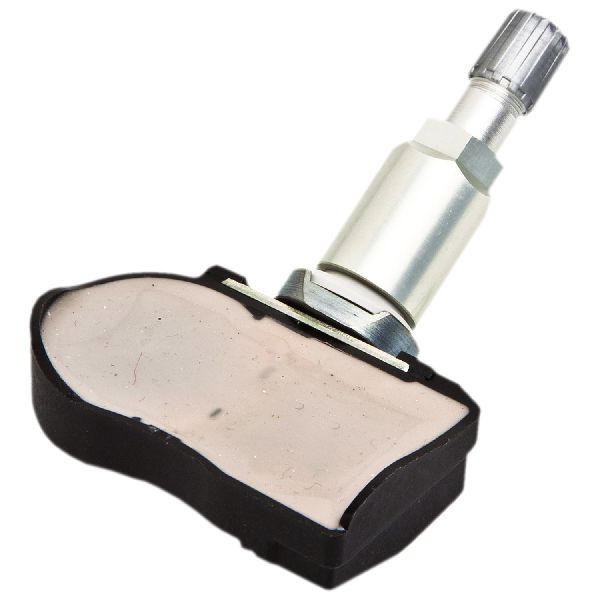
Aftermarket price range: $10-$25 - Tire Pressure Monitoring System (TPMS) Sensor
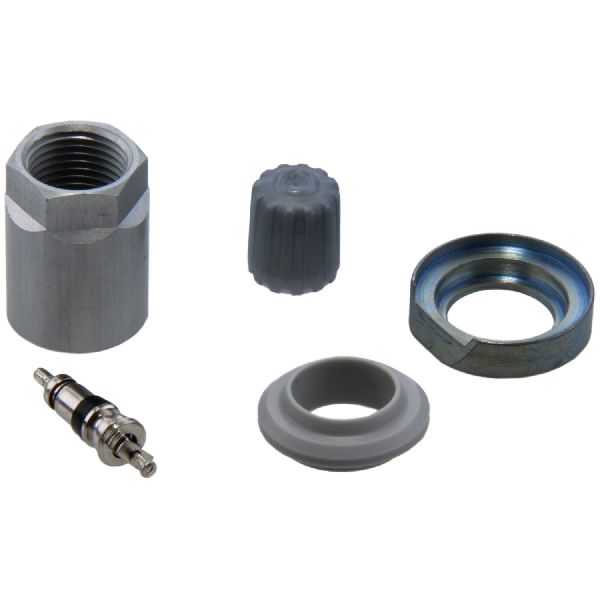
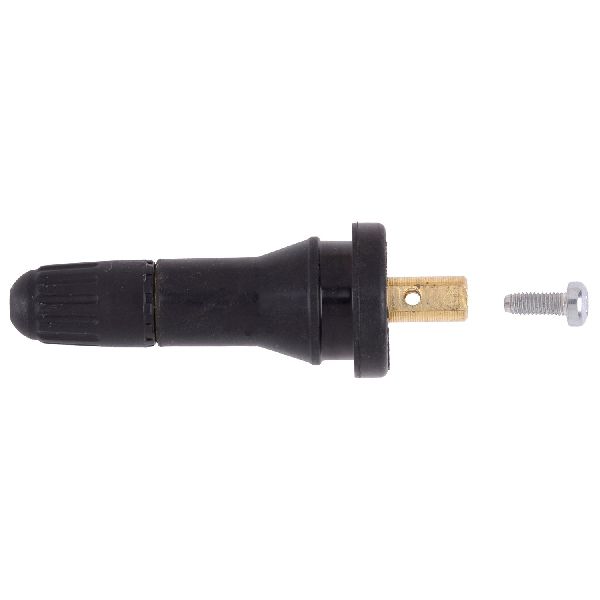
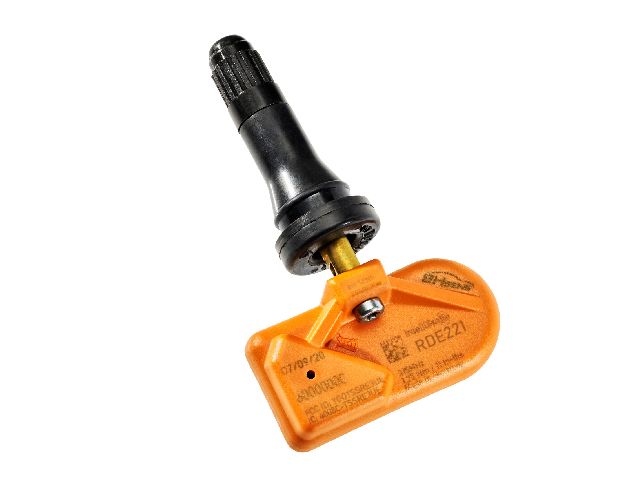
(OEM #13598771)— If the relearn procedure fails at one wheel, it's because that sensor has failed, most often due to a dead internal battery. This is the most common part to replace when the relearn itself doesn't work. This part number supersedes older ones like 13586335 and operates at 315 MHz.
Trusted brands: ACDelco (OEM), Schrader (OEM Supplier), Denso, Bosch, Huf
OEM price range: $40-$60
Aftermarket price range: $25-$45
Related Codes That Often Appear With This One
- C0750, C0755, C0760, C0765 — These codes indicate a low battery in a specific TPMS sensor (LF, RF, LR, RR respectively). A sensor with a dead battery cannot be 'learned', which will then cause C0775 to set when the relearn procedure is attempted and fails.
- B3055 — This code relates to the vehicle immobilizer system. As noted in TSB PIC5650M, Radio Frequency Interference can disrupt both the TPMS and the security system simultaneously, as both rely on RF signals received by the RCDLR. This can cause both codes to appear.
Technical Service Bulletins (TSBs) & Recalls
- PIC5650M (and later revisions): Discusses how RFI from aftermarket devices can cause a variety of issues, including TPMS messages and DTC C0775, along with no-start or security light problems.
Platform-Specific Known Issues
- Per TSB #PIC5650M, this code can be triggered by Radio Frequency Interference from aftermarket devices plugged into the car's power outlets. This can also cause seemingly unrelated problems like a no-start condition, key fobs not working, or the security light illuminating, because the RCDLR module handles all these inputs.
- Some owners on forums report intermittent TPMS light illumination at highway speeds, which can sometimes be an early indicator of a failing sensor or an unresolved relearn issue.
Hidden / Shadow Codes Worth Checking
- C0775 00: This is a symptom byte indicating a general 'Tire Pressure Monitoring System Sensors Malfunction'. It is the most common variant of this code and confirms a failure in the sensor learning process. (see via A professional scan tool like the GM GDS2/Tech2 is required to view symptom byte data.)
Scan Tool Commands That Help
- GM GDS2 / Tech2: Body Control Module (BCM) > Programming/Setup — This function is required after replacing the Remote Control Door Lock Receiver (RCDLR) to program the new module to the vehicle. Failure to program a new RCDLR will result in it not functioning.
- GM GDS2 / Tech2 or DIC: Tire Pressure Monitor Learn — This is the primary function used to fix code C0775. It commands the BCM and RCDLR to enter learn mode to register the TPMS sensor IDs and positions.
Wiring & Ground Locations
- Remote Control Door Lock Receiver (RCDLR) — Located high in the dashboard, mounted to the windshield near the rearview mirror, under the plastic trim cover.. This module receives all signals from the TPMS sensors and key fobs. Its physical location makes it susceptible to RFI from dash-mounted electronics, and a failure in the module or its connections is a root cause for C0775, especially if key fobs also fail.
- G303 — Under the driver's side dashboard, behind the left kick panel.. This is a major interior ground point. A poor connection at G303 can cause intermittent issues with the Body Control Module (BCM) and other interior electronics, including the RCDLR, potentially leading to communication-related codes like C0775.
- RCDLR Antenna Coax Cable — A coaxial cable that runs from the RCDLR module to an antenna amplifier and then to the antenna, which is often integrated into the rear window glass.. A loose or disconnected coax cable at the RCDLR or at the antenna amplifier can cause weak or no signal reception from TPMS sensors, leading directly to relearn failure and code C0775.
Real Owner Repair Stories
- Reddit user on r/ChevySonic (2017 Chevrolet Sonic Hatchback) — TPMS system slowly went out, followed by the remote keyless entry also failing completely.
❌ Tried (didn't work) The owner was unable to locate the faulty module to replace it, initially looking in the wrong areas based on information for other GM vehicles.
✅ What actually fixed it The problem was identified as a faulty Remote Control Door Lock Receiver (RCDLR), part number GM 13587439. The fix was locating the module, which another user confirmed is on the windshield by the rearview mirror in the Sonic, allowing the owner to proceed with the replacement.
OEM Part Supersession History
13506936→13587704— Internal revision by the manufacturer.
Heads up: This is for the Body Control Module (BCM), which is often misdiagnosed for a C0775 code. While not the direct cause, it's important to use the correct part number if the BCM is being investigated for other reasons.N/A→13587439— This is the current part number for the Remote Control Door Lock Receiver (RCDLR) for later model Sonics.
Heads up: This module must be programmed to the vehicle after installation.
Model Year Variations Within This Range
- 2012-2019: The TPMS relearn procedure is slightly different for models with a standard ignition key versus those with a push-button start system, primarily in how the vehicle is placed into the 'ON/RUN' or 'Accessory' mode to begin the process.
Helpful Videos
We Have This Part in Stock

The information in this article is provided for general reference and educational purposes only. Vehicle specifications, procedures, and part compatibility can vary by production date, trim level, and region. Always consult your vehicle's factory service manual and verify part numbers before purchasing or performing repairs. Safety-critical components such as airbags, seat belts, and braking systems should be installed by a qualified professional.
- Chevrolet SONIC:
- 🎬 Helpful Videos
- 🛍️ Shop This Part
- What's Unique About the 2012-2019 Chevrolet SONIC
- Diagnostic Flowchart
- Symptoms You May Notice
- Most Likely Causes
- Rare But Worth Checking
- Diagnosis Steps
- Parts You'll Likely Need
- Related Codes That Often Appear With This One
- Technical Service Bulletins (TSBs) & Recalls
- Platform-Specific Known Issues
- Hidden / Shadow Codes Worth Checking
- Scan Tool Commands That Help
- Wiring & Ground Locations
- Real Owner Repair Stories
- OEM Part Supersession History
- Model Year Variations Within This Range
- 🎟️ Get 5% Off