

C0775 on 2007-2014 Chevy Silverado 1500: TPMS Not Learned Causes and Fixes
Code C0775 means the truck's computer hasn't learned the Tire Pressure Monitoring System (TPMS) sensor IDs. This is most often due to a failed relearn attempt after a tire rotation or because one or more TPMS sensor batteries have died. A successful relearn procedure with a TPMS tool is the fix.
- C0775 means the TPMS sensor IDs are not stored in the vehicle's computer, which is different from a code for low pressure.
- The most likely cause on a 2007-2014 Silverado is one or more dead TPMS sensor batteries, as they are at the end of their service life.
- A simple TPMS relearn procedure should always be the first diagnostic step. This can sometimes be done without special tools.
- If key fob problems are also present, suspect a fault with the Remote Control Door Lock Receiver (RCDLR) or its wiring.
- Replacing sensors requires breaking down the tires, so it's often best left to a tire shop.
What's Unique About the 2007-2014 Chevrolet SILVERADO 1500

For this generation of Silverado, the Tire Pressure Monitoring System (TPMS) communicates through the Remote Control Door Lock Receiver (RCDLR)—the same module that handles your key fob. This means a problem with the RCDLR or its wiring can cause both TPMS issues and key fob problems simultaneously. The RCDLR is located behind the driver's side rear C-pillar trim, an area where wiring can be damaged or the module itself can fail. Additionally, with the newest trucks in this range now being over a decade old, the original 5-10 year battery life of the TPMS sensors is expiring, making sensor failure a very common cause for this code.
Diagnostic Flowchart
Tap your situation to follow the diagnostic path that matches what you're seeing on this vehicle.
Generation note: This range covers two Silverado generations: the GMT900 (2007-2013) and the first model year of the K2XX (2014). While the TPMS system operates similarly, the exact steps to initiate the relearn procedure through the Driver Information Center (DIC) can vary slightly. On models without DIC buttons, the trip odometer reset stem is used. The 2014 K2XX model introduced a new electrical architecture and direct injection, but the RCDLR-based TPMS system and its common failure points remain similar.
Symptoms You May Notice
- "Service Tire Monitor System" message on the dashboard.
- Solid or flashing TPMS warning light.
- Tire pressure readings on the DIC display as dashes ("---").
- In some cases, key fob may not work for lock/unlock or remote start, or have a very short range.
- Inability to complete the TPMS relearn procedure; the horn may not chirp when activating a sensor.
- Replacing the Body Control Module (BCM) unnecessarily. A new BCM will set this code by default until a relearn is performed. The C0775 code itself does not mean the BCM is bad.
- Replacing working TPMS sensors when the fault is with the RCDLR module or its wiring. If key fobs also don't work, the RCDLR is the primary suspect.
- Assuming a new sensor is bad when the relearn procedure fails. The issue could be an incompatible relearn tool, incorrect procedure, or an underlying RCDLR problem.
Most Likely Causes

- Dead or Failing TPMS Sensor Battery 🔴 High Probability The original sensors have a non-replaceable battery with a life of 5-10 years. For 2007-2014 models, this lifespan is now ending, making battery failure the most common reason a sensor stops transmitting.
How to confirm: Use a TPMS diagnostic tool to attempt to read the signal from each sensor. A sensor that does not respond is considered dead.
Typical fix: Replace the faulty TPMS sensor and perform the TPMS relearn procedure. It is often recommended to replace all four sensors at once if they are original, as the others are likely to fail soon.
Est. part cost: $25-$60 per sensor - Failed or Incomplete Relearn Procedure 🔴 High Probability The relearn mode can be triggered easily (e.g., after a tire rotation) and has a time limit of about two minutes. If it's started but not completed correctly (e.g., wrong sensor sequence, tool issue, or interruption), the BCM erases the old sensor IDs and sets C0775.
How to confirm: Attempt to perform the TPMS relearn procedure. If it completes successfully and the code clears, this was the cause.
Typical fix: Correctly perform the full TPMS relearn procedure using either a TPMS activation tool or the manual air-release method, following the LF, RF, RR, LR sequence.
Est. part cost: $0 (if no parts are faulty) - Faulty Remote Control Door Lock Receiver (RCDLR) or Wiring 🟡 Medium Probability The RCDLR, located behind the driver's side rear C-pillar trim, acts as the receiver for TPMS signals. Corrosion or damage to the module, its antenna, or its wiring (often a broken power wire in the driver's side door sill plate area) can prevent it from receiving signals from the sensors.
How to confirm: Scan the BCM for other related codes. Check if key fob functions are also inoperative. Inspect the RCDLR and its wiring for power, ground, and any visible damage or corrosion. A common failure is a broken power wire in the harness running along the driver's side floor.
Typical fix: Repair the damaged wiring or replace the faulty RCDLR module. A new module requires programming by a dealer or a shop with an appropriate scan tool.
Est. part cost: $50-$150 for the module - New TPMS Sensors Installed Without Relearn ⚪ Low Probability This is a procedural issue. After installing new sensors (e.g., with new wheels and tires), the system must be told the new sensor IDs.
How to confirm: This is known if sensors were just replaced. The C0775 code will be active immediately after installation.
Typical fix: Perform the TPMS relearn procedure to program the new sensor IDs into the BCM.
Est. part cost: $0
Rare But Worth Checking
- Broader BCM or Network Communication Failure: As cited in TSB #PIC5650M, code C0775 can appear alongside other body and chassis codes in relation to a stall or security light issue. In this context, the code is a symptom of a larger electrical problem, such as a failing BCM or a fault on the vehicle's data network, not just a simple TPMS issue.
- Radio Frequency Interference (RFI): TSB #PIC5650C warns that aftermarket electronic devices, such as phone chargers, USB power banks, and especially aftermarket LED lighting, can emit radio frequencies that 'jam' the signals from the TPMS sensors and key fob, preventing the RCDLR from receiving them. This can cause intermittent C0775 and key fob issues. The fix is to remove or disconnect the interfering device.
Diagnosis Steps

- Check for other DTCs. The presence of codes for specific sensors (C0750, etc.) or key fob issues (B3055, etc.) can guide the diagnosis toward a sensor or the RCDLR, respectively.
- Attempt the TPMS relearn procedure. Initiate this via the DIC menu or by holding the lock/unlock buttons on the key fob until the horn chirps. Use a TPMS tool to activate each sensor in the correct order: Left Front, Right Front, Right Rear, Left Rear. Alternatively, release air from each tire for 8-10 seconds in the same sequence until the horn chirps for each one.
- If the relearn fails, use a TPMS tool to test each sensor individually. Identify any sensors that are not transmitting a signal (dead battery).
- If a sensor is found to be dead, replace it. It's recommended to replace all four if they are original.
- If all sensors transmit but the vehicle does not respond (no horn chirp), and especially if key fob issues are present, inspect the RCDLR. It is located behind the driver's side rear C-pillar trim panel. Check the connector for power (Red/White wire) and ground (Black wire). Inspect the wiring harness running along the driver's side floor and door sill for breaks or corrosion, a common failure point.
- Check for Radio Frequency Interference (RFI). Unplug all aftermarket accessories (phone chargers, dash cams, LED lights) and attempt the relearn procedure again.
- After any repairs (sensor replacement, RCDLR replacement, wiring repair), perform the TPMS relearn procedure again.
- If the RCDLR was replaced, it must be programmed to the vehicle using a compatible scan tool before it will function.
- Clear all DTCs and test drive the vehicle to ensure the 'Service Tire Monitor System' message does not return.
Parts You'll Likely Need
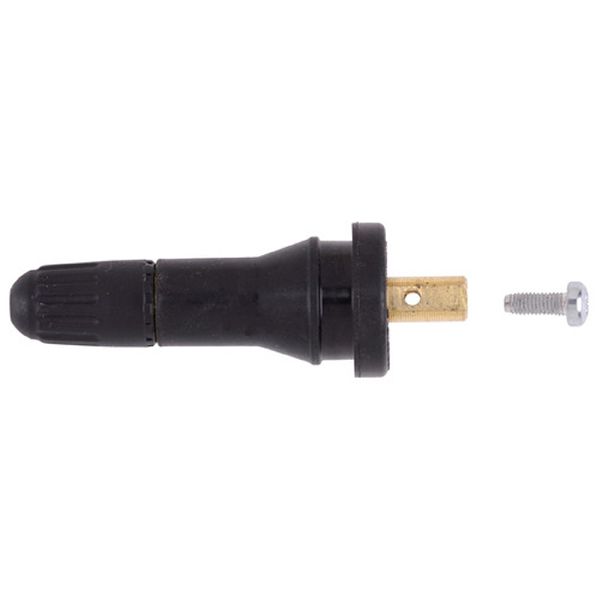
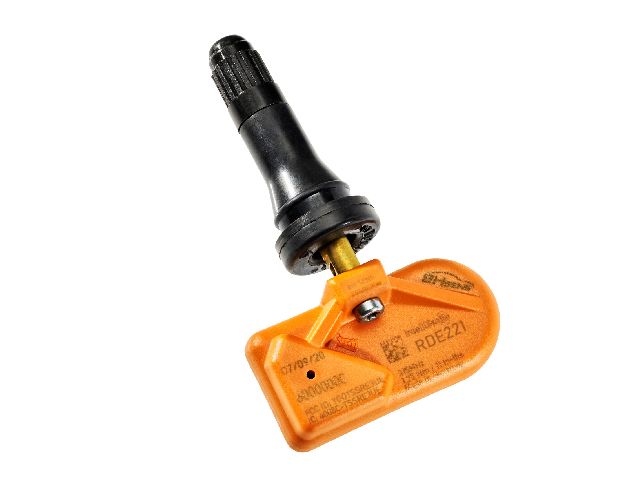
- Tire Pressure Monitoring System (TPMS) Sensor
(OEM #13598771 (supersedes 13586335, 22853741, 20923680, 25920615))— The internal, non-replaceable battery in the sensor is the most common failure point, with a lifespan that matches the age of these vehicles. These sensors operate at 315 MHz.
Trusted brands: ACDelco (OEM), Schrader (often the OE supplier), Continental, Dorman
OEM price range: $45-$70
Aftermarket price range: $25-$50 - Remote Control Door Lock Receiver (RCDLR)
(OEM #25876413, 22739937 (verify by VIN))— This module is the receiver for the TPMS signals. It can fail internally or suffer from wiring damage, preventing the BCM from hearing the sensors. This is a common cause if key fobs also stop working. Replacement requires programming.
Trusted brands: ACDelco, Dorman
OEM price range: $70-$150
Aftermarket price range: $50-$100
Related Codes That Often Appear With This One
- C0750, C0755, C0760, C0765 — These codes indicate a specific sensor has a fault (often a low battery or signal issue). If one of these is present, it will prevent the relearn procedure from completing, causing C0775 to set as well.
- B3055, B3060 — These are key-related codes. Their presence with C0775 points strongly towards a fault in the Remote Control Door Lock Receiver (RCDLR) or its wiring, as this module handles both TPMS and key fob signals. [TSB #PIC5650M]
Technical Service Bulletins (TSBs) & Recalls
- PIC5650M / PIC5650C: Notes that C0775 can be found with other codes during a stall/security light concern, pointing to a potential widespread electrical or network issue. It specifically calls out Radio Frequency Interference (RFI) from aftermarket electronics (chargers, LED lights) as a possible cause for TPMS and key fob issues.
- 16-NA-061: Addresses customer complaints of 'Service Tire Monitor System' messages and poor key fob range. It points to a disconnected coaxial cable antenna at the RCDLR module or the antenna amplifier as a direct cause for these symptoms, which can trigger codes like C0750-C0765.
Platform-Specific Known Issues
- RCDLR Wiring Failure in Driver's Door Sill: A well-documented failure point is the power wire for the RCDLR breaking inside the wiring harness that runs along the driver's side floor, under the plastic door sill trim. A user on YouTube documented this exact failure on a 2011 Silverado, finding a corroded and broken wire that caused a 'no comms' issue with the RCDLR, leading to inoperative key fobs and TPMS warnings.
- RCDLR Module Location and Access: On the 2007-2014 Silverado/Sierra crew cab, the RCDLR module is tucked behind the upper trim of the driver's side rear C-pillar. Some owners have reported confusion about its location, with some sources incorrectly stating it is on the passenger side. Access requires removing the rear interior trim panels.
Mechanic-Grade Diagnostic Values
- RCDLR Power Supply Voltage — expected: 12V+ (Battery Positive Voltage). Failure: 0V or significantly less than battery voltage indicates a broken power wire or blown fuse.
- RCDLR Ground Connection — expected: Near 0V and good continuity to chassis ground.. Failure: High resistance or voltage above 0V on the ground wire indicates a poor ground connection.
- RCDLR Fuse Power — expected: 12V+ on both sides of the fuse with ignition on.. Failure: 0V on one or both sides indicates a blown fuse or a problem upstream.
Scan Tool Commands That Help
- GM Tech 2 / GDS2: RCDLR Special Functions -> TPMS Learn Mode Enable — This command forces the vehicle into the TPMS relearn mode, which is an alternative to using the key fob or DIC menu. It's useful if the DIC or fob methods are not working.
- GM Tech 2 / GDS2: Module Setup -> RCDLR Programming — This function is required after replacing the RCDLR module. The new module must be programmed to the vehicle's BCM to function correctly for both TPMS and keyless entry.
- GM Tech 2 / GDS2: RCDLR Data Display — Allows viewing of live data, including the reported voltage at the module and whether it is receiving signals from key fobs, which can help differentiate a wiring problem from a module failure.
Wiring & Ground Locations

- RCDLR Power Wire — A Red wire with a White stripe running in the harness along the driver's side floor, under the sill plates.. This wire is the primary power feed for the RCDLR. It is a known failure point, often breaking or corroding inside the harness, causing a complete loss of communication with the module and setting a C0775.
- G303 — On the left side (driver's side) B-pillar, behind the interior trim panel.. This is a common chassis ground point for components in the rear of the cab. A loose or corroded G303 can cause intermittent or total failure of the RCDLR, mimicking a failed module.
- DSM Fuse — A 10-amp fuse located in the instrument panel fuse block at the end of the driver's side dashboard.. This fuse provides dedicated power to the RCDLR. If it's blown, the module will be completely dead, leading to C0775 and inoperative key fobs.
- RCDLR Connector — The electrical connector plugging into the RCDLR module, located behind the driver's side rear C-pillar trim.. This is the primary test point. The Red/White wire should have 12V+ and the Black wire should have a solid ground.
Real Owner Repair Stories
- YouTube user 'Phillip Bailey' / 'DiagnoseDan' (2017 GM 2500HD (Similar platform and wiring)) — Keyless entry not working and a 'Service Tire Monitor System' message on the dash.
❌ Tried (didn't work) Attempting to relearn key fobs failed with a 'rejected by BCM' message., Scan tool showed no communication with the RCDLR.
✅ What actually fixed it A broken power wire for the RCDLR was found under the driver's door rocker panel/sill plate cover. The wire (yellow with green stripe on this model) had been chafed/cut by the plastic trim. Splicing and repairing the wire restored power to the RCDLR and fixed both the TPMS and keyless entry issues. - YouTube user 'Raymond Beachy' (2011 Chevrolet Silverado) — Remotes don't work, scan tool shows 'no communication' with the RCDLR.
❌ Tried (didn't work) Initially assumed the RCDLR module itself was bad.
✅ What actually fixed it After accessing the RCDLR behind the rear C-pillar, a multimeter test showed no power on the Red/White wire. The fault was traced to a corroded break in this wire within the harness. Repairing the wire restored communication and function without needing to replace the module.
Model Year Variations Within This Range
- 2014: The 2014 model year marked the beginning of the K2XX generation. While it shares the C0775 code and the RCDLR-based TPMS architecture with the GMT900 (2007-2013) trucks, it features a different interior, a new direct-injected EcoTec3 engine, and a different electrical system (GM Global A). However, the physical location of the RCDLR and the common wiring failure points in the driver's side sill plate area remain consistent problems.
Helpful Videos
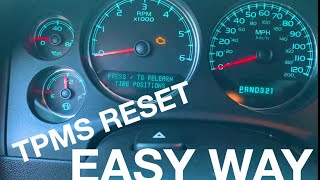
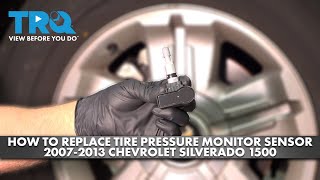
We Have This Part in Stock
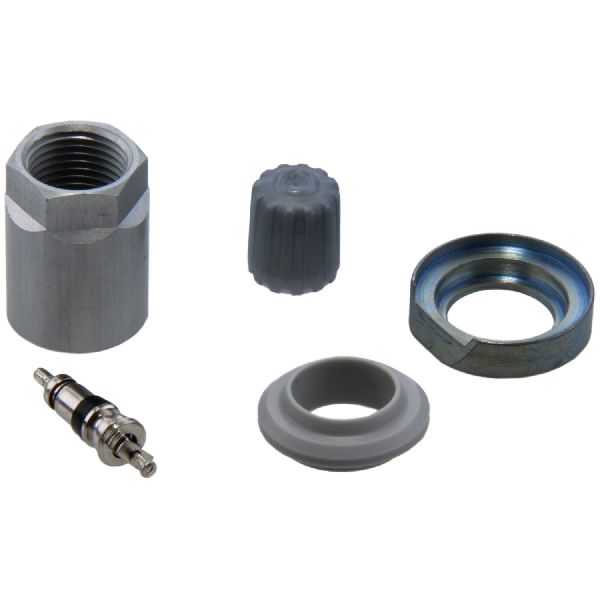

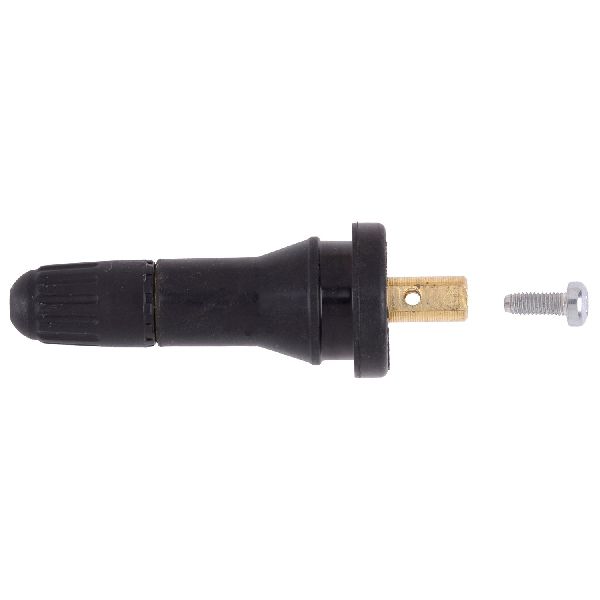

The information in this article is provided for general reference and educational purposes only. Vehicle specifications, procedures, and part compatibility can vary by production date, trim level, and region. Always consult your vehicle's factory service manual and verify part numbers before purchasing or performing repairs. Safety-critical components such as airbags, seat belts, and braking systems should be installed by a qualified professional.
- Chevrolet SILVERADO 1500:
- 🎬 Helpful Videos
- 🛍️ Shop This Part
- What's Unique About the 2007-2014 Chevrolet SILVERADO 1500
- Diagnostic Flowchart
- Symptoms You May Notice
- Most Likely Causes
- Rare But Worth Checking
- Diagnosis Steps
- Parts You'll Likely Need
- Related Codes That Often Appear With This One
- Technical Service Bulletins (TSBs) & Recalls
- Platform-Specific Known Issues
- Mechanic-Grade Diagnostic Values
- Scan Tool Commands That Help
- Wiring & Ground Locations
- Real Owner Repair Stories
- Model Year Variations Within This Range
- 🎟️ Get 5% Off