

C0775 on 2015-2022 Chevrolet Express 3500: TPMS Sensors Not Learned Fix
Code C0775 means your van's computer has lost the IDs for the tire pressure (TPMS) sensors. This is usually caused by an incomplete relearn procedure after a tire rotation or battery change. The fix is to perform the TPMS relearn procedure, which can often be done in your driveway, though a simple activation tool is frequently required when the 'let air out' method fails.
- C0775 means you need to perform the TPMS relearn procedure, not that your sensors are necessarily bad.
- The relearn procedure can be done for free using the buttons on your dashboard and by letting air out of each tire in sequence.
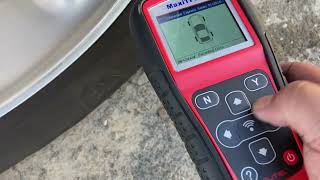
- A low-cost TPMS activation tool (around $15) makes the relearn process much quicker and is a worthwhile investment if you rotate your own tires.
- If the code appears with stalling or security light issues, refer to TSB #PIC5650M and seek professional diagnosis for a more complex electrical problem.
What's Unique About the 2015-2022 Chevrolet EXPRESS 3500
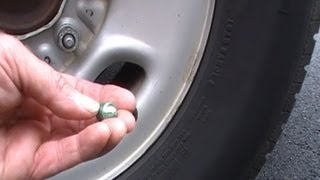
The Chevrolet Express platform allows owners to initiate the TPMS relearn mode directly through the Driver Information Center (DIC) buttons without special tools. 🎬 Watch: Step-by-step Chevy Express TPMS relearn procedure tutorial While convenient, this can lead to accidentally starting the process. If the procedure is then interrupted (e.g., by turning off the van) before all sensors are registered, the system memory is wiped, and code C0775 is set. This makes C0775 a relatively common and often simple-to-fix code on these vans. However, many owners report that the factory-prescribed method of letting air out of the tires to activate the sensors during the relearn process often fails, making a low-cost activation tool (like the EL-50448) a near-necessity.
Diagnostic Flowchart
Tap your situation to follow the diagnostic path that matches what you're seeing on this vehicle.
Symptoms You May Notice
- TPMS warning light flashes for about 60 seconds on startup, then remains on solid.
- "Service Tire Monitor System" message displayed on the Driver Information Center (DIC).
- Tire pressure readings on the DIC show dashes (--) instead of pressure values.
- Inability to complete the TPMS relearn procedure; the horn may not chirp when attempting to activate a sensor.
- Replacing TPMS sensors immediately. This code indicates a programming issue, not necessarily a sensor failure. Always attempt the relearn procedure first before buying new parts.
- Assuming the deflation method will work. Many owners report this method fails and that a relearn tool is required.
Most Likely Causes
- Incomplete or Failed TPMS Relearn Procedure 🔴 High Probability The relearn procedure can be initiated easily through the DIC, making it possible to start it accidentally and not complete it, which erases the stored sensor IDs. It can also be triggered by disconnecting the vehicle battery.
How to confirm: Attempt to perform the TPMS relearn procedure. If the procedure completes successfully and the code clears, this was the cause.
Typical fix: Perform the complete TPMS relearn procedure using either the vehicle's DIC and letting air out of the tires, or by using a TPMS activation tool. A tool is often required as the deflation method is unreliable.
Est. part cost: $0-$20 - Tire Rotation or New Sensor Installation Without Relearn 🟡 Medium Probability Any time tires are moved to a new position or a sensor is replaced, the vehicle must be taught the new sensor locations. Forgetting this step is a common oversight by DIYers and quick-lube shops.
How to confirm: If the code appeared immediately after a tire rotation or sensor replacement, this is the likely cause.
Typical fix: Perform the TPMS relearn procedure to teach the vehicle the new sensor positions/IDs.
Est. part cost: $0-$20 - Faulty Remote Control Door Lock Receiver (RCDLR) ⚪ Low Probability The RCDLR module is responsible for receiving signals from both the key fobs and the TPMS sensors. A fault in this module, or more commonly, its antenna connection, can prevent it from learning or retaining sensor IDs. TSB 16-NA-061 notes that a disconnected coax cable at the RCDLR or antenna amplifier can cause this issue.
How to confirm: If the relearn procedure fails repeatedly with known good sensors and a reliable tool, and you also experience issues with key fob range (poor or no response), the RCDLR and its antenna wiring should be professionally diagnosed.
Typical fix: Inspect antenna connections first. If connections are good, replacement of the RCDLR module and programming by a dealer or qualified shop with a Tech II or similar scan tool is required.
Est. part cost: $50-$150
Rare But Worth Checking
- Dead Battery in one or more TPMS sensors:
Diagnosis Steps
- Verify that C0775 is the active code using an OBD-II scanner capable of reading Chassis (C) codes.
- Check the Driver Information Center (DIC) for a "Service Tire Monitor System" message and dashes for tire pressures.
- Attempt the TPMS relearn procedure. Turn the ignition to 'ON' (engine off).
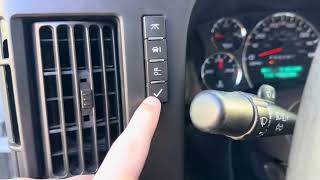
- Use the DIC menu buttons to find the "RELEARN TIRE POSITIONS" option and select it by pressing the checkmark/set button. The horn will chirp twice to indicate learn mode is active.
- The driver's side front turn signal will illuminate. Use a TPMS activation tool (like an EL-50448) against the tire sidewall near the valve stem and press the button. Wait for the horn to chirp once.
- Alternatively, attempt the deflation method: let air out of the tire for 5-30 seconds until the horn chirps. Be aware this method is often unsuccessful.
- Proceed to the passenger front, passenger rear, and finally driver's rear tire, waiting for the horn chirp at each one as the respective turn signal illuminates.
- After the final tire, the horn will chirp twice to signal the end of the successful procedure.
- If the procedure completes, clear the codes and turn the ignition off and on. If the C0775 code is gone, the issue is resolved. Re-inflate tires to the correct pressure listed on the door jamb sticker.
- If the relearn procedure fails to start (no double horn chirp), check for issues with the DIC buttons or if the option is missing (on some base models, a key fob or scan tool is needed to initiate).
- If the relearn procedure fails at a specific wheel (no single horn chirp), that wheel's TPMS sensor is likely faulty (dead battery, damaged) and requires replacement.
- If the relearn fails with a tool and known good sensors, and key fob range is also poor, investigate the RCDLR module and its antenna wiring for faults, per TSB 16-NA-061.
Parts You'll Likely Need
- TPMS Relearn/Activation Tool
(OEM #EL-50448)— While not always required by the manual (the deflation method is an option), this tool is often essential in practice. Many owners find the deflation method does not work, and this tool makes the relearn procedure fast and reliable.
Trusted brands: VXDAS, JDIAG, Autel
OEM price range: $10-$20
Aftermarket price range: $10-$20 - Tire Pressure Monitoring System (TPMS) Sensor
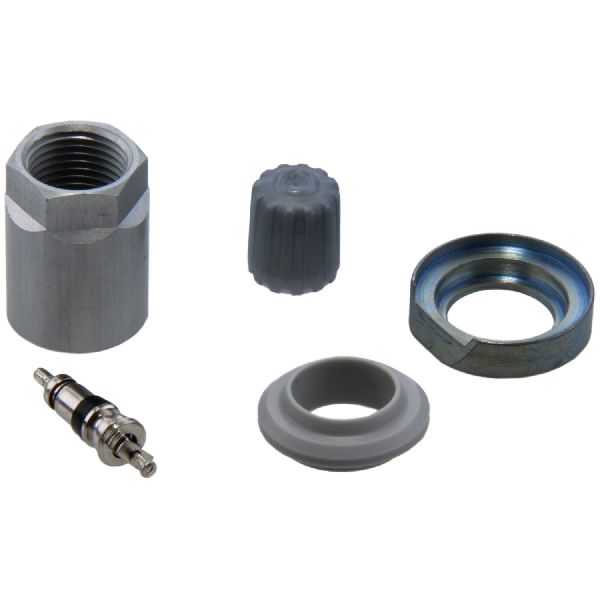
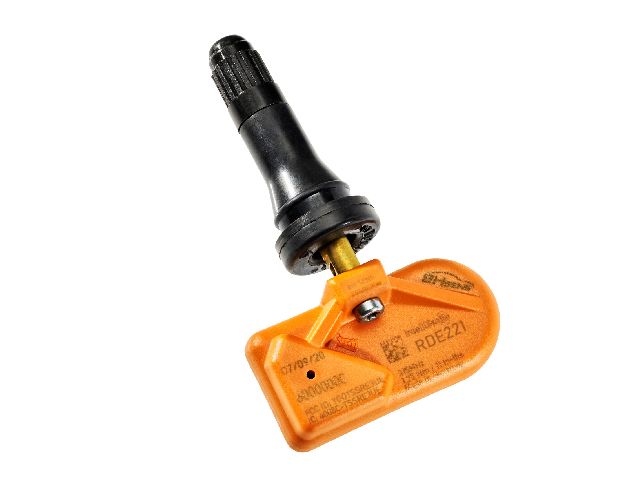
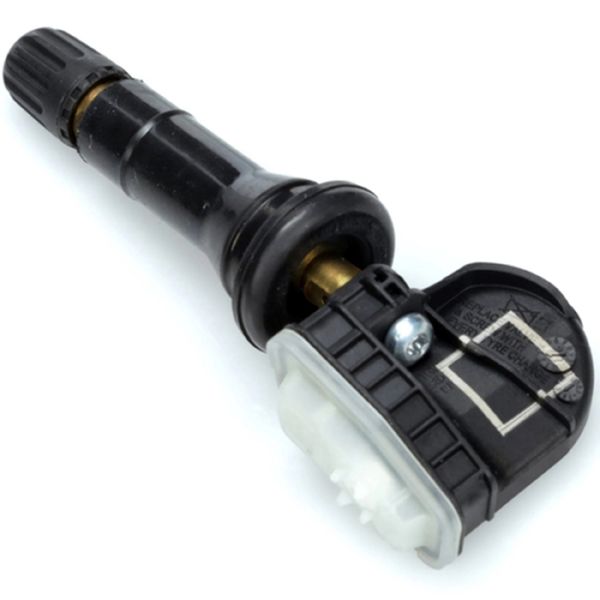
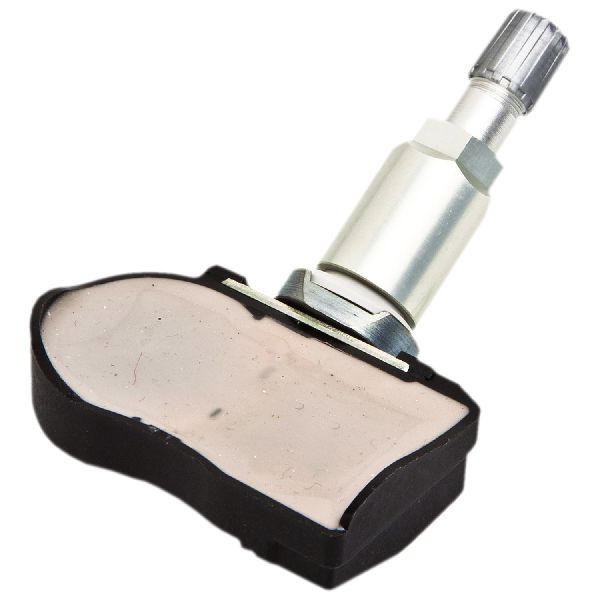
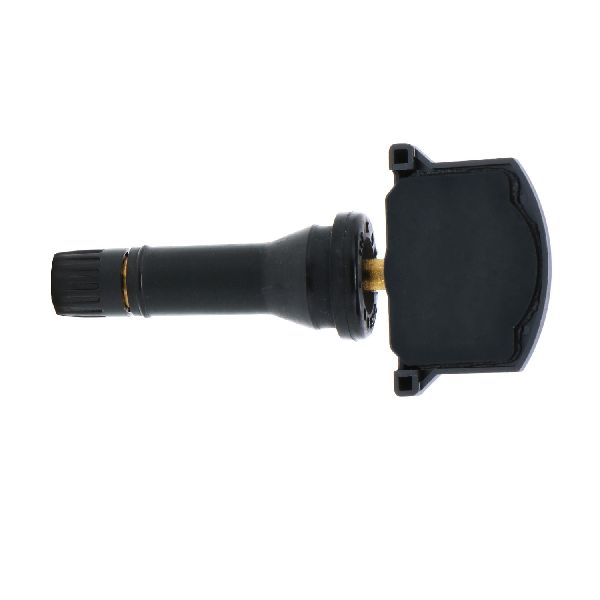
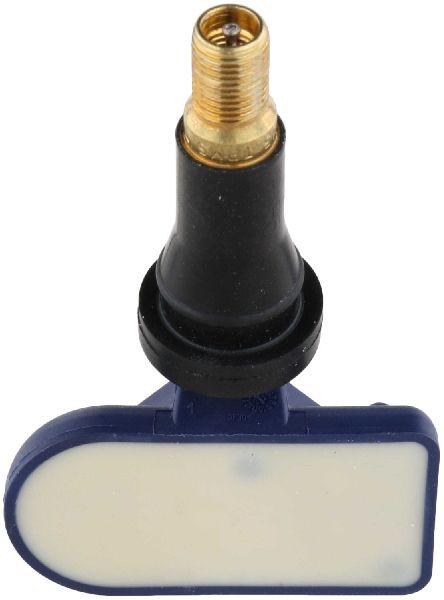
(OEM #13598771 (Superseded by 13540600))— If the relearn procedure fails for a specific wheel, the sensor itself is likely the culprit, usually due to a dead battery (5-10 year lifespan). It's wise to replace all sensors if they are original and over 7 years old.
Trusted brands: ACDelco (GM OE), Schrader (Often the OEM supplier), Continental, Dorman
OEM price range: $40-$60
Aftermarket price range: $25-$45
Related Codes That Often Appear With This One
- C0750 — Left Front Tire Pressure Sensor fault. Can appear if the relearn fails because that sensor is bad or has a dead battery.
- C0755 — Right Front Tire Pressure Sensor fault. Can appear if the relearn fails because that sensor is bad or has a dead battery.
- C0760 — Left Rear Tire Pressure Sensor fault. Can appear if the relearn fails because that sensor is bad or has a dead battery.
- C0765 — Right Rear Tire Pressure Sensor fault. Can appear if the relearn fails because that sensor is bad or has a dead battery.
Technical Service Bulletins (TSBs) & Recalls
- PIC5650M: Mentions C0775 in a list of DTCs that may be found when investigating a stall concern with the security light on.
- 16-NA-061: While not for the Express specifically, it details diagnosis of the identical RCDLR and antenna system, pointing to disconnected antenna cables as a cause for TPMS communication failure and C-codes.
Platform-Specific Known Issues
- A Technical Service Bulletin (TSB #PIC5650M) has noted C0775 appearing alongside vehicle security codes (like B3055, B3060) in cases with a customer complaint of stalling. This is not typical, as C0775 is a TPMS code. If your vehicle is stalling, it indicates a separate, more complex electrical issue that requires professional diagnosis beyond the TPMS system.
- TSB #16-NA-061, while for other GM models, describes an identical system. It points to a disconnected coax cable for the RCDLR antenna as a cause for TPMS communication issues and poor key fob range, which is a highly relevant diagnostic path if the relearn procedure repeatedly fails.
Scan Tool Commands That Help
- GDS2 / Tech 2 (or equivalent professional scan tool): Copy and Paste TPM Information — When replacing a faulty Remote Control Door Lock Receiver (RCDLR). This function must be performed BEFORE removing the old module. It copies the existing sensor IDs and tire type settings from the old RCDLR and pastes them into the new one after installation, avoiding the need to perform a manual relearn procedure.
- GDS2 / Tech 2 (or equivalent professional scan tool): RCDLR Programming — After installing a new Remote Control Door Lock Receiver (RCDLR). The new module must be programmed via the Service Programming System (SPS) to function with the vehicle.
Wiring & Ground Locations
- Remote Control Door Lock Receiver (RCDLR) — On Express/Savana vans, the RCDLR is typically located under the top dashboard panel, behind and above the instrument gauge cluster. Access requires removing the A-pillar trim and the large, full-width top dash piece.. The RCDLR receives the signals from all TPMS sensors. A loose power, ground, or antenna connection at this module will prevent it from learning or retaining sensor IDs, directly causing C0775 and other related codes.
- RCDLR Power/Ground (at module) — At the RCDLR connector, power is typically a red/white wire and ground is a black/white wire. The separate coaxial cable is for the antenna.. Loss of power or a bad ground at the module itself will cause a total failure of the TPMS and key fob systems, often logging a 'loss of communication' code for the RCDLR and C0775.
- Chassis/Body Grounds — Primary ground points are from the battery negative terminal to the engine block and to the body/firewall. Additional body grounds (like G303/G304) are located on the B-pillars behind the trim panels.. While a general grounding issue is less likely to isolate to just the RCDLR, a corroded or loose main body ground can cause a wide range of difficult-to-diagnose electrical problems, including module communication errors that could potentially involve the RCDLR.
Real Owner Repair Stories
- Reddit user in r/ChevyTrucks (2013 Chevrolet Silverado (similar TPMS system)) — After a tire rotation, attempted to use an aftermarket orange relearn tool. The tool failed, and a 'tire monitor system error' appeared. The DIC relearn mode could be entered (2 horn honks), but letting air out of the tires would not trigger a sensor learn (no single honk).
❌ Tried (didn't work) Using the deflation method; waited over 30 seconds with no result., Disconnecting the battery for 30 minutes and trying again.
✅ What actually fixed it The user finally succeeded with the same activation tool. The solution was to move the tool around the valve stem area on the tire's sidewall and press the button multiple times until it finally connected and the horn chirped. This suggests the tool's positioning is critical and can be finicky. - Chevrolet Forum user (2013 Chevrolet Express 2500) — Intermittent 'Service Tire Pressure Monitor System' light. Replaced a sensor that was believed to be faulty, but could not get the van to learn the new sensor or any of the old ones. The van would enter learn mode but never chirp to confirm a sensor was read, either with the deflation method or a tool.
❌ Tried (didn't work) Letting air out of the tires., A procedure called 'faulting the system' suggested by a part seller., Disconnecting the battery and touching the terminals together for 90 seconds.
✅ What actually fixed it The user eventually resolved the issue by purchasing and using a cheap relearn tool from Amazon, stating, "Right. I guess I just need the relearn tool. Found a cheap one amazon that works." This highlights the frequent failure of the deflation method and the necessity of a tool.
OEM Part Supersession History
13598771→13540600— Standard part number consolidation and design updates by GM.
Heads up: The new part number 13540600 is the correct service replacement and is fully compatible. It has superseded numerous older part numbers including 13586335, 15123145, 20923680, and others.
Model Year Variations Within This Range
- 2015-2022 (Base models): Some base model vans or former fleet vehicles may not have been ordered with the DIC buttons or the keyless entry package (RPO code ATG). On these specific vans, the TPMS relearn option may be missing from the instrument cluster menu. In this case, initiating the relearn mode must be done either with a key fob (pressing Lock and Unlock simultaneously) or with a professional scan tool.
Helpful Videos
We Have This Part in Stock

The information in this article is provided for general reference and educational purposes only. Vehicle specifications, procedures, and part compatibility can vary by production date, trim level, and region. Always consult your vehicle's factory service manual and verify part numbers before purchasing or performing repairs. Safety-critical components such as airbags, seat belts, and braking systems should be installed by a qualified professional.
- Chevrolet EXPRESS 3500:
- 🎬 Helpful Videos
- 🛍️ Shop This Part
- What's Unique About the 2015-2022 Chevrolet EXPRESS 3500
- Diagnostic Flowchart
- Symptoms You May Notice
- Most Likely Causes
- Rare But Worth Checking
- Diagnosis Steps
- Parts You'll Likely Need
- Related Codes That Often Appear With This One
- Technical Service Bulletins (TSBs) & Recalls
- Platform-Specific Known Issues
- Scan Tool Commands That Help
- Wiring & Ground Locations
- Real Owner Repair Stories
- OEM Part Supersession History
- Model Year Variations Within This Range
- 🎟️ Get 5% Off