

C0775 on 2007-2014 Chevrolet Express 3500: Fixing the 'Service Tire Monitor System' Message
This code means the Tire Pressure Monitoring System (TPMS) sensors are not synchronized with the van's computer. The most common fix is to perform a 'relearn' procedure using an inexpensive TPMS activation tool (like the EL-50448), which forces the vehicle to recognize the sensors. This is often required after a tire rotation or sensor replacement.
- C0775 means a TPMS relearn procedure must be performed, not that a sensor is broken.
- The fix requires a simple, inexpensive TPMS activation tool (like the EL-50448) and a few minutes of time.
- A flashing TPMS light indicates a system fault (like C0775), while a solid light just means a tire is low on air.
- If the code appears with stalling and security codes, unplug all aftermarket phone chargers and accessories before further diagnosis, as per TSB PIC5650M.
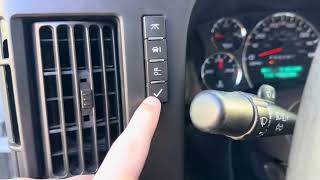
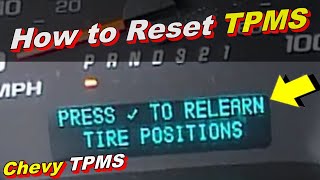
What's Unique About the 2007-2014 Chevrolet EXPRESS 3500 🎬 Watch: A complete TPMS relearn tutorial for the Chevy Express.
For the Express 3500, C0775 is typically a straightforward TPMS relearn issue. However, an official Technical Service Bulletin (TSB) from GM identifies a rare but important scenario where C0775 appears alongside vehicle security codes and a stalling problem. This TSB clarifies the cause is often Radio Frequency Interference (RFI) from aftermarket electronics (like phone chargers or LED lights) that 'jams' the signal between the sensors and the receiver module. This suggests that on this platform, the code can sometimes be a symptom of an external electrical issue affecting the BCM, rather than just a simple TPMS procedure failure.
Diagnostic Flowchart
Tap your situation to follow the diagnostic path that matches what you're seeing on this vehicle.
Symptoms You May Notice
- A TPMS warning light that flashes for approximately one minute after startup, then stays on solid.
- A 'SERVICE TIRE MONITOR SYSTEM' message displayed on the Driver Information Center (DIC).
- The tire pressure display on the DIC shows dashes ('--') instead of pressure values for the tires.
- Inability to complete the TPMS relearn procedure; the horn may not chirp when a sensor is activated.
- Replacing a TPMS sensor. The code C0775 does not indicate a faulty sensor, but rather a failure in the learning process. Replacing a perfectly good sensor will not resolve this specific code unless the original sensor's battery was dead, preventing the relearn from completing.
Most Likely Causes
- Incomplete or Failed TPMS Relearn Procedure 🔴 High Probability The relearn procedure can be cancelled if it takes more than two minutes for the first sensor or five minutes total, or if the ignition is turned off. This invalidates the sensor IDs and sets C0775. Owners report failures due to weak batteries in the relearn tool or incorrect tool placement.
How to confirm: Attempt the TPMS relearn procedure. If it completes successfully and the code clears, this was the cause. If it fails, check the battery in your relearn tool and ensure you are holding it against the tire sidewall near the valve stem.
Typical fix: Perform the complete TPMS sensor learn procedure using a TPMS activation tool like the EL-50448. Ensure the tool has a fresh 9V battery.
Est. part cost: $10-$25 for a relearn tool - New TPMS Sensor(s) Installed Without Relearn 🔴 High Probability Any time a TPMS sensor is replaced, the vehicle must be taught its new, unique ID. This is a mandatory step that is sometimes overlooked after tire service. A fleet owner on ChevroletForum.com noted this is a constant issue after having tires rotated at shops that don't perform the relearn.
How to confirm: Confirm if TPMS sensors were recently replaced or if tires were rotated. If so, the relearn procedure was likely missed or failed.
Typical fix: Perform the TPMS sensor learn procedure.
Est. part cost: $0 if you have a relearn tool
Rare But Worth Checking
- Replaced Body Control Module (BCM) Not Programmed: A new BCM will set DTC C0775 on its first ignition cycle until the sensor learn procedure is performed. If the relearn procedure fails repeatedly, the BCM itself may have programming issues or be incompatible if a used module was installed.
- Radio Frequency Interference (per TSB PIC5650M): When accompanied by security codes (like B3055, B3060) and a stalling condition, C0775 may indicate a broader problem. The TSB points to RFI from aftermarket devices like cell phone chargers, USB power banks, or non-OEM LED lights jamming the 315MHz frequency used by the TPMS and keyless entry systems. Diagnosis involves removing all aftermarket plug-in devices and testing system function.
- Dead Battery in one or more TPMS sensors: While C0775 is a system-level code, if a sensor's battery is completely dead, it cannot be activated during the relearn procedure, causing the process to fail and the code to set. With a 5-10 year battery life, vehicles in this year range are prone to this. A user on ChevroletForum.com was unable to complete a relearn until they identified and replaced a sensor with a dead battery.
Diagnosis Steps
- Check for other DTCs. If security or communication codes (B3055, etc.) are present along with stalling, refer to TSB #PIC5650M. Unplug all aftermarket accessories (phone chargers, dash cams, LED bulbs) and re-test.
- If C0775 is the only code, obtain a GM-compatible TPMS relearn tool (e.g., EL-50448) and ensure it has a fresh 9V battery.
- Initiate the TPMS learn mode. With the key in the 'ON' position (engine off), use the DIC buttons to scroll to the tire pressure screen and hold the set/reset button. The horn will chirp twice to indicate it's in learn mode. If DIC buttons are not present or don't work, press and hold the lock and unlock buttons on the key fob simultaneously for five seconds.
- Follow the vehicle's instructions, starting with the Left Front tire. Place the tool flat against the tire sidewall near the valve stem and press the button. Do not point it at the stem.
- Wait for a single horn chirp, which confirms the sensor has been learned. This may take up to 30 seconds. If it fails, try moving the tool to different positions around the stem or rolling the vehicle forward a foot to change the sensor's orientation relative to the brake caliper.
- Proceed in a clockwise sequence: Right Front, Right Rear, and Left Rear tires, waiting for the horn chirp at each wheel.
- After the final (Left Rear) sensor is learned, the horn will chirp twice to signal the end of the procedure.
- Turn the ignition off, then start the vehicle and check if the 'Service Tire Monitor System' light has extinguished and pressure readings are displayed.
- If the learn procedure fails repeatedly on one wheel, suspect a dead or incompatible sensor for that wheel. If it fails on all wheels, suspect a weak relearn tool battery, significant RFI, a disconnected RCDLR antenna, or an issue with the BCM/RCDLR module.
Parts You'll Likely Need
- TPMS Relearn Activation Tool
(OEM #EL-50448)— This tool is required to trigger the 315 MHz sensors during the vehicle's relearn mode, which is the direct fix for code C0775. Note: A fresh 9V battery is critical for the tool to function correctly.
Trusted brands: VXDAS, JDIAG, OEC-T5
OEM price range: $15-$25
Aftermarket price range: $10-$20 - Tire Pressure Monitoring System (TPMS) Sensor
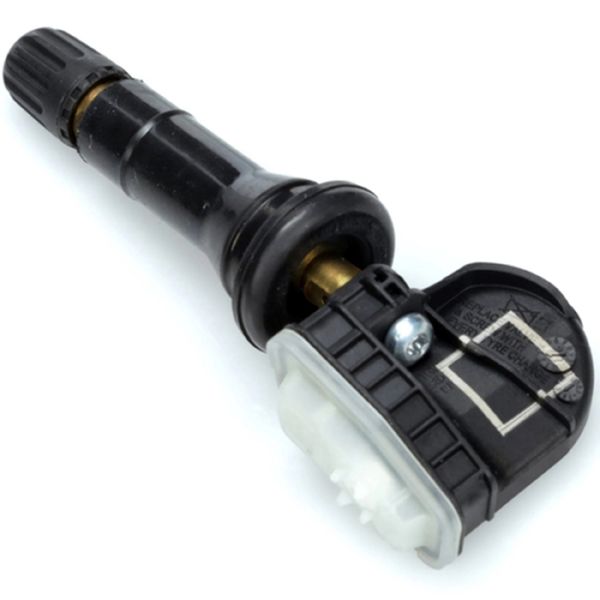
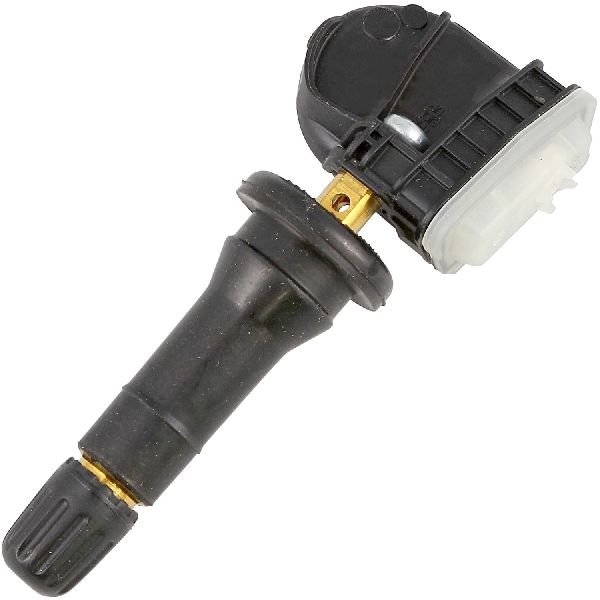
(OEM #13598771)— This code often appears after a sensor is replaced. If the relearn procedure fails on a single wheel, the new sensor itself might be faulty, incompatible, or have a dead battery. The original part 13598771 is often superseded by or interchangeable with 13586335, 13581558, and 22853741.
Trusted brands: ACDelco (GM Original Equipment), Schrader, Continental/VDO, Dorman
OEM price range: $35-$60
Aftermarket price range: $20-$45
Related Codes That Often Appear With This One
- C0750, C0755, C0760, C0765 — These codes indicate a fault with a specific tire pressure sensor. C0775 might appear after one of these sensors is replaced but the relearn procedure is not completed or fails.
- B3055, B3060, B3935 — As noted in TSB #PIC5650M, these security-related codes appearing with C0775 point towards a more complex electrical issue, often Radio Frequency Interference (RFI), causing a stall or no-start condition.
Technical Service Bulletins (TSBs) & Recalls
- PIC5650M (and later revisions like PIC5650K): Addresses a stall or no-start concern with the security light on, where C0775 may be found alongside various security and other chassis codes. It identifies Radio Frequency Interference (RFI) from aftermarket accessories as the likely cause.
Platform-Specific Known Issues
- A Technical Service Bulletin (PIC5650M) exists for the 2007 Express 3500, noting that C0775 can be found with a cluster of security system DTCs (B3055, B3060, B3935, etc.) in response to a vehicle stall or no-start concern. The cause is identified as Radio Frequency Interference (RFI) from aftermarket electronics (phone chargers, LED lights, toll passes) jamming the remote function receiver. The fix is to remove all such devices before further diagnosis.
- Some base-model work vans may not have the DIC buttons or a keyless entry fob required to initiate the relearn mode manually. In a thread on ChevroletForum.com, an owner of a 2012 Express 2500 could not find the 'Relearn Tire Positions' message in the DIC menu at all, indicating a scan tool would be necessary to start the process.
Scan Tool Commands That Help
- GDS2 (GM Dealer Scanner): Module Diagnostics > RCDLR > Relearn — This is the dealer-level method to force the TPMS learn procedure. It is required on some base model vans that lack DIC buttons or keyless entry to initiate the mode manually. It can also be used to confirm if the RCDLR module is communicating with the scan tool.
- GDS2 (GM Dealer Scanner): Vehicle Diagnostics > Vehicle DTC Information — To perform a vehicle-wide scan of all modules. This is critical for diagnosing C0775, as it can confirm if the RCDLR is online (green status) or has no communication (red status), and will show related codes in other modules that might not be visible with a basic OBD-II scanner.
Wiring & Ground Locations
- RCDLR (Remote Control Door Lock Receiver) — Located under the top dashboard panel, behind and above the instrument gauge cluster. Access requires removing the A-pillar trim and the main dash top cover.. This module receives the 315MHz signals from all TPMS sensors and the key fobs. All communication for this system flows through it. A loose connection, water damage, or internal failure of this module is a root cause of C0775 if relearn procedures consistently fail.
- RCDLR Antenna Coax Cable — A coaxial cable runs from the RCDLR module to an antenna amplifier, which then connects to an antenna grid, often in the right rear glass.. A disconnected coax cable at the RCDLR module itself will prevent it from receiving any TPMS signals, causing all tire pressures to show as dashes and setting code C0775. A disconnect further away, at the amplifier, may cause intermittent loss of signal from sensors farther from the module (like the left front).
- G302 / G303 — Both grounds are located behind the left (driver's side) kick panel.. These are major grounds for various in-dash components. While not directly tied to the RCDLR in all diagrams, poor grounds in this area are known to cause a wide range of difficult-to-diagnose electrical issues, including module communication problems. A service bulletin for other GM models warns that BCM damage can occur if grounds are removed before disconnecting the battery.
- BCM (Body Control Module) — Located under the dashboard on the driver's side, often to the left of the steering column, and may require removing the knee bolster panel to access.. The BCM works with the RCDLR to process the TPMS data and display warnings on the instrument cluster. It is the central hub for body electronics, and its primary ground connections are critical.
Real Owner Repair Stories
- YouTube user 'Wires 2 Wrenches' (2008 Chevrolet Silverado (similar platform)) — Service TPMS message, key fobs not working, intermittent no-start, and erratic instrument cluster (DIC) behavior.
❌ Tried (didn't work) Replacing the battery did not solve the issue long-term.
✅ What actually fixed it The RCDLR module had failed due to water intrusion and corrosion on the circuit board. The technician removed the module, cleaned the corrosion from the board and connector pins with a brass brush and electronic cleaner, and re-soldered a few affected joints. This restored communication and fixed all symptoms. - Reddit user on r/ChevyTrucks (2013 Chevrolet Silverado (similar platform)) — After a tire rotation, attempted a relearn with an aftermarket orange tool, which failed and resulted in a 'Tire Monitor System Error' message.
❌ Tried (didn't work) Letting air out of the tires did not trigger the horn chirp. Using the tool pointed directly at the valve stem also failed.
✅ What actually fixed it The relearn procedure finally worked using the same tool, but it required moving the tool around the sidewall of the tire near the valve stem and pressing the button multiple times before it would connect and trigger the horn chirp. The key was persistence and finding the 'sweet spot' on the sidewall.
Model Year Variations Within This Range
- 2007-2014: While the core TPMS system is similar, base 'Work Van' trims often lack the Driver Information Center (DIC) buttons and/or the Remote Keyless Entry (RKE) key fob. On these models, initiating the TPMS relearn mode is not possible manually and requires a dealer-level scan tool (like a Tech2 or GDS2) to command the vehicle into learn mode.
Helpful Videos
We Have This Part in Stock


The information in this article is provided for general reference and educational purposes only. Vehicle specifications, procedures, and part compatibility can vary by production date, trim level, and region. Always consult your vehicle's factory service manual and verify part numbers before purchasing or performing repairs. Safety-critical components such as airbags, seat belts, and braking systems should be installed by a qualified professional.
- Chevrolet EXPRESS 3500:
- 🎬 Helpful Videos
- 🛍️ Shop This Part
- What's Unique About the 2007-2014 Chevrolet EXPRESS 3500
- Diagnostic Flowchart
- Symptoms You May Notice
- Most Likely Causes
- Rare But Worth Checking
- Diagnosis Steps
- Parts You'll Likely Need
- Related Codes That Often Appear With This One
- Technical Service Bulletins (TSBs) & Recalls
- Platform-Specific Known Issues
- Scan Tool Commands That Help
- Wiring & Ground Locations
- Real Owner Repair Stories
- Model Year Variations Within This Range
- 🎟️ Get 5% Off