

C0775 on 2007-2014 Chevrolet Express 2500: TPMS Relearn and Sensor Fixes
Code C0775 means your van's Tire Pressure Monitoring System (TPMS) sensors need to be 'relearned'. This usually happens after new tires, a tire rotation, or a failed reset. The fix is to perform the relearn procedure, which is most reliably done with a simple, inexpensive TPMS tool (~$15), as the manual method of deflating tires is often unsuccessful on these vans.
- C0775 means the TPMS relearn procedure needs to be performed.
- The most common reason for this code is a failed relearn attempt after a tire rotation or sensor replacement.
- Do not rely on letting air out of the tires. The most effective fix is to use an inexpensive TPMS activation tool (around $15).
- If the relearn procedure still fails on one wheel when using a tool, that wheel's TPMS sensor needs to be replaced.
- This is a minor issue that disables a safety feature but does not prevent you from driving the van. Manually check your tire pressures until it is fixed.
What's Unique About the 2007-2014 Chevrolet EXPRESS 2500
The GM TPMS system used in the Express van is straightforward but has a specific quirk. While owner's manuals often suggest that letting air out of the tires can trigger the sensors during the relearn process, this method is notoriously unreliable on these vans and similar GM trucks. Owners and technicians almost universally recommend using a dedicated, low-cost TPMS activation tool (like an EL-50448 or a clone) to guarantee each sensor is recognized by the van's computer, making the fix much faster and less frustrating. 🎬 Watch: Step-by-step Chevy Express TPMS relearn procedure tutorial. This avoids the need to repeatedly deflate and re-inflate tires.
Diagnostic Flowchart
Tap your situation to follow the diagnostic path that matches what you're seeing on this vehicle.
Symptoms You May Notice
- "Service Tire Monitor System" message displayed on the Driver Information Center (DIC).
- The TPMS warning light on the instrument cluster flashes for approximately one minute after startup, then remains on solid.
- Inability to see individual tire pressure readings on the DIC (they may show as dashes '--').
- Horn does not chirp when attempting to activate a sensor during the relearn procedure.
- Replacing the wrong TPMS sensor. If a tire rotation was recently performed without a relearn, the positions are mixed up in the computer. The DIC may report a fault with the 'left front' tire, but the actual faulty sensor might now be at a different corner of the van.
Most Likely Causes
- Failed or Incomplete TPMS Relearn Procedure 🔴 High Probability The procedure can time out if it takes too long to activate a sensor, or if the manual method of deflating the tire fails to trigger the sensor. This is the most common reason for C0775, often occurring after a tire rotation or seasonal wheel swap.
How to confirm: The code appears immediately after attempting a relearn, rotating tires, or replacing sensors.
Typical fix: Correctly perform the TPMS relearn procedure using the vehicle's DIC to enter learn mode and a TPMS activation tool to trigger each sensor in sequence.
Est. part cost: $10-$25 for a TPMS relearn tool - Dead TPMS Sensor Battery 🟡 Medium Probability TPMS sensor batteries have a finite lifespan, typically 5-10 years. Vehicles in this 2007-2014 range are at an age where original sensor battery failure is common. A dead sensor cannot transmit its ID, making it impossible for the relearn procedure to complete.
How to confirm: During the relearn procedure, one specific wheel consistently fails to register (no horn chirp) even when using a TPMS tool. A professional TPMS scanner can also read sensor battery status directly.
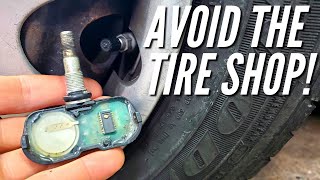
Typical fix: Replace the faulty TPMS sensor. It is often recommended to replace all four sensors at once if they are original, as the others are likely to fail soon. The tire must be unmounted to replace the sensor. 🎬 See how to replace sensors without a tire machine.
Est. part cost: $25-$70 per sensor - New or Aftermarket TPMS Sensor(s) Installed ⚪ Low Probability This is not a fault, but a required step. Any time a new sensor is installed, its unique ID must be learned by the vehicle's computer. If an incompatible or faulty aftermarket sensor is used, the relearn may fail.
How to confirm: The light and code appear immediately after having one or more TPMS sensors replaced.
Typical fix: Perform the TPMS relearn procedure. If it fails, verify the new sensor is the correct 315 MHz frequency and is compatible with GM vehicles.
Est. part cost: $0 (labor for the procedure is often included with sensor installation)
Rare But Worth Checking
- Faulty Remote Control Door Lock Receiver (RCDLR) or Body Control Module (BCM): A GM Technical Service Bulletin (PIC5650M and its successors) links C0775 with other security and sensor codes (like B3055, C0750, etc.), suggesting a rare but possible scenario where a failing control module causes multiple, seemingly unrelated faults, including a stall or no-start. A failing RCDLR can also cause poor key fob range. If you have many other B- and C-codes, this is a possibility.
- Radio Frequency (RF) Interference: Performing the relearn procedure near strong radio signals can interfere with the process. TSB PIC5650K explicitly warns that aftermarket devices like LED lights, cell phone chargers, and even building access cards can cause Radio Frequency Interference (RFI) that jams the 315 MHz signal from the sensors. Moving the vehicle to an open area and unplugging all aftermarket accessories can help.
- Disconnected RCDLR Antenna: A technical bulletin for similar GM trucks (PIT5446) notes that the coaxial antenna for the RCDLR can become disconnected at the module, at the antenna amplifier, or at the antenna itself (often in the rear glass). This can cause intermittent or total loss of signal from the TPMS sensors, leading to relearn failures and codes like C0775.
Diagnosis Steps
- Verify the code C0775 is present using an OBD-II scanner capable of reading Chassis (C) codes.
- Attempt the TPMS relearn procedure. Turn the ignition to 'ON' (engine off). Apply the parking brake.
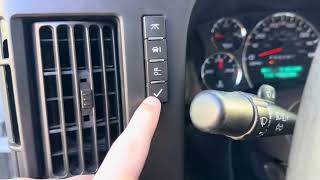
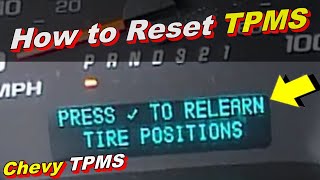
- Use the Driver Information Center (DIC) buttons to scroll to the tire pressure screen, then press and hold the checkmark/set/reset button until the horn chirps twice and the DIC displays 'TIRE LEARNING ACTIVE'. Alternatively, on models with a key fob, you can press and hold the lock and unlock buttons simultaneously until the horn chirps.
- Starting with the driver's side front tire, hold a TPMS activation tool (like an EL-50448) against the tire sidewall near the valve stem and press its button until the vehicle's horn chirps once. This confirms the sensor is learned.
- The vehicle will indicate the next tire to learn by lighting up the corresponding turn signal lamp (passenger front, then passenger rear, then driver rear).
- Repeat the activation process at each tire in the correct sequence. If a sensor doesn't trigger a horn chirp, try moving the tool to slightly different positions on the sidewall before assuming the sensor is bad.
- After the final (driver's side rear) sensor is learned, the horn will chirp twice to signal the end of the procedure.
- If one sensor consistently fails to elicit a horn chirp, its battery is likely dead, and the sensor needs to be replaced. After replacement, restart the relearn procedure from step 2.
- If the relearn fails for all sensors, investigate for RF interference by unplugging all aftermarket chargers/accessories or moving the van. If that fails, inspect the RCDLR and its antenna connection for issues.
- Once the procedure is complete, turn the ignition off, then start the vehicle and check if the 'Service Tire Monitor System' light has cleared. Manually adjust tire pressures back to the placard specification.
Parts You'll Likely Need
- TPMS Relearn Activation Tool
(OEM #EL-50448)— This tool is the most reliable way to activate the sensors and complete the relearn procedure, which is the direct fix for code C0775. Clones are widely available and effective.
Trusted brands: VXDAS, JDIAG, Autel, Other generic brands
OEM price range: $75
Aftermarket price range: $10-$25 - Tire Pressure Monitoring System (TPMS) Sensor
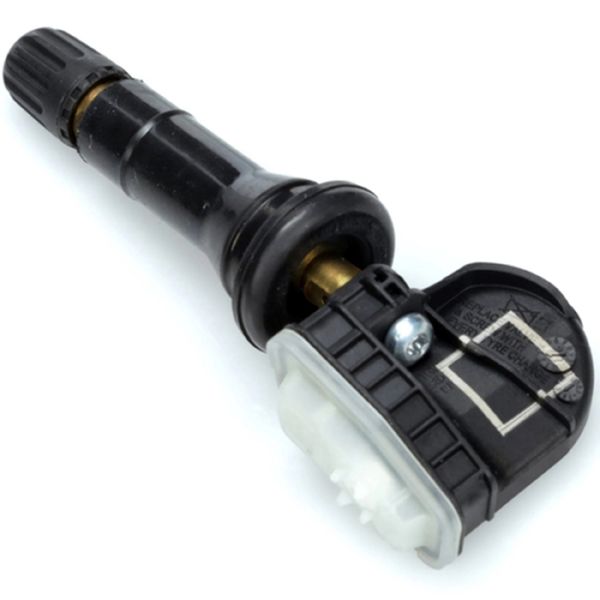
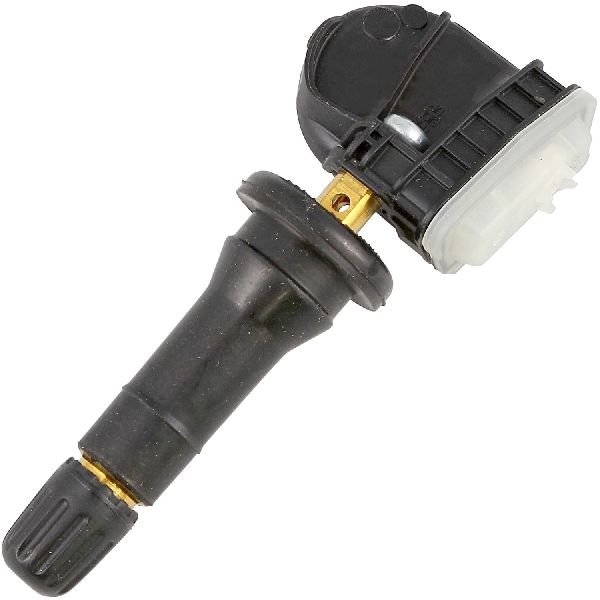
(OEM #13598771 (supersedes 13586335, 20923680, etc.))— If the relearn procedure fails repeatedly for one wheel, that sensor's battery is likely dead, and the sensor must be replaced to allow the relearn to complete. These operate at 315 MHz.
Trusted brands: ACDelco (GM OE), Schrader (OEM Supplier), Standard Motor Products, Dorman, Autel
OEM price range: $50-$90
Aftermarket price range: $25-$60
Related Codes That Often Appear With This One
- C0750 — DTC for the Left Front TPMS sensor. May appear with C0775 if that sensor is faulty (dead battery, etc.) and causing the relearn to fail.
- C0755 — DTC for the Right Front TPMS sensor.
- C0760 — DTC for the Left Rear TPMS sensor.
- C0765 — DTC for the Right Rear TPMS sensor.
- B3055 — Key Not Present. This code, along with C0775, can indicate a broader issue with the RCDLR or RF interference, as noted in TSB PIC5650.
Technical Service Bulletins (TSBs) & Recalls
- PIC5650M (and newer revisions like PIC5650K): Mentions C0775 in a complex scenario with a stall concern and multiple security/sensor codes, possibly pointing to a control module failure or, more commonly, Radio Frequency Interference (RFI) from aftermarket accessories like phone chargers or LED lights.
- PIT5446: While for newer GM SUVs, it describes an identical system architecture where a disconnected RCDLR antenna can cause TPMS codes and relearn failures, which is a relevant diagnostic path for the Express van.
Platform-Specific Known Issues
- Owner Experience: Relearn Tool is a Must-Have: On a Reddit thread for Chevy Trucks, a 2013 Silverado owner described failing to complete the relearn with the deflation method after a tire rotation, which triggered the 'tire monitor system error'. After multiple failed attempts letting air out, they were finally successful using a cheap Amazon relearn tool, but noted they had to move the tool around the valve stem area and press the button multiple times for it to connect, confirming that even with a tool, some patience may be required.
Helpful Videos
We Have This Part in Stock


The information in this article is provided for general reference and educational purposes only. Vehicle specifications, procedures, and part compatibility can vary by production date, trim level, and region. Always consult your vehicle's factory service manual and verify part numbers before purchasing or performing repairs. Safety-critical components such as airbags, seat belts, and braking systems should be installed by a qualified professional.
- Chevrolet EXPRESS 2500:
- 🎬 Helpful Videos
- 🛍️ Shop This Part
- What's Unique About the 2007-2014 Chevrolet EXPRESS 2500
- Diagnostic Flowchart
- Symptoms You May Notice
- Most Likely Causes
- Rare But Worth Checking
- Diagnosis Steps
- Parts You'll Likely Need
- Related Codes That Often Appear With This One
- Technical Service Bulletins (TSBs) & Recalls
- Platform-Specific Known Issues
- 🎟️ Get 5% Off